Claude Design Alternatives: 6 Tools for Different Jobs
Compare six Claude Design alternatives for prototypes, presentations, marketing assets, and visual design. See when Claude itself remains the best choice.
 Anvisha Pai, Co-founder & CEO, Moda
The best Claude Design alternative depends on why Claude is not the right production environment for your job. For interactive prototypes and designs grounded in a codebase, staying with Claude Design may be the best choice. For work that belongs in another team workflow, Figma Make, Google Stitch, Google Slides with Gemini, Canva, Gamma, or Moda may fit better.
Quick answer
- Stay with Claude Design for code-powered prototypes, codebase-aware design systems, and a direct handoff to Claude Code.
- Choose Figma Make when product designers need prototypes connected to Figma designs, components, and team collaboration.
- Choose Google Stitch when you want to steer UI generation in real time and move screens toward a web implementation.
- Choose Google Slides with Gemini when the final deck must remain native to Google Workspace.
- Choose Canva when templates, stock assets, brand controls, and broad marketing formats matter most.
- Choose Gamma for fast presentations, documents, and webpages built around reusable themes and cards.
- Choose Moda for agent-led creation of editable slides and visual assets on a canvas, especially when the work is not an app prototype.
What Claude Design already does well
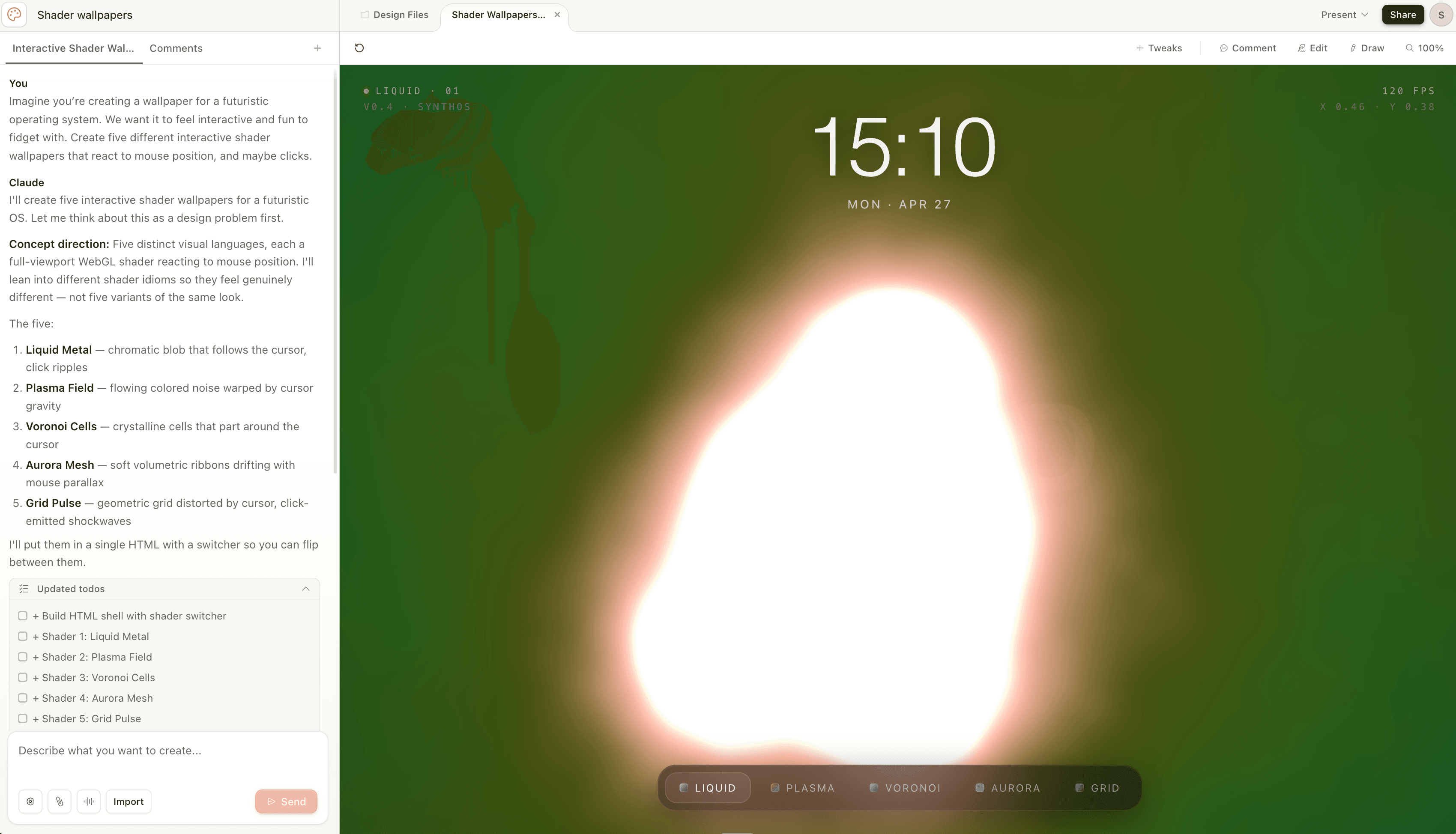
Claude Design is broader and more capable than a simple HTML mockup generator. Anthropic documents support for interactive prototypes, wireframes, presentations, one-pagers, campaign visuals, and code-powered experiences. It can start from prompts, images, documents, design files, websites, or a codebase.
During onboarding, Claude can build reusable design systems from codebases and design files. The editor supports inline comments, direct text editing, and controls for spacing, color, and layout. Teams can share designs within an organization and grant edit access. Export options include Canva, PDF, PPTX, standalone HTML, and a handoff bundle for Claude Code.
Claude Design is probably the right choice when
- The output needs real interaction, animation, voice, video, shaders, or 3D in a browser.
- Your existing codebase and design files are the most useful source of brand and component context.
- The next step is implementation in Claude Code rather than continued editing in a marketing-design tool.
- Your team already works in Claude and wants design conversations alongside its other work.
Look for an alternative when the final work must live natively in another editor, when a specialist tool provides the controls your team uses every day, or when the deliverable is outside Claude Design's strongest workflow. This is a question of fit, not a claim that Claude cannot produce finished work.
Claude Design alternatives at a glance
| Tool | Best for | Where the work lives | Choose it when |
| Claude Design | Interactive designs, prototypes, decks, Claude Code handoff | Claude Design and exported files | Claude and your codebase are already central to the workflow |
| Figma Make | Functional prototypes and web apps | Figma Make, with snapshots copied into Figma Design | Product designers already use Figma components and libraries |
| Google Stitch | Real-time UI exploration and web handoff | Stitch, Google AI Studio, Antigravity, or a published site | The deliverable is an app or website interface |
| Google Slides + Gemini | Native collaborative presentations | Google Slides | Workspace collaboration and file compatibility come first |
| Canva | Template-led marketing content across many formats | Canva | Templates, assets, and brand governance matter most |
| Gamma | Fast presentations, documents, and webpages | Gamma cards and exports | You prefer a structured, link-friendly document workflow |
| Moda | Agent-created slides and visual assets on an editable canvas | Moda canvas and exported files | You want conversational creation plus direct visual editing |
1. Figma Make for product teams already in Figma
Figma Make is a prompt-to-app tool for functional prototypes, web apps, and interactive UI. Figma documents the ability to attach existing Figma designs and components, iterate through chat, point to specific parts of a preview, edit properties, collaborate in the same conversation, and publish a working prototype.
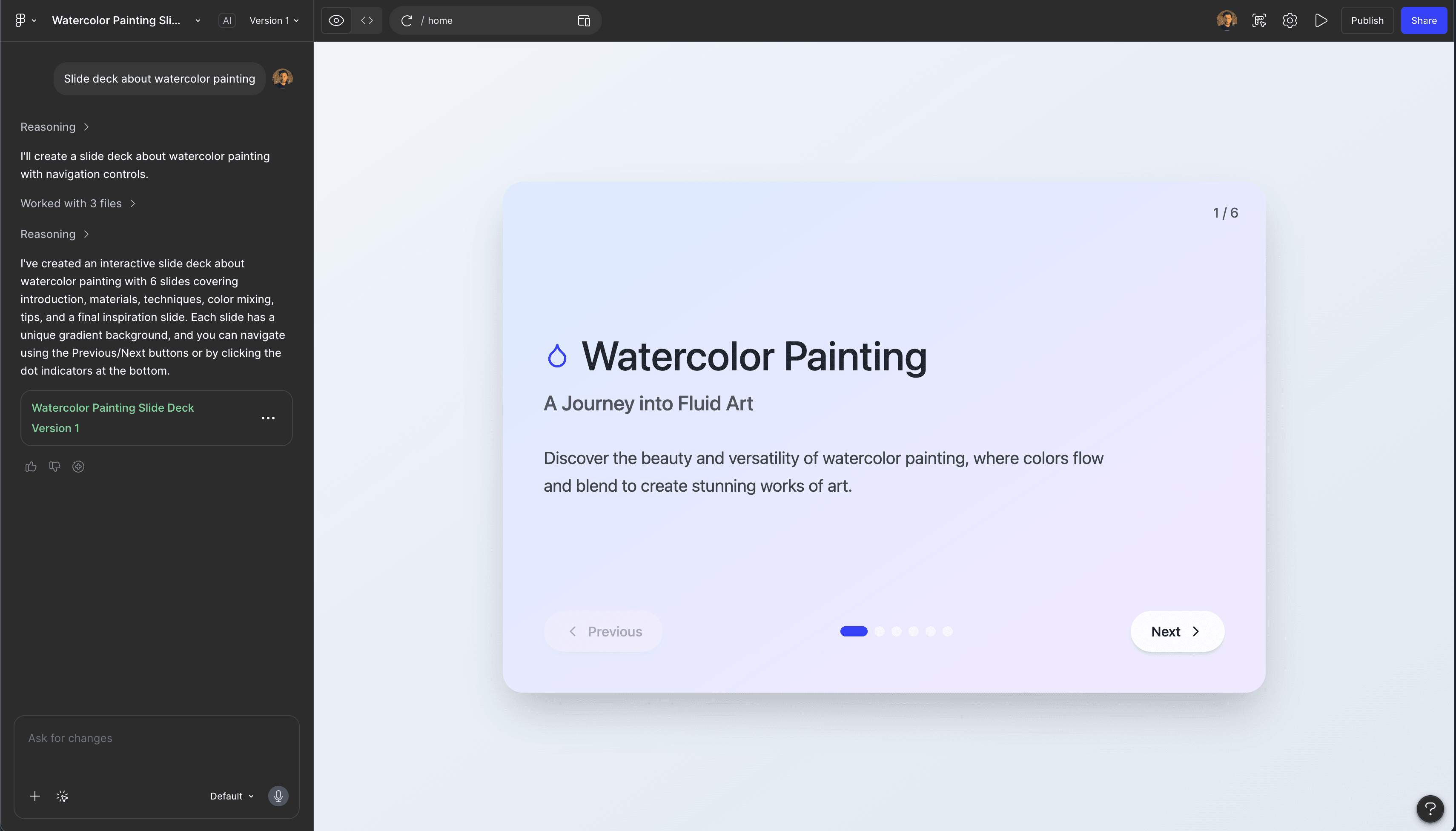
Figma Make can copy a snapshot of its preview into Figma Design as editable layers. Figma is clear that those copied layers are not automatically connected back to the Make file or to a design system. For teams that need tighter design-system work, Make kits and Figma's separate agent in Design can use components, variables, and guidelines as context.
Choose Figma Make over Claude Design when
- Your designers already maintain the source components and libraries in Figma.
- The prototype must be reviewed and continued inside the Figma ecosystem.
- Granular Figma permissions and existing team conventions reduce handoff work.
Stay with Claude when codebase context and Claude Code handoff matter more than Figma-native collaboration.
2. Google Stitch for real-time UI exploration
Google Stitch is another direct alternative for app and web UI. Google describes the Stitch Agent as a real-time design partner that can start from text, voice, a codebase, or design files. You can steer an iteration while it is being generated instead of waiting for a completed result.
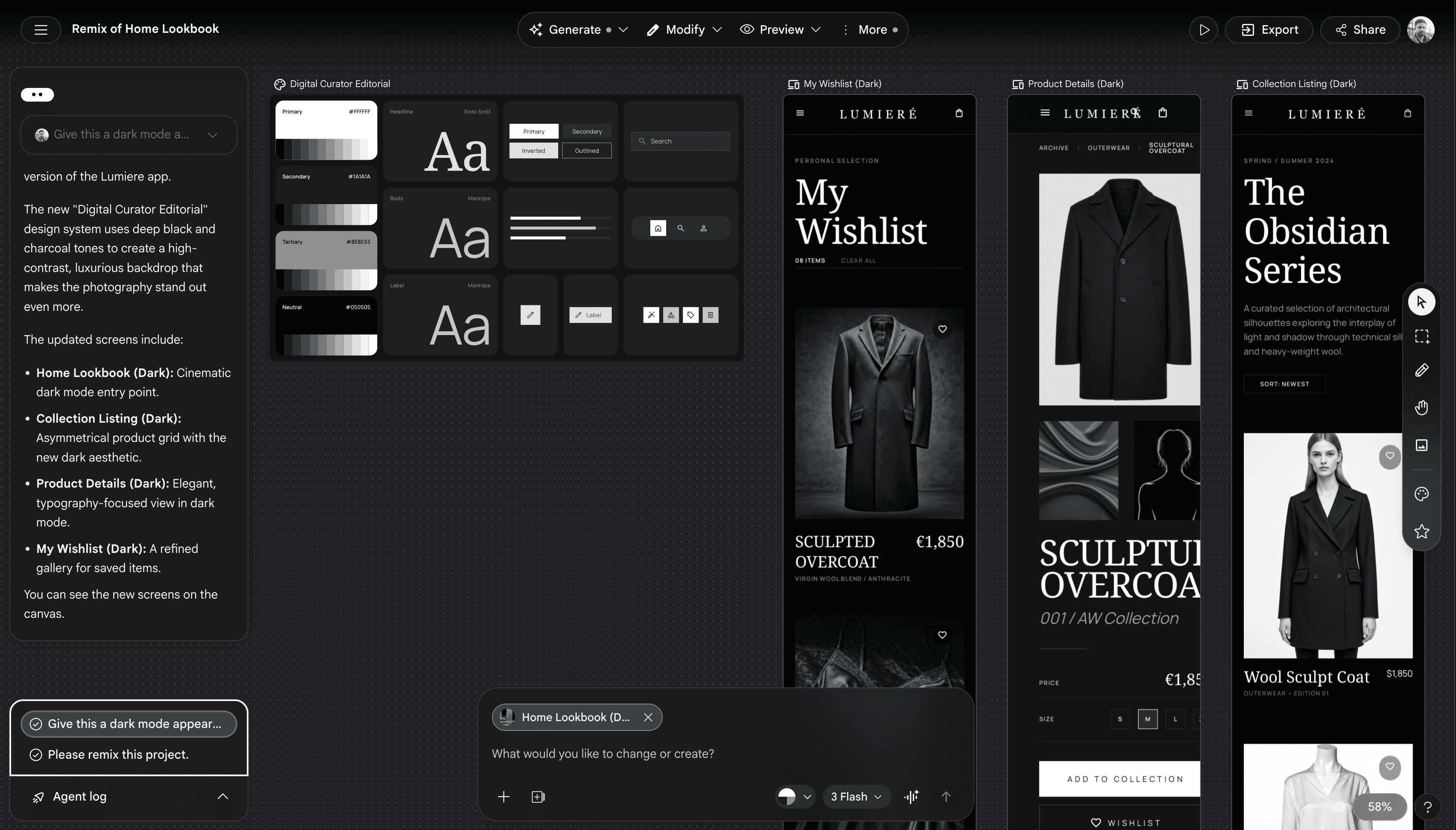
The current handoff paths Google highlights are shareable links through Google AI Studio, export to Google Antigravity for backend work, and direct web publishing through Netlify. That makes Stitch relevant when the design is moving toward a website or application, not a presentation workflow.
Choose Stitch over Claude Design when
- You want Google's UI-focused agent and web production path.
- Real-time steering during generation is central to your process.
- The final output is an application interface or published website.
Stay with Claude when its design-system onboarding, broader visual formats, or Claude Code handoff better matches the project.
3. Google Slides with Gemini for native presentations
Google Slides with Gemini is the clearest alternative when the final deliverable must stay in Google Slides. Google now documents full presentation generation from a prompt, Drive files, web sources, or an existing deck supplied as a style reference. The result is fully editable in Slides.
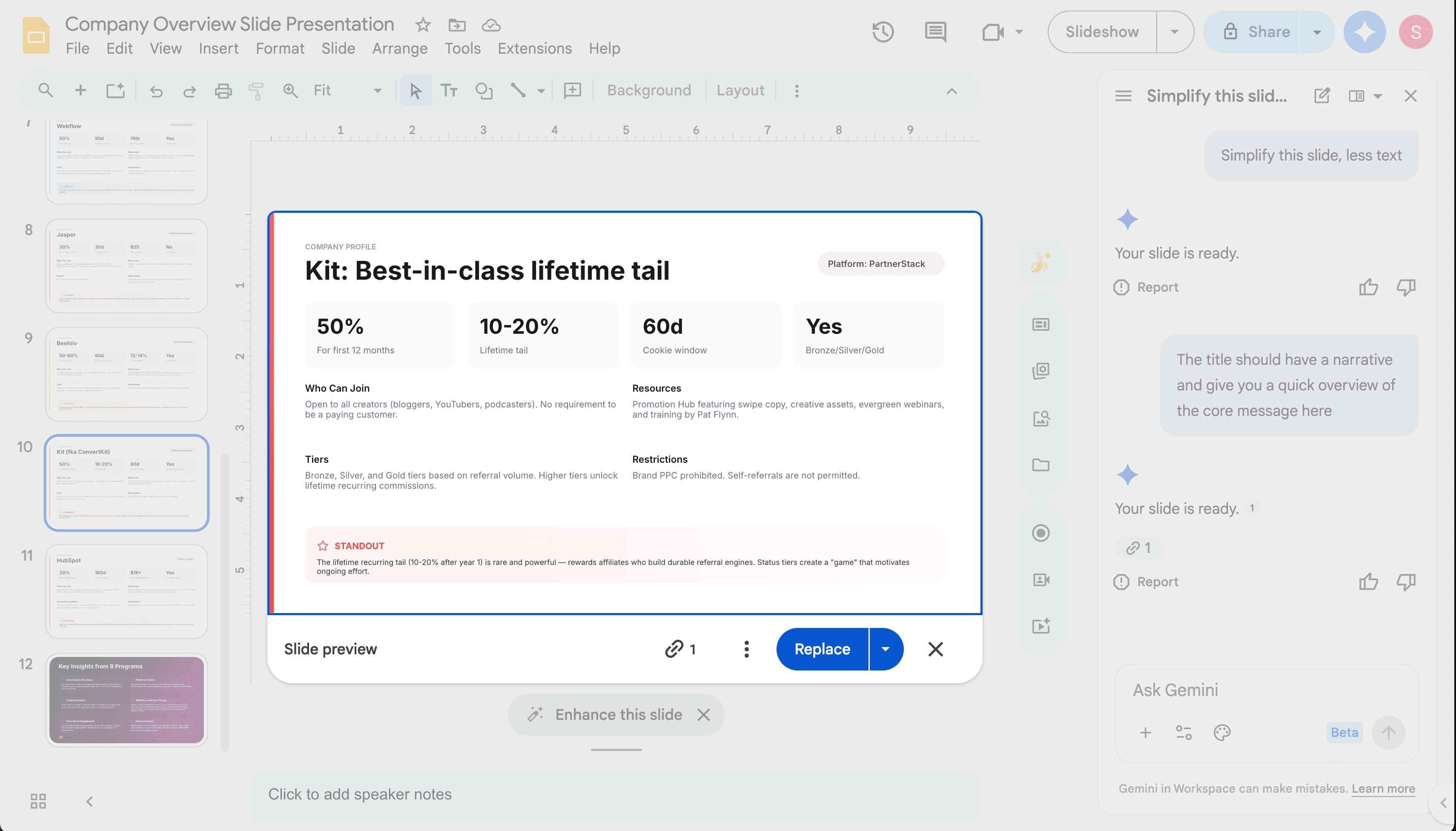
Gemini proposes an outline before generation, lets you modify the plan, and supports later edits to individual slides and images. Existing Slides collaboration, comments, permissions, and file conventions remain intact. Availability requires an eligible Workspace or Google AI plan and the documented full-generation flow is currently desktop-only and English-only.
Choose Google Slides with Gemini over Claude Design when
- The deck must remain a native Google Slides file throughout review.
- Your sources already live in Drive, Gmail, Chat, or other Workspace tools.
- Familiar collaboration and compatibility matter more than interactive web output.
Claude is the stronger choice when a presentation is only one part of a broader interactive design or when a direct Claude Code handoff matters. For a deeper deck workflow, see how to use Claude to create a pitch deck.
4. Canva for templates, assets, and brand governance
Canva is the broadest marketing-production environment in this list. It combines a large template and stock-asset ecosystem with video, presentations, social graphics, print formats, and direct editing. Claude Design can export work into Canva, so the two products can also be consecutive steps rather than substitutes.
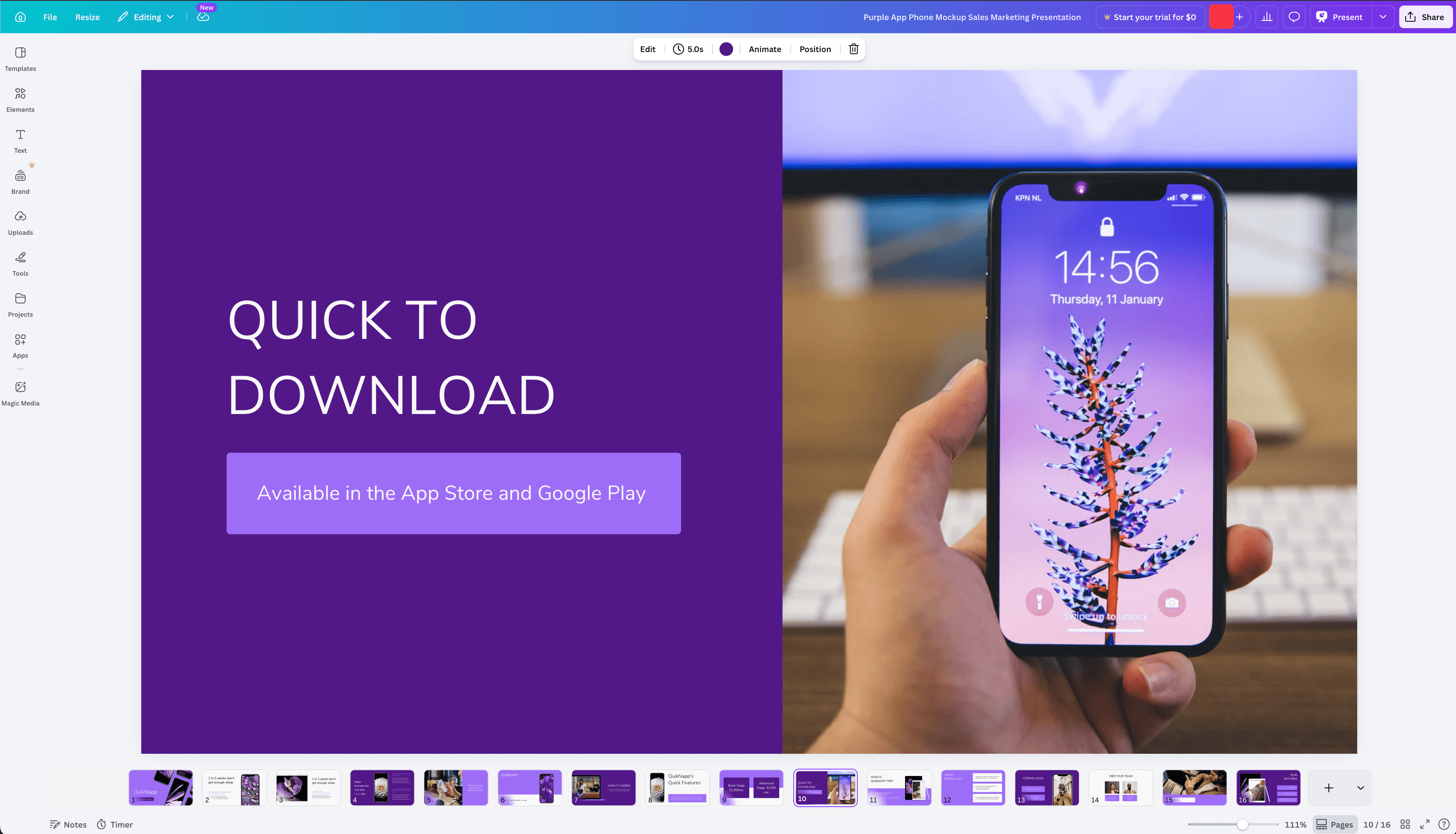
Canva documents Brand Hub controls for brand assets, guidelines, reusable templates, locked elements, font and color restrictions, and design approvals. Those controls make Canva a stronger fit than Claude Design when formal brand governance across a large group is the primary requirement.
Choose Canva over Claude Design when
- Your team depends on a large template and stock-asset library.
- You need formal brand controls, locked templates, or approval workflows.
- The work spans social, print, presentations, and video in one familiar editor.
Stay with Claude for code-powered interactivity, codebase context, and open-ended prototyping. Export to Canva when the next step is template-based production and review.
5. Gamma for fast presentations, documents, and webpages
Gamma is a good alternative when the desired output is a structured presentation, document, or webpage that can be shared as a link. Its card-based editor favors fast organization and responsive reading over unrestricted canvas composition.
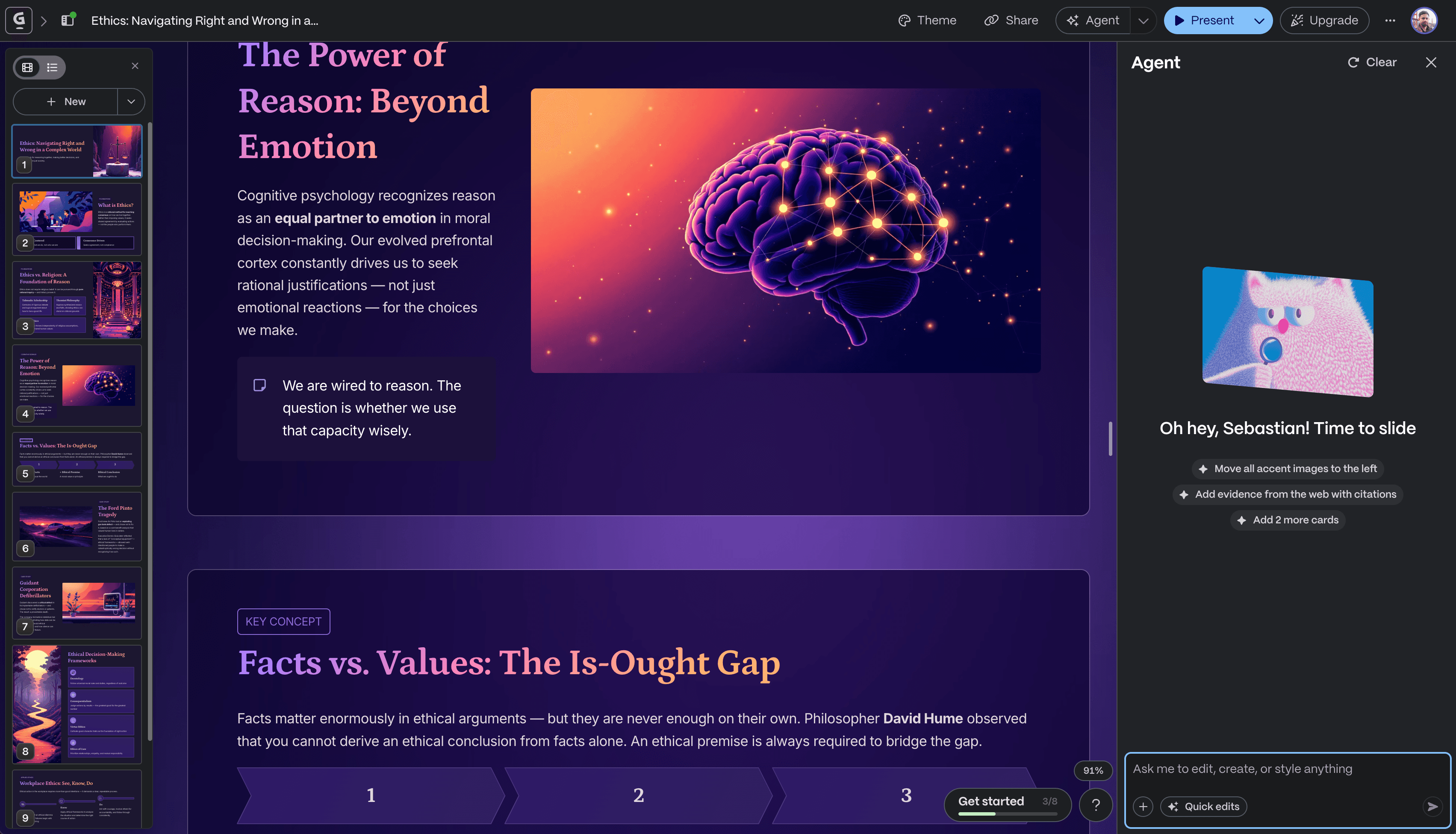
Gamma also has more brand support than the old version of this article stated. Custom themes can store colors, fonts, logos, slide styling, and image guidance. Workspace templates provide reusable starting points for recurring reports, proposals, and decks.
Choose Gamma over Claude Design when
- You want a structured, link-friendly presentation or document quickly.
- Reusable themes and workspace templates cover the level of consistency you need.
- The content will often be read in a browser rather than handed to an engineering team.
Stay with Claude when the result needs rich interaction, codebase-aware design, or handoff to implementation.
6. Moda for agent-led visual work on an editable canvas
Moda is an alternative for slides, social graphics, one-pagers, diagrams, and other visual assets that should remain directly editable on a canvas. A design agent creates and revises the work through conversation, while individual text, image, shape, and layout elements can also be changed manually.
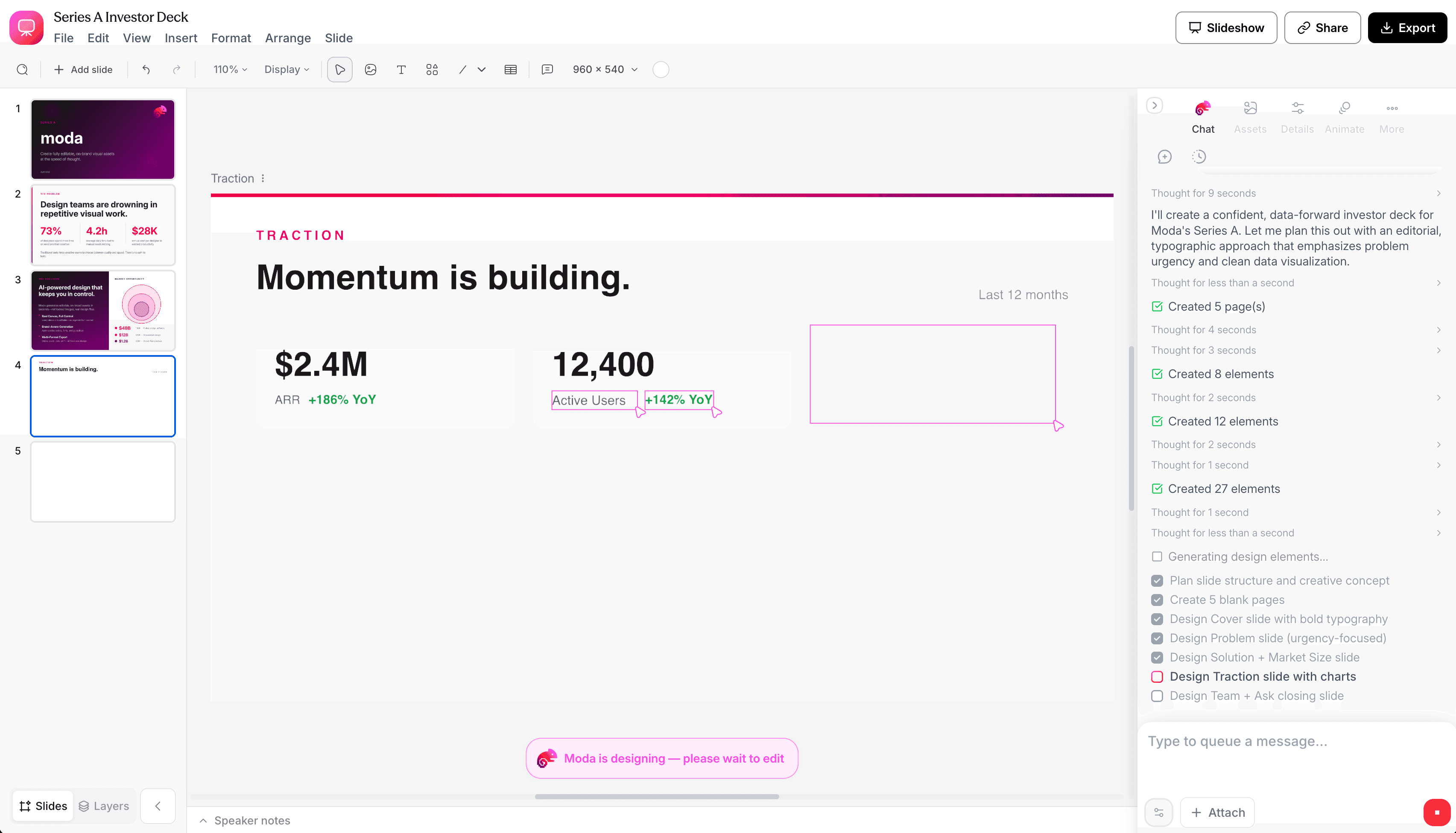
Moda can use a reusable Brand Kit and export presentation, PDF, and image formats. It is not a replacement for Claude's interactive web prototypes or code handoff, and it does not provide Canva-style locked templates or formal design approvals. It fits when visual editing and multi-format collateral matter more than application behavior.
Choose Moda over Claude Design when
- The output is a presentation or visual asset rather than a functional product prototype.
- You want both conversational revisions and direct manipulation of canvas elements.
- A reusable Brand Kit should guide the agent across several types of visual work.
Stay with Claude when interaction and implementation are the point. Choose Canva instead when team governance is the point. Our brand-consistency tool comparison explains that distinction in more detail.
How to choose without overcomplicating it
Choose based on where the work needs to go next:
- Into code: Claude Design, Figma Make, or Google Stitch.
- Into a native collaborative deck: Google Slides with Gemini.
- Into a governed marketing workspace: Canva.
- Into a fast link-based document or presentation: Gamma.
- Onto an editable visual canvas for slides and collateral: Moda.
Before switching, make one representative project in the two strongest candidates. Use the same source material and ask each tool for one difficult revision. Then inspect where the work lives, what a teammate can edit, how brand context is reused, and what happens during handoff. No feature table can answer those workflow questions for you.
Frequently asked questions
Is Claude Design only for prototypes?
No. Anthropic documents presentations, one-pagers, marketing collateral, and exported PPTX, PDF, Canva, and HTML files in addition to prototypes. Interactive, code-powered work and Claude Code handoff remain particularly distinctive strengths.
Can Claude Design export to PowerPoint?
Yes. Anthropic lists PPTX as a supported export, along with PDF, Canva, standalone HTML, organization links, and saved folders. This article does not claim a quality difference between those exports because we did not run a controlled export test.
What is the best Claude Design alternative for presentations?
Use Google Slides with Gemini if the deck must remain native to Workspace. Use Gamma for a fast, card-based presentation shared by link. Consider Moda for an agent-created deck on an editable visual canvas. Claude Design itself remains viable when its brand system and Claude Code handoff are useful.
What is the best Claude Design alternative for app prototypes?
Figma Make fits teams already designing in Figma. Google Stitch fits teams that want Google's real-time UI agent and web production path. Claude Design may still be the best option when codebase context, broad interactive media, and Claude Code handoff matter most.
Do I need to replace Claude Design completely?
No. Claude can be the exploration and prototype stage, followed by Canva for governed marketing production, Google Slides for collaborative deck editing, or a code tool for implementation. Choose the handoff that preserves the parts your team needs to keep editing.
The bottom line
Claude Design is not merely a preview to work around. It is a serious option for interactive prototypes, branded visual work, and code handoff. Switch only when another tool owns the environment your team needs: Figma for product design, Stitch for Google-centered UI work, Slides for native presentations, Canva for broad marketing production and governance, Gamma for structured link-based content, or Moda for agent-led visual work on an editable canvas.

Real editable visuals. Real canvas. Full control.
Fly through design work