Google Stitch vs Canva: They Solve Different Design Jobs
Google Stitch is for product UI and prototypes; Canva is for presentations, marketing, and visual content. Learn when to use each and where the handoff happens.
 Anvisha Pai, Co-founder & CEO, Moda
Google Stitch and Canva are both AI-assisted design products, but they are not close substitutes. Stitch is for designing software interfaces, exploring product flows, building interactive prototypes, and handing UI work toward development. Canva is for producing visual communication such as presentations, social posts, marketing graphics, videos, documents, and websites.
The practical answer is simple: use Stitch for the product experience and Canva for the material around the product. A startup might design its onboarding flow in Stitch, then use screenshots from that flow in a Canva launch deck and social campaign. Many teams could reasonably use both.
Reviewed August 31, 2026 against current official Google and Canva product documentation. The screenshots are from earlier hands-on sessions and show the interfaces available at the time; they are illustrations, not a new comparative output test.
Quick decision
| What you need to make | Use first | Why |
|---|---|---|
| A mobile app or web-product interface | Google Stitch | It generates and iterates on UI screens, flows, and prototypes |
| A clickable product concept | Google Stitch | It can connect screens into an interactive flow and preview the journey |
| A developer handoff for a UI concept | Google Stitch | It provides design-system and developer-tool handoffs that Canva is not built around |
| A presentation, social post, flyer, video, or print asset | Canva | Its editor, templates, media, and export options cover broad visual communication |
| A coordinated marketing campaign | Canva | Brand Kits, reusable templates, resize tools, collaboration, and asset libraries support repeated production |
| A marketing page for a campaign | Usually Canva | Choose Canva when the page is primarily branded content; choose Stitch when the page is part of a product flow or needs a development-oriented prototype |
What Google Stitch is for
Google describes Stitch as an AI-native software-design canvas. You can provide natural-language instructions and add images, text, or code as context. The design agent works across the project while you explore and refine UI directions on an infinite canvas.
That product boundary is important. Stitch is not a general graphics editor. Its objects are screens, interface states, design systems, and user flows. Strong uses include:
- Exploring several directions for a mobile or web interface.
- Turning a description, sketch, screenshot, or existing code into a UI direction.
- Creating linked screens to test a product journey.
- Critiquing and revising an interface with the design agent or voice input.
- Moving a chosen direction toward Figma or developer tools.
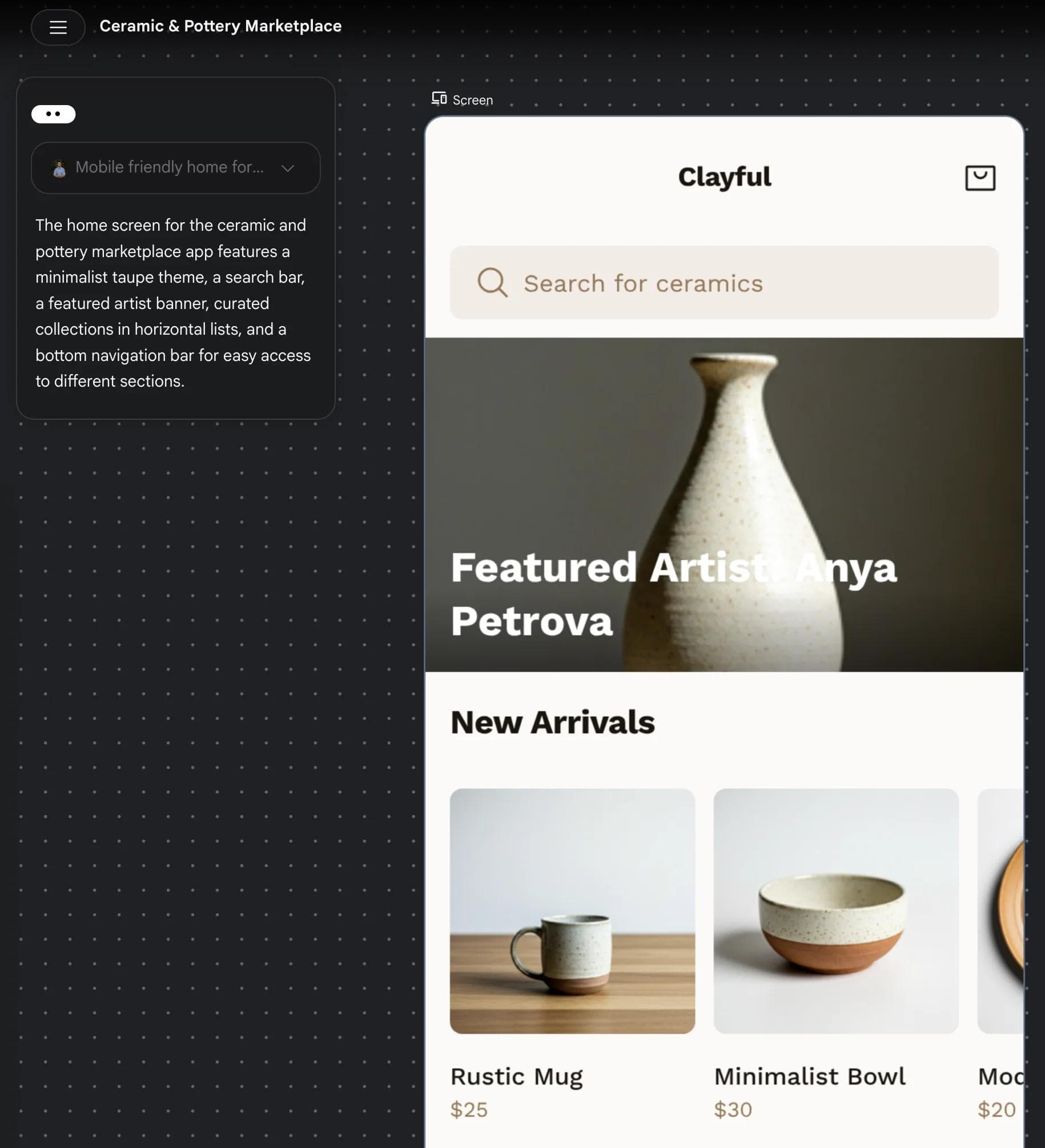
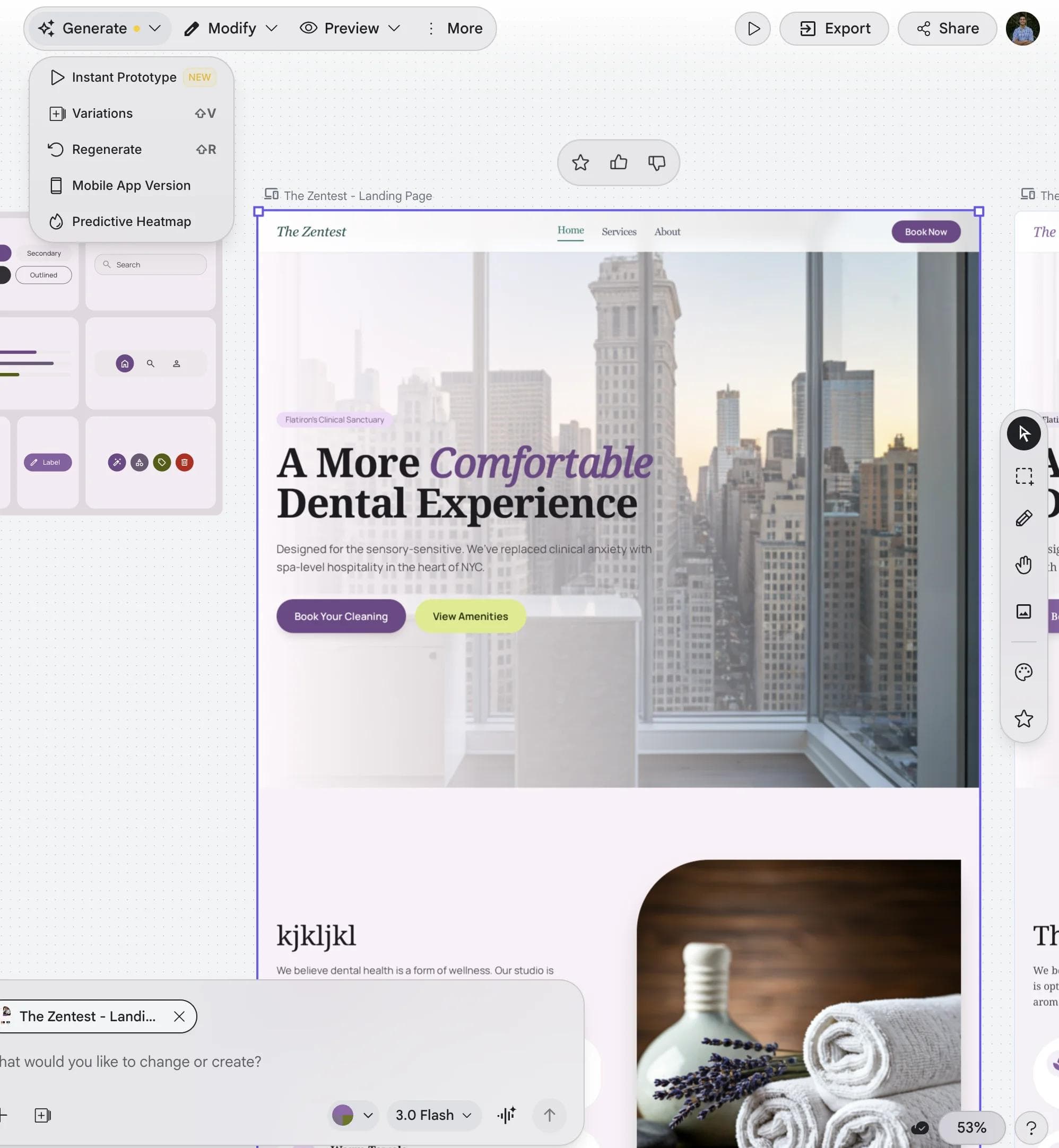
Stitch has also moved beyond one-off static mockups. Google says its prototype feature can connect screens and generate logical next screens, while Play mode lets you experience the flow. That makes it useful before a team commits engineering time, although a generated prototype is still not evidence that the product logic, accessibility, or implementation is production-ready.
The handoff is broader than the old “export code” description suggested. Stitch can paste designs to Figma, export to Google developer tools such as AI Studio and Antigravity, publish through supported web workflows, and expose capabilities through its MCP server and SDK. Treat generated front-end output as a starting point for engineering review, not finished production code.
What Canva is for
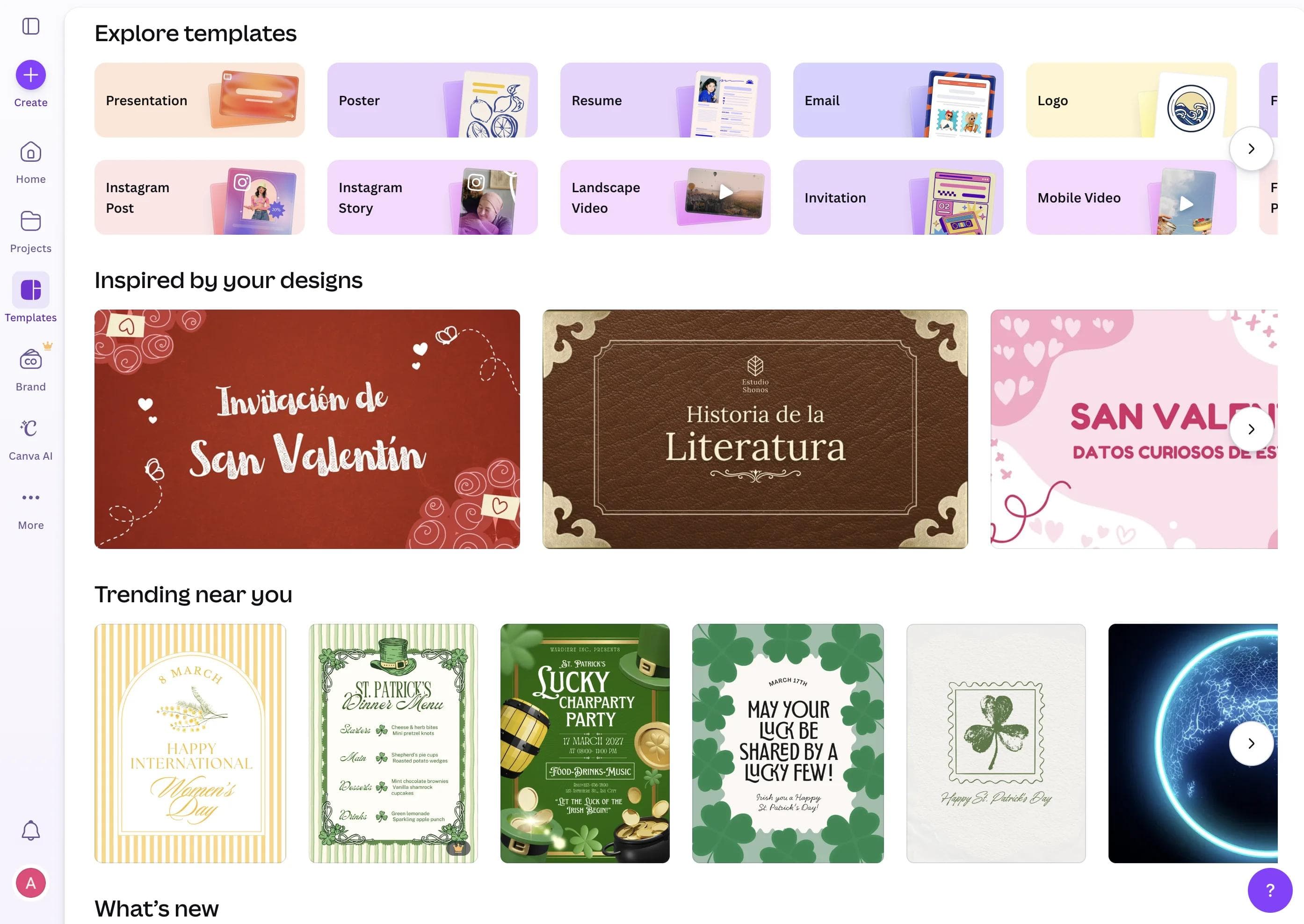
Canva’s scope is visual communication. Its editor supports templates, photos, text, presentations, documents, whiteboards, charts, video, animation, and more. Canva AI can now create and refine designs conversationally, generate images, text, code, and video clips, and use attached files or Canva content as context.
That makes the old description of Canva as merely a template editor too narrow. Templates are still a major strength, but a current Canva workflow can begin with a prompt, continue through chat-based revisions, and finish in the standard editor with every design element available for manual adjustment.
Canva is the more natural choice for:
- Presentations and sales or marketing decks.
- Social graphics, ads, posters, flyers, and printed collateral.
- Short videos, animated content, and recorded presentations.
- Brand-controlled templates that many teammates must reuse.
- Campaign production across multiple dimensions and channels.
For teams, Canva’s brand and collaboration tools include Brand Kits, Brand Templates, shared assets, comments, live collaboration, approvals, and controls over allowed fonts and colors. Availability depends on the plan. This is a production and governance system for broad visual content, not just a gallery of templates.
Where the products actually overlap
There is some overlap at the edges, which is why the comparison is not completely meaningless.
Both can begin from a natural-language description
Stitch turns the description into software-interface directions. Canva AI can turn it into presentations, posts, documents, video, code-based interactive content, and other visual formats. The presence of a prompt box does not make the output interchangeable.
Both can carry a visual system across work
Canva stores logos, colors, fonts, brand templates, and usage controls in Brand Kits. Stitch uses design-system context and DESIGN.md, an open markdown format for importing or exporting design rules across projects and tools. Canva’s approach is aimed at brand production; Stitch’s is aimed at making product-interface intent legible to designers, agents, and developers.
Both can create interactive work
Stitch prototypes interactions between product screens. Canva Code creates interactive elements such as quizzes, calculators, and mini-games that can live inside Canva presentations, documents, and websites. Canva Code is useful, but it does not turn Canva into the same product-design and developer-handoff environment as Stitch.
A realistic workflow using both
Imagine a team preparing to launch a new mobile product.
1. Explore the product experience in Stitch
Describe the audience, task, screens, and desired behavior. Generate several directions, connect the key screens into a prototype, and inspect the flow. Revise the information hierarchy and interaction before treating the visuals as final.
2. Establish the UI design rules
Record colors, typography, spacing, component behavior, and accessibility expectations in the project’s design-system context or DESIGN.md. Move the selected interface toward Figma or the team’s developer workflow, then have designers and engineers review it.
3. Bring approved product visuals into Canva
Export or capture the approved interface screens and place them into the launch deck, announcement graphics, help material, and social posts. Use the same approved logo, colors, type, and copy source rather than asking each tool to infer the brand independently.
4. Produce and review the campaign in Canva
Use a Brand Kit and reusable templates where available. Resize the campaign for each channel, collect comments, and confirm that every screenshot reflects the product version that will actually ship.
There is no automatic shared project between Stitch and Canva. The handoff is through approved screens, assets, copy, and design rules. That separation is manageable if the team names a single source of truth instead of letting two AI systems invent parallel versions of the product.
Which one should you choose?
Choose Stitch when the output must help answer product questions: What screens do we need? How does the user move through them? What should the interface look like? How does this concept reach a designer or developer?
Choose Canva when the output must communicate something: How do we present the launch? What should the social campaign look like? How do teammates make more on-brand assets? How do we deliver a deck, video, document, or print file?
For a marketing landing page, decide which problem dominates. Use Stitch when the page is part of an interactive product experience and needs prototype or development handoff. Use Canva when the job is primarily branded storytelling and campaign production.
If you are evaluating adjacent products, our Google Stitch review looks more closely at Stitch itself. The Figma vs Canva comparison covers a more direct choice between a professional design workspace and a broad visual-content platform.
Bottom line
Google Stitch is a product-interface design and prototyping tool. Canva is a broad visual-content production platform. Neither wins the entire comparison because the comparison spans two different jobs.
Start with the deliverable. If it is an app screen, product flow, interactive prototype, or developer-oriented UI handoff, start in Stitch. If it is a deck, launch campaign, social post, video, document, or reusable brand template, start in Canva. If you are launching a product, the sensible answer may be Stitch first and Canva afterward.

Real editable visuals. Real canvas. Full control.
Fly through design work