Kittl vs Canva: Which Design Tool Should You Use?
Compare Kittl and Canva for typography, merchandise, mockups, print exports, licensing, campaigns, presentations, and team production.
 Anvisha Pai, Co-founder & CEO, Moda
Kittl is the stronger choice when typography, merchandise, product mockups, and printable artwork are the center of the job. Canva is the stronger choice when a team needs one accessible workspace for presentations, social content, documents, video, websites, whiteboards, and recurring campaign production.
The products overlap, but they optimize different units of work. Kittl helps a creator develop a distinctive graphic and see it on a product. Canva helps many people turn approved visual material into a broad stream of communication assets.
This comparison is based on current product documentation, independent reviews, and clearly labeled practitioner reports. We did not run our own paid head-to-head production test, so we do not assign invented quality, speed, or reliability scores.
Kittl vs Canva at a glance
| Question | Kittl | Canva |
|---|---|---|
| Best for | Typography, merchandise, labels, posters and mockups | Campaigns, presentations, social, video and team templates |
| Editing center | Artwork, vectors, type effects and product context | Template-led multi-format visual production |
| Print path | SVG, PDF and current CMYK export options | PDF Print, SVG on eligible plans and Canva Print |
| Team advantage | Specialist creation workflow | Broad adoption, Brand Kits and content formats |
| Main limitation | Narrower content and workplace ecosystem | Less specialized typography and merchandise workflow |
Where Kittl wins
Typography is part of the creative workflow
Kittl treats lettering as editable artwork rather than a final styling choice. Its documented product workflow covers curved and distorted type, glyphs, ligatures, layered effects, textures, and vector editing. That makes it a natural fit for badges, apparel graphics, labels, posters, and identity directions where the letterforms carry the design.
Canva can make attractive text-led work quickly. Kittl becomes more useful when changing the shape and treatment of the lettering is the actual creative task. An independent Style Factory comparison reached a similar conclusion after testing both products, finding Kittl stronger for typography while Canva remained broader for video and general content production.
Product mockups sit closer to the artwork
Kittl connects the working design to product visualization. Multiple artboards can hold the master graphic, colorways, front and back treatments, listing images, and mockups in one project. That is useful for a print-on-demand seller or product brand evaluating artwork as something that will be worn, printed, packaged, and sold.
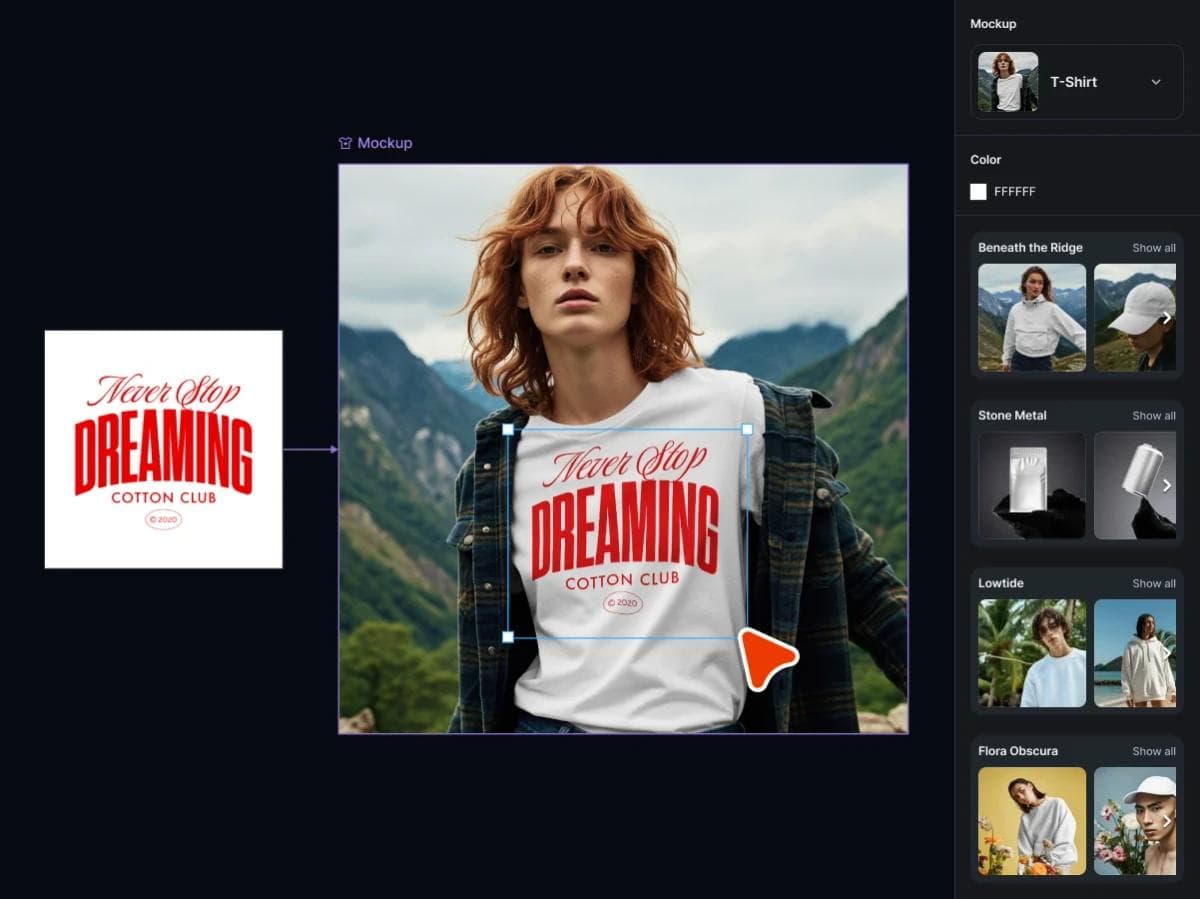
Practitioner reports support the workflow distinction without proving universal output quality. One print-on-demand discussion summarized Canva as the lower-friction option for simple text designs and Kittl as the stronger starting point for a vintage or badge aesthetic. The same contributor warned that supplier dimensions, real print size, and a physical sample matter more than the editor alone. Read the practitioner discussion.
Print export is improving, but it is not full prepress
Kittl now documents CMYK PDF and JPEG export, alongside SVG, PDF, and high-resolution raster delivery on eligible plans. That is meaningful for merchandise and common commercial print jobs.
CMYK export does not automatically provide the controls of Illustrator, Affinity, or CorelDRAW. If a supplier requires named spot colors, separations, overprint, a dieline layer, trapping, or a specific PDF/X profile, test the exact workflow or finish the file in a dedicated vector or prepress application.
Licensing is central to the product
Kittl separates plan access from commercial rights. Its licensing documentation explains commercial use, post-subscription use, and restrictions around Kittl content. The broader licensing page states that Free-version Kittl Content is limited to personal, non-commercial use.
Do not assume that a template, stock element, uploaded asset, and AI-generated graphic all carry identical rights. Record the sources used in a sellable design and check the current plan and asset terms before publishing a product catalog.
Where Canva wins
Canva covers far more content types
Canva is the more complete general visual workspace. Its Visual Suite spans presentations, documents, social designs, video, websites, whiteboards, email, sheets, and print. A campaign can move from brief to deck, launch posts, event materials, and a short video without adopting a specialist tool for each output.

Choose Canva when a merchandise graphic is one item in a wider content calendar. Its advantage is not that every individual design control is deeper. It is that more communication jobs can start from the same templates, media library, brand material, and collaboration environment.
Templates and team adoption favor generalists
Canva is designed for occasional creators as well as designers. Brand Kits, shared templates, comments, permissions, and a large asset library can make it easier to deploy across marketing, sales, recruiting, education, and internal communications.
Kittl also offers team and collaboration features. The distinction is the center of gravity: Kittl emphasizes original graphics, type, vectors, and products, while Canva emphasizes repeatable production across many formats. Test the teammate who creates twice per month, not only the administrator who sets up the workspace.
Presentations, video, and publishing are stronger reasons to choose Canva
If the week’s work includes a sales deck, social video, event flyer, report, and web page, Canva is the more coherent choice. Kittl can supply artwork for those deliverables, but it does not replace the surrounding presentation, video, website, and workplace workflows.
How their AI workflows differ
Kittl’s AI tools sit beside typography, vectors, mockups, and product artwork. Canva spreads AI across a much broader suite of content formats. Neither product’s feature list proves better output.
Use a revision test instead: generate one difficult concept, change the exact wording, recolor one object, replace a single motif, produce a second size, and place the approved graphic on a product. Record which steps remain editable and which force a regeneration. Also check whether the plan meters AI separately from ordinary editing.
Kittl vs Canva for specific jobs
Print-on-demand and merchandise
Start with Kittl when original lettering, vector graphics, product mockups, and supplier files drive the workflow. Start with Canva when the products use simpler approved graphics and the larger need is producing listings, social posts, and promotional material quickly.
Social media and recurring campaigns
Start with Canva for resizing, templates, shared brand material, video, and a broad content calendar. Start with Kittl when a distinctive illustration or lettering system is the creative core, then export the approved artwork into the campaign workflow.
Presentations and business documents
Choose Canva. Presentations and documents are first-class formats inside its wider suite. Kittl is better treated as a source of custom visual assets for the deck.
Logos and brand assets
Kittl is the more interesting exploration tool for type-led marks and vector directions. For a final identity, check originality, licensing, trademark conflicts, small-size legibility, monochrome use, and whether the delivered file contains clean editable vectors. Neither template library substitutes for a trademark search.
Where Moda fits
Moda fits a third workflow: turning a brief into editable presentations, ads, social posts, PDFs, diagrams, and related campaign assets on a collaborative canvas. It is useful when moving from an idea to a coherent multi-asset visual system is the bottleneck.
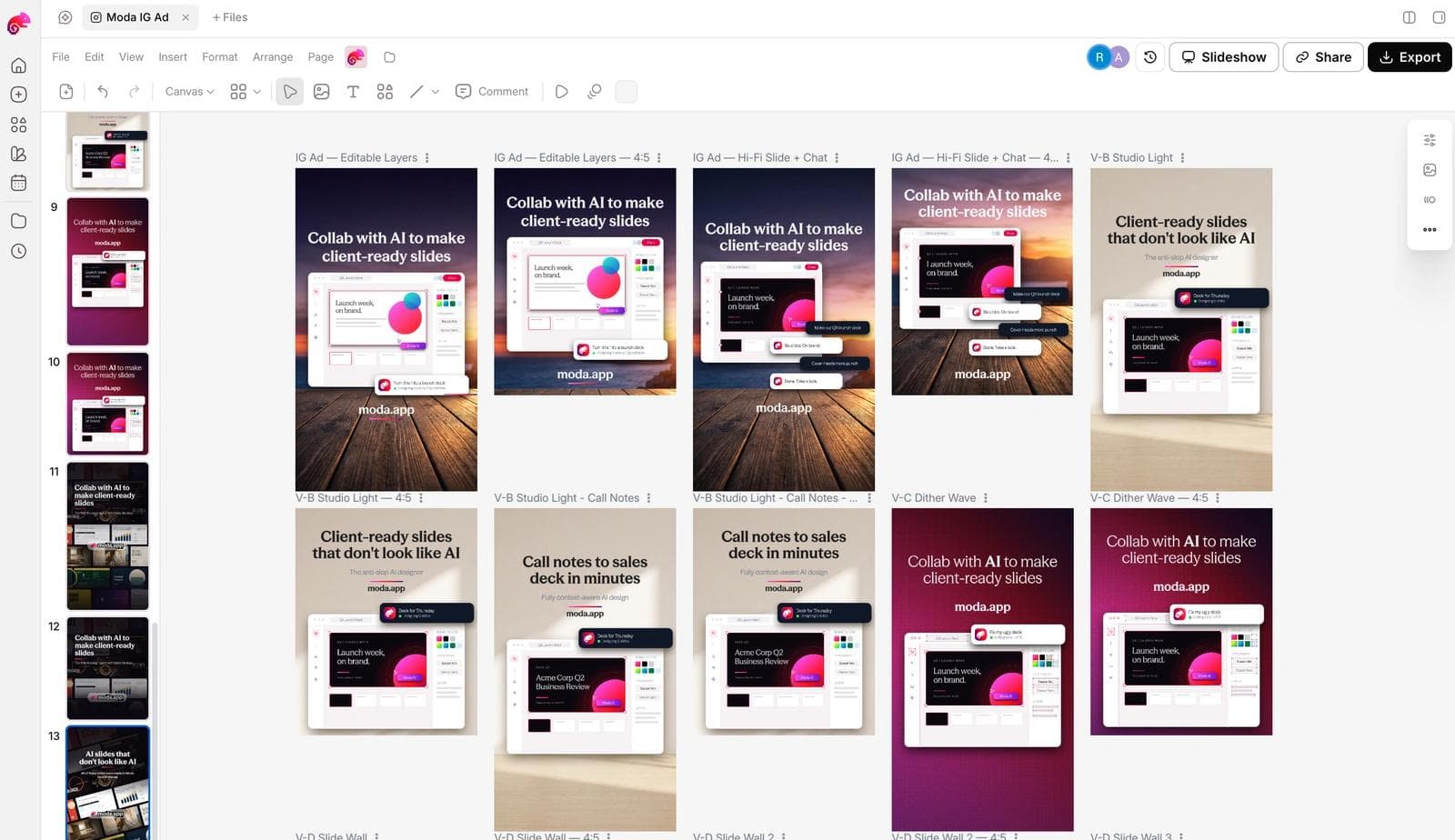
Moda does not replace Kittl’s specialist merchandise and typography workflow, and it does not replace Canva’s entire template and workplace ecosystem. Choose Kittl for product artwork, Canva for broad template production, and Moda when AI-led campaign creation and iterative design are central.
A practical Kittl vs Canva test
- Build one original shirt or label graphic with curved type, a vector illustration, and two colorways.
- Place it on two mockups and prepare the exact dimensions, color mode, transparency, and file type required by the supplier.
- Order or inspect a physical sample rather than approving only the on-screen mockup.
- Turn the same idea into a square post, portrait story, short video, and five-slide presentation.
- Give the project to a non-designer and request a precise copy and color revision.
- Review licensing for every template, stock element, uploaded asset, font, and generated component.
Kittl or Canva: the verdict
Choose Kittl if the design will live on a product and typography, vectors, mockups, and production exports are central. Choose Canva if the organization needs one accessible workspace for many visual formats and a large group of non-designers.
Using both can be sensible. Maintain one approved source file for the product artwork in Kittl or a dedicated vector application, then place exported assets into Canva templates. Do not let two independently edited master files drift apart.
Frequently asked questions
Is Kittl better than Canva for print-on-demand?
Kittl is usually the stronger starting point for typography-heavy merchandise, vector artwork, and product mockups. Canva can be faster for simple designs and the marketing assets around the product. The supplier’s dimensions, color requirements, and licensing rules still decide whether the file is production-ready.
Can Kittl export CMYK files?
Kittl documents CMYK PDF and JPEG export. That supports many print workflows but does not prove support for every spot-color, separation, overprint, trapping, or PDF/X requirement. Test the actual supplier workflow.
Can I sell designs made with Kittl or Canva?
Both products permit many commercial uses, but rights depend on the plan, source asset, template, stock content, font, generated material, and how the final design is composed. Read Kittl’s licensing documentation and Canva’s current content-license guidance for every asset category rather than relying on a general commercial-use label.

Real editable visuals. Real canvas. Full control.
Fly through design work