8 Best Adobe Express Alternatives in 2026 for Marketing Teams
Compare 8 Adobe Express alternatives for campaign design, social publishing, video, and brand control. Choose by the work your team needs to replace.
 Anvisha Pai, Co-founder & CEO, Moda
The best Adobe Express alternatives depend on what happens after you make the first design. Canva is the closest broad replacement. Moda is worth comparing for editable campaign visuals created and revised with AI. VistaCreate and PosterMyWall suit recurring social promotion, while CapCut, Kittl, and Visme solve more specialized production problems.
For a marketing team, the real question is not who has the longest feature list. It is whether a new tool makes the whole campaign easier to finish: the ad variations, the short video, the sales document, the approvals, and the scheduled posts.
Start with the part of that process you want to change. Replacing the design editor does not necessarily replace distribution, local adaptation, or the approval workflow around it.
This comparison is research-based. We reviewed current product documentation, independent hands-on reviews, and practitioner reports, but did not run the same end-to-end campaign benchmark in all eight products.
Adobe Express alternatives at a glance
| Tool | Start here when | The important check |
|---|---|---|
| Canva | You want a broad design workspace with social planning | Your exact channels, post types, and paid-plan requirements |
| Moda | You need original, editable visuals across a campaign | Who handles publishing and any mandatory brand approvals |
| VistaCreate | You make recurring social posts and simple animated promotions | Whether its supported scheduling destinations cover your campaign |
| PosterMyWall | Your promotion includes social posts and email campaigns | Sending allowances, subscriber management, and download requirements |
| Desygner / We Brand | Local teams must adapt centrally controlled templates | The enterprise controls your rollout actually needs |
| CapCut | Video editing is the part you have outgrown | Required features on your chosen desktop, web, or mobile version |
| Kittl | The creative work centers on product artwork and merchandise | Commercial rights and the vector/export tier you need |
| Visme | Your campaign needs an interactive report or presentation | Whether the audience will open a web link or a static file |
Canva is the broadest editor-and-planning replacement. Moda, CapCut, Kittl, and Visme mainly replace a creation or editing layer. VistaCreate and PosterMyWall put more emphasis on distribution, while Desygner / We Brand focuses on controlled local adaptation. Those are different replacement jobs, even when every product can make a social graphic.
What Adobe Express already does well
Adobe Express is not just a template editor with an image generator. Its AI Assistant, currently in beta, supports natural-language creation and editing alongside manual controls. Another tool having a chat box is no longer enough to distinguish it.
Express also connects creative production to distribution. Adobe currently documents Content Scheduler support for Facebook, Instagram, X, Pinterest, LinkedIn, TikTok, and YouTube. Free users can connect one account per social channel, while Premium supports up to three. Check the exact network, account type, and post format you need rather than treating “scheduling” as a yes-or-no feature.
If a designer supplies Photoshop or Illustrator artwork, Express can place it as a linked image. That is a meaningful connection to the source artwork, not merely another way to upload a JPEG.
Express already offers Duplicate & Resize and controlled brand templates for Teams and Enterprise. Template owners can lock layers, restrict fonts and colors to selected brands, and limit image replacements to approved asset locations. Do not switch on the assumption that Express cannot resize campaigns or constrain brand edits.
Approval is also plan-dependent. Adobe documents simple template review for up to three approvers on Teams and Enterprise. Advanced review uses Workfront and requires a Workfront Standard license. A saved Brand on an individual plan is therefore not equivalent to a governed template, defined approvers, or an enterprise rollout.
Independent evidence supports Express as a broad, approachable campaign tool, while also showing its limits. Creative Bloq’s hands-on review praised its quick actions and cross-functional collaboration. G2’s practitioner reviews repeatedly highlight speed, templates, and brand consistency, while advanced editing limits are a common complaint. Treat those reports as experience signals, not a controlled performance benchmark.
Choose around the campaign, not a single graphic
Imagine a launch that needs three offer variations, square and portrait ads, a short video, and a sales one-pager. Then the launch date changes a day before everything goes live.
That late change reveals three different jobs:
- Create: Can the team produce the original layout, imagery, and message without losing time on work it does not know how to do?
- Adapt: Can someone change the offer across formats while preserving hierarchy, readable text, and the approved brand treatment?
- Publish: Can the owner find and update every scheduled post, email, and shared deliverable before the old version goes out?
A tool can be excellent at one job without owning all three. Brand colors are not approval rules. A resized image is not a revised message. A finished MP4 is not a scheduled campaign.
Use those distinctions to decide whether you need a replacement workspace, a specialist editor, or simply a better division of responsibilities.
1. Canva: the closest broad Adobe Express replacement
Canva belongs first on the shortlist when the team wants to keep making a wide range of marketing materials in one familiar kind of workspace. Its combination of templates, visual editing, brand assets, and social planning makes it a practical comparison for an Express workflow that spans several formats.
Its Content Planner connects design to scheduled social posts. The same product page documents Resize & Magic Switch and Brand Kit. This is useful when one person owns both adapting the creative and putting the approved version on the calendar.
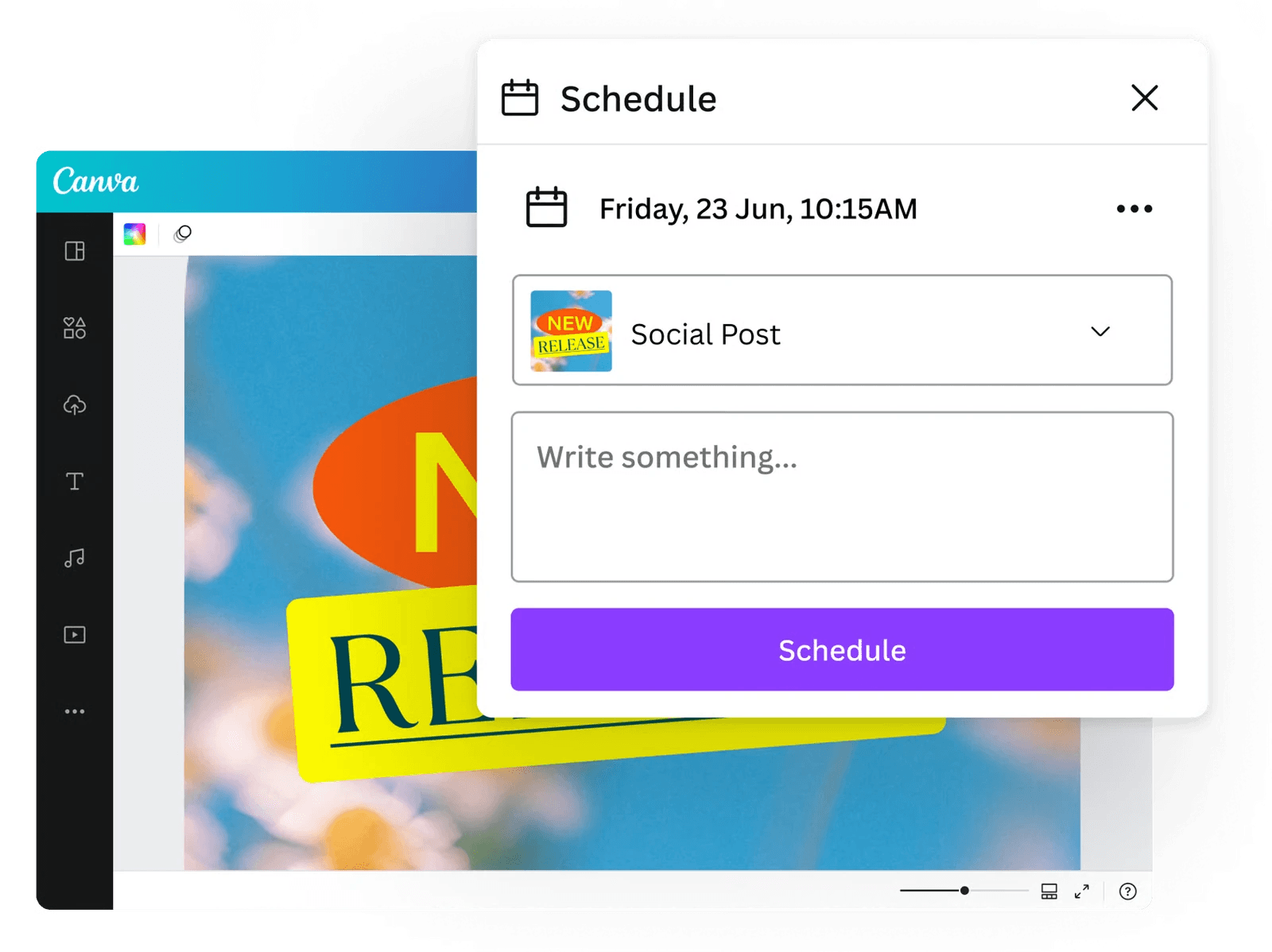
The decision is not “Canva has resizing and Express does not.” Both have resizing workflows. Bring one of your actual designs and check the awkward version: perhaps a portrait layout with a long headline, a product crop, and a disclaimer. The useful comparison is what needs fixing after the resize.
Choose Canva if you want a broad production workspace and its templates and collaboration habits fit the people doing the work. Before moving the campaign calendar, verify the required social channels, account types, and post formats on the plan you would buy. A familiar editor is not proof of a like-for-like publishing migration.
2. Moda: for editable campaign design from a brief
Moda is worth comparing when the bottleneck is producing and revising the creative itself. You can describe the campaign, supply your brand materials, and work with an AI agent on a real canvas containing editable text, shapes, images, and layouts.
For the launch example, that means asking for a visual direction, developing social variations around it, and creating supporting slides or a one-pager. The value is being able to continue working on the actual design: rewrite a headline, move a product image, or adjust the composition rather than treating every request as a new flattened picture.
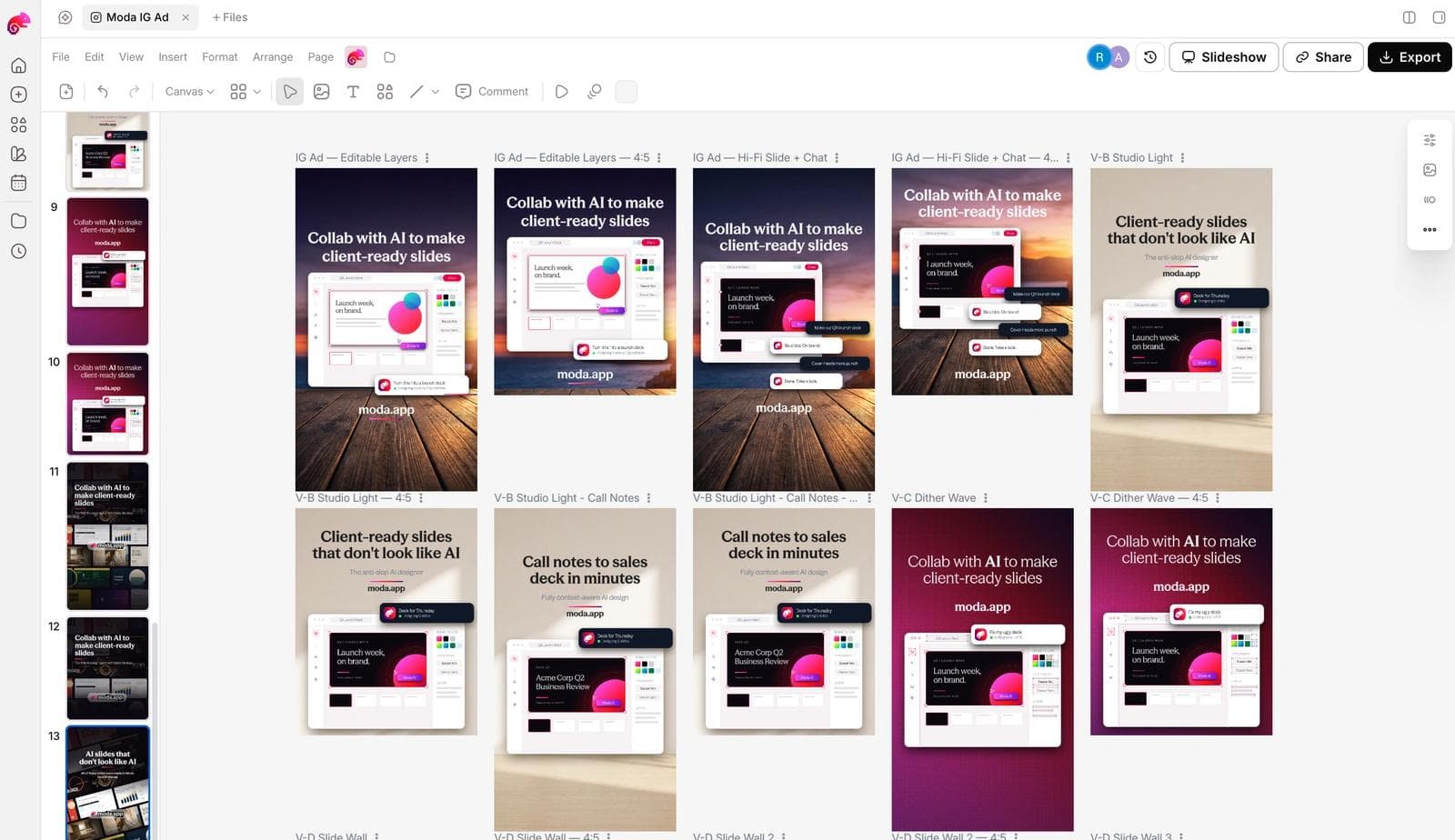
Moda also supports image, video, and audio generation and motion work. That makes it relevant when the campaign needs more than a static ad. For a deeper look at the difference between generation platforms and finishing environments, see our Higgsfield alternatives guide.
Choose Moda if the recurring problem is “we need a designed set of assets, and then we need to keep changing them.” Compare it with Express on your real brief and revision requests, not on whether either product has AI.
Keep the boundary clear: evaluate Moda here as the creative workspace, not as a promised substitute for Express's social scheduler, your email platform, or mandatory enterprise approval rules. Agree on where the final files go and who checks that the scheduled versions are current.
3. VistaCreate: for recurring social content and animated promotions
VistaCreate is a sensible option when the work is a steady stream of offers, announcements, and social posts rather than a new creative system every week. Its template-and-editor approach suits repeatable content that changes in predictable ways.
The Starter plan documentation includes a brand kit, animation tools, common image and video downloads, and scheduling for Facebook, Instagram, and Pinterest. That combination is particularly relevant to a small business with a simple channel mix.
The practical dividing line is adaptation. The plan comparison places one-click resize among Pro features. If every promotion needs several dimensions, evaluate that paid workflow rather than judging the product from one free square post.
Choose VistaCreate if the supported social destinations and recurring formats match your business. If LinkedIn or another destination is central to the campaign, account for a separate publication step instead of assuming every scheduler supports the same channels.
4. PosterMyWall: for promotions that must reach an audience
PosterMyWall deserves attention when the campaign does not end at a downloaded image. Think an event announcement, restaurant promotion, or local offer that needs both social posts and an email to customers.
Its email campaign tools cover message design, mailing lists, sending, scheduling, and performance reporting. Its social publishing workflow connects designs to social accounts. That puts distribution closer to the creative work than a graphics editor alone.
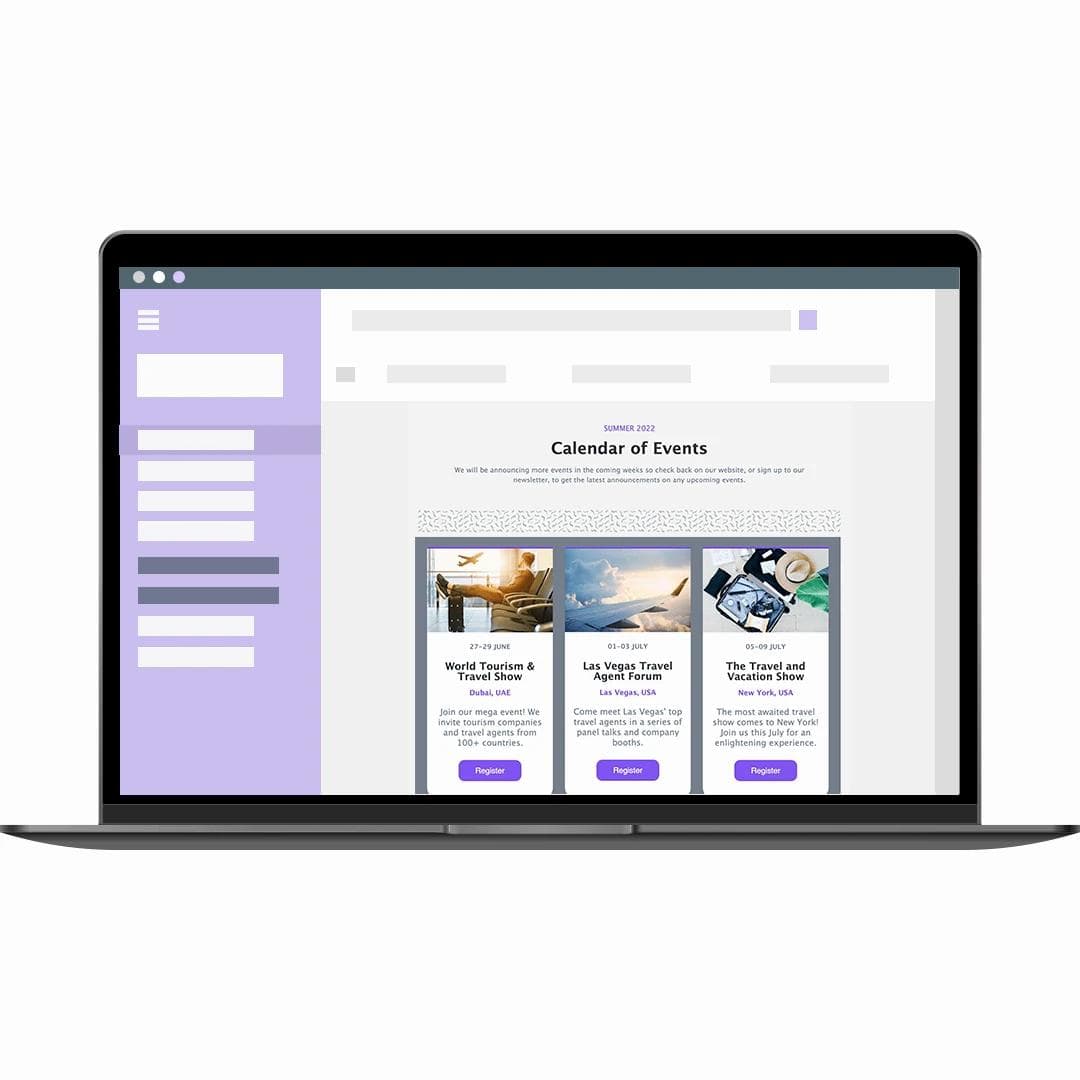
This changes the purchase question. You are not only comparing an email-header image with the one Express can make. You are deciding whether the same product should also assemble the message, maintain the list, and send it.
The late-date-change example is concrete here: PosterMyWall documents editing a scheduled post's design, caption, accounts, and time. It also warns that removing an already-published post inside PosterMyWall does not remove it from the social network. The calendar and the live publication are different things.
Choose PosterMyWall if bringing those jobs together removes a real handoff. Its social publishing guide says free-account posts can carry a watermark unless the design is purchased. Check that alongside email sending allowances and contact-management needs. If your team already runs email in an established marketing platform, moving that system simply to change design tools could add work rather than remove it.
5. Desygner / We Brand: for controlled local adaptation
Desygner is especially relevant when “make another version” means distributing approved designs to branches, sales teams, franchisees, or regional marketers. Those users need to change selected details without accidentally changing the brand system.
Its We Brand enterprise offering emphasizes lockable templates, self-service access, and content localization. The design-manager workflow describes letting other teams make permitted changes while the design owner controls the source template.
Consider a location-specific promotion. A local team may need to edit an address, offer date, or product photo, while the logo placement and required copy stay fixed. That is a governance problem, not just a need to save fonts and colors.
Choose Desygner's relevant team or enterprise offering if controlled reuse is your main requirement. Ask for a demonstration using the exact fields each role can change. Express already has brand-control templates, so compare the permission model and rollout process directly. Do not assume enterprise features are included in an individual design subscription.
6. CapCut: when the video edit is the real bottleneck
CapCut is a more focused comparison when Express is mainly where you assemble promotional videos. It is useful to evaluate around the edit: clip timing, captions, transitions, audio, and the versions needed for different placements.
For example, its caption workflow includes generated timed text that can be corrected and restyled. For a talking-head product announcement, reviewing names, timing, and readability can matter more than creating another opening image.
Do not reduce this to “CapCut has video and Express does not.” Express already has video creation and editing. Compare the editing steps that slow your team down, on the CapCut version you plan to use. Desktop, browser, and mobile offerings should not be treated as identical bundles.
Choose CapCut if the campaign's hardest deliverable is the video. Keep the static ads and sales materials in an appropriate design workspace if that is simpler. Before committing, check the required export and AI features in your account, and confirm that any selected music or assets are suitable for the intended promotional use.
7. Kittl: for product artwork, merchandise, and visual concepts
Kittl is a useful alternative when the campaign revolves around the artwork itself: a merchandise design, a typographic product graphic, or visuals that need to be shown on a product mockup.
Its current platform combines vector editing, text effects, mockups, and AI creation tools. That makes it a different purchase from choosing a scheduler with a graphics editor attached. You are comparing the tools for developing and presenting the visual concept.
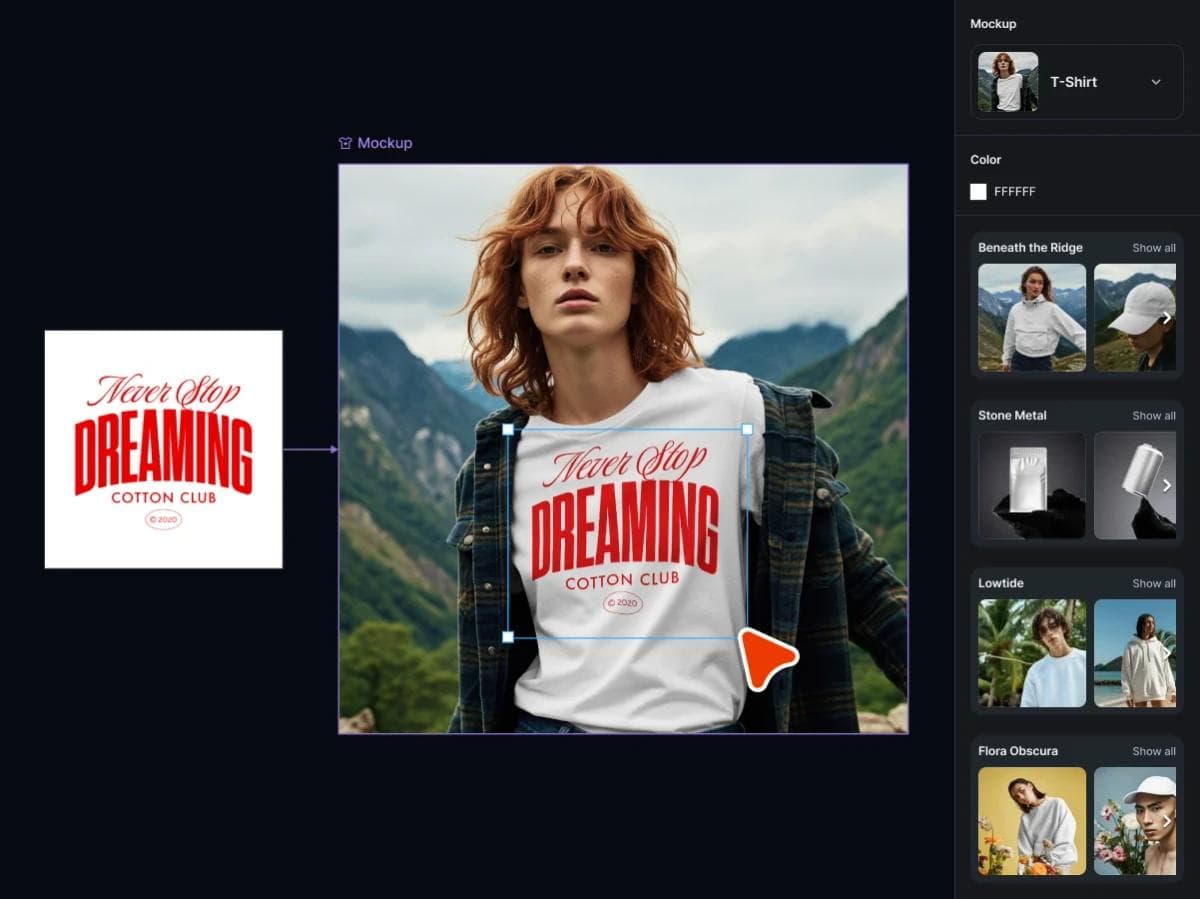
A practical example is launching a new shirt design. The artwork and its placement on the product are central; the promotional post is a downstream use of that work. Compare Kittl on the editable artwork and mockup you need, not on a generic social square.
Choose Kittl if that product-and-artwork workflow dominates. Its Free plan guide currently limits designs to personal use and low-resolution raster exports; vector and high-resolution exports require a paid plan. Treat those conditions as an early purchase check, not a surprise after finishing commercial artwork.
8. Visme: for interactive campaign documents
Visme is worth a look when the campaign includes an explainer, a customer-facing report, or a presentation that readers should explore rather than simply download.
Its report workflow supports charts and interactive elements such as hotspots and pop-ups. Visme also offers viewer analytics for online content, with specific capabilities depending on the plan. Those features matter when the shared document is part of the campaign experience.
The key decision is the delivery format. A web presentation can let a reader open additional detail. A static PDF cannot preserve that same interaction. If the sales team will immediately attach a PDF, assess the PDF version first rather than choosing on a web demo alone.
Choose Visme if interactive explanation and online distribution are central to the deliverable. If the need is a concise static sales sheet, focus instead on clear hierarchy, editable copy, and a dependable export. Our one-pager creation guide covers the content that belongs in that kind of document.
Before switching, run one campaign stress test
You do not need a large paid benchmark. Use one approved campaign and score the complete path from brief to late revision. Record the manual fixes, unavailable controls, plan upgrades, and handoffs each product introduces.
1. Start from the real brief. Include the audience, offer, required disclaimer, source logo and product image, output sizes, owners, deadline, and publishing destinations. Judge whether the brief survives into the working project, not only whether the first image looks good.
2. Apply the actual brand template. Give a marketer permission to change the headline, date, and product photo while protecting the logo, type, colors, and legal copy. A Brand Kit supplies assets; it does not automatically prove that the template can enforce those editing boundaries.
3. Send the draft through approval. Confirm who can request changes, who can approve, whether approval status is visible, and what happens after an approved template changes. If approval lives in email, chat, or another work-management system, include that handoff in the comparison.
4. Resize the approved design. Make square, portrait, story, and landscape versions using the longest headline and smallest disclaimer. Inspect each at realistic viewing size. Automatic resizing saves setup time, but it does not establish that hierarchy, crops, and line breaks remain usable.
5. Schedule one real post. Verify the destination, account type, media format, caption, cover image, tags, permissions, timezone, and plan limit. For tools that stop at export, record who moves the final file into the publishing system and how that person knows it is approved.
6. Make the late change. Move the launch by one day and replace the offer after approval but before publication. Update every size, video caption, email asset, shared document, and scheduled post. If linked Adobe artwork is part of the current workflow, update that source too and note whether the replacement keeps or breaks the relationship.
7. Hand the campaign to its next owner. Confirm that person receives the editable source, approved exports, permissions, schedule, and a clear record of what changed. The useful result is not the fewest clicks in the editor. It is the fewest hidden responsibilities across the campaign.
Which Adobe Express alternative should you choose?
Start with Canva for a broad workspace change, Moda when creating and revising the campaign visuals is the main job, or VistaCreate for a focused recurring social workflow. Consider PosterMyWall when email and social distribution belong in the same operating process, and Desygner when local adaptation needs central controls.
Use CapCut, Kittl, or Visme when a specialist deliverable justifies a specialist tool. You can keep Express for the rest, especially if its Adobe asset connections, brand templates, or publishing calendar already work well.
The strongest replacement is the one that makes the next campaign revision easier, not only the first design more impressive.
Frequently asked questions
What is the closest alternative to Adobe Express?
Canva is the first broad comparison for teams making social posts, videos, presentations, and other marketing assets. Check its required plan and publishing destinations against your Express setup. The closest-looking editor is not necessarily a complete replacement for the workflow around it.
What is a good free Adobe Express alternative?
VistaCreate's Starter plan is worth checking for social graphics, basic animation, a brand kit, and its supported scheduling channels. Canva also offers free design tools. Check the features needed for the finished campaign, not only whether you can start a project. Some free plans restrict commercial use or the export format.
Is Moda a complete replacement for Adobe Express?
Moda is a strong candidate for campaign design, slides, one-pagers, and generated visual content that you want to keep editing. Do not assume that choosing it also replaces a social scheduler, an email-sending platform, or required enterprise template controls. Those are separate requirements to account for.
Can I move my existing Adobe Express designs to another tool?
Keep both the exported deliverables and any original artwork you own. A downloaded image does not carry the editable Express project, linked-source relationship, brand permissions, or scheduled posts with it. Check the replacement's supported import formats using one real design before committing to a migration.

Real editable visuals. Real canvas. Full control.
Fly through design work