How to Create a One-Pager With AI in Minutes (June 2026)
Learn how to create a clear, accurate, editable one-pager with AI, including what to provide, what to include, what to omit, and how to review the result.
 Anvisha Pai, Co-founder & CEO, Moda
A useful one-pager helps one audience make one decision. AI can accelerate the outline, copy, and first layout, but the result still needs a clear brief, verified claims, readable hierarchy, and an editable handoff when the document will change.
TLDR:
Start from the audience and decision, not from a decorative template.
- Six elements make or break a sales one-pager: problem-focused headline, outcome-driven value statement, specific social proof, concise offer breakdown, single call to action, and direct contact details.
Check whether the output remains editable when a claim, price, image, or call to action changes.
Brand consistency depends on supplying approved fonts, colors, logos, examples, and usage rules, then reviewing the actual output.
Moda is one option for creating a one-pager with a brand kit on an editable canvas. Canva, PowerPoint, Figma, or a document editor may be better when the team already maintains the work there.

What Is a One-Pager (And Why Your Business Needs One)
A one-pager is exactly what it sounds like: a single-page document that captures your offer, your audience, and your value in a format someone can read in under two minutes. Sales teams use them to follow up after discovery calls. Founders send them to investors before a meeting. Marketers drop them into partner conversations when there's no time for a full deck.
The format works because it forces clarity. You can't hide weak positioning behind 12 slides.
Where most one-pagers fall apart
The problem isn't the concept. It's execution under time pressure:
- Starting from a blank page costs more time than most GTM teams have on a Tuesday afternoon.
- Generic 1 pager templates rarely match your brand, so you spend the first hour reformatting instead of writing.
- Copy that sounds good in your head reads like a brochure on paper, and you don't catch it until after you've sent it.
AI can reduce starting friction by proposing a structure and draft, but it does not decide which claims are approved or which message matters most.
Six Elements Every Sales One-Pager Should Include
A strong sales one-pager depends as much on what it omits as what it includes. These six elements give the reader a clear path from problem to next step:
- A headline that names the problem you solve, not your company name. Buyers scan first; if the top line reads like a logo, they're gone.
- A clear value statement that spells out the outcome in one or two sentences. "We help mid-market sales teams cut proposal time by 40%" lands harder than "we accelerate revenue workflows."
- Social proof: either a customer quote, a recognizable logo, or a specific result. One concrete win beats three vague endorsements.
- A concise breakdown of what you offer, written for a buyer who has ninety seconds, not a procurement team with a checklist.
- A single, obvious call to action. One link, one email, one next step. Multiple CTAs split attention and kill conversion.
- Contact details that are actually useful: a name, direct email, and optionally a calendar link.
What to Leave Out
Anything that serves your internal vocabulary instead of the buyer's understanding gets cut. Avoid internal acronyms, multi-slide feature lists compressed into bullets, and pricing tiers that require a footnote to parse. One page means one decision: should I take the next step?
AI One-Pager Generators vs Traditional Design Tools
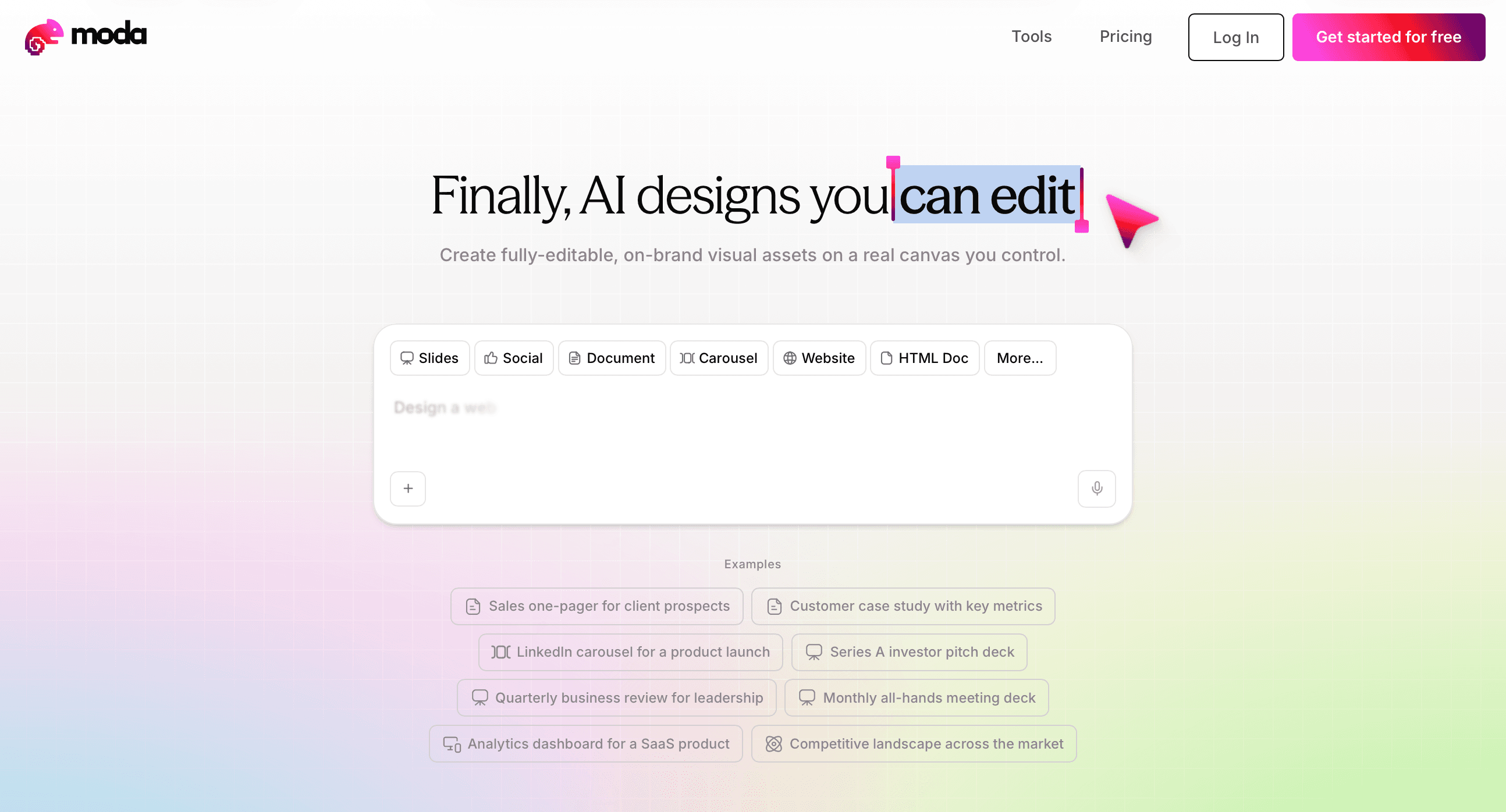
The choice between an AI one-pager generator and a traditional design tool sounds like a feature comparison. It's really a question of where your time goes.
Traditional tools such as Canva, PowerPoint, Figma, or Google Slides provide templates and direct editing. AI-assisted tools can generate a starting structure or layout. The useful distinction is not “manual versus automatic,” but where the working document lives and how easily the next person can revise it.
AI generators cut the starting friction. Instead of building from a template, you describe your offer and audience, and the AI produces a structured draft. The gap that matters is what happens next.
Some tools return a flat image or PDF. Others create editable text, shapes, and images in their own editor or in a conventional document format.
Choose the output that matches the handoff. A fixed PDF may be enough for distribution, while recurring sales collateral usually benefits from an editable source file.
Generate or draft a representative section first, then test the exact copy and export changes your team will make later.
| Approach | Starting Point | Time to First Draft | Editability After Generation |
| Traditional tools like Canva or PowerPoint | Blank canvas with template library requiring manual color, font, and layout formatting | 45 minutes spent on reformatting before writing copy | Fully editable canvas but requires manual construction of all elements |
| Static-output AI generators | Describe offer and audience, AI produces structured draft | Minutes to generate initial output | Copy tweaks require regenerating the entire document, restarting the clock each time |
| Editable-canvas AI generators like Moda | Describe offer and audience, AI produces structured draft with brand kit applied | Timing depends on the source material, review rounds, and how much custom design the page needs | Fully editable layered canvas where text, images, colors, and layout adjust in place without regeneration |
How to Create a One-Pager With AI in 5 Steps
Use the following process whether the first draft comes from an AI tool, a template, or a blank page.
Step 1: Provide Your Brand and Source Material
Collect the approved logo, fonts, colors, product description, customer evidence, images, and any existing one-pagers before drafting.
In Moda, you can start a brand kit from a website and refine it with supplied assets and guidelines. In another tool, use its Brand Kit, theme, library, or template system. Review what was imported rather than assuming the website contains every rule.
If you'd rather lead with examples, upload two or three strong documents or one-pagers your team is proud of. Moda reads the visual and copy patterns from those files and uses them as the reference point going forward.
Prefer to spell it out yourself? Write a short verbal brief describing your style, or build the brand kit manually by picking your exact colors, fonts, and visual approach. Once set, that kit applies to every asset Moda builds for you from that point on.
Step 2: Describe the Offer and the Audience
Write two to three sentences: what you sell, who buys it, and the one outcome they care about most. The more specific you are here, the less editing you will do later.
Step 3: Generate a First Draft
Trigger the AI to produce a full layout. A capable sales one pager generator will return a structured doc with a headline, value prop, supporting points, and a call to action already placed.
Step 4: Edit Copy Directly on the Canvas
Revise the headline, proof, offer, and call to action in place. If a small change forces complete regeneration, preserve the approved copy separately and consider moving the final layout into an editor with direct control.
Step 5: Export in the Format Your Prospect Expects
Use PDF when the recipient only needs a stable finished page. Keep an editable source file when colleagues will update it. If another format is required, open the export in the destination application and check fonts, links, images, and spacing.
Brand Consistency in AI-Generated One-Pagers
AI-generated one-pagers can look polished while still drifting from the brand. Default fonts, colors, or image treatments may override the intended hierarchy, and a layout that works in the generator can change after export.
There are a few reasons this keeps happening. Most AI one-pager tools pull from generic template libraries with no memory of your brand. Every session starts from zero.
A brand-aware approach locks in your assets upfront: logo, typography, color palette, and tone. The AI works within those constraints, not around them. The result is a one-pager that looks like your team made it, not like something assembled from a stock template.
When to Use a One-Pager (And When You Need Something Else)
One-pagers work best when your audience has limited time and a specific decision to make. A sales rep following up after a discovery call, a founder prepping for a first investor meeting, a marketer launching a new product to a channel partner: these are the moments a one-pager earns its keep.
Where one-pagers fit
- Product or service overview for a prospect who's not ready for a full demo
- Leave-behind after a sales call that captures your core value proposition in one glance
- Internal alignment doc for a new initiative that needs quick stakeholder buy-in
- Event handout or conference material where attention spans are short
When you need something else
If your audience needs to understand a multi-step process, compare multiple pricing tiers, or follow a long narrative argument, a one-pager will feel thin. That's when a full deck, a proposal, or a detailed brief does the job better. The test is simple: if your reader needs to scroll or flip pages to get the full picture, you've outgrown the format.
Common One-Pager Design Mistakes to Avoid
Even a well-structured one-pager can fall flat if a few recurring execution problems aren't caught early. These are the four that show up most often.
- Overloading with information. A one-pager isn't a brochure. When every section competes for attention, nothing lands. Pick one core message per section and cut anything that doesn't support it directly.
- Ignoring the reader's perspective. Writing about what your product does instead of what the reader gets is a fast way to lose them. Frame every claim around the outcome they care about, not the feature you're proud of.
- Weak visual hierarchy. When body text, headers, and callouts all look the same size, the eye has nowhere to go. Contrast in type scale and spacing does the navigation work so your reader doesn't have to.
- Skipping the single clear call to action. One-pagers that end with three next steps effectively end with none. Pick one action, make it obvious, and put it somewhere it can't be missed.
Editable vs Static AI Outputs: What You Actually Get
Some AI tools produce a flat export, while others provide direct editing or native document objects. Check the product and export path rather than assuming every AI workflow behaves the same way.
If your pricing changes, your headline needs tightening, or a prospect asks for a version with their logo swapped in, a static output sends you back to square one. Editable outputs let you fix that in seconds directly on the canvas.
Here's what separates the two approaches:
Flat outputs preserve a finished appearance but make later copy and layout changes harder.
Editable outputs keep at least the text, images, shapes, or layout controls available for revision. The exact level of editability depends on the tool and destination format.
Moda generates one-pagers on a fully editable canvas. Once the AI builds your first draft, every element stays accessible: swap a stat, rewrite a value prop, adjust spacing. No regeneration required.
Where Moda Fits
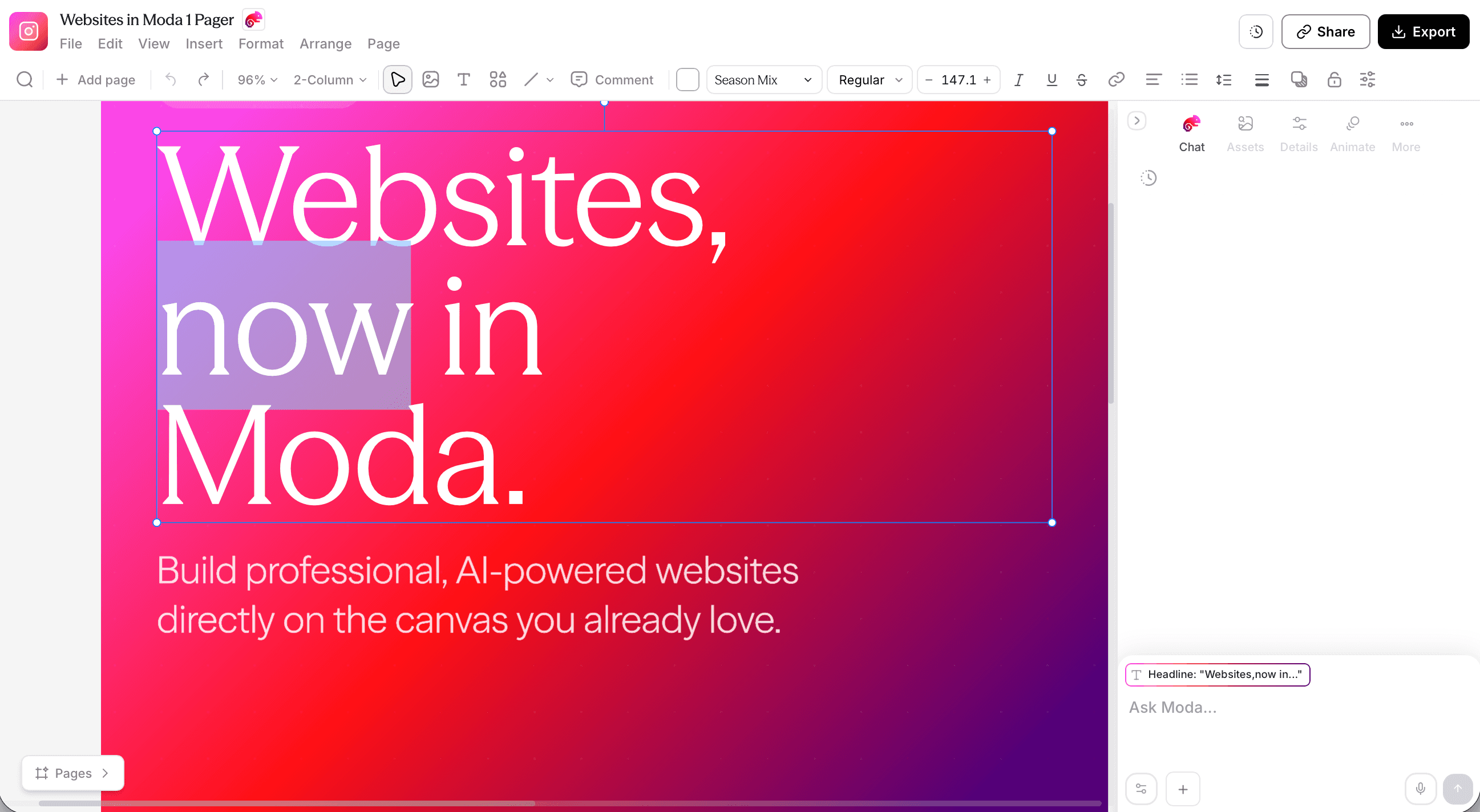
Moda is useful when you want an agent to create the initial structure and visual layout using a saved brand kit, then continue editing text, images, shapes, and spacing on the canvas.
A good brief should name the audience, offer, evidence, required sections, visual references, and final format. Review the draft for factual accuracy and hierarchy before exporting.
Moda is not automatically the best choice. A team that already owns a strong Canva, PowerPoint, Figma, or document workflow may be better served by keeping the editable source there.
Final Thoughts on One-Pagers Built for Speed and Control
A good one-pager is concise, accurate, easy to scan, and easy for the owner to maintain. Use AI to accelerate the first draft, then apply the same editorial and design judgment you would use for any customer-facing document.
Frequently asked questions
Should I use an AI tool or a one-pager template?
Use a template when the structure is already approved and the content fits it. Use AI when you need help shaping the narrative or producing a first layout. In either case, keep the claims verified and preserve an editable source when the document will change.
How long does it take to create a one-pager?
It depends on the quality of the source material and the number of review rounds. A clear brief and approved facts can make the first draft quick, but customer-facing claims, design, and export still need review.
What's the difference between editable and static AI outputs?
Static outputs lock your content the moment they're generated: any edit means regenerating the entire document, which costs time and often loses your previous copy. Editable outputs give you a layered canvas where text, images, colors, and layout are all live, so you change what you need and export again without touching anything else or starting over.
When should I use a one-pager instead of a full deck?
Use a one-pager when your audience has limited time and a specific decision to make: a sales rep following up after a discovery call, a founder prepping for a first investor meeting, or a marketer launching a new product to a channel partner. If your reader needs to understand a multi-step process, compare multiple pricing tiers, or follow a long narrative argument, you've outgrown the format and need a full deck instead.

Real editable visuals. Real canvas. Full control.
Fly through design work