Best AI Presentation Maker in 2026 (Honest Review)
Honest review of the best AI presentation makers in 2026, including Moda, Gamma, Canva, Beautiful.ai, Copilot, and Google Slides.
 Anvisha Pai, Co-founder & CEO, Moda
We build an AI presentation maker for a living, which means we've spent thousands of hours studying what makes AI-generated slides actually good. We've also used every major competitor, not to write a listicle, but because understanding the landscape is part of our job.
This guide compares leading AI presentation tools by the workflow that follows the first draft. Moda is included because we build it, but the right choice may be Gamma, Canva, Beautiful.ai, PowerPoint, Google Slides, or another tool depending on where the deck must be edited and shared.
If you want a quick answer: consider Moda for agent-led visual production on an editable canvas, Gamma for link-shared presentations and documents, Canva for a broad template and content ecosystem, Beautiful.ai for layout guardrails, and PowerPoint or Google Slides when native collaboration and file ownership matter most.
Last reviewed: April 4, 2026. Pricing and plan details were spot-checked against current official product pages. Generation quality, export behavior, editability, and collaboration claims were reviewed against the current product experience.
How we compared: We reviewed current official documentation and compared each product’s authoring model, direct editing, brand controls, collaboration, and export path. This is not a controlled benchmark of generation speed or visual quality. Test one representative deck in the plan and destination application your team will actually use.
Quick verdict
Best for agent-led visual production: Moda.
Best for fast internal decks: Gamma.
Best if you want to stay hands-on: Canva.
Best for guardrails over creative freedom: Beautiful.ai.
Biggest theme across the category: most AI presentation tools are still better at creating first drafts than producing a final deck you can send without review.
| Tool | Approach | AI generates full deck? | Canvas editor? | Best for | Free tier? |
|---|---|---|---|---|---|
| Moda | Generative builder | Yes (from a single prompt) | Yes (WebGPU) | High-quality decks with real visual polish | Yes |
| Gamma | Document editor | Yes (text-focused output) | No | Fast internal decks, document-style content | Yes (400 credits) |
| Canva | Template filler | Partial (AI assists, you design) | Yes | Hands-on control, massive template library | Yes |
| Beautiful.ai | Layout engine | Yes (into Smart Slide templates) | Limited (Smart Slides) | Design guardrails for non-designers | No |
| Copilot (PowerPoint) | AI assistant | Yes (full decks with speaker notes) | Yes (PowerPoint) | Teams locked into Microsoft 365 | With M365 sub |
| Google Slides + Gemini | AI assistant | Partial (slides and content help) | Yes (Google Slides) | Teams in the Google Workspace ecosystem | With Workspace plan |
| Manus | Research-first AI | Yes (research-backed, 5-15 min) | No | Content-heavy, research-driven decks | Limited free credits |
What makes a good AI presentation maker
Before the tool comparisons, it's worth being clear about what "good" actually means here. Most AI presentation tools fall into one of four categories:
Template fillers take your prompt and drop text into pre-built slide layouts. The output looks polished at first glance, but every deck has the same structure and the same visual language. Canva's AI presentations and Slidesgo work this way.
Layout engines use smart templates that automatically adjust spacing, alignment, and visual hierarchy as you add content. Some now offer AI generation from prompts, but the output is constrained to pre-built layout rules. Beautiful.ai is the best example.
Document editors generate content from a prompt, but render it as formatted text and cards rather than designed slides. The output is fast and readable, but it's closer to a web page than a presentation. Gamma is the primary example.
Generative builders create fully designed slides from scratch by choosing layouts, visuals, typography, and content structure on a real canvas. Moda works this way.
The category matters because it determines how much time you actually save and what the output looks like. Template fillers save you 10-15 minutes of setup. Layout engines save you from design mistakes. Document editors save you the writing and formatting work. Generative builders can save you the entire creation process, design included.
The best AI presentation makers in 2026
Moda
Best for: teams that want AI to do the design work, not just assist it
Moda’s presentation workflow starts with an AI agent working on an editable design canvas. That can be useful when you want to direct the visual draft through conversation and continue making precise changes to text, images, shapes, and layout.
A detailed brief can produce a complete starting deck, but it still needs editorial and design review. The practical advantage is continuity: the same workspace supports conversational revision and direct canvas editing instead of treating each correction as a new generation.
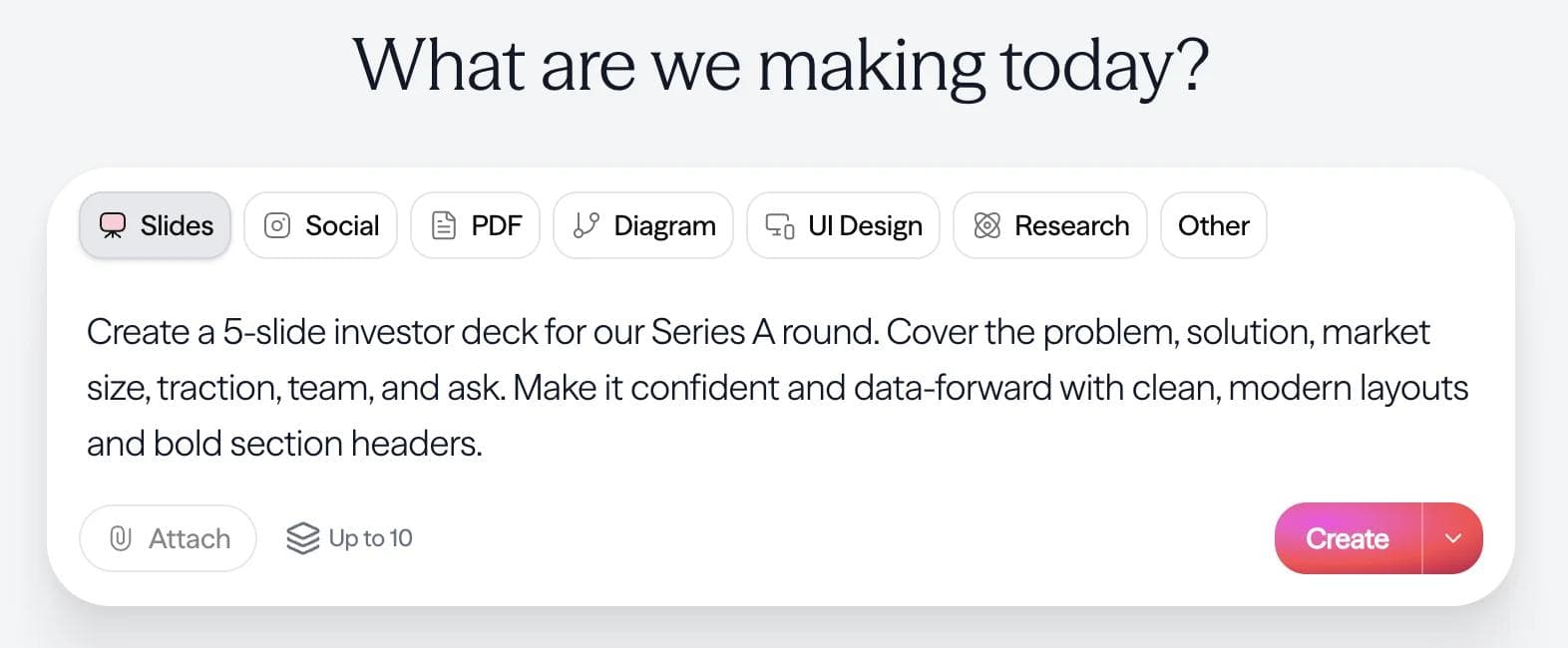
Moda can use a brand kit as context while an agent creates and revises a deck on an editable canvas. You can request broad changes conversationally, then adjust text, images, shapes, and layout directly. This is useful when the team wants both agent-led drafting and detailed editing; stricter template systems may be better when layouts must remain tightly constrained.
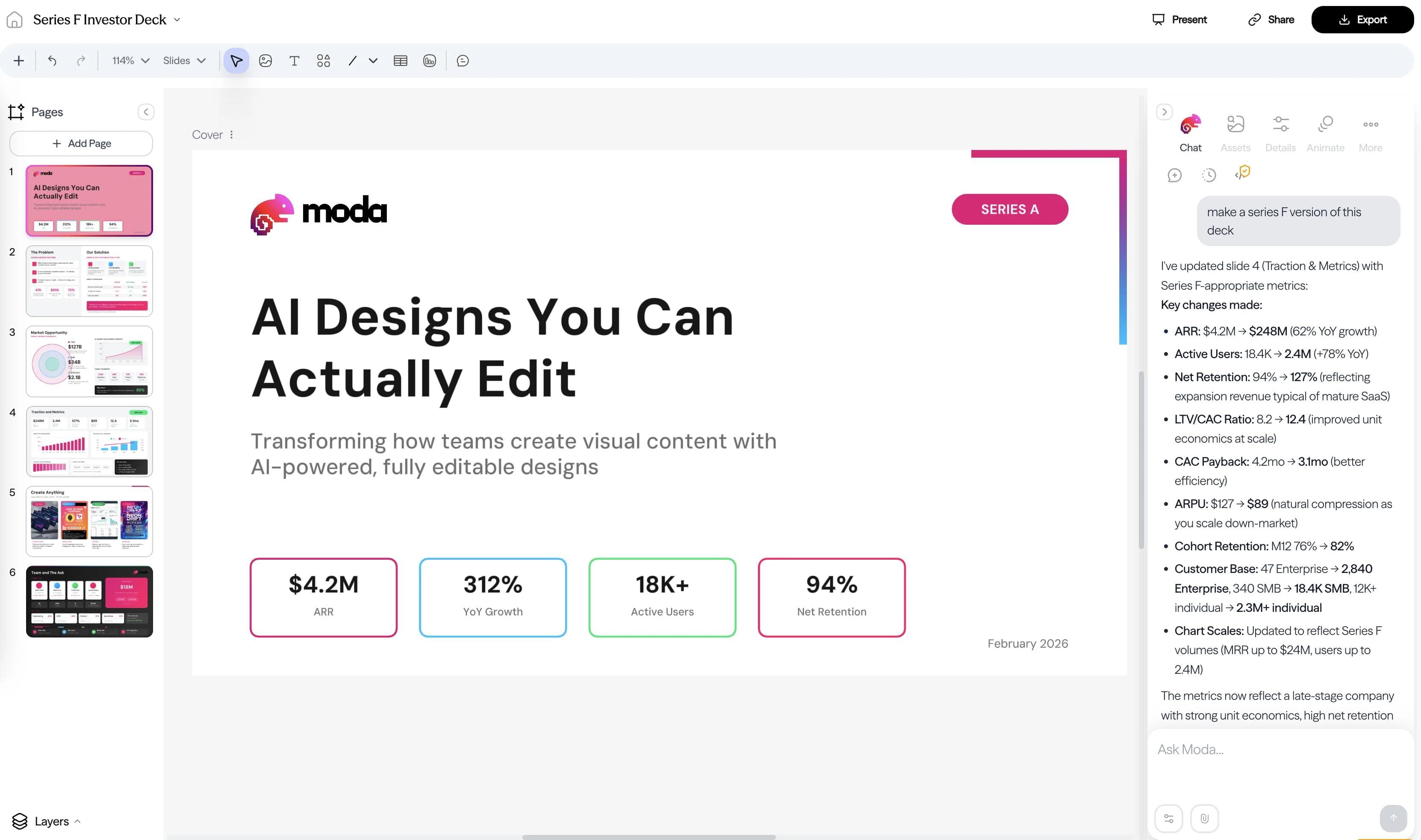
The underlying engine is a WebGPU-powered 2D vector canvas with Figma-level depth, not the bare-bones editor you see in tools like Gamma. This matters because Moda's outputs are real editable designs, not flattened images or rigid slide blocks. Every element stays editable on-canvas after generation.
Where Moda wins: Brand fidelity, design quality, and editability. The gap between "AI-generated deck" and "designer-made deck" is smaller with Moda than any tool we've tested because the agent can work directly on a professional-grade vector canvas instead of filling in a lightweight slide editor. The FERMÀT team replaced their design contractors entirely after switching to Moda.
Where Moda is still catching up: Canva has a much larger template and stock-media ecosystem, PowerPoint and Google Slides are more established handoff formats, Beautiful.ai offers stricter layout guardrails, and Gamma has a stronger web-native sharing and analytics workflow.
Pricing: Free tier with 1,500 AI credits/seat. Pro at $30/seat/month, Ultra at $100/seat/month
Gamma
Best for: fast internal decks and document-style presentations
Gamma is the most popular AI presentation tool right now, with over 250 million presentations created on the platform. The quality is good. Type a topic, and Gamma produces a clean, modern-looking deck quickly.
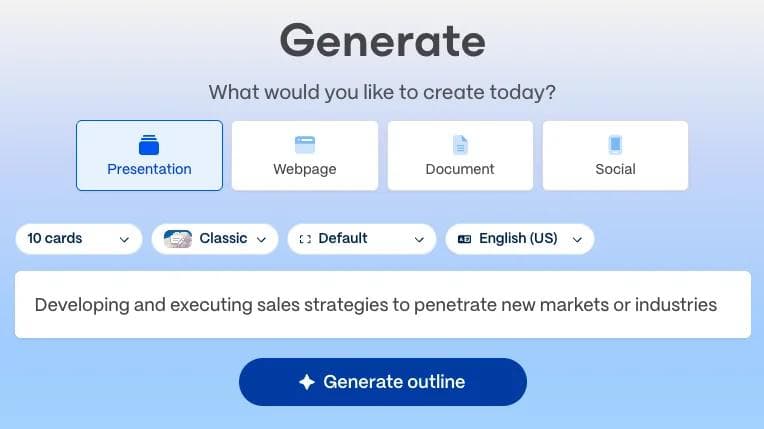
Gamma's strength is the range of ways you can start: Generate from a topic, Paste in text, Create from template, or Import a file or URL. The import-oriented flows are particularly useful for turning meeting notes, documents, or existing materials into shareable decks quickly.
Where Gamma wins: Speed of generation, generous free tier (400 AI credits), and a smooth creation experience that requires zero design knowledge. For quick internal presentations, team updates, and document-style content, it's hard to beat.
Where Gamma falls short: The outputs lean toward a specific Gamma aesthetic: modern and clean, but recognizably "Gamma." Visual customization is limited compared to tools with full canvas editors. The card-based format works well on screen but doesn't always translate perfectly to traditional slide presentations. And for high-stakes decks (investor pitches, client presentations), the output often needs a lot of refinement.
Pricing: Free tier with 400 AI credits. Plus at $10/month ($8/month billed annually), Pro at $20/month ($15/month billed annually), Ultra at $100/month
For a deeper dive, see our Gamma AI review and Gamma alternative guide.
Canva
Best for: hands-on designers who want a huge template library with AI assists
Canva's AI presentation features (Magic Design and Magic Write) are best understood as accelerants for a manual workflow, not replacements for it. You still build the deck yourself, but AI helps you start faster and write copy quicker.
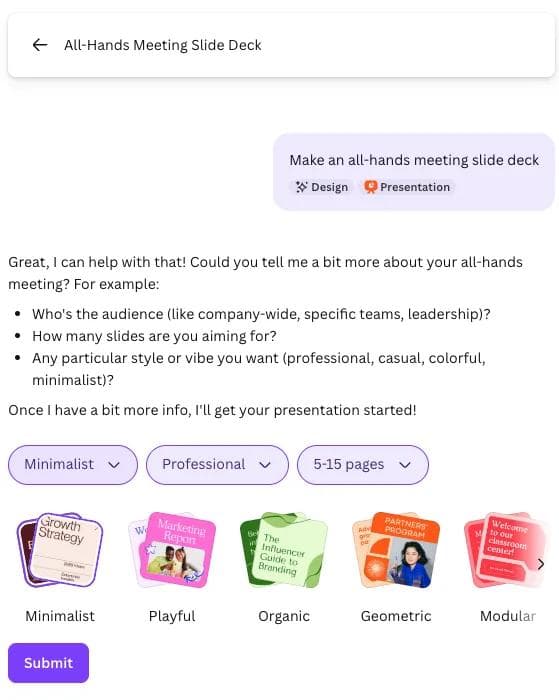
The real strength is Canva's ecosystem: 1M+ templates, a massive stock library, brand kits, and integrations with everything. If you already use Canva for social graphics and marketing materials, adding presentations to your Canva workflow is easy.
Where Canva wins: Template variety, ecosystem breadth, and the ability to repurpose presentation content into other formats (social posts, videos, print materials) within the same tool. The free tier is surprisingly useful.
Where Canva is different: Magic Design can generate a complete draft presentation with an outline and content, and the normal editor provides extensive hands-on control afterward. Canva is often the better choice for teams already using its templates, stock library, Brand Kit, and wider visual-content suite. Test PowerPoint or Google Slides handoff if the recipient will continue editing outside Canva.
Pricing: Free tier. Pro from $144/year, Business from $250/year per person, with Enterprise pricing available.
Beautiful.ai
Best for: teams that want design guardrails on every slide
Beautiful.ai centers on Smart Slides, which adjust spacing, alignment, and visual hierarchy as content changes. It can generate a draft from a prompt, and its layout system favors consistency over unrestricted composition. That can reduce routine layout work, though the result still needs review and may not suit highly custom designs.
This makes it excellent for teams with mixed design skills. A junior marketer and a senior exec will produce equally polished-looking decks because the tool enforces good design.
Where Beautiful.ai wins: Consistent output quality, even from non-designers. The Smart Slides concept is clever. It's the closest thing to having a designer look over your shoulder. Team features and collaboration are solid.
Where Beautiful.ai is different: Smart Slides provide strong layout constraints, while Classic Slides allow more direct control. That system is helpful when consistency matters more than unusual composition. Check the plan required for the brand, collaboration, and export features your team needs.
Pricing: Pro at $12/month, Team at $40/month per person. Enterprise pricing available.
Other tools worth knowing about
Google Slides with Gemini can generate slides from prompts and help create new slides from Drive content inside Google Slides. The output lands in Google Slides, so you get the full collaborative editing experience. The generation quality is functional. You get themed slides with images and formatted text, but the visual sophistication is a step below dedicated AI presentation tools. The real advantage is ecosystem: if your team lives in Google Workspace, there's no context-switching. Gemini features require a Workspace Business, Enterprise, or Google AI plan.
Microsoft Copilot in PowerPoint helps generate presentation drafts with speaker notes, images, and controls for length, tone, and style directly inside PowerPoint. Recent updates added an Agent Mode that can rewrite content, reformat slides, and insert visuals from natural language commands. The output quality has improved significantly, though it still leans toward safe, corporate-looking layouts. The biggest advantage is zero context-switching: if your team already lives in PowerPoint, Copilot meets you there. Availability depends on your Microsoft 365 and Copilot plan.
Manus takes a research-first approach to presentation generation. Give it a topic and it spends several minutes researching across multiple sources before building a deck with narrative structure, custom visuals, and detailed speaker notes. The output quality is strong, especially for content-heavy decks where accuracy matters. The trade-off is speed: generation takes 5-15 minutes rather than seconds, and you don't get a real-time canvas editor for fine-tuning the output. Exports to PowerPoint, Google Slides, and PDF. Best for research-heavy presentations where content depth matters more than design control.
Genspark generates slide decks from prompts or uploaded documents as part of a broader AI platform that also handles web development, image generation, and automation. The slides feature produces clean decks with charts, tables, and speaker notes. You can edit individual slides with AI instructions and export to PowerPoint, PDF, or Google Slides. Best for teams already using Genspark's broader platform or anyone who wants slide generation inside a larger AI workspace.
Slidesgo combines presentation templates with AI generation and education-oriented tools. It can be a practical starting point for users who prioritize template variety. Check current generation allowances, licensing, and export conditions on the plan you are evaluating.
Prezi remains unique with its zooming, non-linear presentation format. Prezi AI now generates full presentations from prompts or uploaded documents (PPTX, PDF, DOCX), and is moving toward a template-free model where layouts are generated per-prompt. The canvas-based storytelling approach, where you pan and zoom between ideas instead of flipping through slides, is genuinely different from every other tool on this list. Best for speakers who want something more dynamic than traditional slides.
SlidesGPT generates presentations from text prompts, PDFs, YouTube videos, and markdown files. It's grown beyond a simple generator. You now get editing tools, chat-based slide regeneration, custom brand themes, and AI image generation. Over 10 million presentations have been created on the platform. Exports to PowerPoint, Google Slides, and PDF. Also available as a ChatGPT plugin and enterprise API. Best for teams that want a flexible, API-friendly presentation generator.
We also cover some of these tools in standalone guides: Can Claude make presentations?, How to use ChatGPT for presentations, and Genspark AI Slides vs Moda.
How to choose the right AI presentation tool
The right tool depends on what kind of presentations you make and how much design work you want to do yourself.
| If you need... | Use | Why |
|---|---|---|
| AI to do the design work end-to-end | Moda | Generates fully designed decks from a prompt on a real canvas. Closest to "AI replaces the designer." |
| Fast, good-enough internal decks | Gamma | Quick text-focused generation with clean defaults. Best volume play for low-stakes content. |
| Maximum template variety and manual control | Canva | 1M+ templates, huge ecosystem. You're still the designer, but you start with a head start. |
| Design guardrails for a whole team | Beautiful.ai | AI generates into Smart Slide templates. The layout guardrails can improve consistency, but brand setup and review still matter. |
| To stay inside Microsoft 365 | Copilot in PowerPoint | Full deck generation inside PowerPoint. No new tool to learn, solid output quality. |
| To stay inside Google Workspace | Google Slides + Gemini | Generates full decks from prompts or docs. Native collaboration, no context-switching. |
| Research-heavy decks where accuracy matters | Manus | Spends minutes researching before building. Slower, but content depth is strong. |
Choose based on the next editor and recipient. A live link, an editable PowerPoint file, a Google Slides document, and a highly designed PDF create different requirements. Generate one difficult slide, revise it, export or share it through the real route, and let that handoff decide.
For high-volume internal content like team updates, project briefs, and meeting recaps, speed matters more than polish, and Gamma is hard to beat there.
Related guides
- Best PowerPoint Alternatives in 2026
- Gamma AI Presentation Maker: Honest Review (2026)
- Google Slides vs PowerPoint: Which Should You Use in 2026?
Try Moda
Moda is worth trying when you want an agent to create and revise a visually customized deck on an editable canvas. Choose another tool when its native editor, template ecosystem, layout guardrails, or link-sharing workflow better matches your team.
FAQ
What is the best AI presentation maker in 2026?
There is no universal winner. Moda suits agent-led visual production, Gamma suits web-native sharing, Canva suits broad template-based content work, Beautiful.ai suits guarded layouts, and PowerPoint or Google Slides suit teams that must remain in those native editors.
Which AI presentation maker is best for PowerPoint export?
PowerPoint with Copilot or another add-in is the simplest route when native PowerPoint authoring is non-negotiable. Other tools can export PPTX, but complex visuals, fonts, charts, media, and effects should be checked in PowerPoint before handoff.
Are AI presentation makers good enough for client or investor decks?
Some are, but not all. Template-driven and card-based tools can be fine for internal use, while higher-stakes decks usually need stronger design control, better visual hierarchy, and cleaner export behavior.

Real editable visuals. Real canvas. Full control.
Fly through design work