Best Canva Alternatives in 2026
Compare nine Canva alternatives by workflow, including AI design, presentations, social graphics, brand systems, data visualization, and product design.
 Anvisha Pai, Co-founder & CEO, Moda
If you're searching for a Canva alternative, you may want a cheaper or simpler tool, a stronger presentation workflow, more professional design control, or software that creates more of the first draft for you. Canva is still the strongest general-purpose choice for many people, so the right replacement depends on the job you need to improve and how much hands-on control you want.
We compared nine Canva alternatives by the jobs readers actually need to finish: presentations, social content, brand-controlled assets, data-heavy visuals, and product design. This is a documented workflow comparison, not a benchmark of generated output.
Quick answer: there is no single replacement for every Canva workflow. Moda is worth considering for agent-led presentations and editable visual assets. Adobe Express is the closest fit for teams already using Adobe. Visme and Piktochart specialize in data-heavy communication. Gamma is strong for link-shared presentations and documents. Beautiful.ai emphasizes layout guardrails, Figma serves product-design teams, and VistaCreate or Snappa can suit recurring social graphics.
Last reviewed: September 1, 2026. Product capabilities were checked against current official documentation. Plan limits and prices change frequently, so verify the current plan before moving a production workflow.
How we compared: We reviewed current official product documentation and assessed each tool against the same workflow questions: what it creates, where the working file lives, how much direct editing remains, which brand controls are available, and how the result is handed off. We did not run a controlled output-quality, speed, or export-fidelity benchmark.
Quick verdict
Best for agent-led presentations and editable visual assets: Moda.
Best if you're already in Adobe's ecosystem: Adobe Express.
Best for internal presentations: Gamma.
Best if you need professional UI precision: Figma.
When Canva is still the better choice: you want one broad tool with a large template and stock ecosystem for many kinds of marketing content, and your team is comfortable editing directly in Canva.
| Tool | Best for | AI role | Free access? | Check before switching |
|---|---|---|---|---|
| Moda | AI-led presentations and editable visual assets | Agent creates and revises designs on a canvas | Yes | Validate the hardest export and downstream handoff |
| Adobe Express | Adobe ecosystem users | AI-assisted creation, image editing, and templates | Yes | Brand controls, assets, and AI allowances vary by plan |
| Visme | Data visualization and infographics | AI-assisted design plus interactive data tools | Yes, with limits | Check export, analytics, and collaboration requirements |
| Gamma | Fast web-native decks and documents | Prompt-generated drafts and AI-assisted editing | Yes, with limits | Check card, analytics, branding, and export limits |
| Piktochart | Infographics and visual reports | Turns prompts or documents into editable visuals | Yes, with credits | Check download formats and brand features |
| Beautiful.ai | Presentation layout guardrails | AI drafting combined with Smart Slides | Trial | Check editable export and team features |
| Figma | Professional product and interface design | AI across Design, Slides, and related products | Yes, with limits | Confirm the seat and product access each collaborator needs |
| VistaCreate | Canva-like social and marketing graphics | Image and writing tools on eligible plans | Yes | Check Brand Kits, resize, and version-history access |
| Snappa | Focused social graphics | No first-party design generation listed | Yes, 3 downloads/mo | Check download allowance and team size |
Before switching, rebuild one representative asset, invite one real collaborator, create a second format, and export the file your recipient actually needs. The best alternative is the one that improves your bottleneck without making later edits, approvals, or handoff more fragile.
Why people look for Canva alternatives
People look beyond Canva for different reasons. Some want more automation, while others want deeper direct control over typography, layout, images, data, or interaction. Cost, simplicity, collaboration, and the final handoff can matter just as much.
A different balance of automation and control. Canva's current Magic Studio combines AI-assisted creation and editing with its template-driven visual suite. Some alternatives ask the software to generate more of the initial composition from a brief. Others provide deeper control over individual design decisions but require more skill and hands-on work. Choose based on which part of the process is actually slowing you down.
Cost and complexity. If you use only a small part of Canva, another subscription may not solve the problem. Start by checking whether Canva Free, a focused free editor, or software you already own covers the exact features you use. Compare export limits, brand tools, collaborators, and stock assets rather than the headline monthly price alone.
Canva supports prompt-generated presentation drafts, templates, stock media, and direct editing in one product. A dedicated presentation tool may still fit better when you want stricter layout rules, a web-native document format, or a workflow centered on PowerPoint or Google Slides. Test a representative deck and its final handoff rather than assuming Canva is either sufficient or inadequate for every presentation.
The handoff. Canva can import and export common formats, including PowerPoint, but a converted file is not automatically equivalent to one authored in the destination application. Test a representative deck, decide which copy becomes authoritative after conversion, and review our Canva vs PowerPoint and Canva vs Google Slides comparisons for the detailed workflows.
1. Moda: best Canva alternative for AI-powered design
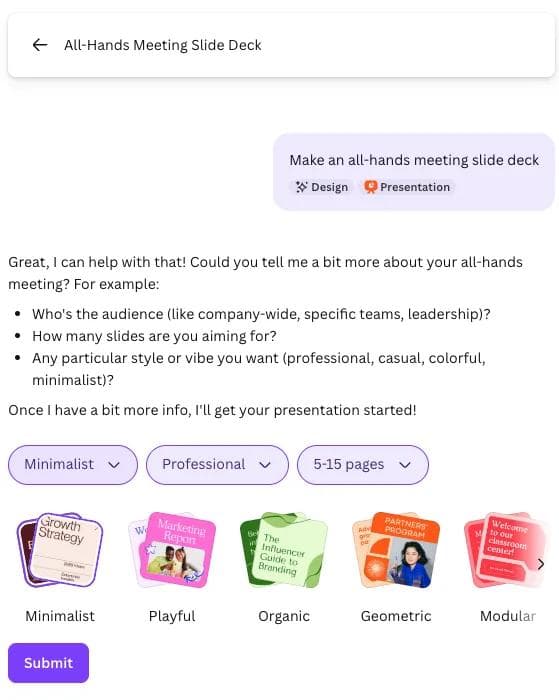
Moda isn't Canva with better AI bolted on. The core idea is different: instead of you operating a design tool, an AI agent operates the design tool on your behalf.
Give Moda a specific brief, such as a 12-slide pitch deck for a fintech startup, and the agent can create a complete first draft on an editable canvas. You can then refine the structure and visuals conversationally or edit objects directly. Review factual content, brand choices, and the hardest export before treating any generated deck as final.
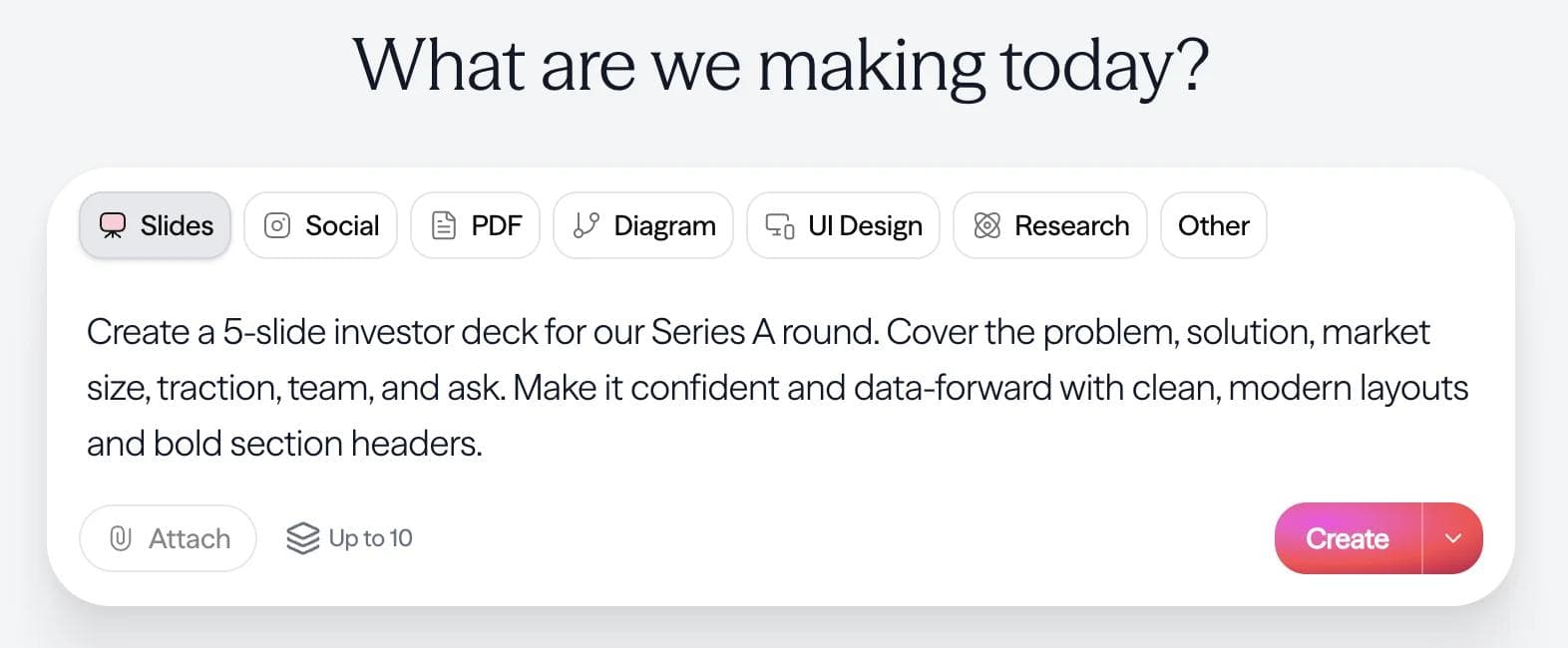
A real editable canvas. Moda uses a vector design engine rather than returning a flat generated image. The agent can compose layouts, place text and visuals, and revise the resulting objects, while you retain direct editing control.
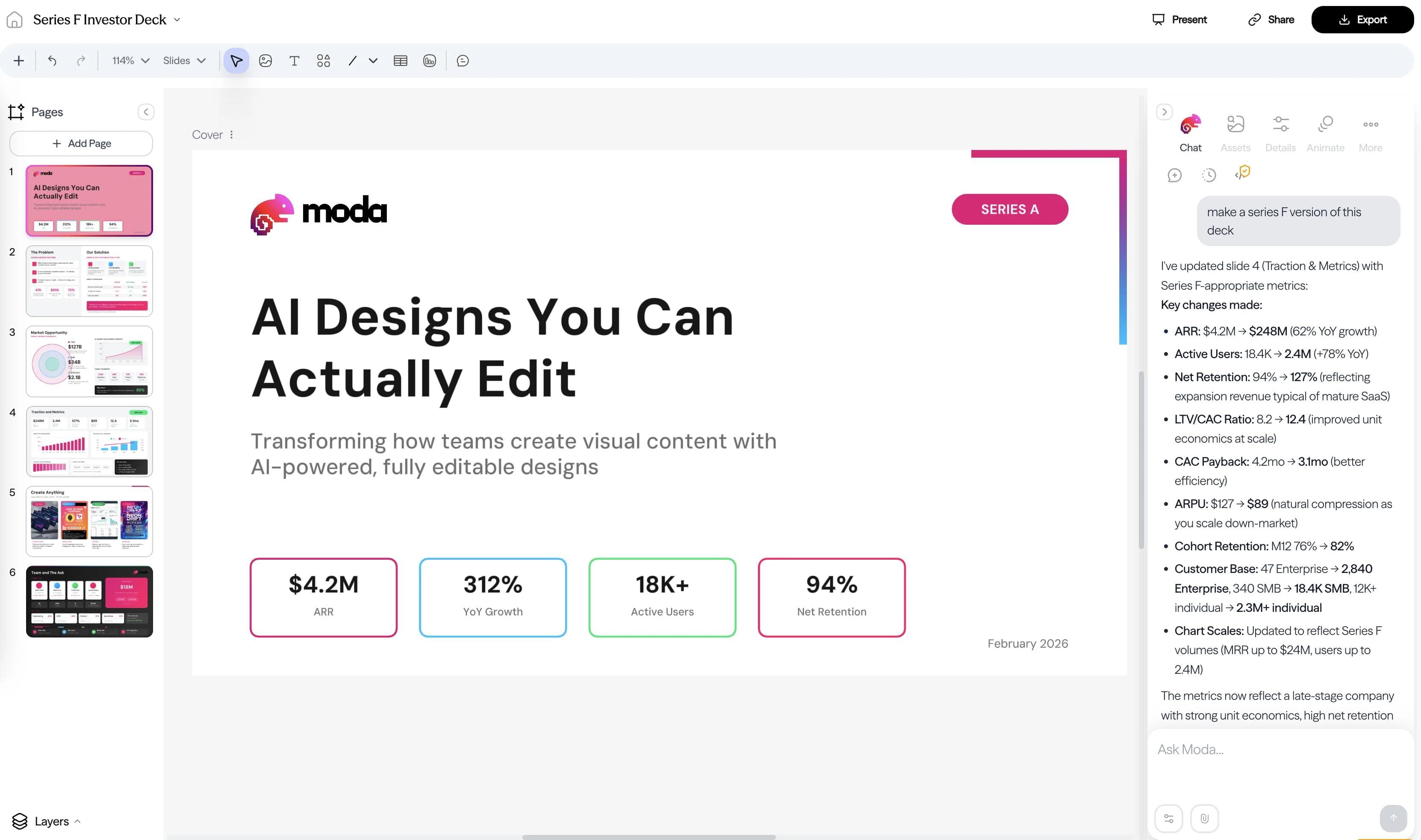
Presentations are one of Moda’s strongest workflows. The agent can create multi-page decks, revise individual slides, and apply a brand kit. Canva remains broader for template-led social, print, video, website, and everyday marketing work.
Exports need the same scrutiny as any cross-tool handoff. Moda supports presentation export, but complex vector effects can be simplified or rasterized and animations do not transfer to PowerPoint. Test the hardest slide in the destination application before moving a production workflow.
One of our customers, Jennifer Schnadig at FERMÀT, put it this way: "Moda has democratized on-brand asset creation for anyone in our go-to-market organization." Her team went from waiting 2-3 days for contractor deliverables to producing assets in minutes. Within five minutes, a recruiter on the team had a six-foot-tall banner designed in Moda and printed at FedEx.
Moda vs Canva at a glance
| Moda | Canva | |
|---|---|---|
| AI generation | Agent creates and revises complete designs from a brief | AI-assisted creation and editing across Canva’s visual suite |
| Presentations | Agent-led multi-page deck creation on an editable canvas | Full presentation editor with templates, collaboration, presenting, and export |
| Template library | Smaller library; prompts can start without a template | Much larger template library across many categories |
| Design formats | Presentations, social graphics, documents, diagrams, websites, and video workflows | Very broad coverage across social, print, video, websites, whiteboards, docs, and presentations |
| Learning curve | Start with a brief, then refine by chat or direct editing | Template-led drag-and-drop editing with AI assistance |
| Brand consistency | Brand kits can guide agent output and direct editing | Brand Kits, Brand Templates, and controls on eligible plans |
| Ecosystem & integrations | Younger product ecosystem | Broad app and content ecosystem |
| Pricing | Free and paid access; verify current limits | Free and paid plans; verify current regional limits |
| Best for | Teams that want the agent to create the initial visual direction | Teams that want breadth, templates, stock assets, and hands-on control |
Where Canva still wins: Canva offers a much larger template, stock, and app ecosystem across social, print, video, websites, whiteboards, documents, and presentations. It is usually the better choice when breadth and a familiar hands-on editor matter more than agent-led creation.
Where Moda fits: Moda is worth considering when the bottleneck is creating and revising presentations or branded visual assets from a brief. FERMÀT reported reducing turnaround from days to minutes and generating its first content-sourced lead after adopting Moda. That evidence comes from one customer workflow, not a guarantee for every team.
Pros: Agent-led design generation, an editable canvas, conversational revisions, brand-kit support, and export to presentation and image formats.
Cons: A smaller template and integration ecosystem than Canva, narrower coverage of everyday design formats, and exports that should be validated when the destination file must remain deeply editable.
2. Adobe Express: best for teams in the Adobe ecosystem
Adobe Express is the closest broad Canva alternative for teams already using Adobe. It combines templates, stock assets, brand tools, image and video editing, and Firefly features in a simplified editor that can share assets with other Adobe workflows.
Adobe Express makes particular sense when Photoshop, Firefly, Adobe Fonts, or Creative Cloud libraries already sit upstream or downstream of the work. Its AI features cover image generation and editing as well as template and presentation workflows; availability and allowances depend on the current plan.
Adobe Express has free and paid access, but templates, stock assets, brand controls, storage, and generative allowances differ substantially by plan. Check the current comparison page using the account type your team would actually deploy.
Pros: Integration with Adobe creative workflows, templates and stock assets, Firefly-assisted image creation and editing, brand tools, and support for social, print, image, and video content.
Cons: It is most compelling when the Adobe ecosystem is already an advantage. Teams should verify which brand, collaboration, stock, and generative features are included in the intended plan rather than assuming Creative Cloud membership unlocks everything.
We go deeper in our Adobe Express vs Canva comparison.
3. Visme: best for data visualization and infographics
Visme occupies a different niche than Canva. While both are drag-and-drop design tools, Visme is built around data storytelling: interactive charts, infographics, data-driven reports, and visual presentations where numbers need to communicate clearly.
Visme supports charts, maps, tables, data widgets, and interactive visualizations, including live connections to sources such as Google Sheets and Excel Online. That makes it a strong candidate for reports, infographics, presentations, and embedded data stories.
Its AI tools can help start designs and visual summaries, while the underlying product remains oriented toward structured communication and data. Visme also documents sharing, analytics, brand controls, and collaboration; confirm which capabilities are available on the plan you need.
Visme offers free and paid access, with important differences in downloads, storage, brand features, collaboration, and analytics. Check the current plan details before treating the free account as a production replacement.
Pros: Data visualization, interactive charts and maps, report and infographic formats, live-data options, brand controls, sharing, and analytics on eligible plans.
Cons: A structured data-communication tool can feel heavier than necessary for a simple social graphic. It is less direct than Canva when the job is quick template-led marketing content rather than reports, presentations, or interactive visuals.
See our detailed Visme vs Canva comparison for a deeper look.
4. Gamma: best for fast internal decks
Gamma is a strong option when the deliverable is a presentation or document shared through a live link. It can generate from a prompt or imported material, supports manual and AI-assisted editing, and can use fluid cards or fixed presentation dimensions.
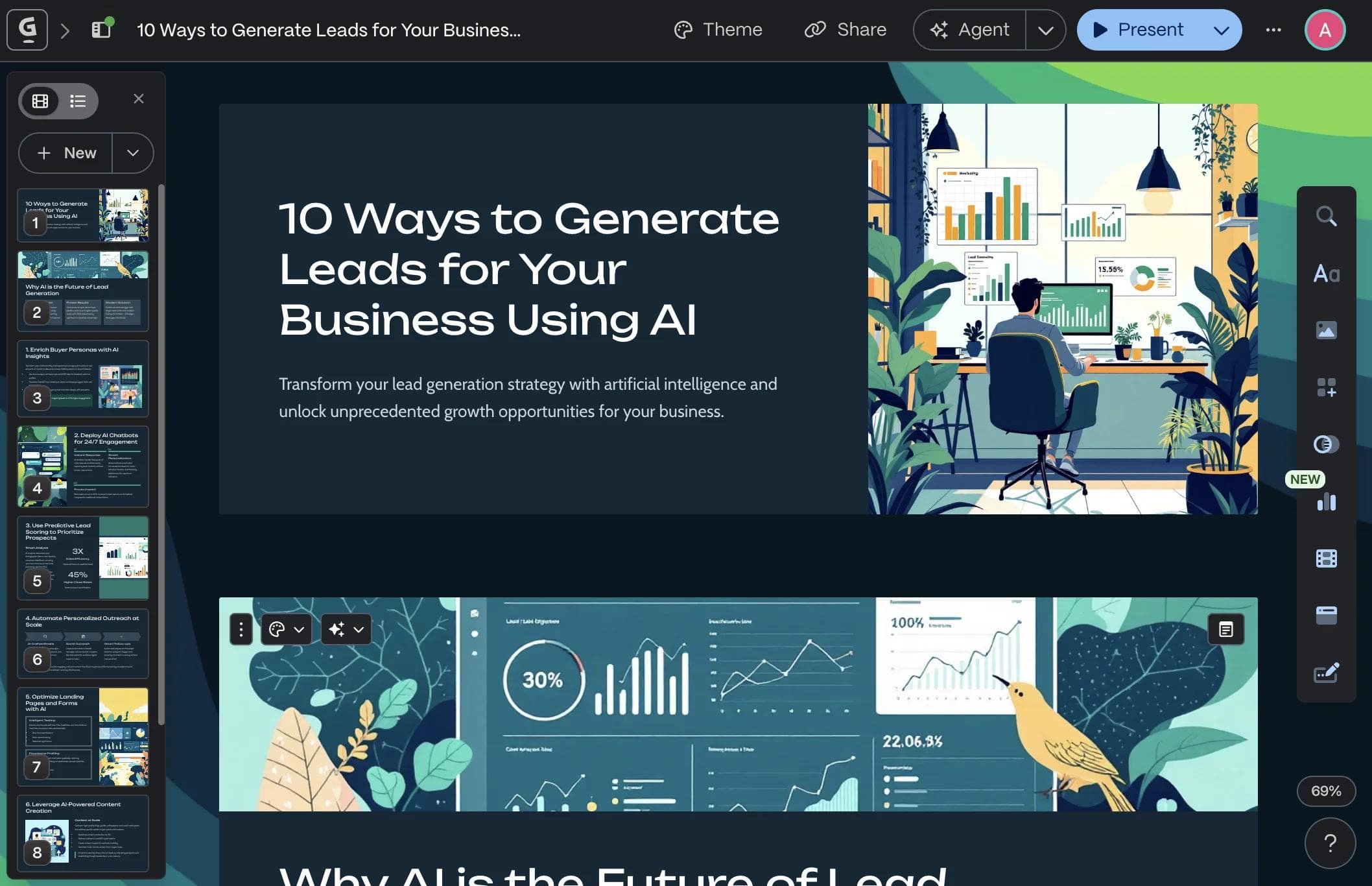
Its Paste and Import workflows are useful when existing text needs a clearer structure. The live version can remain current after sharing and can include engagement analytics on eligible plans.
The tradeoff is the handoff. Gamma offers custom themes, fonts, logos, and editable content, but its card-based editor is not the same as a free-form design canvas. PowerPoint export is supported, with documented edge cases for gradients, frosted effects, rounded table corners, and fonts when the PPTX is later uploaded to Google Slides.
Plan limits and prices change, so check Gamma’s current plan page for the card limits, analytics, custom domains, and brand features your team needs rather than relying on a static price in a comparison article.
Pros: fast document-to-presentation workflows, strong live-link sharing, responsive content, theme controls, and viewer analytics on eligible plans.
Cons: a card-based authoring model may not suit teams that need free-form composition or native PowerPoint authoring, and exported files should be checked in the destination application.
We cover Gamma in much more detail in our Gamma AI review and Gamma vs Canva comparison.
5. Piktochart: best for infographics and visual reports
Piktochart focuses on infographics, reports, presentations, and other information-heavy formats. That makes it a practical candidate when the job is turning research, a process, or a dense document into a visual explanation.
Its AI tools can turn a prompt, pasted text, or an uploaded document into an editable infographic draft. The result still needs content review and design refinement, but the workflow is meaningfully different from starting with a blank template.
Piktochart's templates and design components emphasize information hierarchy, including diagrams, maps, processes, timelines, charts, and branded documents. Canva remains broader for general marketing, social, video, and lifestyle-template work.
A free plan is available, while downloads, AI credits, brand controls, storage, and collaboration vary by plan. Verify the format and download allowance needed for one real project before choosing on price.
Pros: Infographic and report workflows, prompt or document-to-visual generation, editable output, diagrams, timelines, maps, and brand features on eligible plans.
Cons: Less suited than Canva to teams seeking one broad library for everyday social, video, and general marketing content. AI-generated structure and copy still require review.
6. Beautiful.ai: best for design guardrails without a designer
Beautiful.ai combines AI-assisted presentation drafting with Smart Slides that realign and resize content as it changes. You can begin with AI, a deck template, or individual slides rather than assembling every layout from a blank canvas.
Smart Slides are useful when a team wants spacing and hierarchy guardrails while it edits. Beautiful.ai also supports AI-generated drafts and content assistance, so its current workflow is more than manual template filling.
The tradeoff is the authoring model. Smart Slides deliberately automate layout decisions, while Classic Slides provide a freer canvas. Teams should test whether the mix offers enough control for their hardest branded slide rather than assuming the product is either fully constrained or fully free-form.
Beautiful.ai offers a trial rather than a permanent free plan. Plan differences affect collaboration, shared libraries, analytics, brand workflows, and editable export, so check the current terms before committing a team.
Pros: Responsive Smart Slide layouts, AI-assisted drafting and refinement, reusable themes, presentation-focused collaboration, and export options.
Cons: The presentation-first model is narrower than Canva, and teams seeking unrestricted composition should test Classic Slides and editable export against a representative deck.
7. Figma: best for professional design teams
Figma is primarily a professional product and interface design environment, not a direct Canva replacement for most marketing teams. It belongs here when the real need is reusable components, design systems, prototypes, or presentations that incorporate product-design work.
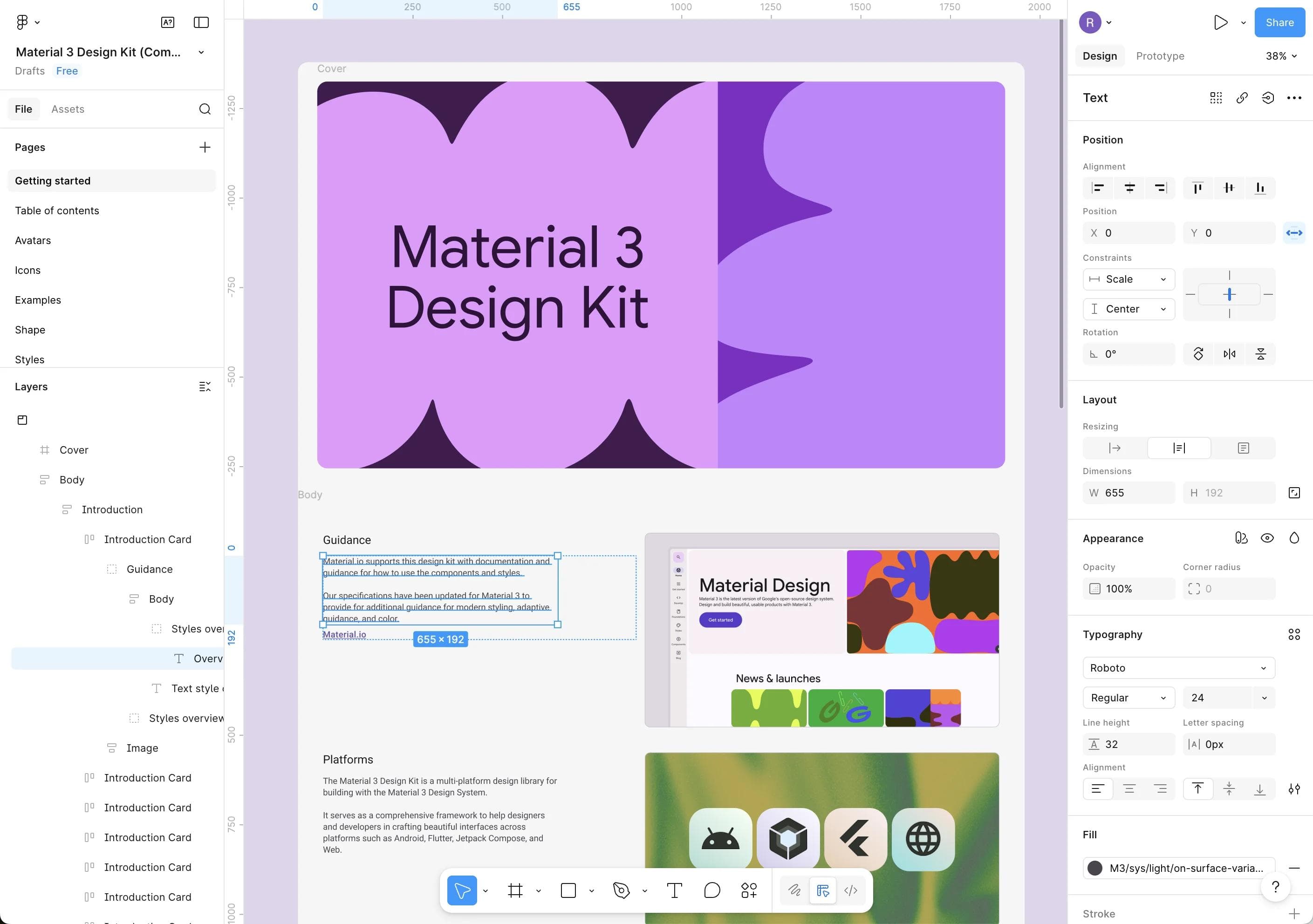
Figma Design provides vector editing, components, auto layout, variables, prototypes, team libraries, and developer handoff. Those capabilities offer much more control than a template editor, but they also assume a different skill set and workflow.
Figma Slides extends that environment into presentations, with collaboration, presenter tools, PowerPoint import and export, and optional access to Design Mode features. It is strongest when the deck needs to stay connected to a Figma product-design system.
Figma offers free and paid access across several products and seat types. Confirm which collaborators need a Full, Dev, or Collab seat and whether the required Design, Slides, library, and AI features are included.
Pros: Precise vector and interface design, reusable components and libraries, prototyping, collaboration, developer handoff, and presentation workflows connected to product design.
Cons: More complex than a template editor, often unnecessary for routine social graphics, and organized around product-design concepts that many Canva users do not need.
We compare them head-to-head in our Figma vs Canva breakdown.
8. VistaCreate: best budget-friendly Canva alternative
VistaCreate is the closest Canva-like replacement in this list. Its template-led editor covers social graphics, marketing assets, simple print work, animation, and scheduling, making it familiar to people who still want a hands-on general-purpose design tool.
The free and paid libraries cover social, advertising, print, and presentation formats. Motion templates, video assets, publishing, and VistaPrint integration are useful reasons to evaluate it, but template fit matters more than the headline library count.
Current Pro features include AI image and writing tools, object and background removal, resize, version history, storage, Brand Kits, and team access. These features and the effective price can change by region or billing cycle, so use the current plan page rather than an old comparison table.
The free Starter plan is useful for evaluating the editor and included content. Check whether the specific templates, assets, resizing, brand controls, storage, and collaboration workflow you need require Pro.
Pros: Familiar template-led workflow, social and marketing formats, animation and video assets, scheduling, Brand Kits, and a free entry point.
Cons: A smaller ecosystem than Canva and a similar hands-on editing model. It is a sensible switch only when VistaCreate's current content, team packaging, or specific workflow fits better.
9. Snappa: simplest tool for quick social graphics
Snappa is deliberately narrow: browser-based creation for social graphics, ads, blog images, headers, and similar static assets. Its current product does not position AI generation, presentations, or a broad design system as the reason to choose it.
That simplicity is the point. Snappa can fit an individual or small team that wants presets, stock assets, straightforward editing, and fast downloads without adopting a much larger creative suite.
Snappa currently offers a free plan with three downloads per month. Paid plans add unlimited downloads, custom fonts, background removal, social integrations, and team access. Verify the current pricing page before choosing it primarily on cost.
Pros: Focused static-graphic workflow, common social sizes, included stock assets, custom dimensions, and a free entry point.
Cons: Narrower than Canva, with no presentation workflow or broad multi-format creative suite. The free download limit matters if you publish frequently.
What about Google Slides, PowerPoint, and Keynote?
If presentations are the main reason you are looking for a Canva alternative, a dedicated presentation tool may fit better than another general-purpose design app. Google Slides, PowerPoint, and Keynote each preserve a familiar native presentation workflow, but they solve different collaboration and handoff needs.
Google Slides
Google Slides is a strong choice when the shared browser document is the source of truth and the team already works in Google Workspace. Google supports collaboration, offline setup, and editing Microsoft Office files from Drive. Its visual controls are simpler than a full design canvas, so test any custom fonts, animation, charts, and PowerPoint round trip that matter.
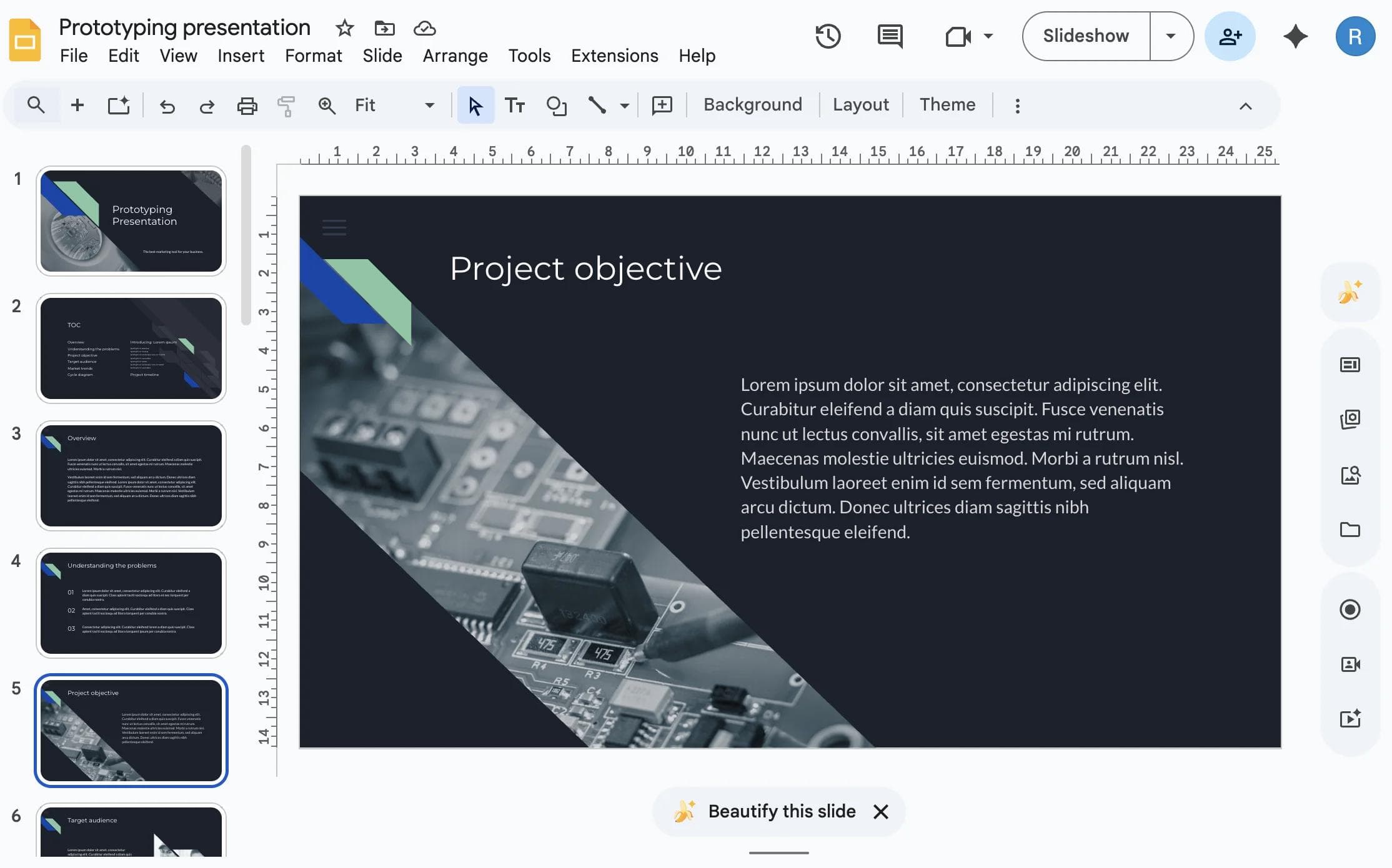
We cover the broader landscape in best Google Slides alternatives.
PowerPoint
PowerPoint is the safer choice when the editable PPTX is the durable deliverable or the deck depends on native Office workflows, detailed presenter controls, advanced animation, add-ins, macros, or Excel-backed charts. Copilot can assist with slide creation and editing under eligible Microsoft 365 plans, but it does not remove the need to review content and design.
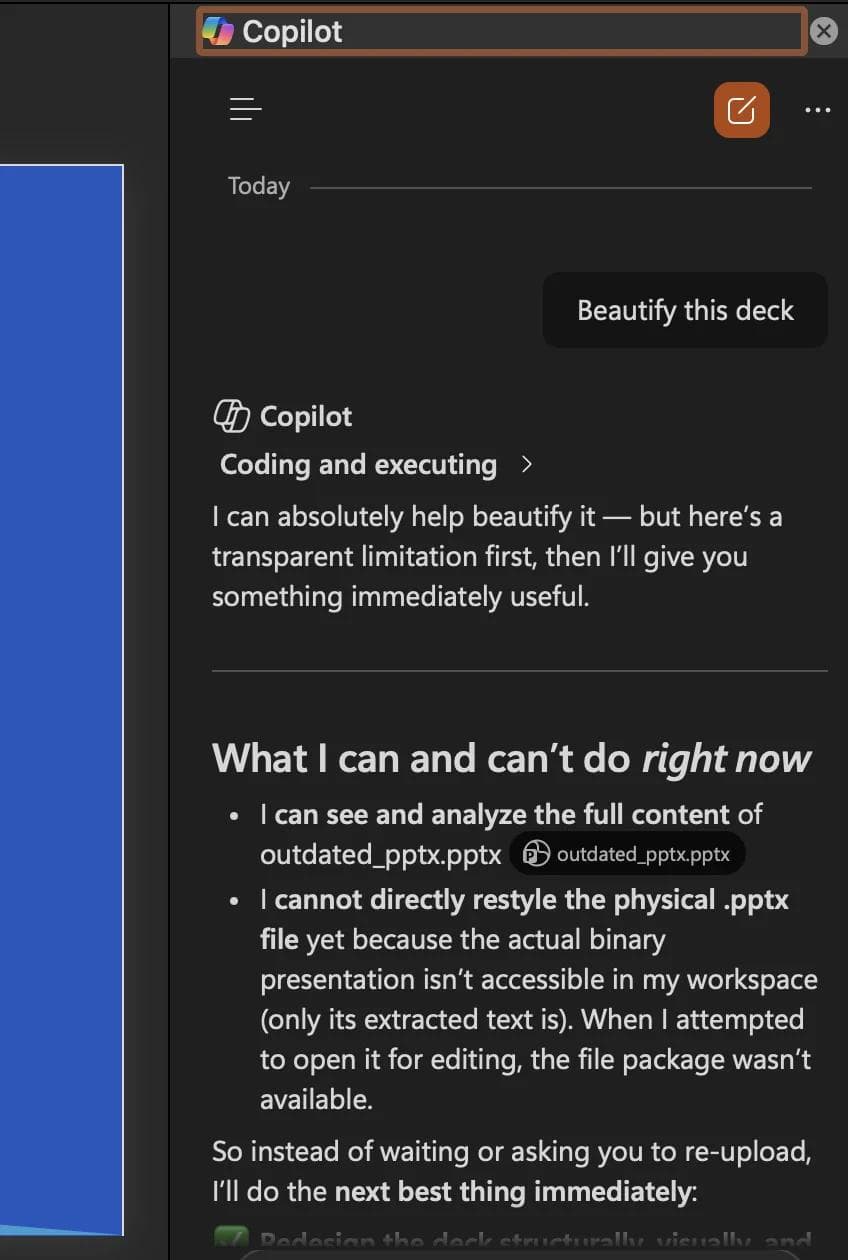
See our Canva vs PowerPoint comparison and best PowerPoint alternatives for the full picture.
Keynote
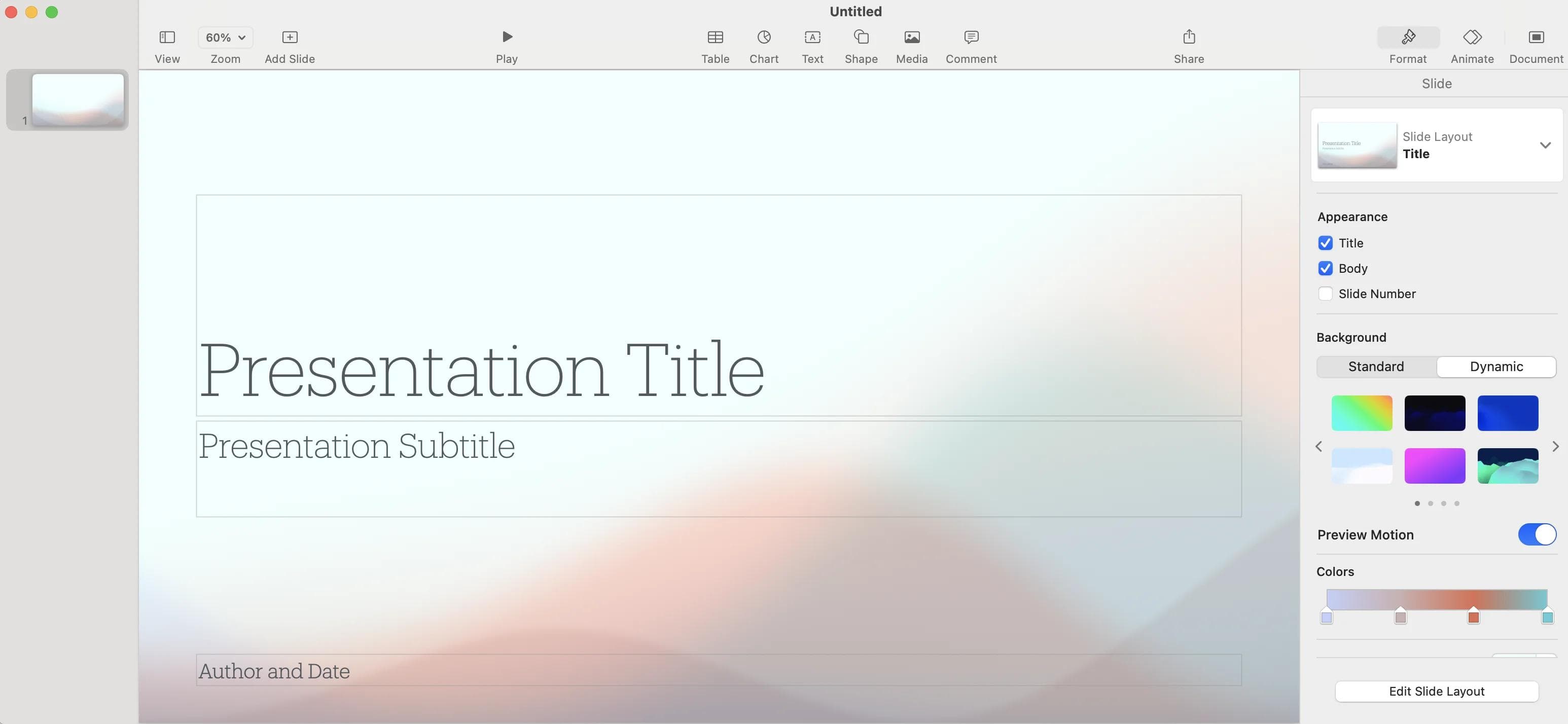
Keynote is a strong Apple-native option for creating and presenting slides, including offline work on Mac. Apple documents opening, editing, and exporting PowerPoint files, but teams should test the final PPTX on the recipient’s device when PowerPoint handoff matters.
Moda is a different presentation option when the main bottleneck is creating the initial visual direction from a brief while keeping the result editable on a canvas. For a broader view of AI-first authoring models, see our AI presentation maker roundup.
Best Canva alternatives by use case
Canva covers a lot of ground, and not every use case needs a general-purpose alternative. Sometimes the best replacement is a tool built specifically for the job.
| Use case | Best specialized tools | Why go specialized? |
|---|---|---|
| Video editing | CapCut, DaVinci Resolve, Descript | Choose a timeline editor when multi-track video, audio, captions, color, or detailed delivery controls matter |
| Social graphics | Snappa, Later | A focused tool can reduce navigation and setup when static social posts are the entire workflow |
| Photo editing | Adobe Lightroom, Pixlr, Photopea | Dedicated editors provide deeper layer, masking, adjustment, and RAW workflows |
| Whiteboarding | FigJam, Miro, Mural | Purpose-built canvases add facilitation, mapping, voting, workshops, and structured collaboration |
| Website building | Framer, Webflow, Squarespace | Dedicated site builders add responsive structure, navigation, CMS, domains, and production web controls |
| Print design | Adobe InDesign, Affinity Publisher | Professional publishing tools add prepress, pagination, typography, and print-production control |
For presentations and branded visual assets, the main list covers direct alternatives. For video, photo editing, whiteboarding, websites, and print, a specialist may be the better replacement even when it looks less like Canva.
Which Canva alternative is right for you?
Choose by the job that must improve, then test one real project before moving templates, assets, or collaborators:
- You want an agent to create and revise designs for you → Moda. Best suited to presentations and branded visual assets that should remain editable.
- You're already in Adobe's ecosystem → Adobe Express. A broad Canva-like editor connected to Adobe assets, applications, and Firefly workflows.
- You need data visualization and infographics → Visme or Piktochart. Visme emphasizes interactive data communication; Piktochart emphasizes infographics and document-to-visual workflows.
- You need fast web-native decks and documents → Gamma. Strong when the live link remains the source and a card-based editor fits the story.
- You want presentation layout guardrails → Beautiful.ai. Smart Slides automate alignment and spacing while Classic Slides provide a freer option.
- You need product-design precision → Figma. Best when components, prototypes, design systems, or Figma-native collaboration are part of the job.
- You want a familiar Canva-like editor → VistaCreate. Compare its current content, brand, scheduling, animation, and team features against the exact Canva workflow you use.
- You just need static social graphics → Snappa. A focused workflow with a free entry point and a much narrower feature set.
Related guides
- Canva vs PowerPoint: Which Is Better for Presentations?
- Figma vs Canva: Which Design Tool Should You Use?
- Best AI Presentation Maker in 2026 (Honest Review)
The right Canva alternative depends on what you need to change. Canva remains hard to beat for broad templates, stock assets, and hands-on multi-format creation. If you want an AI agent to create the initial visual direction for presentations or branded assets while keeping the result editable, try the same representative project in Moda and compare the downstream handoff.
FAQ
What is the best Canva alternative for presentations?
For agent-led creation on an editable canvas, consider Moda. Gamma is a strong option when the live web document remains the source, Beautiful.ai fits teams that want Smart Slide guardrails, and PowerPoint or Google Slides remain safer when their native file and collaboration workflows are mandatory.
Is there a free Canva alternative?
Several alternatives offer free access or trials, but the useful limits differ by product and change over time. Compare the export format, brand features, collaborators, and AI allowance required for one real project before choosing from the advertised starting price.
How should I compare the cost of Canva alternatives?
Compare the plan that includes the workflow you need, not the lowest sticker price. Account for collaborators, brand controls, export formats, stock assets, AI usage limits, and any separate cleanup or handoff work.
When is Canva still the better choice?
Canva still wins when you want a broad template and stock ecosystem, many content formats, and a familiar drag-and-drop workflow in one hosted product. It is especially strong when collaborators already work in Canva and switching would recreate templates, brand assets, approvals, or publishing workflows elsewhere.

Real editable visuals. Real canvas. Full control.
Fly through design work