Gamma AI Review: Who It’s For and Where It Falls Short
Gamma is strong for fast, link-friendly presentations and content-first decks. This review covers its workflow, pricing, editing, exports, and limits.
 Anvisha Pai, Co-founder & CEO, Moda
Gamma is a strong choice when you want to turn a prompt, outline, document, or webpage into a presentable deck quickly. Its best qualities are the low-friction creation flow, structured layouts, link sharing, and content-first editing. It is less suitable when you need freeform art direction, exact preservation of an imported slide design, or a PowerPoint file that reproduces every web effect perfectly.
That is the useful way to evaluate Gamma. It is not a worse version of PowerPoint, Canva, or a freeform design canvas. It has a different working model: structured slides that can expand with content, use smart layouts, and publish naturally to the web. For the right job, that is an advantage.
Reviewed August 31, 2026 using Gamma’s current documentation and the existing interface captures in this article. We did not run a new head-to-head generation benchmark, so this review does not make timing or output-quality claims that we did not measure.
What Gamma does
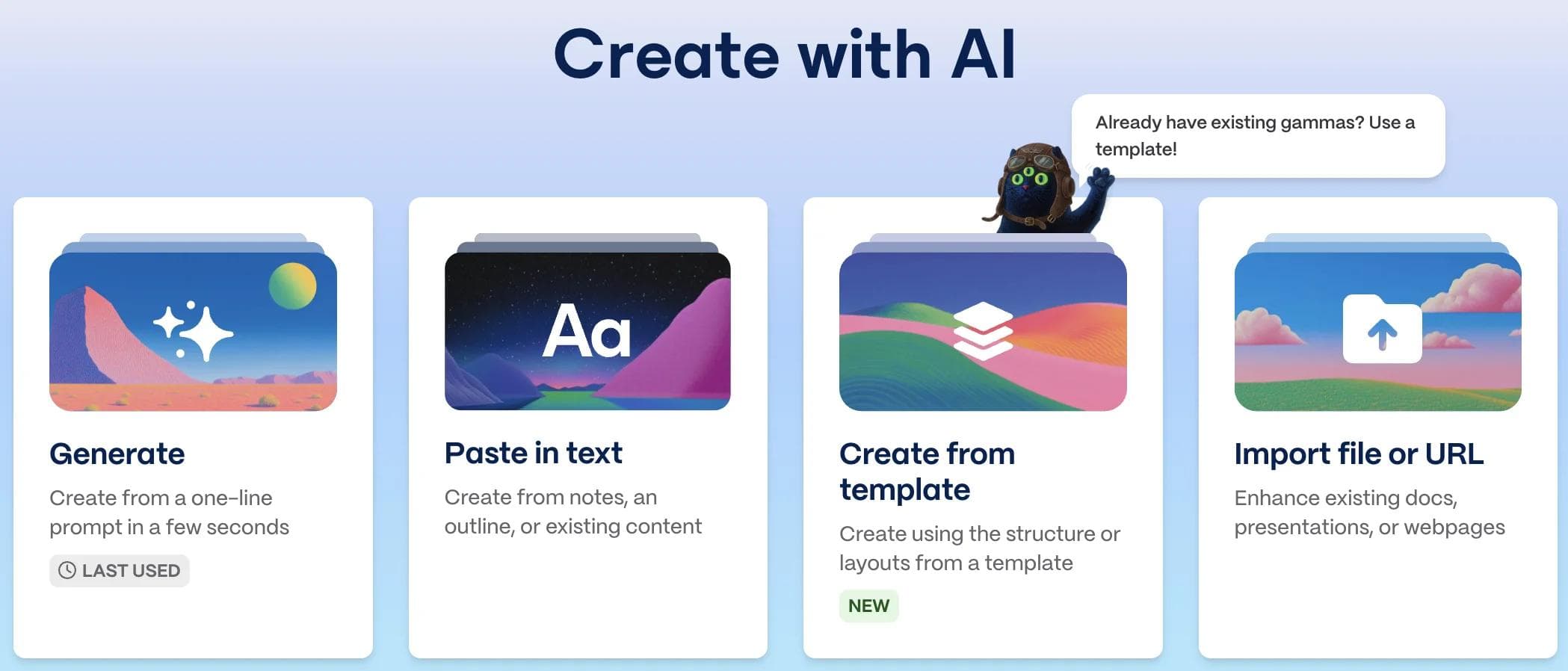
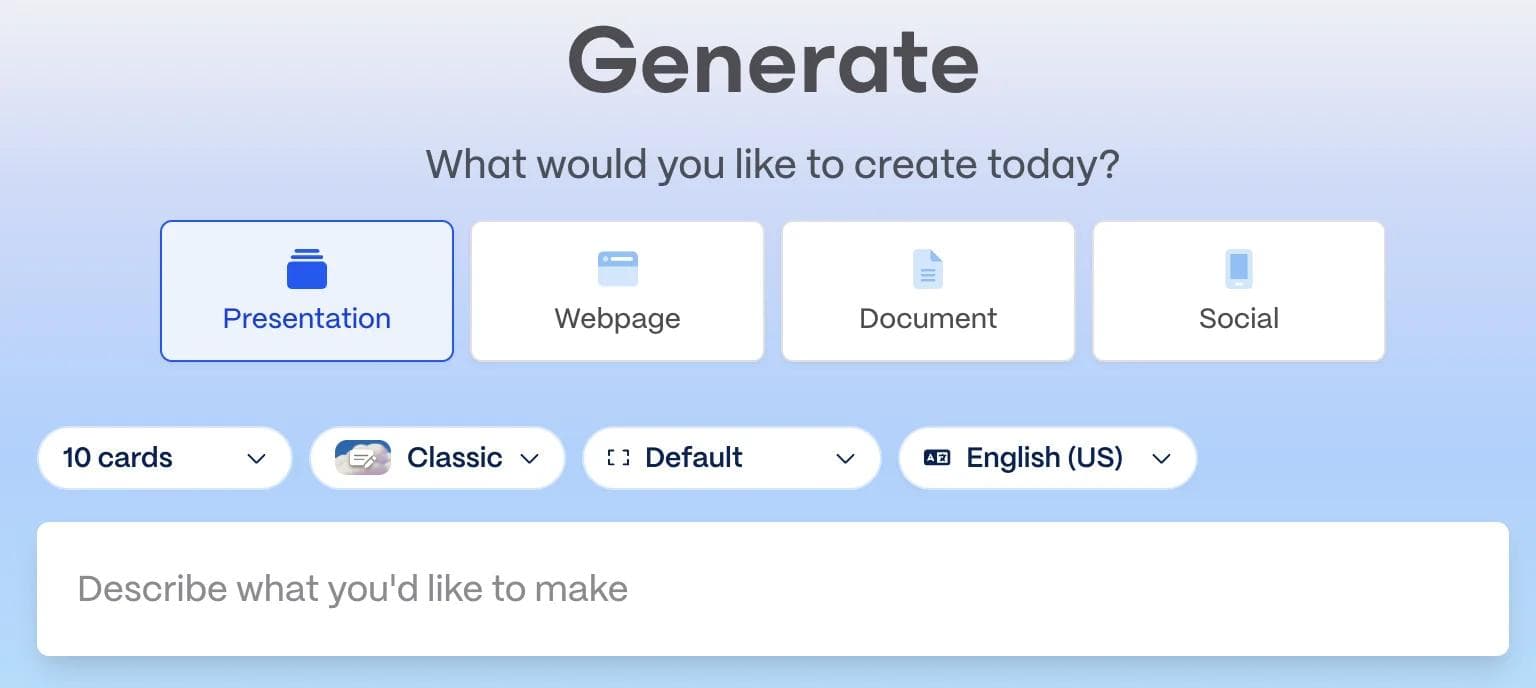
Gamma creates presentations, documents, webpages, social posts, and images. Its current creation guide organizes the main AI workflow into three starting points:
- Generate: give Gamma a topic or detailed prompt and let it draft the structure and content.
- Paste: bring an outline, notes, or finished copy and have Gamma format it.
- Import: start from a file, Google Drive document, or webpage and convert its content into Gamma slides.
Templates provide another useful route when the structure should stay consistent across recurring reports, proposals, or team updates.
The most important product distinction is the slide model. Gamma slides are fluid by default, so they grow with their content rather than forcing everything into one fixed-height frame. That works especially well when readers will scroll through a shared link.
Gamma is not limited to that format. In Page Setup, you can choose a fixed slide size such as 16:9. If PowerPoint export or projector presentation is the final destination, choose the fixed size early and keep content inside the guidelines.
What Gamma does especially well
It gets from source material to a usable structure with little setup
Generate is useful when you need an outline and first draft. Paste is better when your words already exist and you mainly want presentation structure. Import is useful when the source is a Word document, PowerPoint, Google document, public webpage, or similar material. That separation is practical because it does not force every project through the same prompt-first workflow.
It handles content-heavy decks naturally
Gamma’s fluid slides are well suited to reports, educational material, project updates, explainers, and other presentations where the amount of content varies from section to section. You can edit text directly, use smart layouts, add media, and ask the Agent to revise individual slides. Pro users can also use AI across multiple slides.
The structured layout system reduces the amount of alignment and spacing work required. If you prefer choosing a timeline, column, gallery, or process layout and then filling it in, this approach can be much faster than arranging every object manually.
Link sharing and analytics are part of the product, not an afterthought
Gamma can publish a presentation as a link and provides engagement analytics such as views, time spent per slide, slides viewed, and unique viewers. Full analytics require the Pro plan and full-access permission. This is useful for proposals, sales material, and other content where the author cares about what the recipient actually viewed.
Themes and templates support repeatable team work
Gamma’s custom themes can define colors, fonts, logos, slide styling, and default image treatments. Workspace templates let a team reuse a successful structure without changing the original. Custom fonts and the more advanced brand controls are plan-dependent, but the underlying workflow is much more capable than simply picking from a few stock themes.
Where the tradeoffs show up
Structured layouts are not the same as freeform composition
Gamma gives you meaningful control over text, media, themes, smart layouts, slide sizing, and styling. It would be inaccurate to say you cannot customize the design. The constraint is more specific: Gamma is optimized around structured blocks and layouts rather than unrestricted placement of every object on an open canvas.
That is a benefit when you want the system to maintain alignment. It becomes a limitation when a slide needs unusual layering, precisely art-directed composition, or many independently positioned elements. You can often find a suitable smart layout, but you are still working with Gamma’s layout model.

Import brings in content, not the original design
According to Gamma’s import documentation, plain import currently brings in text. The original styling and layout need to be added again manually or through AI. This is an important distinction if you are importing an approved corporate PowerPoint and expect it to remain visually identical.
Use import when the source material matters more than the source formatting. If preserving master slides, detailed positioning, and existing visual design is the main requirement, continue working in PowerPoint or Google Slides instead.
Export works, but web effects do not map perfectly to slide files
Gamma currently exports to PDF, PNG, and PowerPoint. Google Slides uses a PowerPoint export followed by upload. Gamma’s own export guide says PowerPoint tables export as editable tables by default and that theme fonts are embedded when possible. This is more capable than the old claim that Gamma exports are broadly unreliable.
There are still documented edge cases:
- Gradient headings and frosted backgrounds can use simpler fallback styles.
- Editable tables lose rounded corners because PowerPoint does not support them.
- Only theme heading and body fonts, plus bold weights, are embedded. Italics can appear slightly different.
- Google Slides can ignore fonts embedded in a PowerPoint file and substitute its own.
If exact handoff matters, export a representative deck before committing to the workflow. Check fonts, advanced visual effects, tables, page size, and editability in the actual destination application. PDF is the safer choice when appearance matters more than downstream editing.
Generated content still needs an editor
Gamma can draft and reorganize material, but it cannot know whether a market statistic, customer claim, quotation, or recommendation is correct. Review the outline before polishing the design, then verify facts against the original sources. This is true of any AI presentation generator and matters more than small visual differences.
Gamma pricing
These are the individual annual prices shown on Gamma’s pricing page on August 31, 2026. Gamma also offers monthly billing and separate team plans. Check the current page before purchasing because plans and credit allowances change.
| Plan | Annual price per seat | Useful distinction |
|---|---|---|
| Free | $0 | 400 starter credits, up to 10 slides per initial prompt, Gamma branding, and export to PDF, PPTX, PNG, and Google Slides |
| Plus | $9/month, billed annually | Unlimited everyday AI creation under fair use, Gamma branding removed, and advanced image models |
| Pro | $18/month, billed annually | Custom branding and fonts, detailed analytics, advanced sharing, custom domains, and API access |
| Ultra | $90/month, billed annually | More AI usage, access to the most advanced models, and more custom domains |
The free plan is enough to test the creation and export workflow. Pro is the relevant comparison if custom fonts, detailed viewer analytics, or advanced sharing are central to the job. Do not choose a higher plan solely from the feature list; first confirm which of those features your team will actually use.
Who should choose Gamma
Gamma is a particularly good fit for:
- Internal updates, reports, explainers, and educational material with uneven amounts of content.
- People who have source material and want AI to structure or restyle it.
- Presentations distributed primarily through a link, especially when viewer analytics matter.
- Teams that prefer layout guardrails and reusable themes over arranging every element by hand.
- Fast first drafts that will be reviewed and refined inside Gamma.
Gamma can also work for client-facing or investor material. The deciding factor is not whether the audience is external. It is whether Gamma’s structured visual language fits the story and whether the final delivery format passes your handoff test.
When another tool is a better fit
Use PowerPoint or Google Slides when the organization requires native collaboration and final delivery in that exact file format, especially when existing masters and detailed layouts must remain intact.
Use a template-led editor such as Canva when you want a large library of starting designs and hands-on drag-and-drop control across many content formats. Use Beautiful.ai when maintaining smart layout guardrails is more important than freeform composition.
Consider Moda when you want an AI agent to build a deck on an editable design canvas and you expect to move and restyle individual elements afterward. Moda is not a replacement for Gamma’s web-native publishing or viewer analytics, and it is not the better choice when Gamma’s fluid, content-first format is exactly what you want.
For a broader shortlist, see our Gamma alternatives guide. If the decision is specifically between two familiar web editors, the Gamma vs Canva comparison goes deeper into that choice. Our AI presentation maker guide covers the wider category.
Bottom line
Gamma is good at turning content into a polished, shareable presentation without making the user manage every layout decision. Its fluid slides, import options, themes, smart layouts, link sharing, and analytics make it especially strong for content-first work.
Its tradeoffs are equally concrete. Imports do not preserve the original design, structured layouts are less flexible than a freeform canvas, and some web effects or fonts need checking after export. If those constraints fit your workflow, Gamma is not merely a quick drafting tool. It can be the right place to create, edit, publish, and measure the finished presentation.

Real editable visuals. Real canvas. Full control.
Fly through design work