How to Create Ad Variations With AI for a Clean Creative Test
Create controlled ad variations with AI without changing the wrong elements. Follow the exact Moda workflow, prompt, checks, and export process.
 Anvisha Pai, Co-founder & CEO, Moda
AI makes it easy to produce more ads. That does not automatically make the ads useful for a creative test.
A clean test changes one variable while holding the rest of the ad constant. If the headline, image, layout, offer, and button all change together, the result may reveal a stronger concept, but it cannot tell you which change caused the difference.
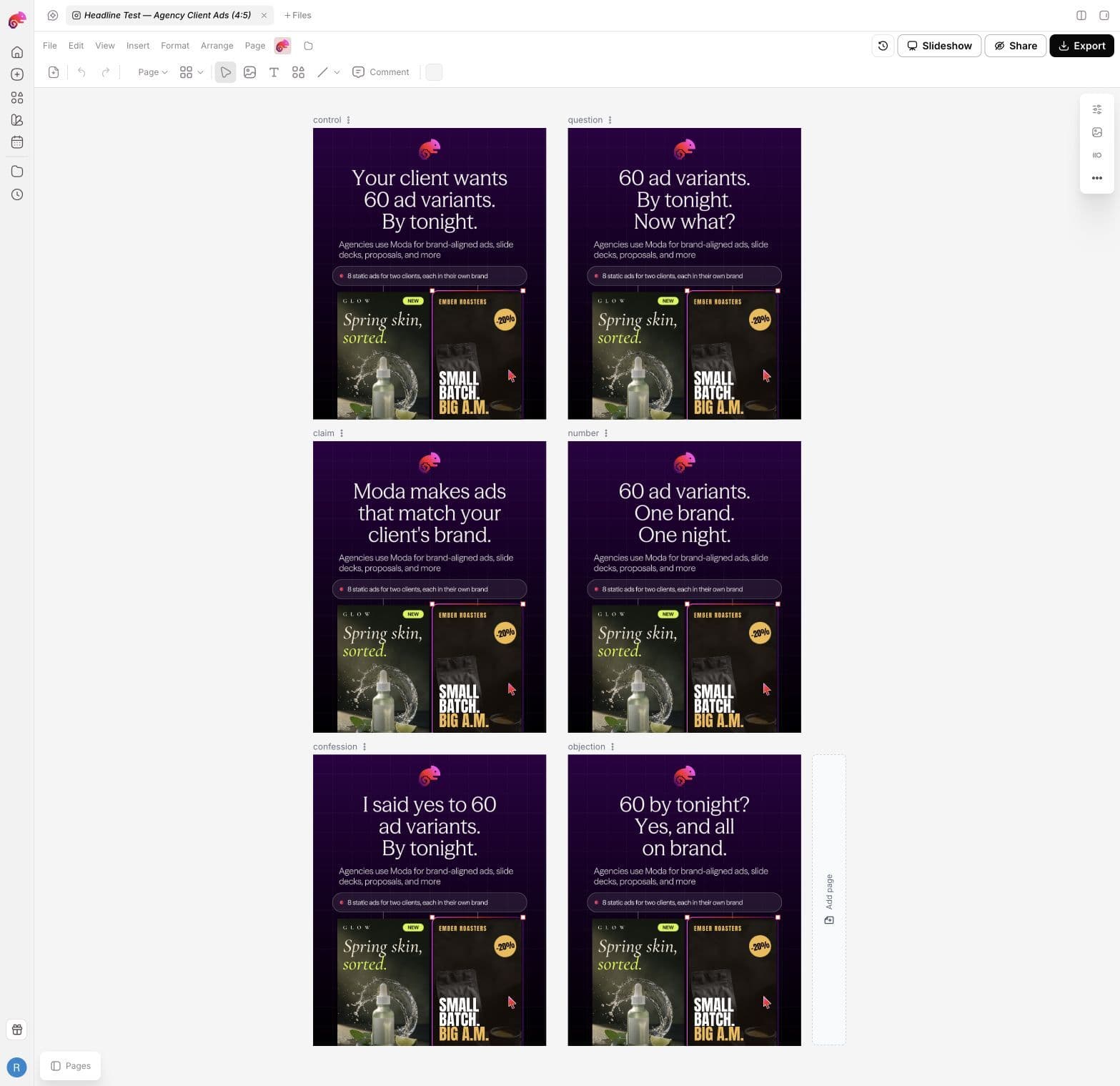
This guide shows how to use AI to create a controlled batch of static-ad variations from one finished ad. We made one control and five headline variants in Moda, reviewed them side by side, and confirmed that the meaningful elements outside the headline stayed fixed.
Moda creates the editable ad variations. Your ad platform runs the test, splits delivery, and measures the result.
What you will make
The finished batch contains six 1080×1350 ads:
- The unchanged control
- A question headline
- A plain claim
- A number-led claim
- A first-person confession
- An objection followed by an answer
Every page keeps the same background, imagery, logo, layout, supporting sentence, proof badge, CTA, type treatment, and effects. Only the headline wording changes.
The same method works for an image, proof line, offer, CTA, or format test. Choose one variable per batch.
Step 1: Start with one finished control ad
The control is the current version against which the variants will be compared. It should already have approved copy, imagery, brand treatment, dimensions, and CTA.
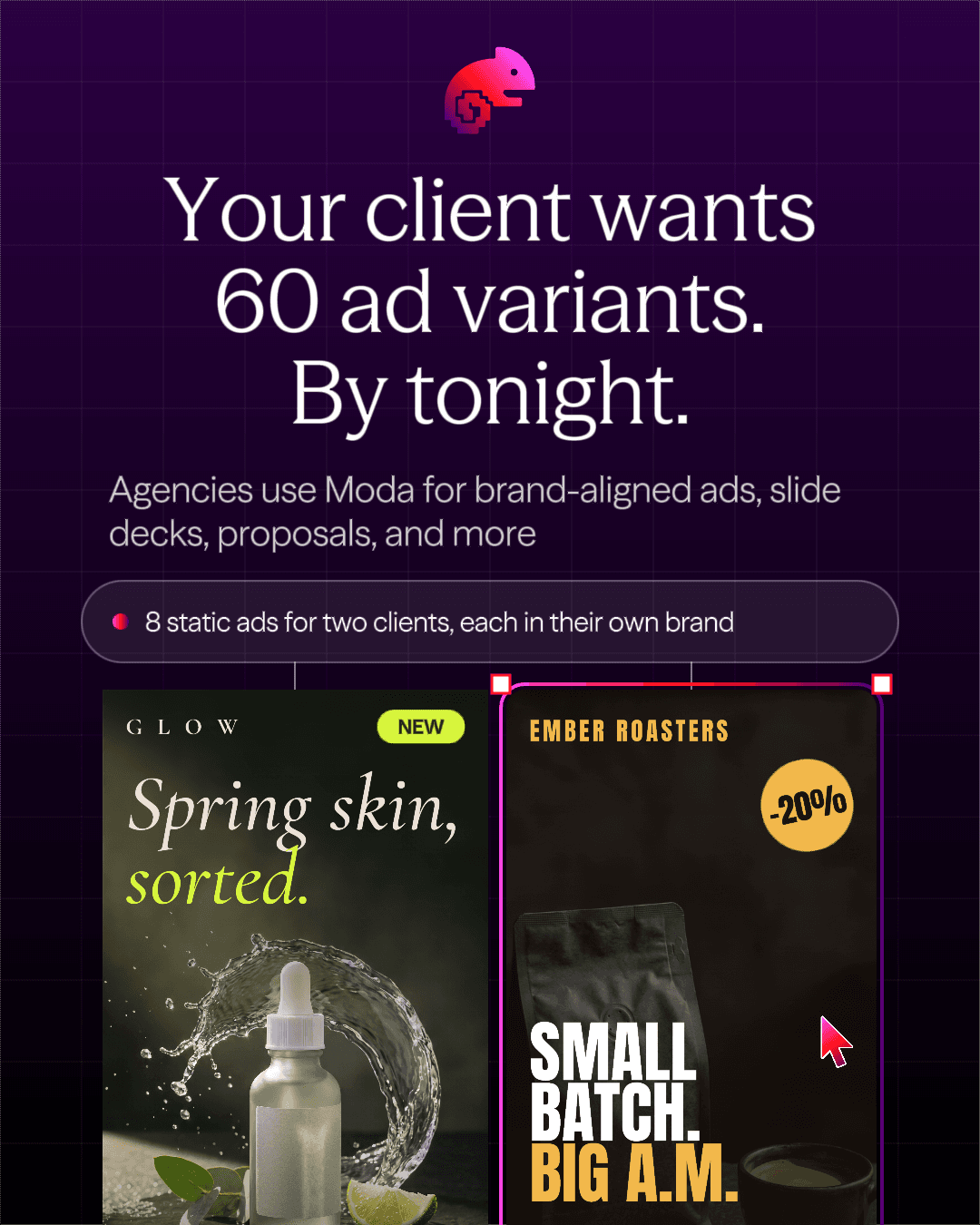
We used a Moda-owned agency ad at 1080×1350. Its headline was:
“Your client wants 60 ad variants. By tonight.”
The ad also contained a Moda logo, purple grid background, supporting sentence, proof badge, and two embedded client-ad examples. Those elements gave us enough structure to detect whether the AI changed anything it should not.
Keep the original canvas untouched. Create the batch in a new task or duplicate so a failed variation run cannot overwrite the approved control.
Step 2: Choose one hypothesis and one variable
Write the hypothesis before generating variations. For example:
A direct question will make the agency deadline feel more immediate than the current declarative headline.
That hypothesis makes the variable obvious: the headline. Everything else belongs on the locked list.
This is the difference between a testable variation and a new creative concept:
| Output | What changes | What it can tell you |
|---|---|---|
| Headline variation | Headline only | Whether one headline performs differently under the same design and delivery conditions |
| Image variation | Image only | Whether the visual changes the response to the same message and offer |
| Offer variation | Offer only | Whether the audience responds differently to what the click gets |
| New concept | Message, image, layout, or several elements | Which complete concept performs better, but not which individual change caused it |
If you need the full testing method, including platform mechanics and stop rules, read Creative Testing for Static Ads. This tutorial focuses on producing the files correctly.
Step 3: Write the locked-elements list
“Change only the headline” sounds precise, but it leaves room for an agent to recompose the page, resize type, swap an image, or adjust the CTA. Name the important constants.
For this batch, we locked:
- Canvas dimensions
- Background and grid
- Moda logo and brand treatment
- Two embedded example ads
- Supporting sentence
- Proof badge and CTA
- Element positions
- Typeface, font size, color, and effects
We allowed only the headline wording and necessary line breaks to change. If new copy did not fit, the instruction was to shorten the headline rather than move or resize the rest of the ad.
Also list the claims the AI may use. Ours were limited to three ideas already present in the control: 60 ad variants, a deadline of tonight, and Moda producing brand-aligned ads.
Step 4: Create the variation task in Moda
From the Moda home screen:
- Select the correct brand kit.
- Choose Social, then 4:5 Post.
- Reference or attach the control canvas.
- Ask for a new canvas and state that the source must not be edited.
- Define the page names, variable, locked elements, approved claims, and prohibited claims.
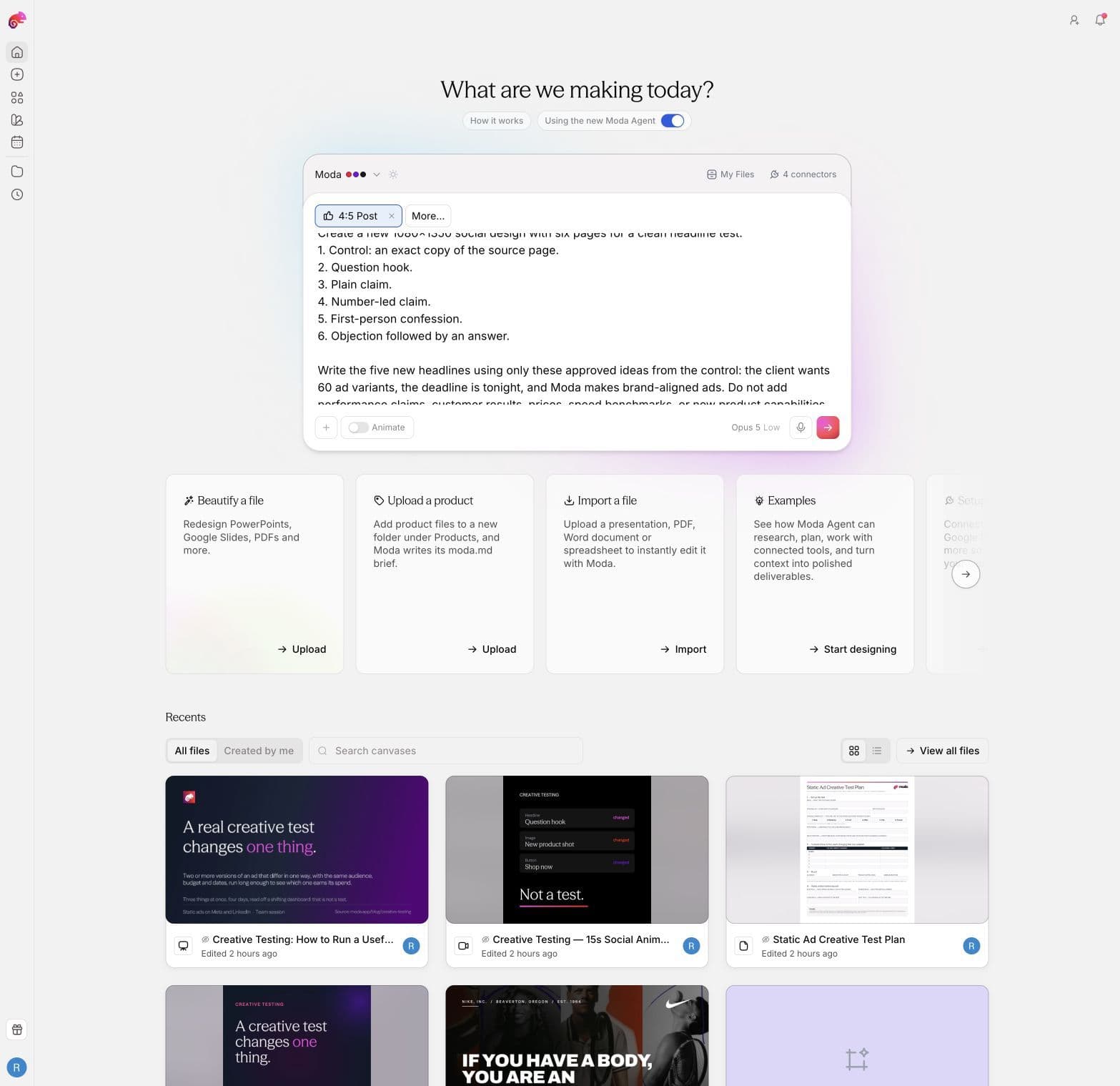
Here is the complete prompt from our run:
Use this Moda-owned canvas as the source:
https://moda.app/canvas/20c64f9d-3e02-461d-8272-4d72420e6544

Use only the page named "02 Agency – client ads (4:5)" as the control.
Do not edit the source canvas.

Create a new 1080×1350 social design with six pages for a clean headline test:
1. Control: an exact copy of the source page.
2. Question hook.
3. Plain claim.
4. Number-led claim.
5. First-person confession.
6. Objection followed by an answer.

Write the five new headlines using only these approved ideas from the control:
the client wants 60 ad variants, the deadline is tonight, and Moda makes
brand-aligned ads. Do not add performance claims, customer results, prices,
speed benchmarks, or new product capabilities.

LOCK EVERYTHING EXCEPT THE HEADLINE. Preserve the 1080×1350 size, background,
Moda logo, grid, two embedded example ads, supporting sentence, proof badge,
CTA, element positions, typefaces, font sizes, colors, and effects. Only the
headline wording and necessary line breaks may change. If a headline does not
fit, shorten the headline instead of moving or resizing other elements.

Name the pages control, question, claim, number, confession, and objection.
Keep every element editable.
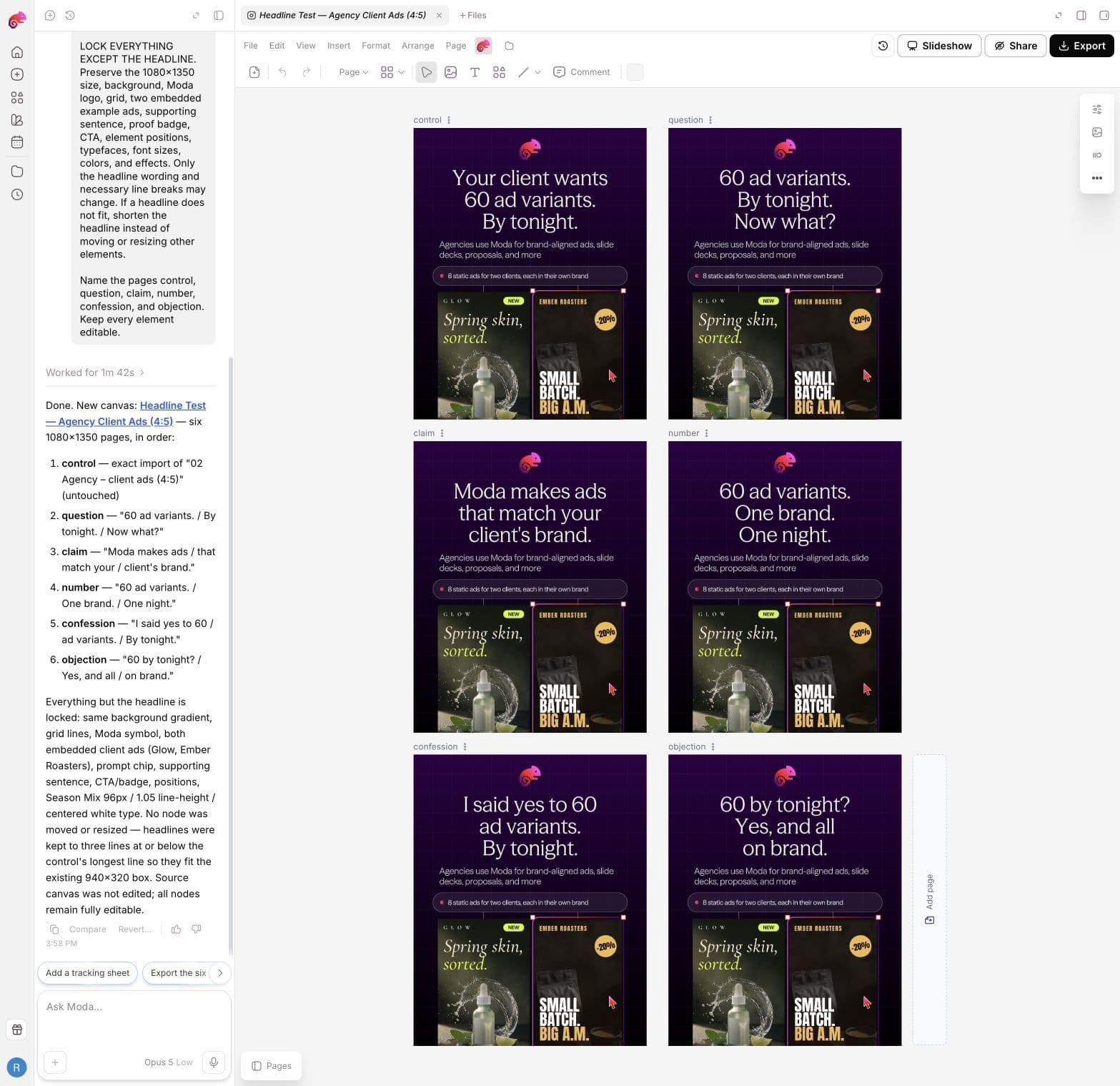
The task took 1 minute 42 seconds. Moda opened the source, inspected the requested page, created a new canvas, and closed the source tab. The original canvas was not edited.
Step 5: Inspect the complete batch
Review all variants side by side before judging individual copy. Misaligned elements, resized type, or a swapped image are easier to spot when the pages share one view.
Moda generated these headlines:
| Page | Headline |
|---|---|
| Control | Your client wants 60 ad variants. By tonight. |
| Question | 60 ad variants. By tonight. Now what? |
| Claim | Moda makes ads that match your client's brand. |
| Number | 60 ad variants. One brand. One night. |
| Confession | I said yes to 60 ad variants. By tonight. |
| Objection | 60 by tonight? Yes, and all on brand. |
Check the copy separately from the design. A headline can be a valid single-variable change and still be weak, repetitive, or unsupported. Reject any new number, performance promise, customer claim, price, or capability that did not come from the control or another approved source.
Step 6: Check the locked elements
Keep the control visible and compare every variation against it. You are looking for changes that would make the test answer a different question, not harmless rendering differences.
For a headline test, check that every page keeps:
- The same dimensions and layout
- The same image and crop
- The same logo and brand treatment
- The same supporting copy and proof
- The same offer and CTA
- The same colors, effects, and overall hierarchy
Then read every new headline for unsupported claims. A visually consistent batch can still fail if one variation invents a result, price, or capability.
Our six pages passed this review without a repair. Small antialiasing or compression differences in exported files do not make a headline test invalid. A moved image, rewritten offer, different CTA, or new claim does.
Step 7: Repair drift precisely
Our batch did not require a repair. If yours changes an unintended element, identify the exact pages, the element, and the correct reference:
Repair pages question, number, and objection only.

The proof badge moved relative to the control. Put it back at the exact control
position and restore its original size, copy, type, fill, and border.

Do not change the headlines or any other element. Compare the repaired pages
against the control before finishing.
Avoid “make all pages consistent.” That can invite a broader redesign. A good repair prompt names the affected pages, visible error, source of truth, and elements that must remain untouched.
Step 8: Export a test-ready package
We exported all six pages as individual PNG files in one ZIP. Before handing them to the media buyer, check:
- Six files exist and open correctly.
- Every file has the same dimensions.
- The control is clearly named.
- Variant names describe the tested change.
- No file contains a draft label or editor selection.
- Copy and legal approvals cover every headline.
A practical naming pattern is:
headline-control.png
headline-question.png
headline-claim.png
headline-number.png
headline-confession.png
headline-objection.png
Upload those files to the same test, with equal delivery conditions and the stop rule written in advance. Do not mix this headline batch with new images or offers and still call it a headline test.
What AI does and does not do in this workflow
AI helps with the production bottleneck:
- Duplicate the approved control
- Draft constrained headline options
- Reflow the new copy inside the existing text box
- Preserve the rest of the design
- Keep the pages editable
- Export the complete batch
AI does not establish which ad will perform best. A model preference, creative score, or simulated audience response is not a conversion result. Performance comes from the live platform test under controlled delivery conditions.
Moda also does not buy media, split the audience, set the budget, or measure the result. It prepares the creative files so the test can answer the intended question.
Common mistakes when creating AI ad variations
Generating five unrelated concepts
Concept exploration is useful, but it belongs in a separate round. Once you choose a control and hypothesis, variation production should become deliberately narrow.
Asking for “different versions”
The request does not identify what should change or remain fixed. Name the variable and lock the rest.
Letting new copy invent proof
AI often makes a headline sound more persuasive by adding speed, savings, popularity, or performance. Supply an approved-claims list and ban everything else.
Testing more files than the budget can support
AI can generate variations faster than an account can fund a fair comparison. Produce the batch your testing plan can actually run.
Skipping export review
The canvas is not the final deliverable. Open the downloaded files and check dimensions, page count, text rendering, and names before launch.
The reusable prompt structure
For another single-variable batch, use this framework:
Use [attached asset or canvas] as the control. Work in a new canvas and do not
edit the source.

Create one unchanged control plus [number] variants for a [variable] test.
The hypothesis is: [testable hypothesis].

Change only: [variable].

Lock: [dimensions, copy, imagery, logo, layout, offer, CTA, type, colors, and
other constants]. If new content does not fit, [approved fallback].

Use only these approved claims: [claims]. Do not invent [prohibited claims].

Name the pages [naming scheme], keep every element editable, and export as
[format].
The purpose of the prompt is not to remove judgment. It is to make the production constraints visible enough for both the agent and the reviewer to enforce.
Create your ad variations in Moda.
Frequently asked questions
What is an ad creative variation?
An ad creative variation is a version of a control ad that changes a specific element, such as the headline, image, proof line, offer, CTA, or format. A clean test keeps the other meaningful elements constant.
How can I create ad variations with AI?
Start with one finished control, choose the variable and hypothesis, list the elements that must remain fixed, and ask the AI to create a named batch in a new editable canvas. Review every variation and exported file before launching the test.
How many ad variations should I generate?
Generate only as many variations as your testing budget and platform setup can compare fairly. For production, one control plus three to five variants is a practical batch. The right test size depends on your expected result volume and stop rule.
Can AI predict which ad creative will win?
AI can critique, rank, or simulate reactions to creative, but those outputs are not live performance data. Use a controlled test on the ad platform to determine which variation performs better for the selected audience and metric.
What should stay the same in a headline test?
Keep the image, layout, logo, proof, offer, CTA, dimensions, audience, budget, placements, and dates constant. Change only the headline wording and any line breaks needed to fit the existing text area.
Does Moda run or measure ad tests?
No. Moda creates and exports editable ad variations. Meta Ads Manager, LinkedIn Campaign Manager, or another ad platform runs the test and reports performance.

Real editable visuals. Real canvas. Full control.
Fly through design work