Framer vs Webflow: Which Website Builder Fits in 2026?
Framer vs Webflow compared for design, CMS, SEO, AI, collaboration, code, hosting, optimization, and the workflow your team maintains after launch.
 Anvisha Pai, Co-founder & CEO, Moda
Framer vs Webflow is a choice between two capable visual website platforms, not between a lightweight design toy and a professional builder. Framer now has CMS, localization, analytics, testing, branching, code components, and agents. Webflow now has an AI site builder, AI code components, MCP-based agent workflows, optimization, localization, and a mature visual development system.
If Webflow is only one option on your shortlist, our guide to Webflow alternatives by website job compares a wider set of platforms.
For most design-led startup and campaign sites, Framer offers the faster and more direct creative workflow. For structured, content-heavy websites that need a durable class system, deeper CMS operations, developer extension points, or more formal marketing operations, Webflow is usually the stronger foundation.
The best choice is the one your team can maintain after launch.
Framer vs Webflow: the quick answer
- Choose Framer for portfolios, startup sites, landing pages, and motion-led marketing websites where designers need to iterate directly on the canvas.
- Choose Webflow for larger marketing sites, structured CMS programs, agency delivery, ecommerce, and teams that want a CSS-like visual system with deeper developer and operational tooling.
- Choose neither for a complex web application. Framer and Webflow can add interactive components, but they are primarily website platforms rather than substitutes for a full application stack.
- Consider Moda for a static, brand-led site when the same team also needs slides, ads, social assets, or launch creative. Moda is not a CMS-heavy Webflow replacement or a code-driven app builder.
Framer vs Webflow comparison
| Decision | Framer | Webflow |
|---|---|---|
| Core editing model | Canvas-first design with stacks, components, styles, and breakpoints | Visual development with classes, variables, components, and a DOM-like structure |
| Best fit | Design-led startup and marketing sites | Structured marketing sites, content programs, agencies, and web teams |
| Learning curve | More familiar to visual and product designers | More concepts to learn, especially classes, layout, and responsive behavior |
| CMS | Visual CMS suited to many standard marketing and editorial sites | Deeper content modeling and bulk operations for larger structured sites |
| AI workflow | Native Agents on the canvas plus external-agent access | AI site builder, AI Assistant, AI code components, and MCP 2.0 |
| Motion | Fast, direct effects and animation workflow | Powerful interactions plus custom and GSAP-oriented extension options |
| Optimization | Native analytics, funnels, forms, and A/B testing, with plan and add-on conditions | Analyze, Optimize, personalization, and experimentation products |
| Code extension | React code components, overrides, plugins, and custom scripts | AI and DevLink code components, custom code, APIs, apps, and MCP |
| Code export | No official HTML export for self-hosting | HTML, CSS, JavaScript, and asset export on paid Workspace plans, with major dynamic exclusions |
| Ecommerce | Primarily handled through third-party services and components | Native Webflow Ecommerce plus third-party options |
| Hosting | Framer-managed hosting | Webflow-managed hosting or limited static code export |
Plans, limits, and add-ons change frequently. Check Framer pricing and Webflow pricing for the complete cost of the site, editors, localization, analytics, optimization, and workspace features you need.
The decision framework: compare the maintenance surface
Most Framer vs Webflow articles ask which tool is easier to build in. That matters, but the website will spend far longer being maintained than being launched.
Evaluate five surfaces:
- Design system: How are spacing, type, colors, components, and responsive behavior kept consistent?
- Content model: Who defines collections and relationships, and who updates content every week?
- Release workflow: How are changes reviewed, staged, branched, approved, and rolled back?
- Extension boundary: What happens when the visual builder cannot create a required interaction?
- Growth operations: Who owns SEO, localization, analytics, testing, personalization, and campaign iteration?
Framer often wins when a small design or marketing team owns all five. Webflow becomes more attractive as those responsibilities split across designers, developers, content editors, growth teams, agencies, and governance roles.
Where Framer is stronger
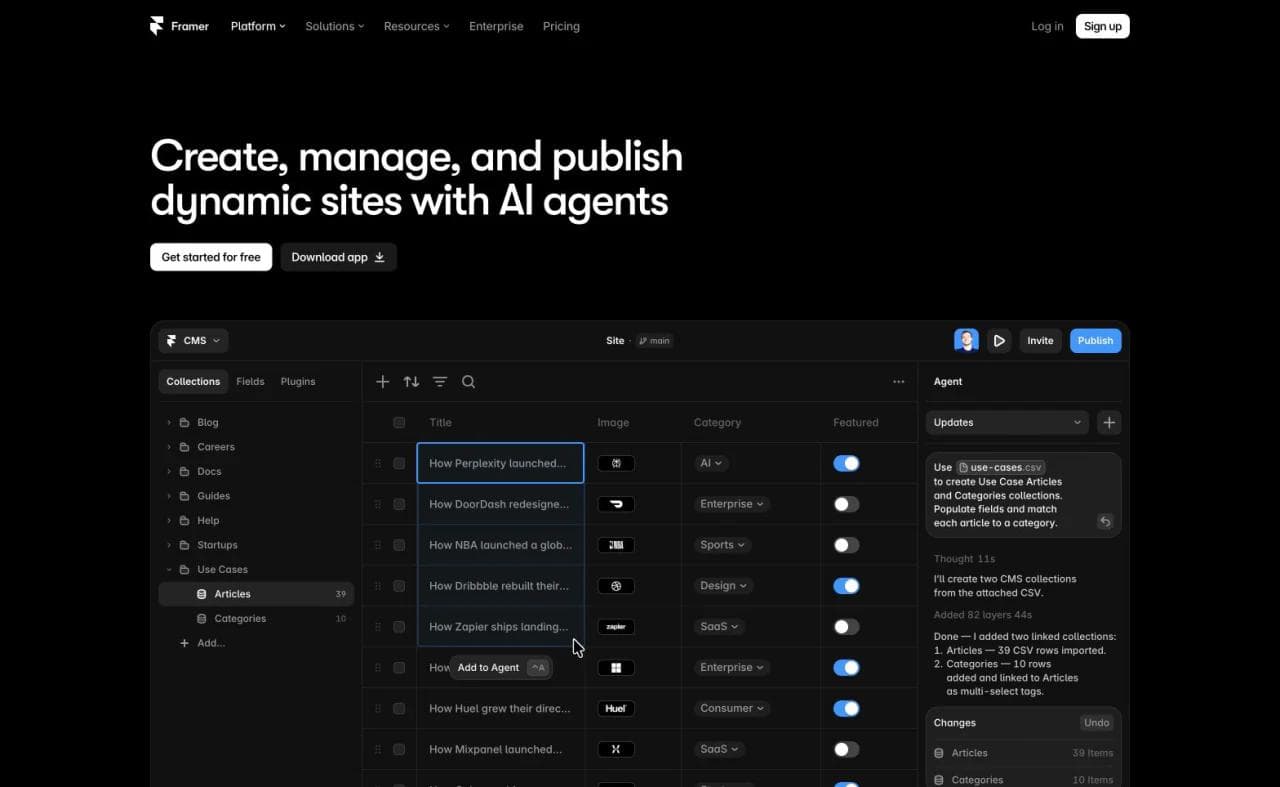
Framer keeps design iteration close to the canvas
Framer's interface and mental model are comfortable for people who already think in frames, layers, components, and visual composition. Stacks and breakpoints provide responsive structure, but the experience still feels like designing the page directly rather than operating a visual abstraction of CSS.
That makes Framer effective for a startup homepage, campaign site, portfolio, product launch, or visual redesign where layout and motion change frequently. A designer can explore alternatives around a page, turn recurring elements into components, and refine the published result without a separate design-to-development handoff.
The risk is local flexibility without sufficient system discipline. A large Framer project still needs shared styles, reusable components, naming rules, and deliberate breakpoints. Framer's own guide to setting up sites for scale recommends exactly that.
Framer's AI is now part of the authoring environment
Framer 3.0 introduced Agents that can design pages, create breakpoints and effects, write code, connect content to the CMS, organize styles, and work with analytics. This changes the old comparison in which Framer had an AI wireframe generator while Webflow was the serious system.
Framer also supports external agents such as Claude Code, Cursor, Codex, and Gemini CLI. Those connections can update CMS content, redirects, localizations, components, and design elements while preserving the Framer project as the working source. Framer documents the current capabilities and limits in its external agents guide.
This is particularly useful for repeated content operations. It is not the same as exporting a conventional website codebase for a developer to own.
Framer packages common growth tasks into one design-led workflow
Framer includes native forms, analytics, funnel reporting, click and submission tracking, localization, and A/B tests. It also supports staging and branching on qualifying plans. A small marketing team can therefore design, publish, measure, and revise a site without assembling a large plugin stack.
Some capabilities are tied to plans, seats, usage, or add-ons. Price the operating workflow, not only the base site plan.
Where Webflow is stronger
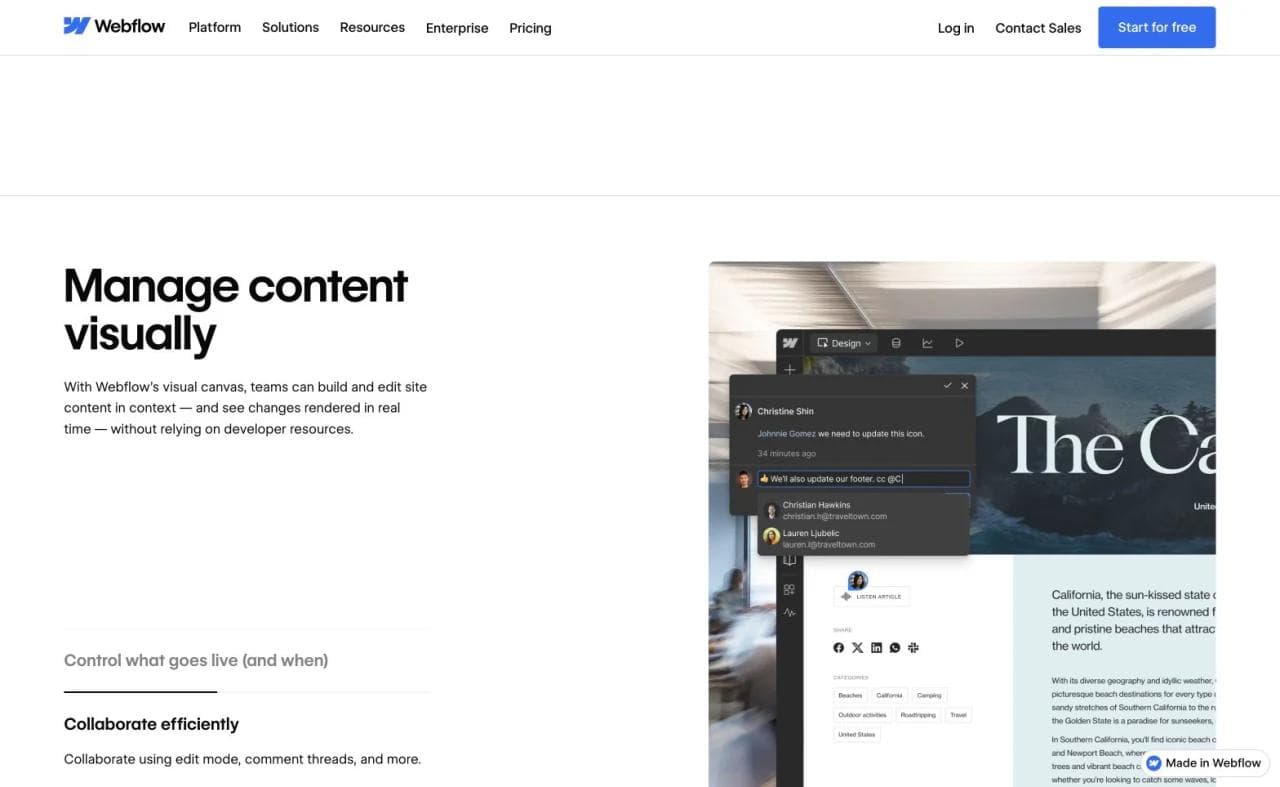
Webflow's structure scales across specialized teams
Webflow exposes a more CSS-like model: elements, classes, combo classes, variables, components, and responsive behavior live in a system that developers and experienced Webflow builders can inspect. That creates a steeper learning curve, but it can also make a mature site easier to govern.
For an agency or larger marketing team, this structure is valuable when many pages must share the same layout rules and when a developer may need to diagnose exactly why an element behaves a certain way. The advantage only appears when the project has naming conventions and a maintained design system. An undisciplined Webflow project can become just as difficult to change as an undisciplined codebase.
Webflow remains the stronger default for complex CMS programs
Framer's CMS is capable and its limits have expanded. Webflow still offers a more established workflow for larger structured-content systems, bulk CSV imports and updates, collection relationships, content-editor handoff, and marketing sites whose information architecture is central to the business.
The practical test is not simply the advertised item limit. Model a representative slice of the real site:
- A post with authors, topics, products, and related resources
- Localization across several collections
- Archive and category pages
- Redirects from the existing URL structure
- Bulk updates from a content operations team
- Editor permissions and approval steps
- Search and filtering requirements
Webflow documents bulk CMS import and export. Community migration discussions repeatedly suggest testing real relationships and redirect maps before moving thousands of items. That is sensible advice for either platform.
Webflow has a broader developer and marketing-operations surface
Webflow supports custom code, apps, APIs, code components, DevLink, ecommerce, Analyze, Optimize, localization, and a growing AI layer. Its AI Assistant can generate reusable React code components for features such as calculators, multi-step forms, filters, and galleries.
Webflow MCP 2.0 also lets external agents work with page elements, components, styles, variables, CMS content, localization, and selected reporting data. Many operations no longer require an open Designer session. See Webflow's current MCP documentation.
This gives technical teams more extension paths while marketers continue using the CMS and page builder. It also creates a larger product and billing surface to understand.
Framer vs Webflow for AI website building
The old answer was simple: Framer was more AI-first, while Webflow required manual expertise. That distinction is no longer accurate.
Framer Agents work directly inside the canvas and are well suited to generating or revising a visually led site. Webflow offers an AI site builder, page and copy assistance, CMS generation, AI code components, SEO and AEO guidance, and an MCP server for external agents.
Neither product is a pure vibe-coding platform in the Lovable or Base44 sense. Their agents operate inside an established website model with components, styles, hosting, and CMS rules. That constraint can make vibecoding less open-ended, but it also gives future editors a more legible system to maintain.
The difference is the project model the agent manipulates:
- In Framer, the agent works within a design-first canvas, components, breakpoints, styles, pages, and CMS.
- In Webflow, the agent works within a more structured visual-development system of elements, classes, variables, components, and collections.
If you expect the AI to make most changes, test its repair behavior, not just its generation. Ask it to apply a change across breakpoints, preserve an existing component variant, update CMS content without touching structure, and reverse only the last unwanted change.
Framer CMS vs Webflow CMS
Choose Framer CMS when:
- Your content model is relatively straightforward.
- Designers own both templates and content presentation.
- You value fast on-canvas iteration more than complex relationships.
- The site is a startup blog, portfolio, resource center, case-study library, or standard marketing site.
Choose Webflow CMS when:
- Content relationships and bulk operations are central.
- Several teams or an agency maintain the site.
- You need larger self-serve collection and item allowances.
- Editorial structure, integrations, localization, and governance will expand over time.
Do not choose from limits alone. Import 50 representative records, build the hardest template, connect its references, localize it, and ask a content editor to make a real update. That trial exposes more than a pricing table.
Framer vs Webflow for SEO
Neither platform receives an automatic ranking advantage. Search performance still depends on content quality, information architecture, internal links, backlinks, page intent, accessibility, and migration execution.
Both platforms support core technical SEO work such as titles, descriptions, social images, sitemaps, redirects, alt text, canonical behavior, and CMS-driven metadata. Framer documents dynamic page and CMS metadata. Webflow adds sitewide audits, structured-content controls, CMS operations, and an expanding SEO and AEO toolset.
Webflow is usually easier to justify for a large SEO program because of its deeper content operations. Framer is fully viable for a well-structured marketing site or editorial program that fits its CMS. A careless migration to either platform can lose traffic, so preserve URL mappings, metadata, internal links, structured data, and redirect coverage.
Ownership and code export
Framer is a hosted platform. It explicitly states that it does not offer official HTML export for self-hosting because published sites depend on Framer's rendering, optimization, and hosting services. If your organization requires a deployable site bundle or full infrastructure control, Framer may not fit. See Framer's official export explanation.
Webflow allows HTML, CSS, JavaScript, and asset export on paid Workspace plans, but the headline needs an important qualification. Webflow's exported code does not include working CMS content, ecommerce databases, User Accounts functionality, localized content beyond the primary locale, site search, or code-component functionality. Review the Webflow code export limitations before treating export as a full migration plan.
Webflow offers more portability for static site code. Neither platform turns a complex hosted marketing system into a completely independent codebase with one click.
Collaboration, branching, and handoff
Framer is attractive when the design team should keep direct ownership. Content Editors can update CMS content and localized copy without receiving full design access. Branching and staging let teams explore and review changes on qualifying plans.
Webflow has a more established agency and enterprise handoff model, with site roles, content editing, Workspace controls, page branching on relevant plans, libraries, and broader governance options. Its structure can support a cleaner division between design-system owners, marketers, content editors, and developers.
For either tool, test handoff with the person who will actually maintain the site. A technically elegant setup fails if the marketing team routes every text edit through the original designer.
When Moda is the better choice
Moda belongs in this decision only for a narrower website job. It is a static HTML website builder focused on brand fidelity and design quality. It is a strong fit for branded landing pages, portfolios, product sites, campaign pages, and simple lead forms, particularly when the same launch also needs presentations, ads, social graphics, or video.
Moda is not the right choice for a large CMS program, ecommerce operation, authenticated product, or application with complex backend logic. Webflow is stronger when structure and marketing operations need to scale. Framer is stronger when the team wants its established canvas, component, CMS, and growth stack. Moda's advantage is creating the website as one part of a coherent visual campaign.
Framer vs Webflow: which should you choose?
Choose Framer if:
- A designer or small marketing team owns the site.
- The site is primarily a polished marketing, campaign, startup, or portfolio experience.
- Fast visual iteration and motion matter more than deep content relationships.
- You want AI agents operating directly within a design-first canvas.
- Framer-managed hosting is acceptable.
Choose Webflow if:
- Your site has a substantial or relational CMS.
- An agency or cross-functional web team needs a formal system and handoff model.
- Ecommerce, optimization, personalization, APIs, or developer extensions matter.
- You want a CSS-like visual development model.
- Limited static code export is an important safety valve.
The durable question is not “Which builder can make the prettier homepage?” Both can. Ask which design system, content model, release process, and extension boundary your team will still maintain correctly a year from now.
Frequently asked questions
Is Framer better than Webflow?
Framer is often better for design-led marketing sites that need to launch and iterate quickly. Webflow is often better for structured, content-heavy sites and teams that need deeper CMS, development, ecommerce, or marketing-operations capabilities. The better platform depends on the site and the people maintaining it.
Is Framer easier to learn than Webflow?
Many visual and product designers find Framer's canvas more familiar. Webflow requires a stronger understanding of classes, layout, responsive rules, and site structure. That additional complexity can become an advantage on larger projects when the system is maintained consistently.
Is Webflow or Framer better for SEO?
Both provide the technical foundation for a search-friendly site. Webflow generally offers deeper content and site-management workflows for large SEO programs. Framer is capable for standard marketing sites and blogs. Content quality, site architecture, redirects, and execution matter more than the platform name.
Can I export a Framer website?
Framer does not officially support exporting a website as standalone HTML for self-hosting. It is designed around Framer-managed hosting and optimization services.
Can I export a Webflow website?
Webflow supports static HTML, CSS, JavaScript, and asset export on paid Workspace plans. Dynamic features such as CMS-bound pages, ecommerce, site search, User Accounts, localization, and code components are not fully included in the exported site.
Is Framer or Webflow better for an online store?
Webflow has a native ecommerce product and is the more direct choice between the two for a store. Framer commonly relies on external commerce services, plugins, or embedded checkout flows. For a serious retail operation, also compare dedicated commerce platforms such as Shopify.
---

Real editable visuals. Real canvas. Full control.
Fly through design work