Google Stitch Review: Honest Look at the AI Design Tool (2026)
Google Stitch review covering features, pricing, limitations, and who it is actually built for. Honest take on what works and what does not.
 Anvisha Pai, Co-founder & CEO, Moda
Google Stitch is an AI design tool from Google Labs that turns text prompts, sketches, and images into user interface designs and production-ready code. It launched in 2025 after Google acquired Galileo AI, and the March 2026 update (Stitch 2.0) added multi-screen generation, an infinite canvas, and voice input.
The tool is completely free (with usage limits), it generates surprisingly capable UI designs, and it exports code in multiple frameworks. But it's also narrowly focused on UI/UX design, not general-purpose visual content. Here's what it does well, where it falls short, and who should actually use it.
Last reviewed: April 4, 2026. Product positioning and capabilities verified against current Google Stitch product pages and Google's March 2026 Stitch announcement. Pricing and usage-limit details were spot-checked in the live product. Generation quality, editing workflow, exports, and iteration behavior were evaluated through hands-on use.
How we tested: We used Stitch hands-on with several real UI prompts and inputs, including landing pages, mobile app flows, and SaaS dashboards. We generated multiple screens and variations, checked exports and iteration behavior, and captured the screenshots in this review from those live test sessions.
Quick verdict
Best for: product designers, developers, and founders who need UI concepts quickly.
Biggest strength: high-quality prompt-to-UI generation with strong multi-screen ideation.
Biggest limitation: editing and team workflow depth still lag behind mature design tools.
Use Stitch if: you want to turn ideas into UI directions fast and are comfortable refining elsewhere when needed.
Skip Stitch if: you need presentations, marketing assets, or a full collaborative design system workflow.
What Google Stitch does
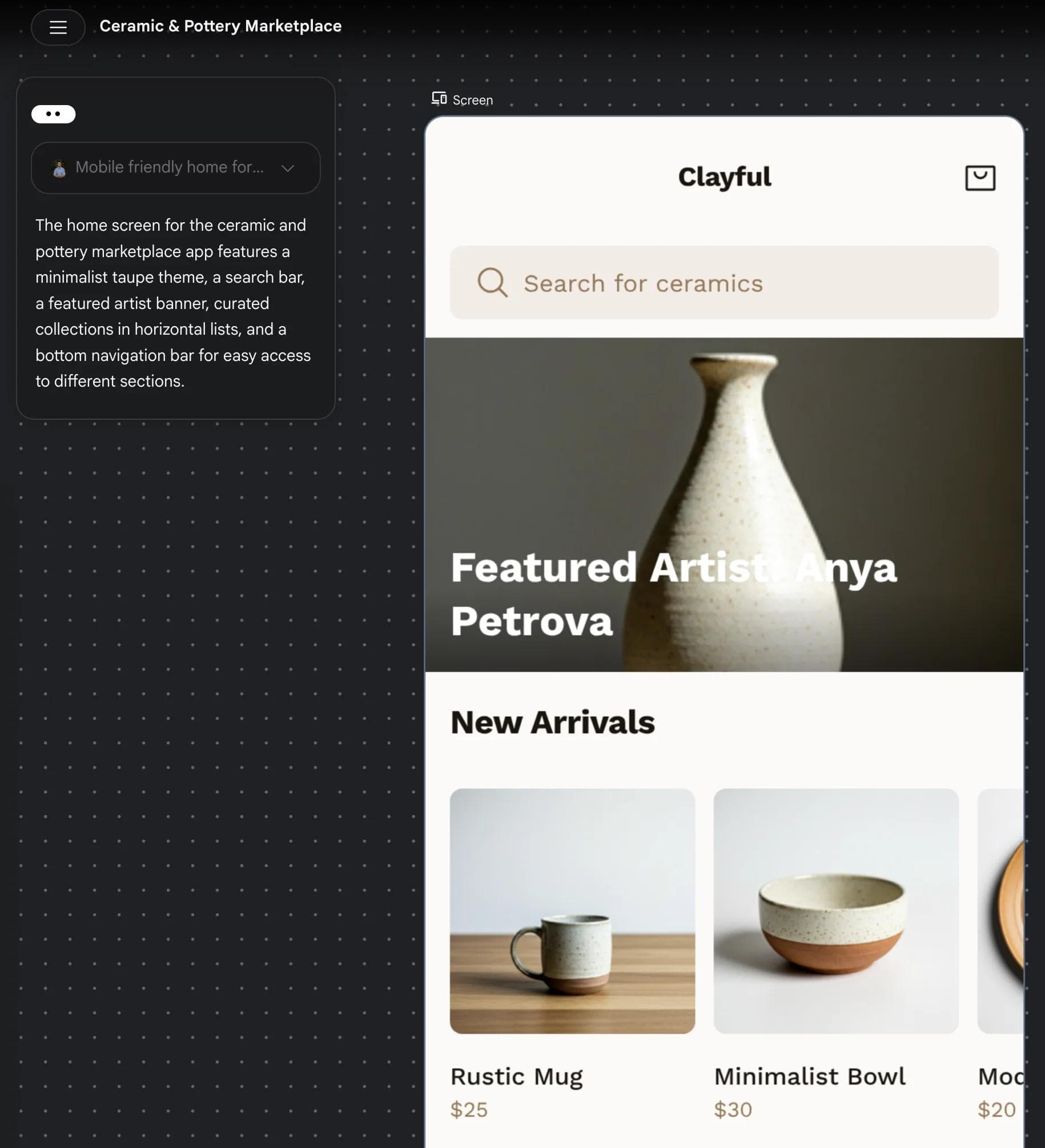
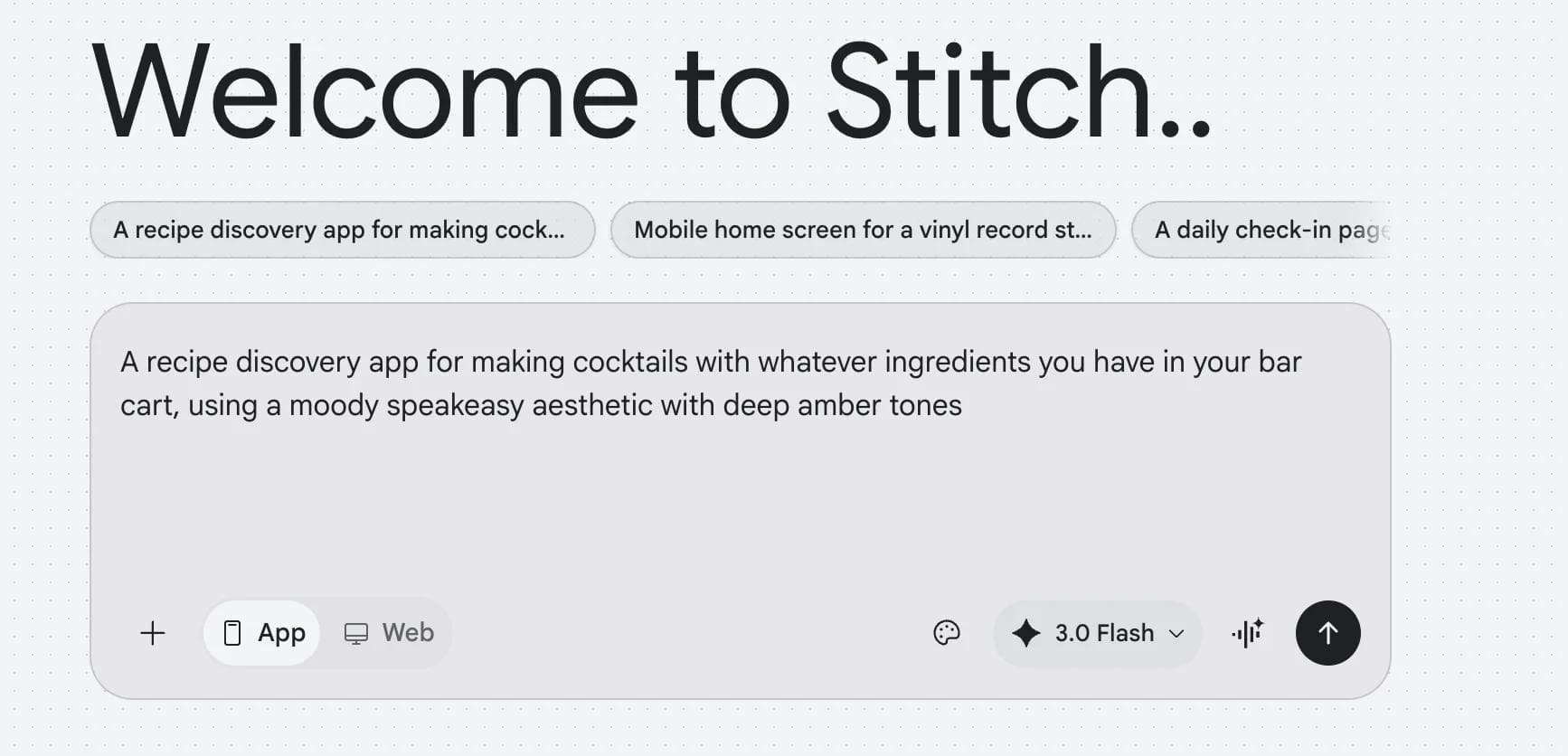
Google Stitch converts natural language prompts into designed user interfaces. You describe what you want ("a mobile banking app with account overview, transaction history, and transfer screens"), and Stitch generates high-fidelity UI mockups with proper layout, typography, spacing, and component structure.
Core capabilities:
- Text-to-UI generation. Describe an interface in plain language and get a designed mockup. Stitch handles layout, color, typography, and component selection.
- Image-to-UI. Upload a screenshot, wireframe, or sketch, and Stitch converts it into a polished design.
- Multi-screen generation. Generate up to 5 interconnected screens simultaneously, maintaining design consistency across flows.
- Voice input. Describe interfaces verbally and Stitch converts speech to design.
- Interactive prototyping. Generated screens include clickable flows for basic UX validation.
- Code export. Export designs as production-ready code in HTML/CSS, Tailwind CSS, Vue.js, Angular, Flutter, and SwiftUI.
- Figma export. Send designs to Figma for further refinement.
- Model selection. Choose between Gemini 3.0 Pro (more refined output) and Gemini 3.0 Flash (faster iteration).
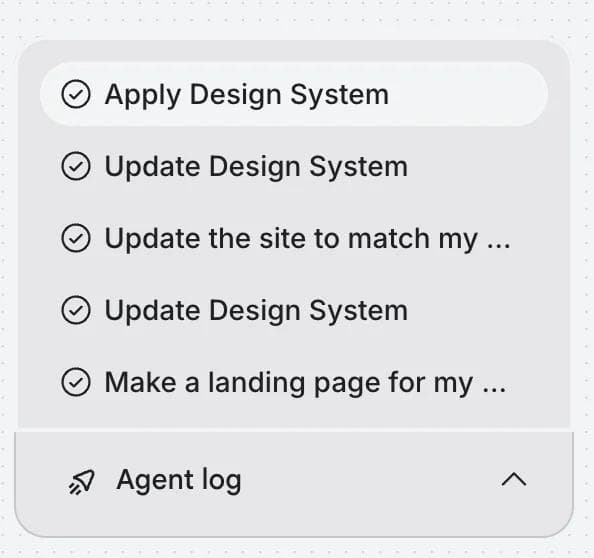
- Agent log. Stitch shows a step-by-step log of what the AI agent is doing: applying design systems, updating layouts, generating pages. You can see exactly what happened behind each generation.
What Google Stitch does well
Speed of ideation. Stitch generates a first screen in roughly 45 seconds and a 5-screen flow in about 3 minutes. For early-stage design exploration, that's fast enough to try multiple directions in a single sitting. You can generate 5 different versions of a dashboard and pick the best starting point faster than you could sketch them.
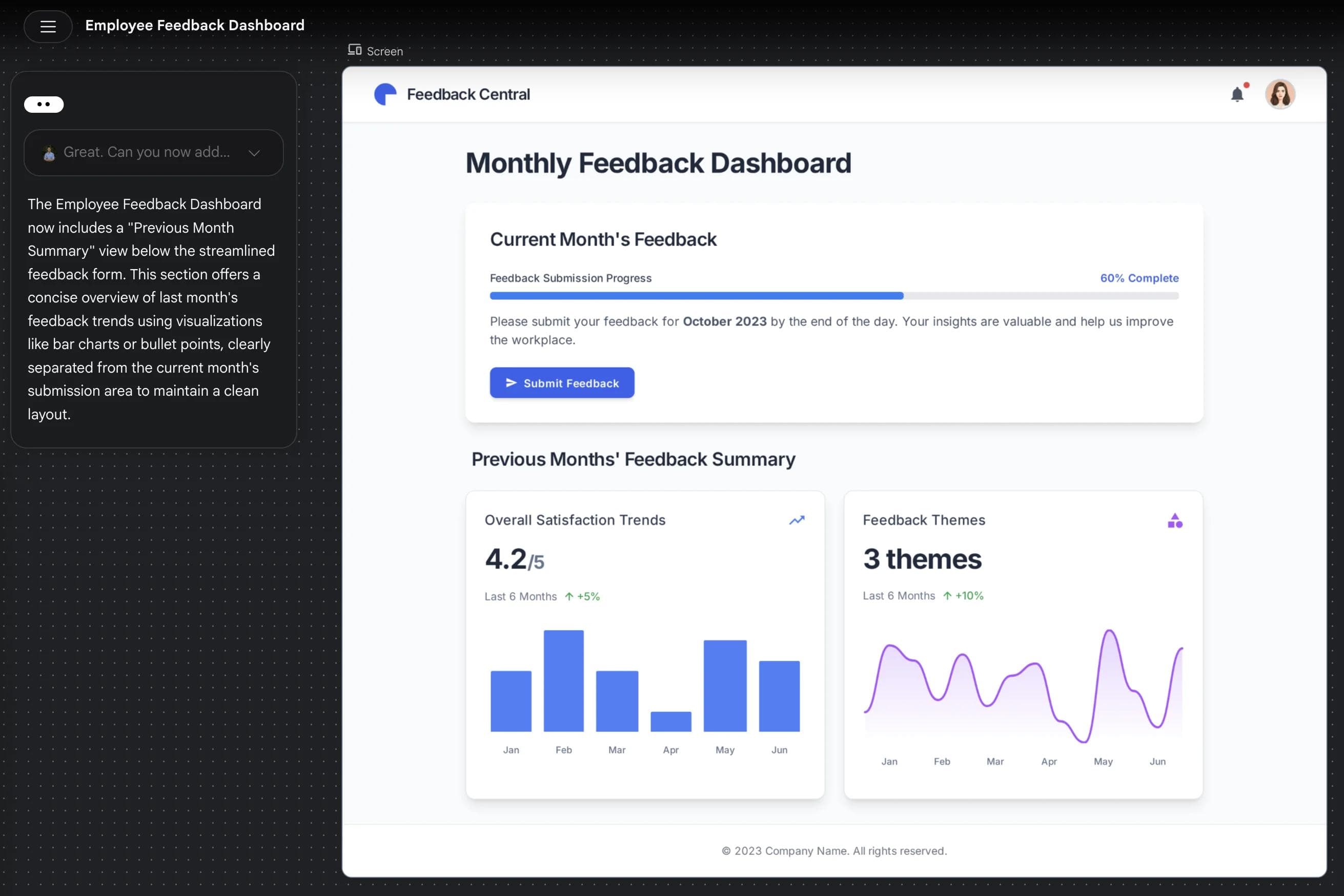
Quality of generated UI. The interface designs Stitch produces are genuinely good. Not placeholder wireframes, but production-quality mockups with proper component hierarchy, sensible spacing, and modern visual patterns. Google trained this on real design data (via the Galileo AI acquisition), and it shows. The output looks like it was made by a competent UI designer, not a code generator.
Multi-screen consistency. The 2.0 update's multi-screen generation is a standout feature. When you generate 5 screens of an app, they share a consistent design language: same colors, same component styles, same typography. This is something that's hard to maintain even with manual design, and Stitch handles it automatically.
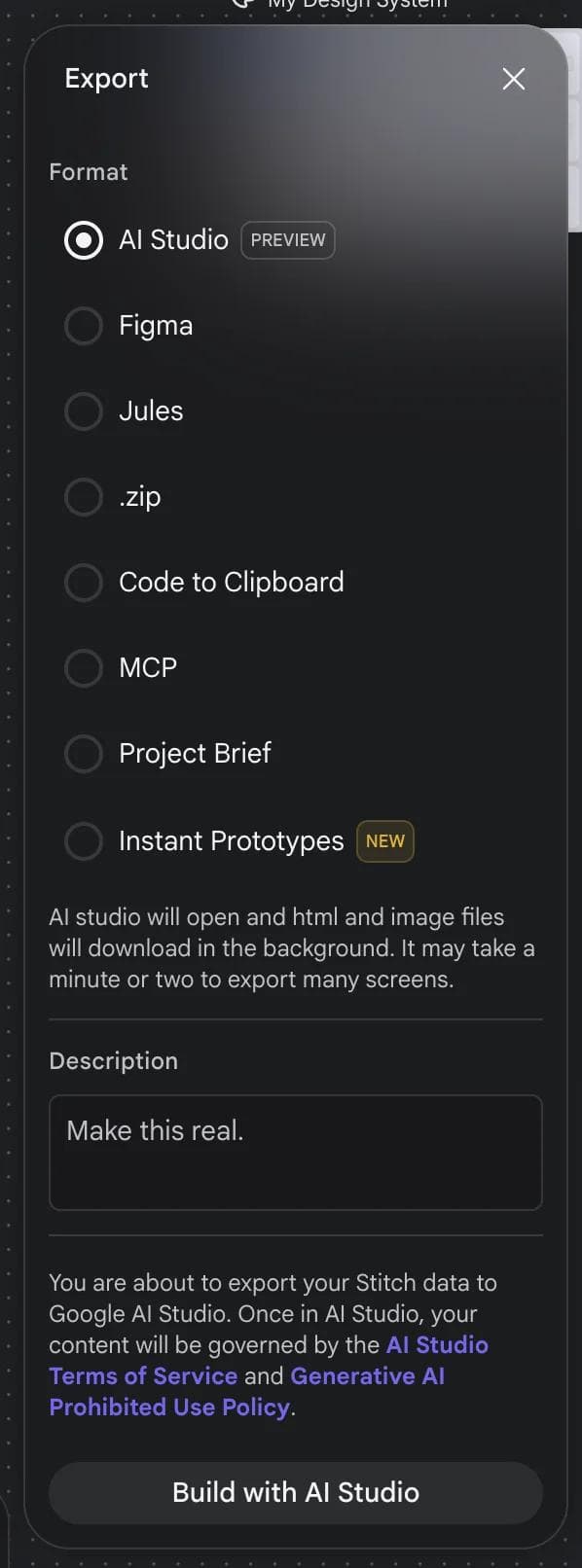
Code export that works. The exported code across frameworks (especially Tailwind CSS and Flutter) is surprisingly usable. It's not production code you'd ship without review, but it's structured well enough to serve as a real starting point. For developers prototyping, this saves hours of translating mockups to code. The export dialog also includes options for Figma, MCP (for IDE integration), Jules (Google's AI coding agent), .zip download, and Instant Prototypes.
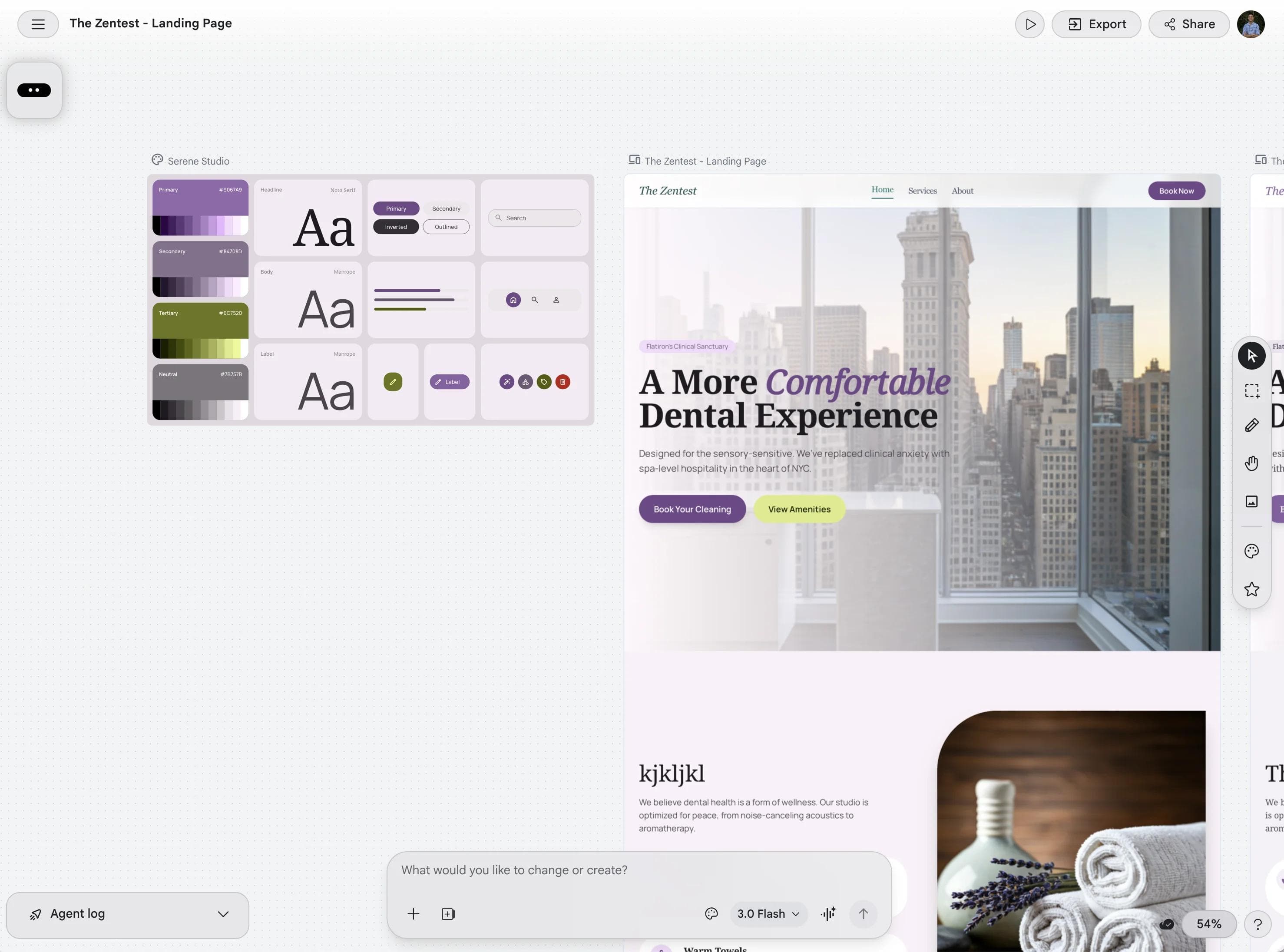
The AI-native canvas. Stitch's infinite canvas lets you see all design iterations side by side. You're not overwriting previous versions. Each generation sits on the canvas, so you can compare approaches and pick elements from different iterations. It's a small UX detail that makes the exploration workflow much more natural.
Completely free. As of April 2026, Stitch is free through Google Labs with usage limits (350 standard generations and 200 experimental generations per month). For most individual designers and small teams, that's enough for real work.
Where Google Stitch falls short
It's a UI design tool, not a general design tool. This is the most important thing to understand. Stitch generates user interface designs: app screens, dashboards, web pages. It does not make presentations, social media graphics, marketing materials, posters, brochures, or any other type of visual content. If you're looking for an AI tool to make a pitch deck or Instagram carousel, Stitch is the wrong tool.
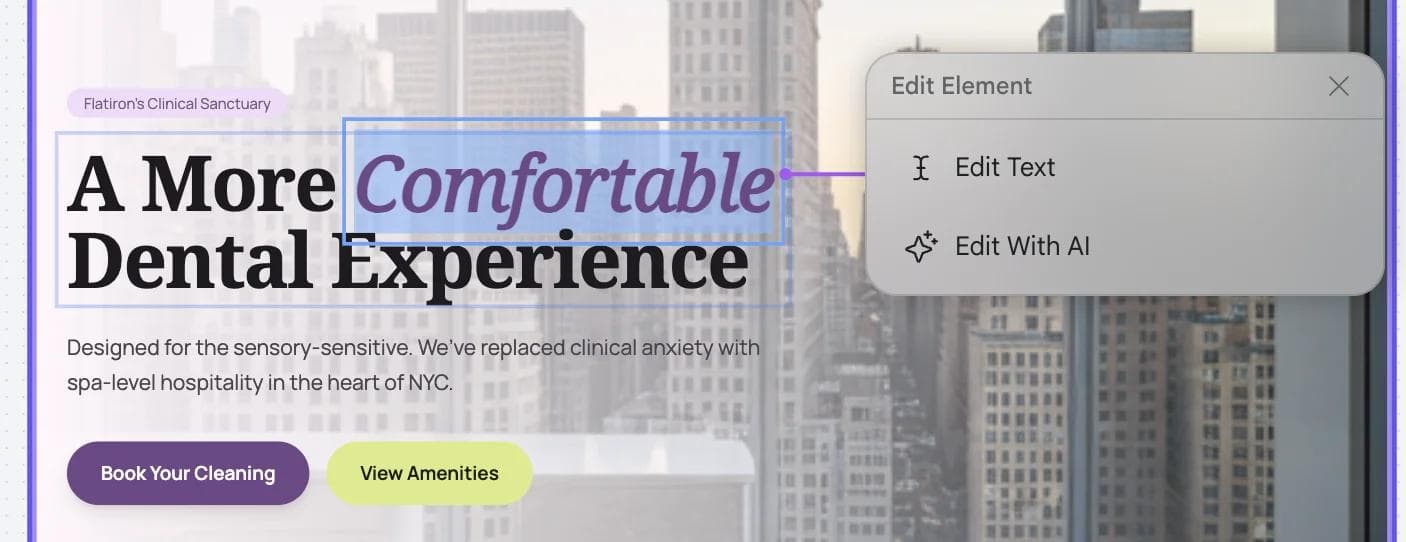
No fine-grained design editing. Stitch generates designs, but editing them within Stitch is limited. You can regenerate with different prompts or adjust parameters, but you can't select individual elements and modify them like you would in Figma. For detailed refinement, you need to export to Figma and work there. The tool is optimized for generation and ideation, not for pixel-level design work.
Still in Google Labs. Stitch is an experimental product. There's no SLA, no guaranteed uptime, and no commitment from Google to maintain it long-term. Google has a history of sunsetting Labs products that don't hit internal metrics. If you're building a workflow around Stitch, that's a risk worth acknowledging.
Usage limits with no paid upgrade path. The 350/200 monthly generation limits are generous for individuals, but teams with heavy design workloads will hit them. There's currently no way to pay for more generations. If you run out, you wait until next month. For agencies or teams generating dozens of concepts daily, this is a real constraint.
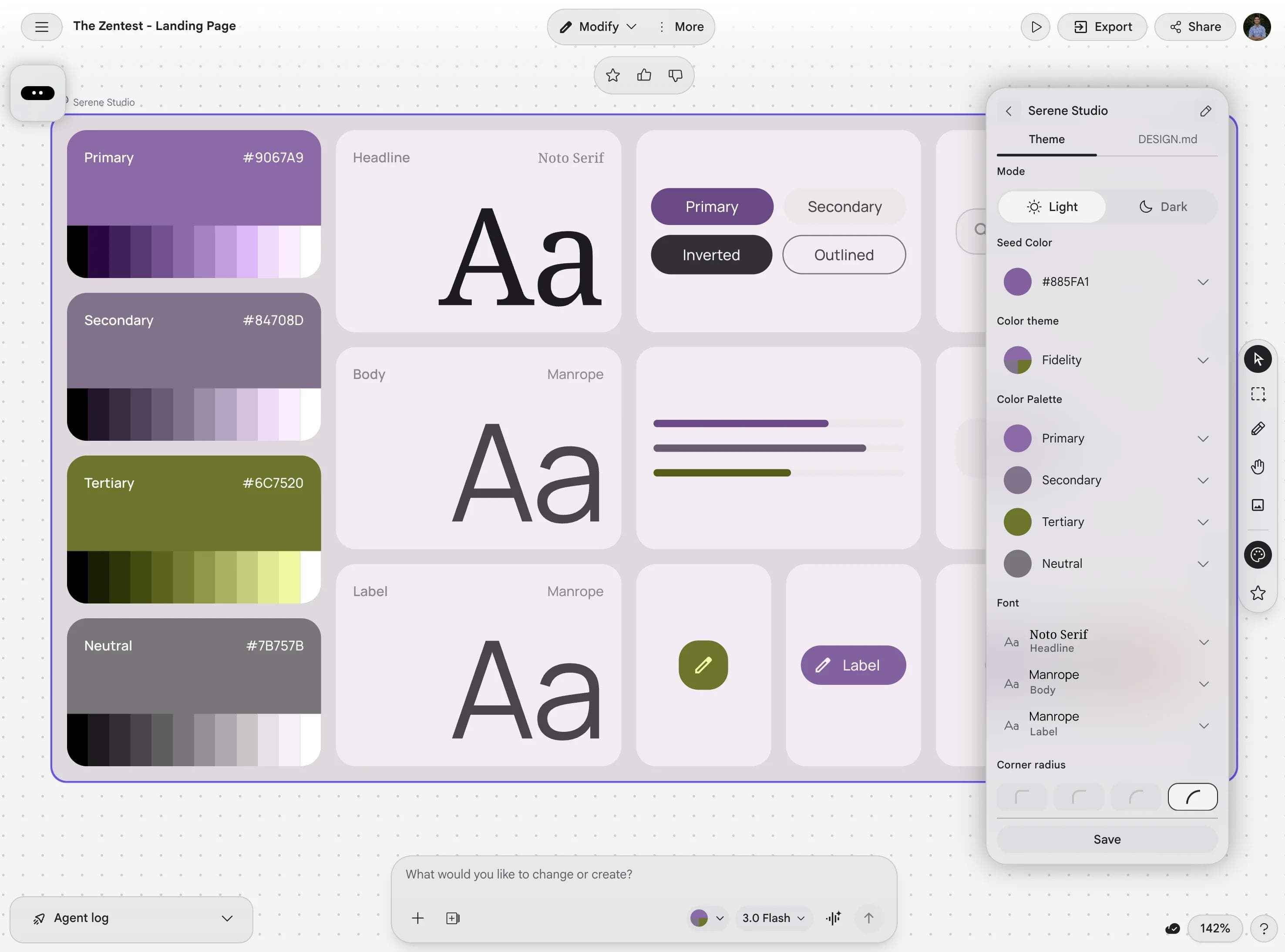
Limited design system support. You can influence Stitch's output through prompts (specifying colors, fonts, styles), but there's no way to upload a formal design system or brand kit that Stitch enforces across all generations. Every generation requires you to re-specify your design preferences. The DESIGN.md format is a step toward solving this, but it's early.
Collaboration is not the main strength. Google now positions Stitch as collaborative, but the product still appears optimized more for solo generation and iteration than for mature team workflows. If your process depends on robust commenting, multiplayer editing, and established team spaces, you'll likely still collaborate elsewhere after generation.
Google Stitch pricing
Google Stitch is free through Google Labs. No credit card, no paid tier.
| Google Stitch | |
|---|---|
| Price | Free |
| Standard generations | 350/month |
| Experimental generations | 200/month |
| Code export | Included |
| Figma export | Included |
| Paid upgrade | Not available |
The lack of a paid tier is both a strength (no cost barrier) and a weakness (no way to scale usage). For individuals, that makes Stitch unusually accessible. For heavier team usage, it also means there's no clear way to buy more capacity.
Who Google Stitch is for
Product designers and UX designers who want to accelerate ideation. Stitch is excellent for generating initial concepts quickly, then exporting to Figma for refinement. It doesn't replace Figma, but it front-loads the most time-consuming part of the design process.
Developers building prototypes. The text-to-UI-to-code pipeline is genuinely useful. Describe an interface, get a design, export working code. For hackathons, MVPs, and proof-of-concepts, Stitch compresses the design-to-code timeline significantly.
Startups and solo founders who need professional-looking UI designs but don't have a designer on the team. Stitch's output quality is high enough to use as a real design starting point, not just a throwaway wireframe.
Who it's NOT for: Marketing teams, content creators, or anyone who needs presentations, social graphics, or general visual content. Stitch is narrowly focused on UI design.
How Google Stitch compares
| Google Stitch | Canva | Figma | Moda | |
|---|---|---|---|---|
| Primary use | UI/UX design | General design | UI/UX design + presentations | AI-generated presentations, visual content, UI mockups |
| AI generation | Text/image/voice to UI | Template-based Magic Design | Figma AI for layouts | Full design from natural language |
| Code export | Yes (6 frameworks) | No | Dev Mode (CSS, code inspection) | Via MCP (Cursor, Claude Code) |
| Presentations | No | Yes | Yes (Figma Slides) | Yes (primary use case) |
| Social media content | No | Yes | Limited | Yes |
| Pricing | Free (usage limits) | Free; Pro $144/yr | Free; Pro $16/mo per seat | AI credit-based |
| Collaboration | Limited / emerging | Yes | Yes (industry-leading) | Yes (real-time) |
| Editing depth | Limited (prompt-based) | Full drag-and-drop | Full professional toolset | Full canvas + AI refinement |
Stitch occupies a specific niche. It's the best free tool for generating UI designs from prompts, but it doesn't compete with Canva or Moda for marketing content and presentations, and it doesn't replace Figma for detailed design work.
For a deeper comparison with Canva specifically, see our Google Stitch vs Canva breakdown.
What about AI-first design for presentations and marketing?
If you landed on this page looking for an AI tool that designs presentations, social graphics, or marketing materials, Google Stitch isn't the right fit. It's built for UI design.
Moda is built for exactly that use case. It's an AI design tool where you describe presentations, social posts, UI mockups, or visual content in plain language, and an AI agent builds them on a real design canvas. The output is fully editable, not static images, and you can export to PowerPoint and Google Slides natively. Moda also integrates into developer workflows through its MCP server, so tools like Cursor and Claude Code can generate and iterate on designs programmatically, bridging the gap between design and code from the other direction. If your goal is "describe what I need and get a designed result," Moda is closer to what you're looking for than Stitch.
Bottom line
Google Stitch is a genuinely impressive tool for AI-generated UI design. The output quality is high, the code export is useful, and the price (free) is hard to beat. If you're a product designer, developer, or startup founder who needs UI mockups fast, Stitch deserves a place in your workflow alongside Figma.
But it's not a general-purpose design tool. It won't make your pitch deck, your Instagram posts, or your marketing one-pager. For that, you need a different category of tool. Try Moda if AI-generated visual content is what you're after.
FAQ
Is Google Stitch free?
Yes. Google Stitch is currently free through Google Labs, with usage limits rather than a paid subscription tier.
Can Google Stitch export to Figma or code?
Yes. In testing and in Google's product positioning, Stitch supports exporting to Figma and offers multiple code-oriented export options for developer workflows.
Can Google Stitch make presentations?
No. Stitch is a UI design tool for apps, dashboards, landing pages, and related interface work. It is not built for presentation decks or general marketing design.
Is Google Stitch better than Figma?
Not as a full design tool. Stitch is better for fast AI-driven ideation from prompts. Figma is still better for detailed editing, collaboration depth, and mature production workflows.

Real editable visuals. Real canvas. Full control.
Fly through design work