11 Best Loom Alternatives in 2026, by What Happens Next
Compare 11 Loom alternatives for async video, sales, demos, bug reports, training, and screen recording. Choose by what happens after capture.
 Anvisha Pai, Co-founder & CEO, Moda
The best Loom alternative depends on what the recording needs to become. Choose Tella for polished hosted videos, Zight for fast visual support, ClickUp Clips when the video should live with a task, Cap for storage control, Vidyard for sales, Supademo for interactive walkthroughs, and Jam for developer-ready bug reports.
That is a more useful distinction than asking which app records a screen. Most of these tools can do that. The real differences appear after you press stop: where the recording lives, who can act on it, what context travels with it, and whether the result is a message, a work item, a demo, or a produced video.
Quick comparison: which Loom alternative fits your workflow?
| Tool | Best for | What the recording becomes | Main purchase check |
|---|---|---|---|
| Tella | Polished async videos | Hosted, edited video or exported file | Team administration and library needs |
| Zight | Support and visual communication | Video, screenshot, GIF, guide, or support request | Capture and privacy controls by plan |
| ClickUp Clips | Project work | A clip embedded in tasks, comments, or Docs | Whether your team already works in ClickUp |
| Cap | Open source and storage control | Local file or hosted link using chosen storage | Self-hosting and commercial-use requirements |
| Vidyard | Sales video | Trackable buyer-facing video with a CTA | CRM workflow and paid sales features |
| Supademo | Product education and sales demos | Video or interactive walkthrough | Passive video versus interactive demo needs |
| Jam | Software bug reports | Reproduction evidence with technical context | Browser-centric scope and sensitive-data rules |
| Screen Studio | Polished Mac demos | Finished, export-ready product video | macOS-only production workflow |
| Descript | Spoken video editing | Transcript-edited video and derivative clips | Media and AI allowances |
| Camtasia | Training and tutorials | Structured, editable training project | Production time and project handoff |
| OBS Studio | Free local capture | Configurable local recording or live production | Hosting, editing, and sharing must come separately |
Start with the destination, not the recorder
Loom's current product is more than a record button. Atlassian describes screen and camera recording, hosted sharing, screenshots, meeting recaps, and AI-generated titles, summaries, chapters, documents, and bug reports. Its AI workflows can also create Jira or Linear work items from a recording. Loom product overview and Loom AI workflows
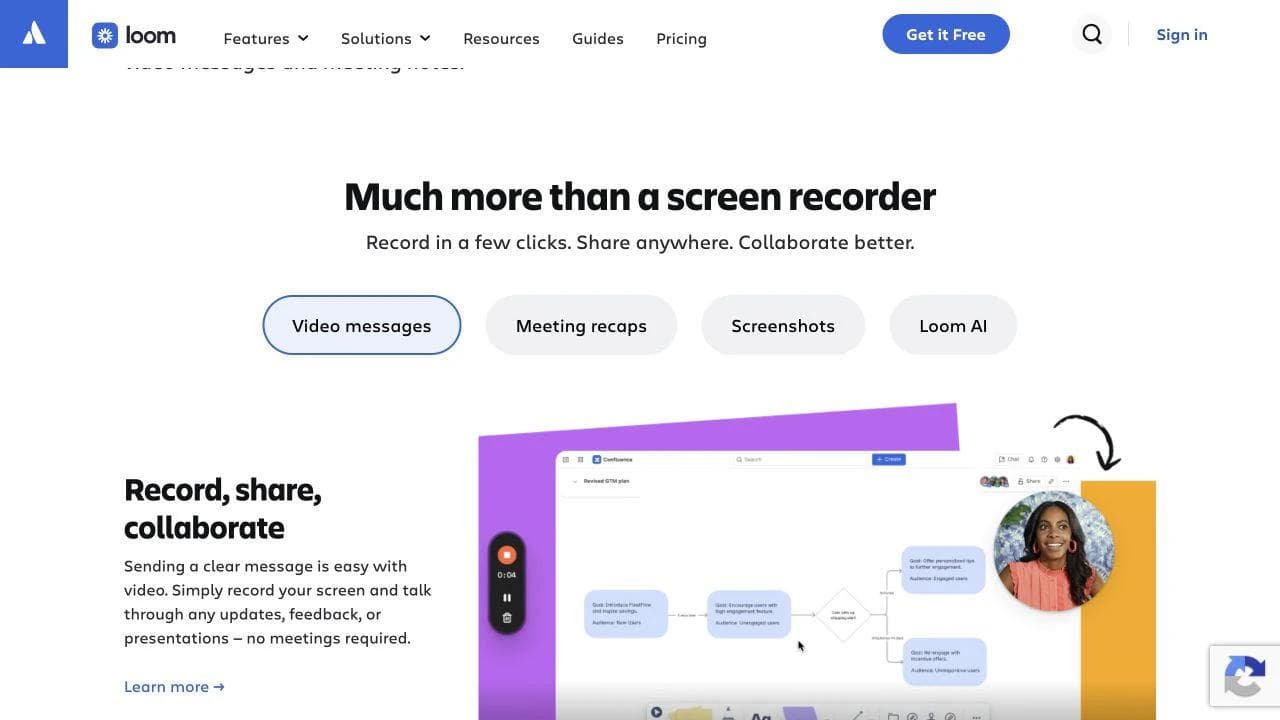
A replacement therefore has to cover the part of that system you actually use. Sort your recordings into one of these destinations before comparing tools:
- A disposable message: The viewer needs context now, but nobody expects to maintain the recording for a year.
- Durable team knowledge: The recording must remain searchable, governed, and connected to documentation.
- A work item: The useful result is a task, decision, support request, or bug report with ownership.
- A buyer action: The sender needs a CTA, CRM context, or engagement signal after a prospect watches.
- A self-serve walkthrough: The viewer should click through a process rather than passively watch it.
- A publishable video: The recording needs intentional pacing, branding, captions, or a production handoff.
One tool can cover several destinations. The point is to identify the primary one. A beautiful exported MP4 is a weak replacement if your team needs timestamped discussion and searchable knowledge. An instant link is a weak replacement if the video must become a polished launch asset.
1. Tella: best for polished hosted video messages
Tella is the closest fit when you like Loom's record, share, and watch loop but want more control over presentation. Its official introduction describes recording screen, camera, or both through the web app, Chrome extension, or desktop app, followed by trimming, splitting, effects, link sharing, embedding, and file export. Tella product introduction
That makes it useful for founder updates, product announcements, tutorials, and customer walkthroughs where the result should look considered without becoming a full editing project. The important distinction is that Tella treats the recording as a video to polish and present, not merely evidence attached to another system.
Test the team layer before migrating. Recordings can be easy to make while workspace administration, permissions, library organization, retention, and reviewer access determine whether the product works across a company. Confirm the current plan for your expected number of creators and collaborators.
Choose Tella if: your main Loom job is creating polished, hosted videos quickly. Choose ClickUp Clips or Jam if the video matters mostly because of the task or technical record attached to it.
2. Zight: best for support and everyday visual communication
Zight combines screen recordings with screenshots, GIFs, annotations, request links, and reusable documentation. Its current product also emphasizes support intake: a customer can send a recording and technical context back through a request link without installing the recorder. Zight visual communication overview
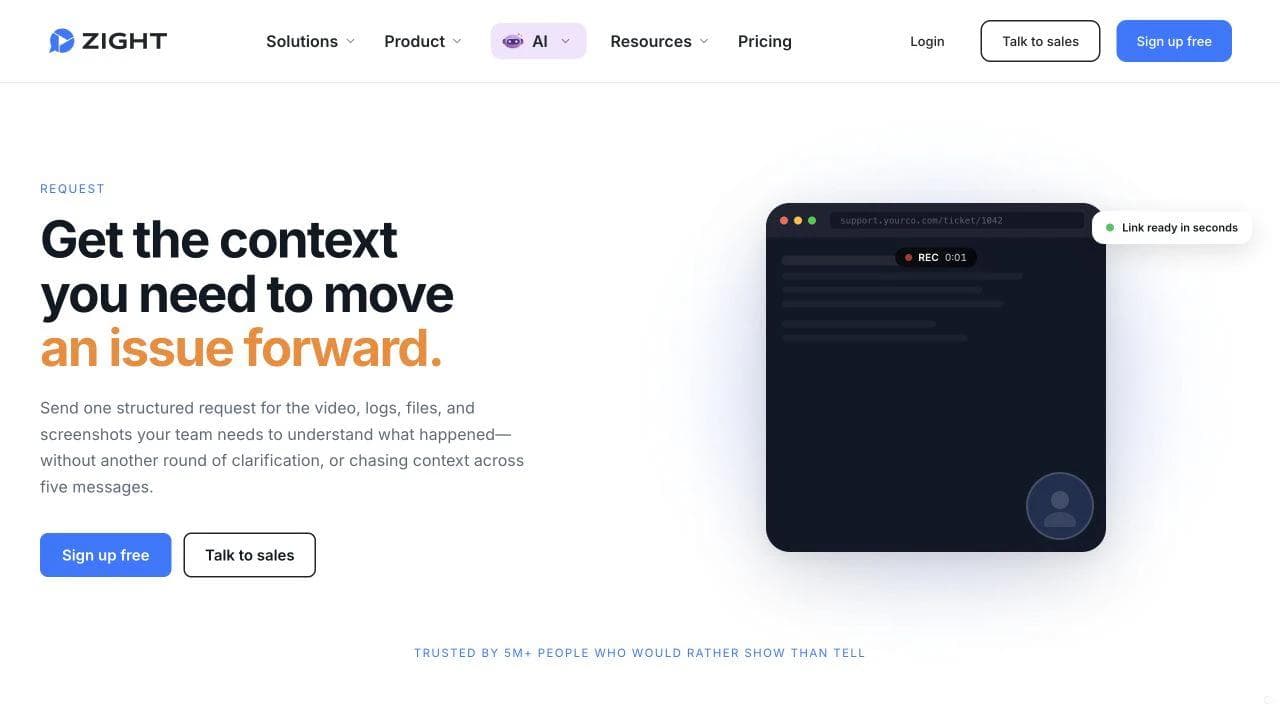
This breadth matters when video is only one of several ways a team explains a problem. A support agent may need a marked-up screenshot for one ticket, a short GIF for another, and a narrated recording for a complicated workflow. Using one capture library for all three can be more valuable than adding advanced video effects.
For support and customer-success work, test the receiving side. Check whether an external person can submit the needed evidence without an account, what browser and console data is collected, how sensitive information can be blurred, and where the resulting asset is retained. Those details affect both resolution speed and privacy review.
Choose Zight if: quick visual capture, support intake, and screenshots matter alongside video. Tella is the stronger starting point when every output should feel like a deliberately presented video.
3. ClickUp Clips: best when the video belongs with a task
ClickUp Clips changes the destination of the recording. A clip can be created from a task comment, quick-action menu, or Clips Hub, then embedded in a task, comment, or Doc. ClickUp also documents timestamped comments, downloadable files, transcripts when its AI features are enabled, and the ability to create a task from a clip. ClickUp Clips documentation
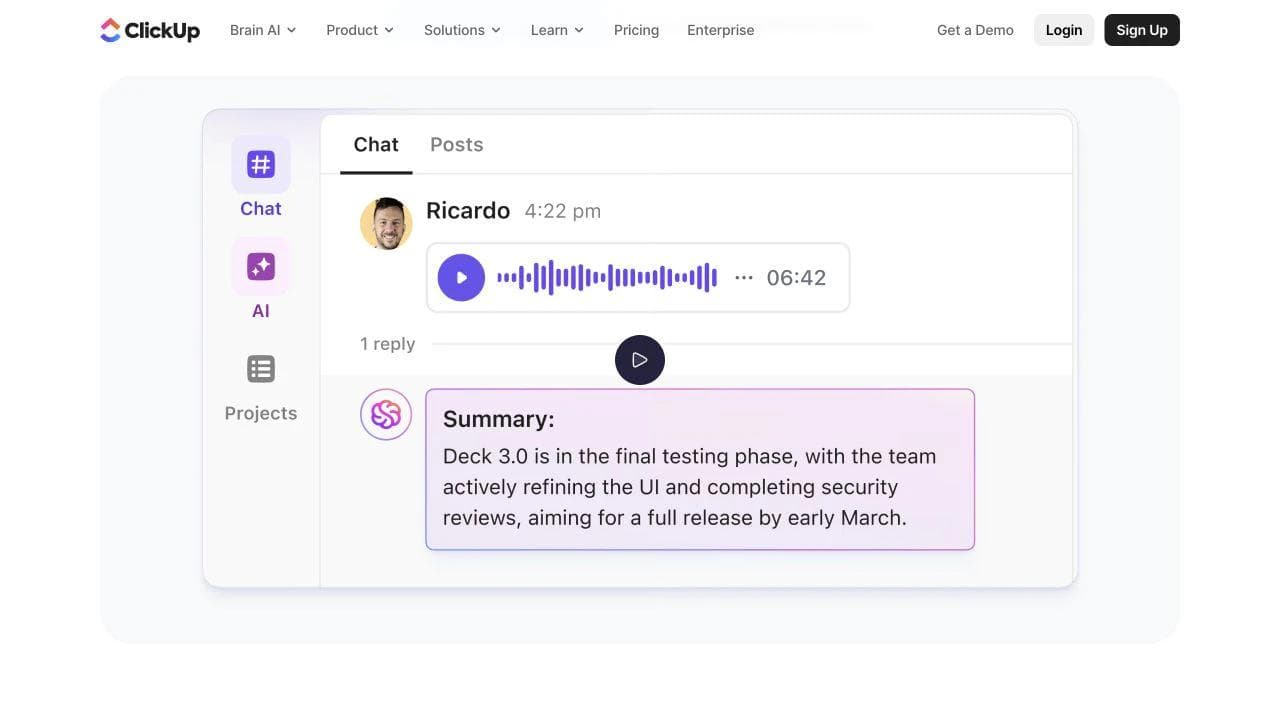
This is a strong fit when the recurring failure is not recording quality but lost context. A standalone link in chat can drift away from the decision it explains. A recording attached to the work keeps the explanation, discussion, assignee, and status closer together.
The tradeoff is organizational scope. Adopting ClickUp for clips alone brings a much larger work-management system into the decision. It makes the most sense when tasks and Docs already live there or when the team is willing to consolidate around that workspace. Check clip limits, transcript access, guest permissions, and whether external viewers can participate in the way you expect.
Choose ClickUp Clips if: recordings should turn into trackable work inside ClickUp. Choose a dedicated recorder if your team uses several project systems or primarily sends videos outside the company.
4. Cap: best for open source and storage control
Cap is an open-source screen recorder with instant and local recording modes, a timeline editor, hosted sharing, comments, embeds, and options to connect your own Google Drive or S3 storage. Cap also documents self-hosting and a Loom video importer. Cap features
The useful comparison is ownership. A hosted recorder is convenient because the vendor manages capture, encoding, playback, links, and access. Cap lets a team take more control over that stack, including where recordings live. That can matter for privacy, data residency, retention, or avoiding a hard dependency on one vendor's library.
Control creates responsibility. Ask who will operate a self-hosted deployment, monitor updates, configure storage, handle access, and support viewers. Also check current licensing and commercial-use terms. A technical team may value that trade. A small operations team may prefer a fully managed recorder even if it offers less infrastructure control.
Choose Cap if: open source, local recording, migration, or chosen storage is central to the decision. Choose Tella or Zight if the main priority is a managed workflow that nontechnical teammates can adopt with little setup.
5. Vidyard: best for sales video and buyer engagement
Vidyard is designed around what happens after a prospect receives a video. Its sales product includes browser recording, in-video CTAs, viewer notifications, engagement data, CRM connections, and a central hosting library. Vidyard video messaging
Those capabilities are not required for an internal status update. They become valuable when a seller needs to know whether an account watched, connect that signal to a CRM, and give the buyer a clear next step. The recording is part of a revenue workflow rather than a substitute for a meeting.
Evaluate the exact selling motion. Test one personalized prospecting message, one post-demo follow-up, and one customer handoff. Confirm which analytics, CRM integrations, CTAs, automation, and team controls are included in the plan you would buy. If high-volume personalization is the central need, compare Vidyard directly with specialists such as Sendspark rather than assuming every sales-video platform works the same way.
Choose Vidyard if: buyer engagement and CRM follow-up justify a sales-specific platform. A general async recorder is more proportionate for internal communication.
6. Supademo: best when a video should become an interactive walkthrough
Supademo combines screen and webcam recording with interactive product demos. A recording can be shared as video or turned into a guided walkthrough with hotspots, CTAs, forms, branching, and analytics. The product also supports browser, desktop, and uploaded-source workflows. Supademo screen recorder
Interactive demos change the viewer's role. Instead of watching someone explain where to click, the viewer advances through the workflow. That can fit self-serve product education, sales enablement, onboarding, and support articles where completing the sequence matters more than hearing a personal message.
Do not treat interaction as an automatic upgrade. A two-minute contextual explanation may be faster to make and easier to watch as video. Test whether the workflow changes often, how replacement screens are maintained, whether sensitive data can be redacted, and which analytics or personalization features require a paid plan.
Choose Supademo if: the viewer should explore or complete a product flow. Choose Tella or Screen Studio when the output should remain a polished passive video.
7. Jam: best for developer-ready bug reports
Jam's recorder captures a browser tab, window, or desktop alongside technical evidence. Its documentation lists console logs, inspectable network requests, URL, device, operating system, browser, viewport, and network speed. Jam video screen recording

That changes a bug recording from a visual description into a debugging artifact. A developer can inspect the surrounding evidence instead of asking the reporter to reproduce the issue again with DevTools open. For product, QA, support, and engineering teams, that context can be more important than video editing or a branded share page.
The same context raises security questions. Define which environments may be captured, how request bodies and personal data are handled, who can open a report, and how long evidence remains available. Also test a bug that spans multiple tabs, a native desktop app, and a mobile surface if those are common. Browser debugging is Jam's strongest case, not proof that it covers every recording job.
Choose Jam if: the recording's purpose is reproducing and fixing a software problem. Choose Zight for broader support capture, or ClickUp Clips when task context matters more than browser telemetry.
8. Screen Studio: best for polished Mac product demos
Screen Studio is a macOS recorder built around automated presentation polish. Its official feature page describes automatic and manual zooms, smoothed cursor movement, layout and background controls, horizontal and vertical outputs, trimming, speed changes, webcam capture, local transcription, and system-audio recording. Screen Studio features
It is a good fit for launch videos, feature announcements, tutorials, and social clips where the screen itself must remain readable and visually engaging. Automatic zoom and cursor treatment reduce a class of repetitive edits that would otherwise happen in a conventional editor.
The boundary is equally clear. Screen Studio is a Mac production tool, while Loom is also a hosted communication and collaboration system. Confirm how you will host the export, collect feedback, manage permissions, and preserve a searchable library. Mixed-device teams should test the handoff before standardizing on a macOS-only creator workflow.
Choose Screen Studio if: a Mac user needs an export-ready product demo with automatic polish. Choose a hosted async tool when instant sharing, discussion, and governance are the primary requirements.
9. Descript: best for transcript-led editing and repurposing
Descript organizes video editing around the transcript. A spoken recording can be cut and rearranged by editing text, then refined with captions, audio cleanup, visuals, and clips. Descript video editor
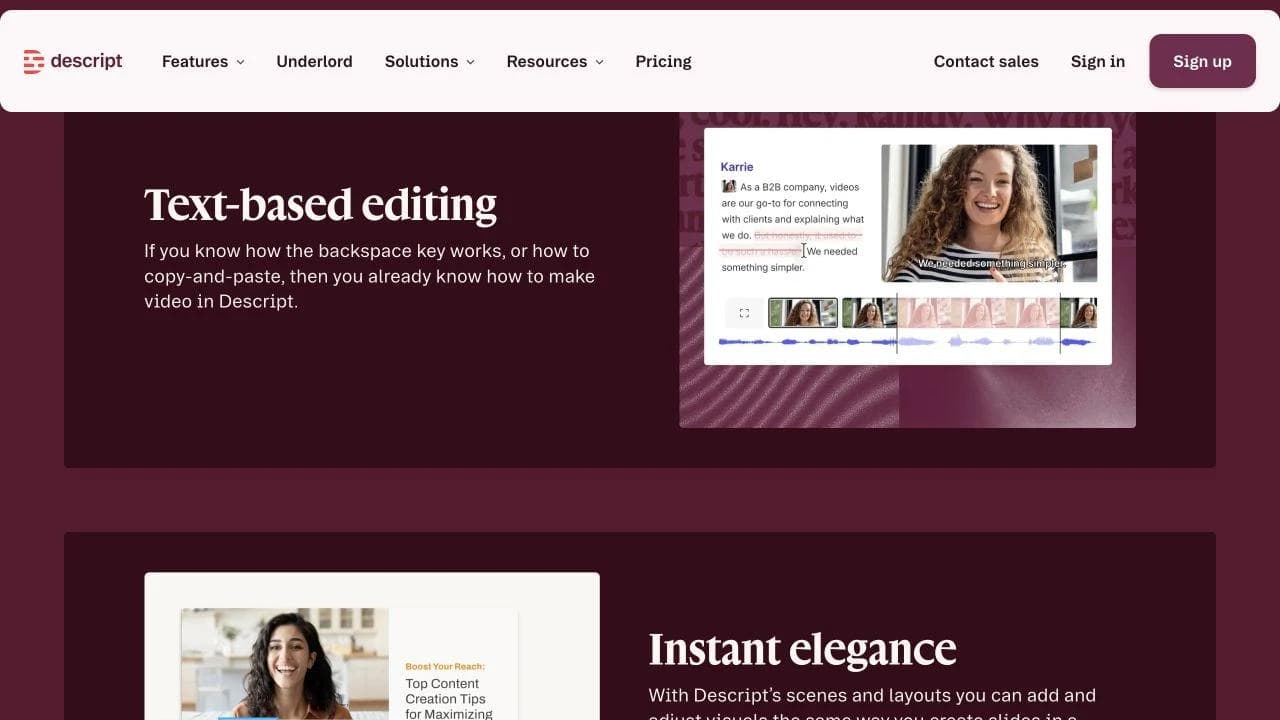
This matters when the hardest part of a Loom is not capture but turning a long explanation into a concise asset. An interview, training session, webinar excerpt, or narrated walkthrough can be easier to restructure as language than as a series of timeline cuts.
It is less compelling for a disposable thirty-second message. Transcript processing and a deeper editor add steps that only pay off when the recording will be revised or repurposed. Check current media-hour and AI allowances separately, and test how your team handles corrections, filler words, names, captions, and source-file handoff.
Choose Descript if: spoken content needs substantial restructuring or reuse. For a broader editing comparison, see our CapCut alternatives guide.
10. Camtasia: best for structured training and tutorials
Camtasia combines browser recording and collaboration with a deeper desktop editor. TechSmith positions it for screen recordings that need assembly, repeated revision, and a more involved production workflow. Camtasia product overview
That makes it a strong candidate for courses, software training, onboarding modules, and tutorials that must remain editable after the first take. The project, source media, annotations, and timing become durable production assets rather than a single hosted message.
The cost is process. A timeline editor creates more decisions, and a detailed tutorial can take longer to revise than a quick recording. Test how projects are stored, how another editor receives fonts and media, what review flow is available, and which desktop and online capabilities belong to your plan.
Choose Camtasia if: the recording is the start of a maintained training asset. Choose Tella or Zight when the useful lifespan of the message is short and publishing speed matters more than production depth.
11. OBS Studio: best for free, configurable local capture
OBS Studio is free and open source for Windows, macOS, and Linux. It supports scenes composed from multiple sources, per-source audio controls, configurable recording settings, hotkeys, transitions, capture cards, and live streaming. OBS Studio features
OBS is the outlier in this list because it gives you capture and production control without supplying the Loom-style destination. You choose where to store the recording, how to edit it, how to create a share link, and how viewers respond. For technically comfortable users, that separation can be an advantage.
Price the missing workflow, not only the recorder. A free local capture may still require an editor, captioning tool, hosting service, permission model, and backup process. OBS is excellent when you want deliberate scene and source control, especially across varied hardware. It is excessive when the job is simply recording a browser tab and sending a link.
Choose OBS Studio if: you need configurable local capture or live-production controls and can assemble the rest of the workflow yourself. Choose Cap if you want open-source principles with a more direct path to Loom-style sharing.
A five-part migration test before leaving Loom
Do not evaluate a replacement with one perfect demo. Use five small tests that expose the handoff around the recording.
- Record: Capture a browser tab, a desktop app, system audio, microphone, and camera in the combinations your team uses. Confirm platform and browser coverage.
- Package: Trim a mistake, correct a product name, blur sensitive information, and add the context a viewer needs. Note which steps require AI or a higher plan.
- Hand off: Send the result to an external viewer and an internal teammate. Check login requirements, permissions, comments, downloads, and embeds.
- Act: Turn the recording into its real destination, such as a task, CRM follow-up, bug report, help article, or published video. This is where specialized tools should prove their value.
- Retrieve: Find the recording a month later, change access, export it, and determine what happens when its creator leaves the team.
Also rehearse migration. Export a representative Loom recording and verify what transfers. The video file may move while comments, analytics, transcripts, chapters, permissions, and links do not. Keep the original workspace available until the team has checked its most important recordings and downstream embeds.
Which Loom alternative should you choose?
Choose the tool whose destination matches the job. Tella is a strong starting point for polished hosted video. Zight fits teams that mix recordings with screenshots, GIFs, and support requests. ClickUp Clips keeps explanations with project work, while Cap gives technical teams more control over code and storage.
Vidyard is built for sales follow-up. Supademo turns product explanation into an interactive walkthrough. Jam creates stronger browser bug reports. Screen Studio, Descript, and Camtasia make sense when the recording will become a produced asset. OBS supplies maximum local capture control, but you must build the sharing workflow around it.
Staying with Loom can also be the right answer. Its current Atlassian integration, AI packaging, meeting recaps, and familiar record-to-link workflow cover a broad set of jobs. Switch when another tool improves a destination your team uses repeatedly, not because its feature list is longer.
Frequently asked questions about Loom alternatives
What is the closest alternative to Loom?
Tella, Zight, and Cap are among the closest general alternatives, but each changes the workflow. Tella emphasizes polished hosted video, Zight combines video with visual support capture, and Cap emphasizes open source and storage control. Test sharing, permissions, comments, and library organization, not only recording.
What is the best free Loom alternative?
OBS Studio is free and open source for local recording, but it does not include hosted links or collaboration. Cap provides a more Loom-like open-source path with plan and licensing conditions to check. Free hosted plans change frequently, so verify recording limits, storage, exports, watermarks, and team access at purchase time.
What is the best Loom alternative for product demos?
Use Screen Studio for polished Mac video demos, Tella for hosted videos with approachable editing, and Supademo when the viewer should click through an interactive walkthrough. If the demo is for sales outreach, evaluate Vidyard's buyer engagement and CRM workflow as well.
What is the best Loom alternative for bug reports?
Jam is the most specialized option in this list because it bundles a recording with console logs, network requests, browser details, and other debugging context. Zight is useful for broader support intake, while ClickUp Clips fits teams that mainly need the recording attached to an owned task.
Can I replace Loom with a normal screen recorder?
Only if you do not rely on Loom's hosted links, comments, transcripts, analytics, permissions, AI packaging, or integrations. A native recorder or OBS can capture the pixels, but you still need a plan for editing, hosting, access, discussion, retrieval, and retention.

Real editable visuals. Real canvas. Full control.
Fly through design work