Manus AI Alternatives: 9 Options Compared by Workflow
Compare Manus alternatives for research, apps, automation, slides, and design. Choose a broad replacement or improve one step without rebuilding everything.
 Anvisha Pai, Co-founder & CEO, Moda
The best Manus alternative depends on the part of the job you want to replace. A broad agent can take an assignment from research through execution. A specialist may produce a better fit for your final deck, app, or recurring process, but leave you coordinating the rest.
Start with Genspark, Claude Cowork, ChatGPT Work, or Perplexity Computer if you want another general work agent. Consider Moda, Gamma, Replit, n8n, or OpenManus for the narrower jobs below. These are starting recommendations based on documented workflows, not a scored hands-on benchmark.
We build Moda. We include it for editable visual work, not as a claim that it replaces everything Manus does.
Manus alternatives at a glance
| Alternative | Start here when you need | Replacement scope | Main tradeoff to check |
|---|---|---|---|
| Genspark | Research plus slides, sheets, docs, and media in one workspace | Broad work platform | Whether its editing and connected tools fit your actual work |
| Claude Cowork | Multi-step work across files, business tools, and websites | Broad knowledge-work agent | Cloud and local access differ; tasks consume plan usage |
| ChatGPT Work | Research and finished files inside the ChatGPT ecosystem | Broad knowledge-work agent | Account availability, permissions, and usage limits |
| Perplexity Computer | Research that continues into analysis, reports, and other outputs | Broad agent with research workflows | Computer credits are separate from ordinary search usage |
| Moda | Slides, images, one-pagers, and editable visual design | Visual-work replacement | Not a substitute for every Manus automation |
| Gamma | A presentation from an outline, document, or prompt | Presentation-work replacement | Whether its layouts and exported files suit your handoff |
| Replit | Building and maintaining an app | App-development replacement, with broader capabilities too | Hosting, runtime costs, and ongoing software ownership |
| n8n | A recurring process with defined steps and integrations | Workflow-system replacement | Someone must configure and maintain the workflow |
| OpenManus | Inspecting and customizing a self-hosted agent | Developer-managed alternative | Infrastructure, model costs, security, and maintenance are yours |
What you would actually be replacing
Manus already covers research, analysis, websites, presentations, media, and connected-tool actions. Wide Research distributes research across parallel agents. Its Browser Operator can work in an authorized local browser session, alongside its cloud-browser offering.
Its slide workflow includes importing a PowerPoint template, generating visuals and speaker notes, and exporting to PPTX, PDF, or web slides. Do not switch on the assumption that Manus cannot create an editable presentation. Identify the actual problem: source access, accuracy, editing, cost, or work after delivery.
Three questions before you switch
- What must the agent access? A public website, private dashboard, local folder, and connected CRM require different permissions. Check the actual account and environment you will use.
- What must you keep afterward? Specify the working file and destination, not just “a report” or “a deck.” Open a sample export in the tool your colleague uses.
- Does the task change each time? An investigation needs room for judgment. A repeatable process may need fixed steps, approvals, and predictable handling of failures.
1. Genspark: for research and multiple output types in one workspace
Genspark brings research, slides, spreadsheets, documents, images, video, and code into one workspace. Shortlist it when a typical assignment produces several kinds of files and moving between tools is the frustration you want to remove.
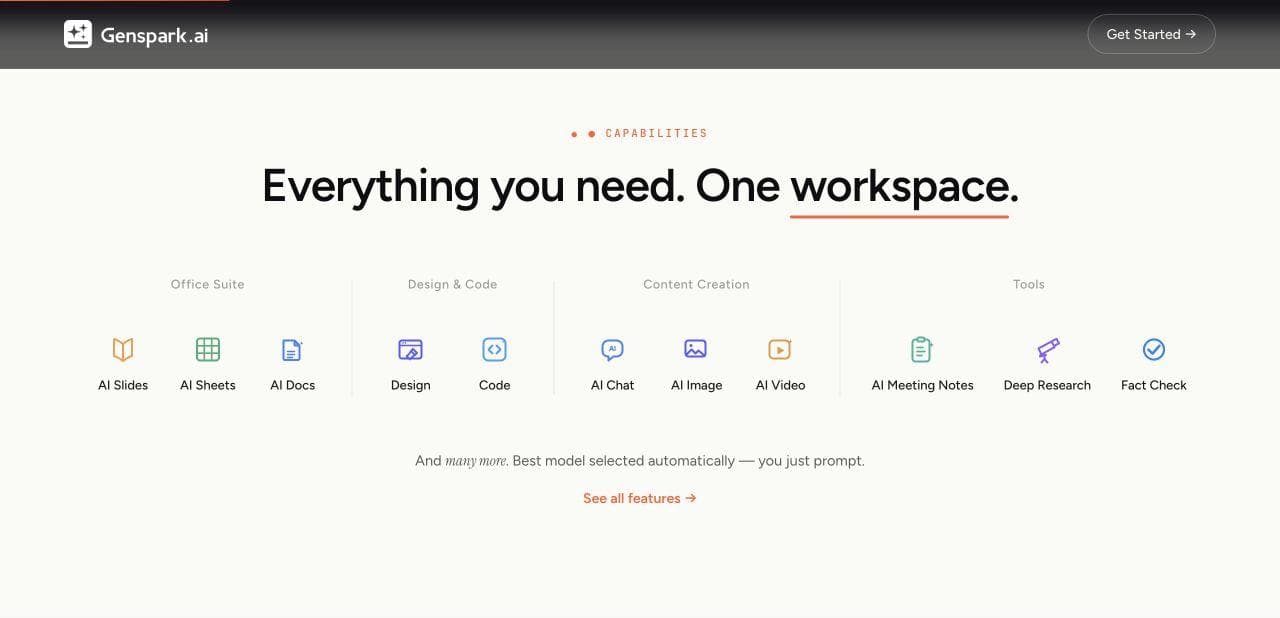
Its AI Slides editing documentation describes direct canvas controls for text, resizing, grouping, and layers. It is not restricted to prompt-only revisions. Check those controls and your required exports with a representative document rather than assuming a broad workspace sacrifices editing.
Between Genspark and Cowork, start with Genspark for producing and editing multiple output formats together. Start with Cowork when the assignment centers on existing folders, business tools, and browser work. Both overlap; source access and the finished file should settle the choice.
For the presentation-specific angle, see our Genspark AI Slides comparison.
2. Claude Cowork: for work across files, tools, and the browser
Claude Cowork works across authorized files and tools to prepare research, documents, spreadsheets, and presentations. It is a relevant alternative for assignments such as reconciling several files, checking information in a business tool, and producing a finished report.
Cowork supports cloud work; its desktop app also works with local folders and applications. The built-in desktop browser can navigate pages and fill forms. Check where your required files and signed-in services are accessible before assigning the task.
The tradeoff is access and usage, not just subscription price. Local computer work requires your authorization, and Anthropic says Cowork consumes plan limits faster than ordinary chat. A tool being connected does not mean every action should run without review.
3. ChatGPT Work: for multi-step work in the ChatGPT ecosystem
ChatGPT Work is the ChatGPT experience for longer tasks and finished documents, spreadsheets, presentations, reports, and Sites. It is worth trying first if your reference files and context already live in ChatGPT projects.
Work availability depends on account, plan, and workspace controls. Web and mobile tasks run in the cloud; the desktop experience can use local files and apps with permission. Confirm access to Work itself and the needed tools before paying for another service or assuming your existing plan covers the workload.
4. Perplexity Computer: for research that leads to finished work
Perplexity Computer carries research into multi-step work such as analysis, reports, dashboards, and presentations. Consider it when your assignments begin with gathering and synthesizing information, rather than treating Perplexity solely as a search box.
Its credit documentation distinguishes Ask searches, which do not consume credits, from Computer work, which does. Check your included allocation and refill settings. Access to search is not an unlimited allowance for agent tasks.
Between Computer and ChatGPT Work, existing context is a sensible tie-breaker: start where your research, projects, and connected tools already are. If you use neither, compare the required sources and destination files. This guide does not establish that either is more accurate.
5. Moda: for slides, images, and visual work you need to refine
Moda fits the visual-production part of the job: a sales deck, one-pager, social graphic, or image-led campaign. You can start from a brief or reference, then work with the agent or edit on the canvas. Choose it when repeated layout, text, and artwork changes are the work you need help completing.
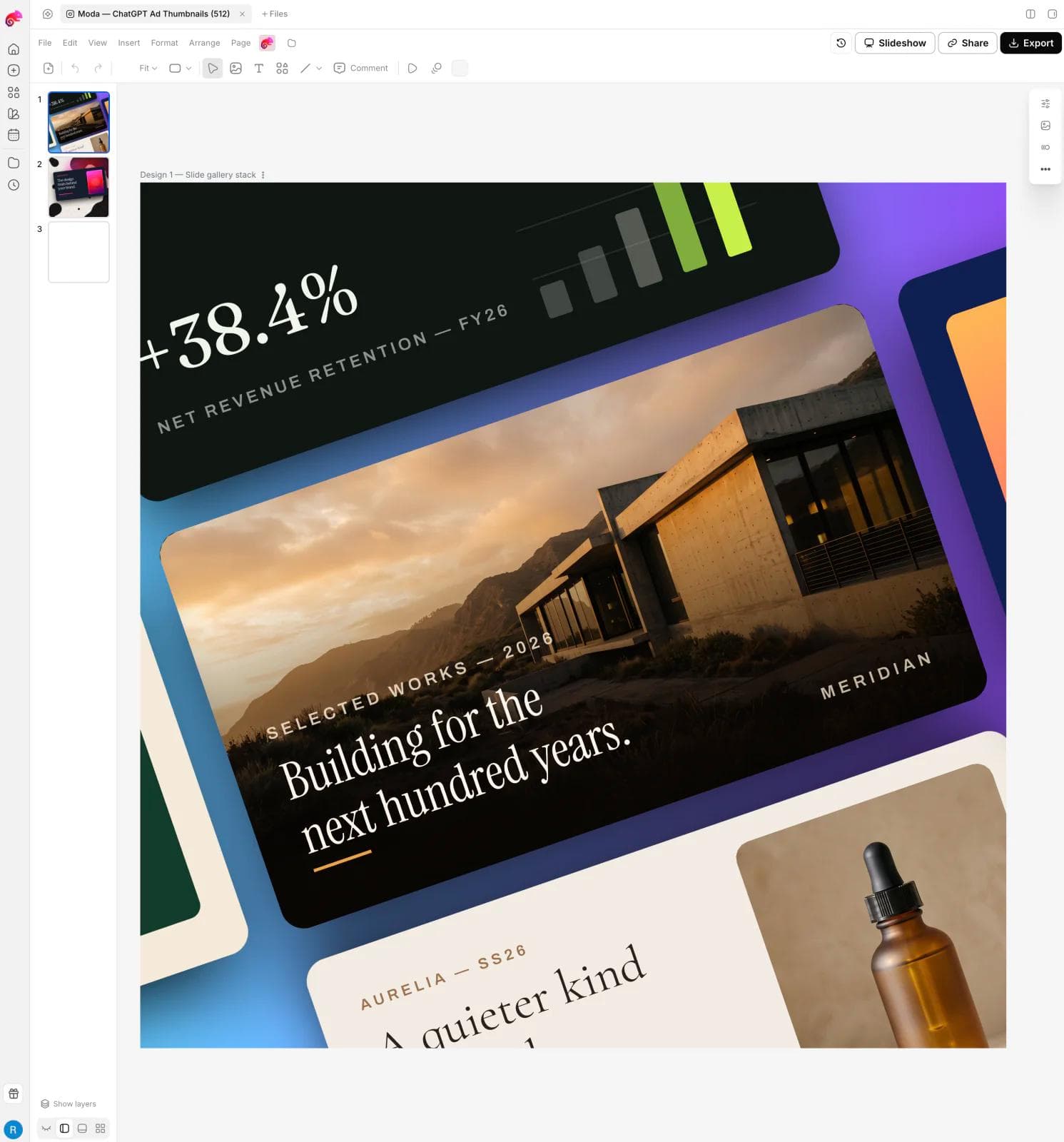
The tradeoff: Moving the visual work to Moda creates a handoff. Bring the approved brief, figures, and sources with you; do not assume the original agent task and the design stay synchronized.
Moda supports PowerPoint and Google Slides exports, but supported objects stay editable while some complex effects or artwork become images. If colleagues will revise the deck in another editor, inspect that export before handing it over.
If the deck is your whole reason for switching, our AI presentation maker guide covers that narrower category.
6. Gamma: for turning content into a presentation
Gamma is a presentation-focused option for turning an outline, prompt, or source document into themed layouts and content blocks. You can refine slides manually or with AI, present online, and export to PowerPoint or PDF. For Google Slides, export a PowerPoint file and upload it to Slides.
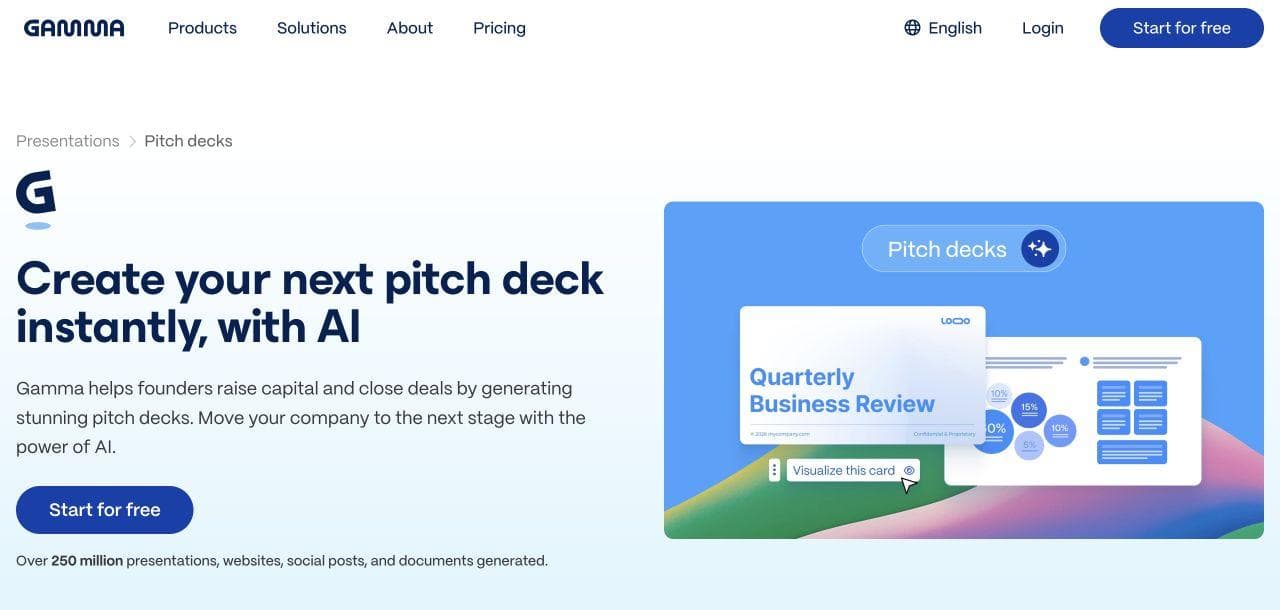
Try Gamma when organizing content into a presentation is the main job. Compare Moda when you also want to develop accompanying graphics on a design canvas. Test one difficult layout change and open the exported deck before choosing.
7. Replit: for app building and the work after launch
Replit Agent covers planning, writing code, setting up infrastructure, testing, and publishing. It also supports designs, slides, and other outputs, so “coding only” is too narrow. The reason to shortlist it here is having a development environment for an app that will keep changing after launch.
For an internal tool or interactive product, the handoff includes code, stored data, authentication, and hosting. Budget for maintaining those, not just generating a demo. A working Manus-built app does not need migration unless the new development workflow solves a problem worth that effort.
8. n8n: for repeatable processes with explicit rules
n8n combines integrations, AI steps, explicit logic, and human approvals in workflows you can inspect. Consider it when the inputs and destinations are known: for example, classifying new inquiries, looking up CRM records, and preparing follow-ups for review.
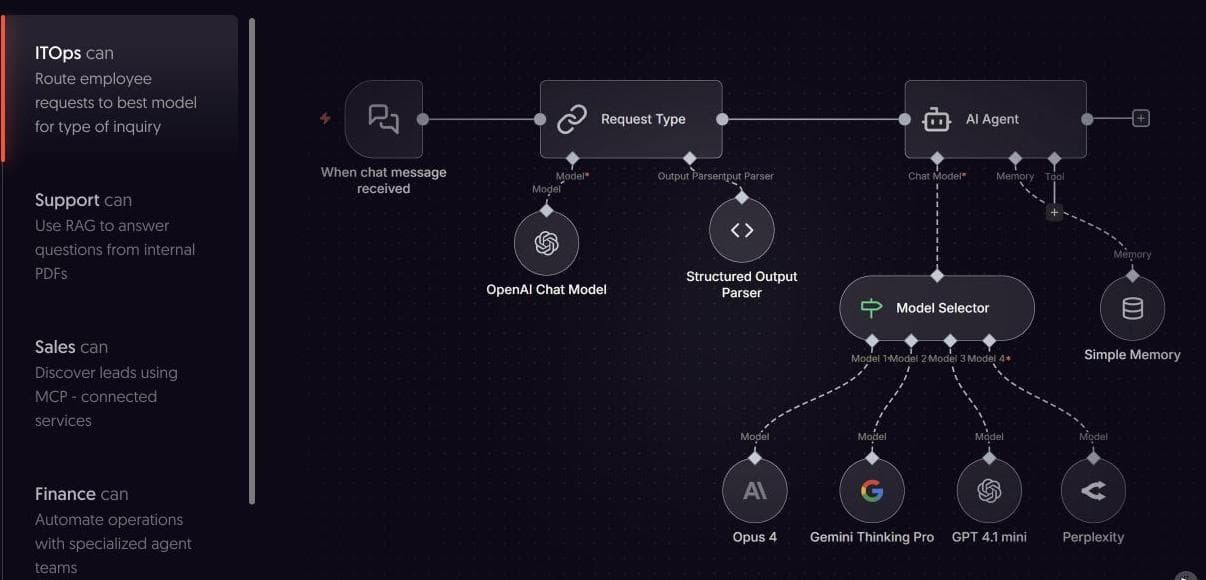
Someone must own the matching rules, permissions, retries, and failures. Natural-language workflow building does not remove that responsibility. Cloud pricing meters workflow executions; check model charges and infrastructure costs separately where applicable.
Manus also supports scheduled tasks. Choose n8n for an inspectable process, not merely because the job needs to run every morning.
9. OpenManus: for developers who want to control the agent setup
OpenManus is a developer project, not a drop-in hosted subscription. Its repository documents local installation, model configuration, API keys, terminal execution, and an optional multi-agent flow that the README labels unstable.
Choose OpenManus if inspecting and customizing an agent setup is itself part of the goal. Access to the code does not establish parity with Manus. You still need compute, model access, configuration, and maintenance. A locally installed application can send data to external APIs; self-hosting does not automatically keep every part of the task local.
If you need a finished deck this week and do not want to operate software, a managed product is the more relevant comparison.
Three practical switching plans
These illustrative scenarios show what to transfer, what to test, and when the extra tool is not worth adding.
1. Research prospects, then build a client deck
Suppose you need research on 20 prospects, a recommendation, a branded presentation, and three campaign graphics. If Manus already handles the research well, keep it there. Try Moda or Gamma for the presentation step only if editing the final assets is the problem. Try Genspark as a broader replacement if your priority is avoiding multiple workspaces.
Transfer an approved outline, source URLs, the numbers behind charts, and brand assets. Check that each recommendation still matches its evidence after the deck is rewritten. If the original Manus deck needs few changes, another design workspace may add more work than it saves.
2. Turn recurring CRM work into a defined process
Suppose the task is to review inquiries, find matching CRM records, classify leads, and prepare a follow-up for approval. A general agent can help while the process is still being discovered. Once the steps are stable, n8n is worth evaluating.
Translate the successful prompt into field mappings, matching rules, an approval step, and failure handling. Test an existing lead, a missing field, and a retried run before allowing writes. If every inquiry needs a different investigation and nobody will maintain the workflow, keep the process supervised rather than automating it prematurely.
3. Build an internal app that people will keep using
Suppose you are replacing a spreadsheet approval process with an app that has users, stored records, and changing rules. Replit is worth comparing when you need a development environment to maintain that app, not just an agent to produce its first version.
Bring requirements, example data, user roles, and checks for acceptable behavior. If an app already exists, assess its code, database, authentication, and deployment separately. Moving the original prompt does not transfer an application or its users. Keep the current app until there is a concrete reason to migrate and a plan for its data.
Compare the cost of finishing one real task
A flat monthly subscription, a pool of agent credits, and a self-hosted project do not buy the same thing. Nor is a "credit" a standard unit you can compare across vendors.
Give your finalists the same ordinary assignment, approved inputs, and review criteria. Check:
- Access: Can the account use the required sources, connected apps, and output formats?
- Usage: What consumes the allowance, and what happens when it runs out?
- Corrections: How much time and additional usage does it take to fix the first result?
- Handoff: Can the next person edit the working file, not just view an exported image?
- Ongoing costs: Are hosting, model calls, or maintenance separate?
Define a reason to reject the result before running the comparison. For a research deck, that might be an unsupported recommendation or a chart you cannot correct. For CRM work, it might be an unapproved write or a duplicate record after retry. A polished first preview is not the same as a completed job.
When keeping Manus makes more sense
Keep Manus if its research, browser work, intermediate files, and deliverables already fit your needs. Replace one stage when a specialist materially improves it. Evaluate another broad agent when coordinating the whole assignment is the problem. The extra setup and handoffs are part of the cost either way.

Real editable visuals. Real canvas. Full control.
Fly through design work