6 Best Unstructured.io Alternatives for Document Parsing
Compare six Unstructured.io alternatives by parsing quality, RAG output, structured extraction, local deployment, workflows, and measured API results.
 Anvisha Pai, Co-founder & CEO, Moda
The best Unstructured.io alternative depends on which part of Unstructured you need to replace. Reducto is our first managed parser to test when source-grounded blocks and low observed latency matter. Extend is compelling when parsing feeds a schema extraction and review workflow. LlamaParse fits teams already using LlamaIndex. Docling and Marker are local options to evaluate. Mistral OCR is a narrower API component for teams that already own ingestion and chunking.
That is not a universal leaderboard. Unstructured spans a Python library, document partitioning and chunking, connectors, and a hosted workflow platform. A service that produces cleaner Markdown may replace its parser without replacing the pipeline that keeps a corpus synchronized.
We tested Reducto, Extend, LlamaParse, Docling, and Unstructured OSS on the same four synthetic PDFs. The hosted test found little difference in basic fact recall, but meaningful differences in output shape, boilerplate policy, elapsed time, and listed cost. The local defaults diverged more on scans and visual content. Marker and Mistral were not run on this corpus, so their sections are based on current primary documentation, not invented test results.
For a broader category comparison covering PDF, Excel, and PowerPoint semantics, see our AI document parser guide. This article answers a narrower question: what should an existing or prospective Unstructured user replace, and what will they have to rebuild?
The best Unstructured.io alternatives at a glance
| Alternative | Best reason to evaluate it | What it does not automatically replace |
|---|---|---|
| Reducto | Managed parsing with typed blocks, bounding boxes, chunks, and a broader document API | Unstructured source and destination connectors already embedded in your data stack |
| Extend | Parsing plus schema extraction, citations, evaluation, and review workflows | A complete connector-led ingestion platform for every current source and destination |
| LlamaParse | Parsing inside the broader LlamaCloud and LlamaIndex ecosystem | A local open-source parser with no managed dependency |
| Docling | Local document conversion with an inspectable document model | Hosted operations, monitoring, and connector management unless you add them |
| Marker / Datalab | Local conversion or a related managed service, with strong Markdown-oriented output options | Unstructured's canonical element schema and end-to-end workflow contract |
| Mistral OCR | Direct OCR and document-structure API inside your own application | Corpus synchronization, configurable RAG chunking, and pipeline orchestration |
If none of those missing pieces sounds relevant, you may need only a parser. If your current Unstructured deployment pulls from SharePoint or S3, tracks incremental changes, enriches and chunks documents, and writes to a vector database, compare migration effort before comparing per-page prices.
What replacing Unstructured actually means
Unstructured's open-source partitioning functions turn raw files into typed elements such as titles, narrative text, list items, and tables. Its chunking functions operate on those elements, preserving semantic units until an element is too large.
The open-source ingestion tooling adds sources, destinations, batch processing, optional chunking, and embeddings. The hosted platform adds managed processing and workflow operations. Unstructured's own open-source overview positions the library as a prototyping starting point and its Pipelines/API as the production path.
That creates five separate replacement layers:
- Parsing: recover text, tables, figures, hierarchy, and reading order.
- Grounding: return page positions, blocks, or citations that connect output to the source.
- RAG preparation: create useful chunks and optionally embeddings.
- Business extraction: return exact fields and arrays that match a schema.
- Document ETL: connect sources to destinations, handle updates, schedule work, monitor failures, and govern deployment.
Do not score a product against layers you do not need. A local Docling process can be the simpler choice when files already arrive in one bucket and your team owns the queue. It can be the more expensive engineering choice when Unstructured currently handles twenty data sources, incremental updates, and delivery.
How we tested hosted and local parsers
On September 6, 2026, we sent four locally generated PDFs through three quality-oriented hosted configurations:
- Reducto: Parse r-1 preview, explicitly selected with the V3 SDK.
- Extend: synchronous Parse using the day's default
parse_performanceengine. - LlamaParse: V2
agentictier,latestversion, with Markdown expanded.
We also ran two pinned libraries locally:
- Unstructured OSS: version 0.27.5 using
partition_pdf(strategy="auto", infer_table_structure=True). - Docling: version 2.126.0 using
DocumentConverterdefaults.
The eight-page corpus included a two-column report, clean and hostile tables, a 46-row multipage transaction table, two raster-only invoices with light skew, checkboxes, a formula, a bar chart, labels, and boilerplate. All files were synthetic and visually checked before submission. We retained the raw JSON responses.
You can download the benchmark pack to inspect the fixtures, sanitized parser outputs, and evaluators used for these comparisons.
The evaluation looked for literal ground-truth items after normalizing harmless Markdown, HTML, spacing, and mathematical-formatting differences. It checked whether expected facts survived. It did not measure unsupported extra text, every coordinate, semantic extraction accuracy, or downstream question answering. Hosted and local timing are reported separately because uploads, remote infrastructure, model downloads, initialization, and local hardware are not equivalent.
| Tested configuration | Literal-item macro recall | Four-file wall time | Listed cost for eight pages |
|---|---|---|---|
| Reducto r-1 | 100% | 17.2 seconds | $0.08 |
| Extend Performance | 100% | 45.9 seconds | $0.20 |
| LlamaParse Agentic | 97.7% | 93.2 seconds | $0.10 |
All three recovered every tested table cell, transaction ID, invoice field, and labeled reading-order statement. LlamaParse's lower literal recall came from omitting a deliberately generic footer and page number on the mixed-layout page. That can be desirable cleanup for RAG, so it is better described as an output-policy difference than an accuracy failure.
Reducto completed these four single runs in less wall time than the tested Extend and LlamaParse configurations. This was one sequential run per file from one machine and network, including upload and synchronous processing. It does not establish production latency, throughput, or a categorical speed ranking.
The listed costs came from current public rate cards for the exact tested page count. The three configurations are not proven quality-equivalent. Free allowances, negotiated pricing, storage, extraction, review, retries, and downstream work were excluded.
What the local baselines did
| Local configuration | Digital report | Tables | Scanned invoices | Mixed layout | Macro recall |
|---|---|---|---|---|---|
| Unstructured OSS 0.27.5 auto | 100% | 96.9% | 96.4% | 100% | 98.3% |
| Docling 2.126.0 defaults | 100% | 100% | 64.3% | 50.0% | 78.6% |
Unstructured's automatic local path recovered all 46 transaction IDs exactly once. It missed one tested invoice line total and three literal table labels after normalization. It preserved every tested item on the digital report and mixed-layout page.
Docling's default recovered every tested digital-report and table item. It missed ten strings in the deliberately low-resolution scanned invoices and eleven mixed-layout items, mostly chart labels and values. This establishes what the default did, not Docling's quality ceiling. We did not tune OCR, table processing, models, or acceleration.
Both libraries incurred model initialization. Each file ran in a fresh Python process. Unstructured took 55.8 seconds on the first digital-report run, then 13.7 seconds for tables, 8.4 seconds for scanned invoices, and 6.2 seconds for mixed layout. Docling's corresponding observations were 56.4, 11.6, 6.5, and 4.9 seconds. These are useful setup and process-start observations, not hosted comparisons or steady-state server benchmarks.
A migration test: Unstructured and Docling preserve structure differently
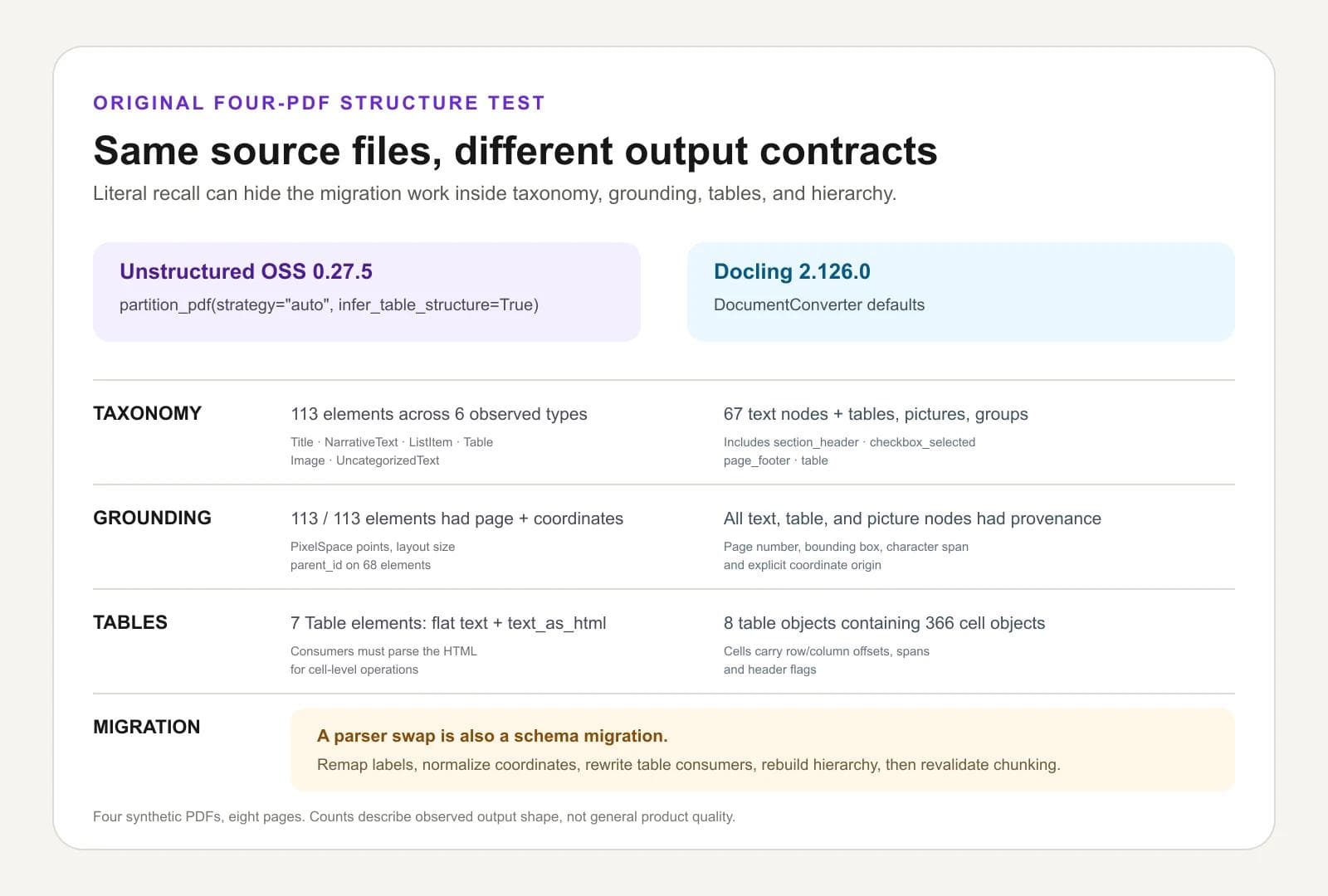
Literal recall answers whether text survived. It does not tell you whether an existing application can consume a replacement parser's output. We therefore inspected the raw JSON from all four local runs and counted the structures a migration would have to translate. This used the same pinned configurations above: Unstructured OSS 0.27.5 with partition_pdf(strategy="auto", infer_table_structure=True) and Docling 2.126.0 with DocumentConverter defaults.
| Output-contract question | Unstructured OSS result | Docling result | Migration implication |
|---|---|---|---|
| What is the basic unit? | 113 elements across six observed types: Image, ListItem, NarrativeText, Table, Title, and UncategorizedText | 67 text nodes, eight table objects, two picture objects, and two groups; text nodes used seven observed labels | Build an explicit type map instead of renaming one generic text field |
| Can output point back to the page? | All 113 elements had a page number and PixelSpace coordinates; 68 also had a parent_id | All 67 text nodes, eight tables, and two pictures had provenance with page number, bounding box, character span, and coordinate origin | Normalize coordinate conventions and decide whether element IDs or document references become your stable citation keys |
| How are tables represented? | Seven Table elements, each with flattened text plus metadata.text_as_html | Eight table objects containing 366 cell objects with row and column offsets, spans, and header flags | Rewrite table consumers; HTML parsing and cell-grid traversal are different contracts |
| How is hierarchy represented? | Flat element list with optional parent IDs and semantic element labels | A referenced document graph with body, furniture, groups, and typed child objects | Rebuild ancestry-dependent chunking, filtering, and serialization before swapping parsers |
The taxonomy difference was visible even when both tools preserved the same words. On the mixed-layout page, Unstructured returned all three checklist lines as NarrativeText beneath a Title. Docling labeled two as checkbox_selected and one as checkbox_unselected. Unstructured returned the page number as NarrativeText; Docling labeled it page_footer. Neither representation is universally better, but an application that filters furniture or preserves checkbox state will behave differently after migration.
The table counts are also not an accuracy score. Docling created one more table object across this corpus because its model divided the visual material differently. The useful result is that Unstructured supplied HTML beside each detected table, while Docling exposed a cell grid with structural flags. A team moving either direction must translate the representation and retest merged cells, headers, and downstream CSV or database exports.
Structure-test limit: these counts come from four synthetic PDFs and eight pages. They describe the exact observed outputs, not either library's general taxonomy coverage or quality ceiling. We did not tune either parser, test Unstructured's hosted platform, evaluate chunk output, or score whether every bounding box was geometrically exact.
A 48-page public document exposed a table-continuation weakness
We then ran the same five configurations on the NIST AI Risk Management Framework 1.0, a public 48-page PDF with long framework tables. The targeted check asked whether 40 predetermined statements survived in the output. Reducto r-1 preview through V3, Extend's synchronous parse_performance default, LlamaParse V2 agentic on latest, and Docling 2.126.0 defaults each retained 40 of 40. Unstructured OSS 0.27.5 with partition_pdf(strategy="auto", infer_table_structure=True) retained 36 of 40.
| Configuration | Targeted items retained | Single-file wall time |
|---|---|---|
| Reducto r-1 preview, V3 | 40 / 40 | 9.876 seconds |
| Extend synchronous Parse, parse_performance | 40 / 40 | 34.775 seconds |
| LlamaParse V2 agentic, latest | 40 / 40 | 140.146 seconds |
| Docling 2.126.0 defaults | 40 / 40 | 101.152 seconds |
| Unstructured OSS 0.27.5, auto with table inference | 36 / 40 | 111.024 seconds |
The four Unstructured misses were substantive table-row continuations: GOVERN 1.1, GOVERN 1.3, MEASURE 1.1, and MEASURE 1.2. In the raw output, the reconstructed table around MEASURE 1 truncated or misassociated continuation text. That is a migration-relevant failure mode: high document-level recall can coexist with broken relationships inside a long table.
Public-document test limit: this was one English document and a targeted 40-item recall check, not exhaustive scoring of all 48 pages. It did not measure unsupported text, every table cell, bounding-box precision, steady-state throughput, or hosted Unstructured. The wall times are single observed local or API runs, not production latency rankings.
The test exposed representation choices, not a clear accuracy winner
The most useful differences appeared in how the parsers represented the same page.
- Chart: Reducto turned five bars into a concise prose summary containing every value. Extend returned a typed chart figure with label/value lines and a generated caption. LlamaParse returned a two-column HTML table.
- Formula: Reducto and Extend returned plain text. LlamaParse used display math with
\\times. - Checkboxes: all three correctly returned checked and unchecked Markdown task-list syntax.
- Tables: all three used HTML and preserved every tested cell. LlamaParse's response was more verbose because of formatting and indentation, which is not itself a quality defect.
- Boilerplate: Reducto and Extend retained the mixed-layout footer and page number. LlamaParse removed them while preserving substantive content.
Those are output-contract decisions. A chart table is convenient for querying; a typed figure is useful for a viewer; prose is compact for model context. Before choosing a parser, define which representation your consumer expects and whether boilerplate removal is a feature or a loss.
Small-test limit: four synthetic PDFs and eight pages cannot identify the most accurate parser in general. The run did not test private customer files, long documents, languages beyond English, structured schema extraction, production concurrency, Marker, Mistral OCR, or hosted Unstructured.
1. Reducto: the managed parser to test first
Reducto is the most direct parser-first Unstructured alternative in this group. Its Parse API returns formatted chunks plus blocks with types, page positions, bounding boxes, and confidence. Its broader API includes extraction, classification, splitting, editing, and reusable pipelines.
Our test used r-1, Reducto's unified full-page model. Reducto's documentation currently labels it preview and explains that API callers must select it through V3, while new Studio pipelines use it by default. Record the model and API version in every evaluation. Otherwise, a browser trial and production request may silently compare different parsers.
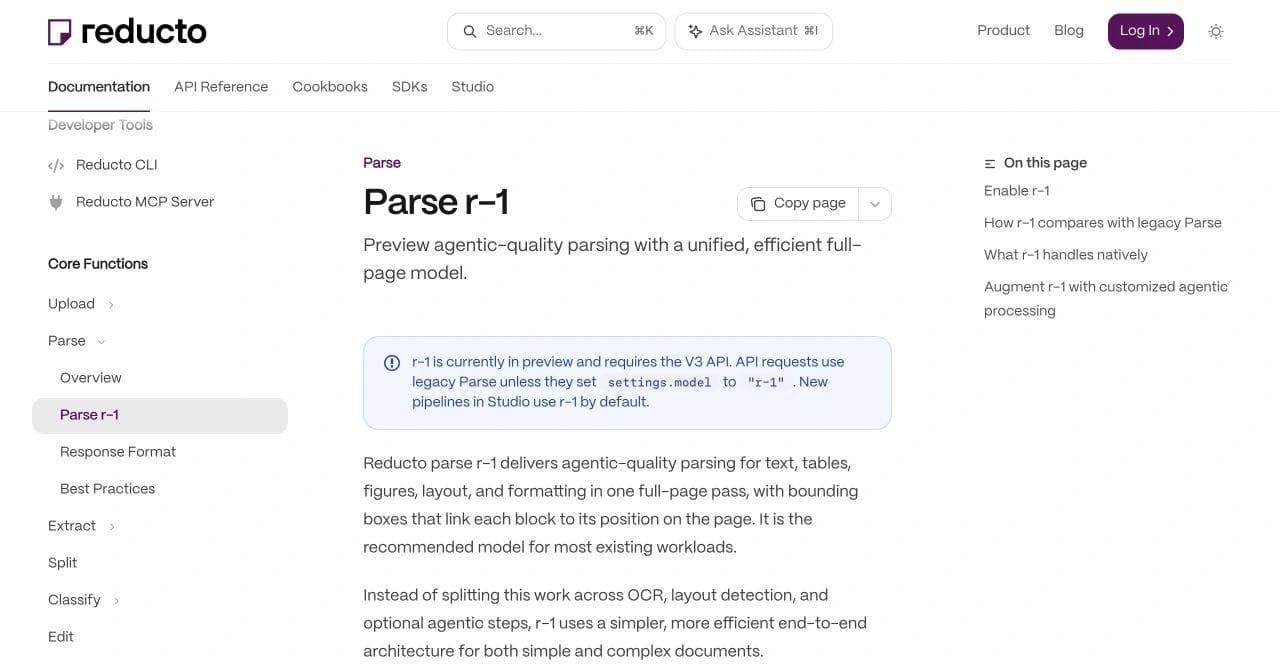
Reducto stood out in this small run for elapsed time, not factual recall. It completed the four synchronous jobs in 17.2 seconds total and preserved every literal item we checked. Its chart prose was concise, and its source blocks make it suitable for citations and highlights.
Choose Reducto first when difficult PDFs, source grounding, or configurable output blocks are the main reason you are leaving Unstructured. Check whether Reducto's pipelines cover the routing you need, but do not infer connector parity from the word “pipeline.” Inventory every current Unstructured source, destination, update rule, and metadata field.
2. Extend: the stronger extraction and review candidate
Extend's Parse API returns formatted chunks and block-level spatial data. Its Extract API runs Parse first, then locates the fields in a supplied or inferred schema and returns confidence and citations.
That distinction matters. Many teams say they need document parsing when the actual deliverable is an invoice object, contract clause set, or line-item array. A beautiful full-document representation is only an intermediate artifact. Extend's evaluation and review features belong in the purchase comparison because they help teams find regressions and route questionable fields.
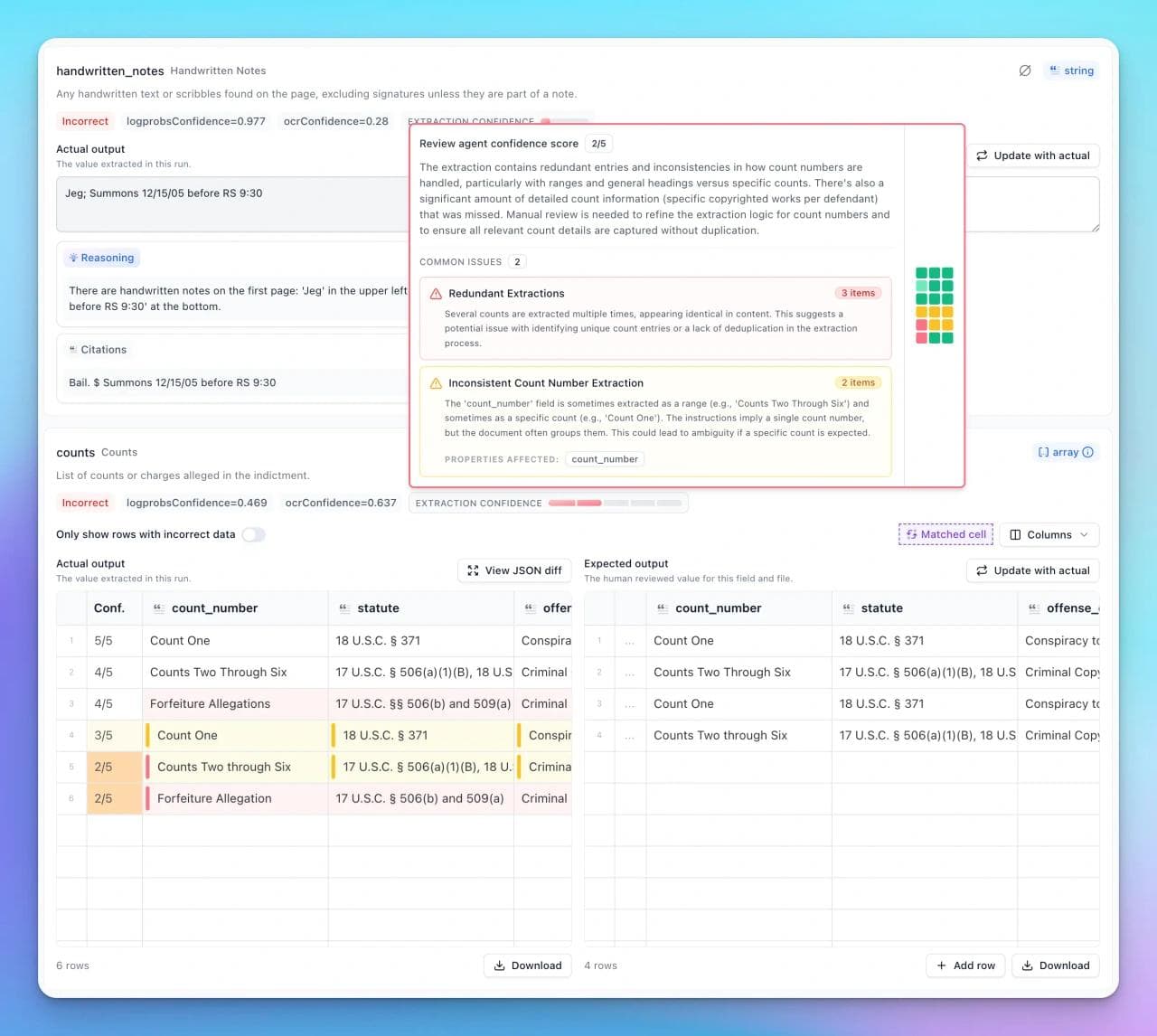
Extend tied Reducto on the literal checks in our corpus. It completed the four Parse calls in 45.9 seconds and reported 16 credits, worth about $0.20 at the listed pay-as-you-go rate used in the benchmark calculation. We did not test Extract or Review Agent, so the run cannot support a claim about field accuracy or exception handling.
Choose Extend first when parsing is one stage in a maintained schema-extraction system and reviewers need evidence tied back to the source. Price the complete route, including parsing, extraction, review, and human exceptions. A lower parser recall difference would matter less than a better operational loop if your team catches and corrects the right errors.
3. LlamaParse: the LlamaIndex-native alternative
LlamaParse is part of a broader platform that includes Parse, Extract, Classify, Split, Index, data sources and sinks, batches, webhooks, and BYOC documentation. It is the natural first evaluation for a team already committed to LlamaIndex abstractions and retrieval tooling.
Our test used the Agentic tier, not Fast or Agentic Plus. It recovered every substantive fact we checked, preserved the 46 transaction IDs exactly once, and removed the generic mixed-layout footer. Its 93.2-second four-file total was an observation about that tier and run, not proof that LlamaParse is generally slow.
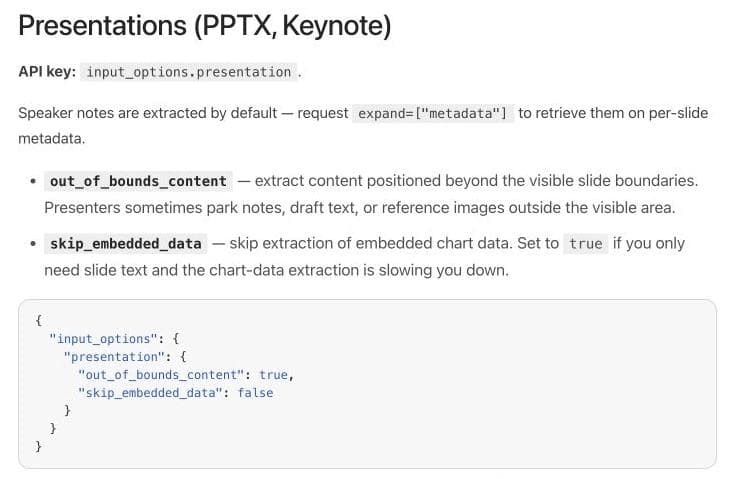
LlamaParse also exposes detailed format controls. For example, its presentation configuration documents speaker-note metadata, off-slide content, and embedded chart data. This does not decide a PDF benchmark, but it shows why format-specific settings belong in a migration plan.
Choose LlamaParse first when its ecosystem reduces integration work or when you need to carry parsed material directly into LlamaIndex and LlamaCloud workflows. Pin the tier and version. Comparing its cheapest text tier with another vendor's full layout model would produce a tidy but misleading price table.
4. Docling: the local-control alternative
Docling is the first local alternative we would evaluate. Its supported-format documentation covers PDF, Office files, images, HTML, Markdown, LaTeX, and other inputs. It exports Markdown, HTML, text, chunks, and a lossless JSON serialization of its own document model.
Docling's important distinction is not “free versus paid.” It is operational control. The default pipeline can run locally, optional remote services require explicit opt-in, and teams can inspect or transform the Docling document before indexing it. The tradeoff is that the team owns dependencies, model downloads, resource planning, upgrades, queues, retries, monitoring, and connector code.
Its untuned default was exact on our digital report and tables, including all 46 transaction IDs. It recovered 64.3% of the tested strings on the low-resolution scanned invoices and 50% on the mixed-layout page. Most mixed-layout misses were chart labels and values. This result is a reason to test and configure Docling against your visual documents, not a claim that its other pipelines or tuned models cannot recover them.
The codebase uses the MIT license, while individual model packages can have separate licenses. Review both. A permissive library license does not automatically describe every optional weight or commercial deployment.
Choose Docling first when local processing or an inspectable document representation is a hard requirement and you can operate the pipeline. Treat its simple default as a baseline, then change one OCR, table, or VLM setting at a time and retain both quality and process-start measurements.
5. Marker and Datalab: local conversion with a managed route
Marker converts documents to Markdown, JSON, chunks, and HTML. Its public project describes handling tables, forms, equations, code, links, and images, with local CPU, GPU, or Apple Silicon execution. Datalab offers a related managed platform and commercial deployment choices.
Treat those as connected but distinct products. Marker documents an Apache 2.0 code license and a separate license for its model weights, including commercial conditions. Its README also says the managed service runs newer model technology. Do not assume a benchmark of one surface transfers to the other.
Choose Marker first when local Markdown-oriented conversion, equations, and image extraction are central, and you are comfortable evaluating the exact model and runtime yourself. Choose the managed Datalab route only after verifying which processor and model it uses, how usage is billed, and whether its outputs match your local prototype.
6. Mistral OCR: a narrower API building block
Mistral OCR can return per-page Markdown plus images, tables, hyperlinks, dimensions, confidence information, and paragraph-level blocks with bounding boxes when the relevant options and model are used. Mistral also documents schema-based annotations.
That makes it more than basic character recognition. It still is not an automatic replacement for Unstructured's connector and workflow layer. Your application must decide how documents arrive, how updates are tracked, how pages are chunked, where vectors live, how failures are retried, and how outputs are reviewed.
Choose Mistral OCR first when you want a direct document-understanding component inside infrastructure you already own. Do not choose it merely because its per-page API looks simpler. Include the missing orchestration in the engineering estimate.
When you should keep Unstructured
An alternatives article should make staying put a real option. Keep or expand Unstructured when:
- Its source and destination connectors already eliminate substantial ingestion work.
- Your application depends on the Unstructured element schema and metadata contract.
- Partitioning, chunking, enrichment, embedding, scheduling, and delivery need one supported workflow.
- Your corpus spans many formats and local dependencies are already stable.
- A parser-quality gain on a small acceptance set would not repay migration, backfill, and validation costs.
Also separate dissatisfaction with the open-source library from dissatisfaction with the managed platform. Unstructured OSS 0.27.5 reached 98.3% macro literal recall in our untuned local run, including all tested digital-report and mixed-layout items. That is a strong reason to keep it in your own acceptance pack rather than assuming a hosted replacement must win. Unstructured's documentation also states that the library does not include its latest managed VLM and OCR offerings or production scheduling and monitoring. Moving from OSS to another vendor is one decision; replacing an established hosted pipeline is another.
How to choose an Unstructured alternative
Start with the output contract, not the vendor list.
- Write down what must survive. Include table cells, headings, reading order, figures, captions, formulas, checkboxes, footers, and source locations.
- State what should be removed. Repeated headers and page numbers may be noise in RAG and required evidence in document review.
- Name the replacement layer. Parser only, parser plus chunks, schema extraction, or the entire source-to-destination pipeline.
- Build a private acceptance pack. Use real document classes with redacted or synthetic equivalents. Include at least one file that has already broken the current system.
- Pin every mode and version. Record the endpoint, tier, model, options, raw response, elapsed time, and reported usage.
- Score failures separately. Missing text, wrong table structure, reading-order errors, bad coordinates, invented content, and rejected files require different fixes.
- Price the finished workflow. Add extraction, review, storage, retries, connectors, compute, and human handling to parser charges.
Run the pack again after changing one schema field or parser setting. A good replacement is not only accurate on launch day. Your team must be able to change it without silently damaging downstream data.
Our recommendation
For a parser-only managed migration, begin with Reducto, Extend, and LlamaParse on the same files. Reducto deserves the first run for parser-first workflows, Extend for extraction and review, and LlamaParse for LlamaIndex-centered stacks. Keep Unstructured OSS as the incumbent local baseline. Include Docling or Marker when local control matters, and tune them against the failures that matter in your corpus. Use Mistral OCR as a component candidate when your team already owns document ETL.
Then compare those results with the cost of keeping Unstructured. The right answer can be different for each route in the same system: a local parser for simple digital files, a managed model for complex scans, and a schema extractor for high-value business documents.
Frequently asked questions
What is the best Unstructured.io alternative for RAG?
Reducto, Extend, and LlamaParse are the closest managed parsing candidates to test. Docling is the first local option to evaluate. The right choice depends on chunk structure, source grounding, connector needs, and your own document corpus.
Is Docling better than Unstructured?
Not categorically. In our untuned local run, Docling matched every tested digital-report and table item, while Unstructured recovered more of the low-resolution scan and mixed-layout page. Docling offers an inspectable document model, while Unstructured also spans a broader connector and workflow system. Tune and compare both on your own files.
Can Reducto or LlamaParse replace Unstructured's connectors?
They expose broader platform and workflow features, but do not assume one-for-one connector parity. Inventory every source, destination, update rule, metadata field, and monitoring requirement before migration.
Which Unstructured alternatives run locally?
Docling and Marker are the main local candidates in this comparison. Review library and model licenses separately, and verify whether optional features make remote calls or require downloaded weights.
Do I need a parser or a structured extraction API?
Use a parser when you need the whole document represented for search, RAG, or a viewer. Use structured extraction when the final output is a fixed business schema such as invoice fields or contract clauses. Many production systems need both.

Real editable visuals. Real canvas. Full control.
Fly through design work