GPT Image 2.5 Flare
GPT Image 2.5 Flare is the fast default of the two models OpenAI released on 8 September 2026 alongside ChatGPT Images 2.5. OpenAI describes it as its fastest model for high-quality everyday image generation and cites up to 50 percent lower latency than Images 2.0, with more natural lighting, richer textures and better fidelity to reference photos. It keeps GPT Image 2's exact sizes, transparent backgrounds and mask edits, and adds xhigh and max quality tiers.
 Anvisha Pai, Co-founder & CEO, ModaTested
 OpenAI · released
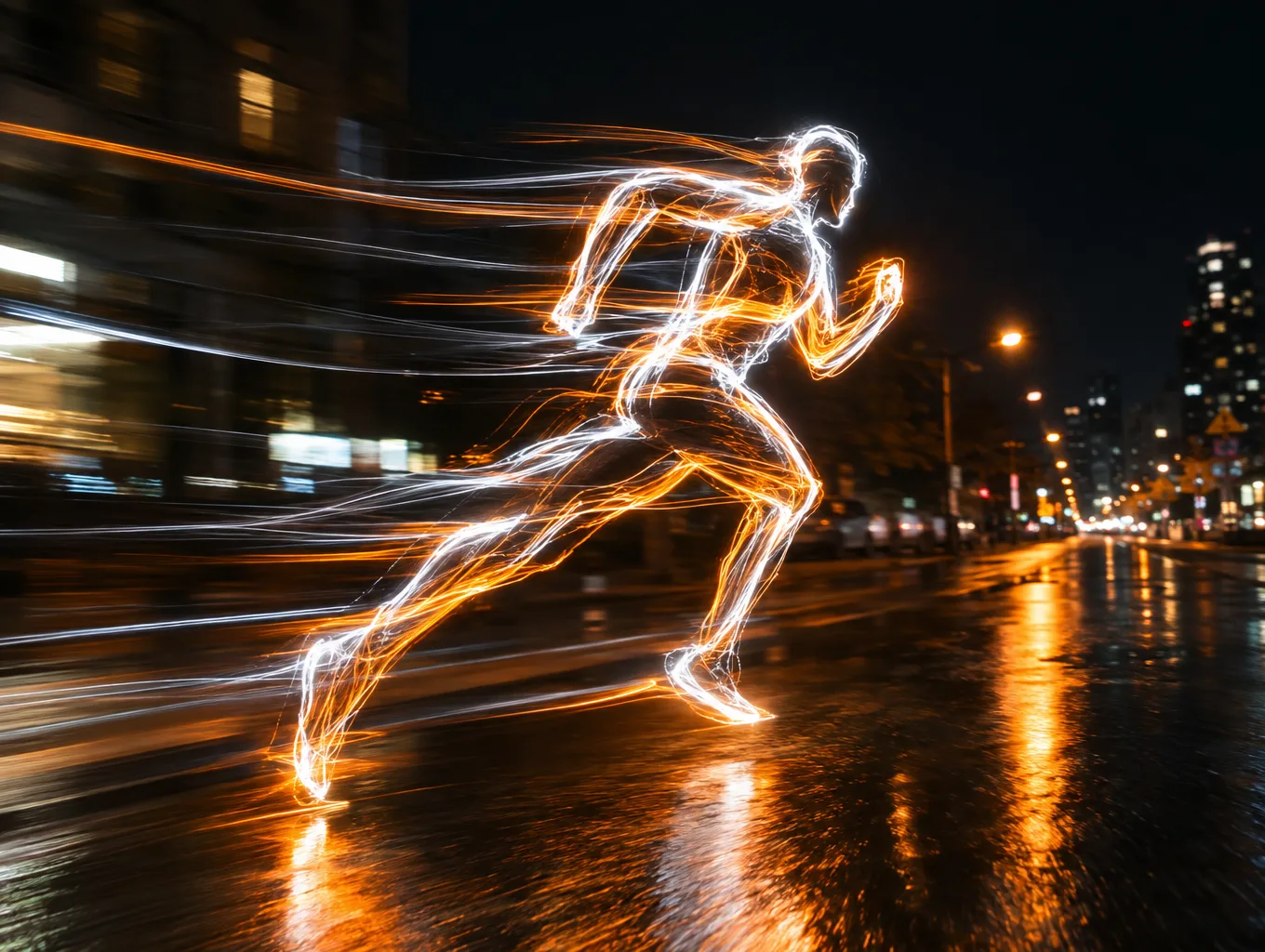
›What we asked for
A self-portrait of GPT Image 2.5 Flare, OpenAI's fastest image model, as a long-exposure light painting: a figure sketched in the air with streaks of white and orange light against a night street, motion blur, the trails forming a running silhouette, photographic, high contrast.
openai/gpt-image-2.5/flare/text-to-image
image_size: {"width":1360,"height":1024}, quality: high, output_format: png, num_images: 1
returned 1360 by 1024 pixels
At a glance
- Five quality levels
- Low, medium, high, xhigh and max. At fal's list prices high costs a quarter of what GPT Image 2 charged for high; max costs what high used to. The ladder below shows all five.
- Any size
- Exact pixel dimensions from a 1:3 strip to a 3:1 banner, up to 3840 on the long edge.
- Transparent backgrounds
- A background setting gives you a real cut-out PNG.
- Mask edits
- Paint a mask over the part to change; up to 16 input images per edit.
- Speed
- OpenAI cites up to 50 percent lower latency than Images 2.0. Our run puts a number on it under the samples.
Other GPT Image models: GPT Image 2.5 Sunburst, GPT Image 2. Compare all 3.
Anvisha's take
Flare is the new default and I think it deserves to be. The infographic was the cleanest any model produced, four headings and not a word more; the edit was a true overlay; and the whole set came back in a median of 22 seconds. The quality ladder surprised me: text was correct at every level, so I would run drafts at medium and pay for max only when something is going to print.
GPT Image 2.5 Flare real output: the same 12 prompts every model gets
Every model on this site gets the same 12 prompts, so you can compare like with like. These are the pictures GPT Image 2.5 Flare returned, one try each, nothing re-rolled or retouched. Generated on . The 12 pictures took 16 to 66 seconds each and cost $0.54 in total.
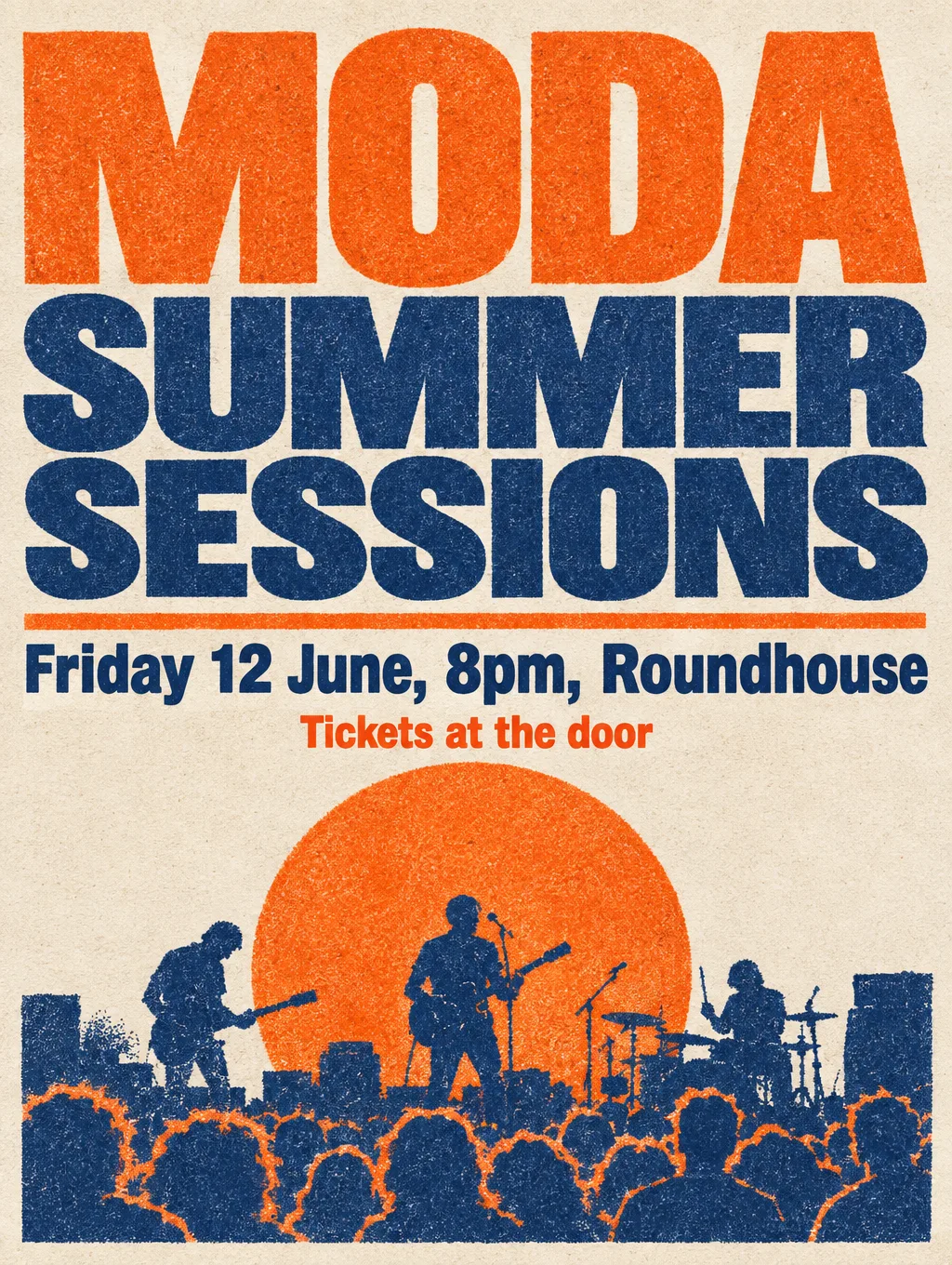
Spelling, kerning and hierarchy of three lines of set text.
›What we asked for
A concert poster that reads 'MODA SUMMER SESSIONS' in large bold type, with the subtitle 'Friday 12 June, 8pm, Roundhouse' and a smaller line 'Tickets at the door'. Risograph style, two colours, tangerine and navy, grainy ink texture.
openai/gpt-image-2.5/flare/text-to-image
image_size: {"width":1024,"height":1360}, quality: high, output_format: png, num_images: 1
returned 1024 by 1360 pixels
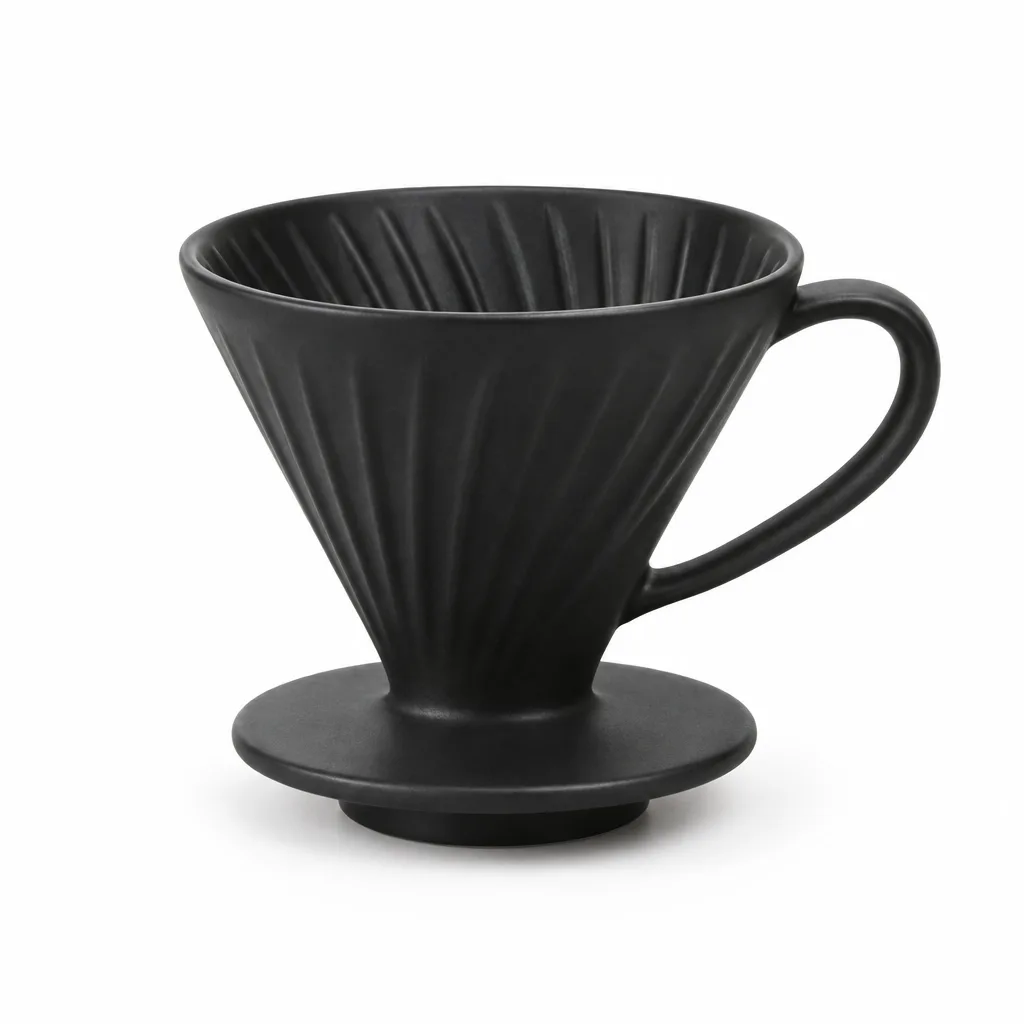
Catalogue lighting, a clean seamless background and a believable contact shadow.
›What we asked for
Studio product photograph of a matte black ceramic pour-over coffee dripper on a seamless white background, soft top light, subtle contact shadow, centred, catalogue style.
openai/gpt-image-2.5/flare/text-to-image
image_size: {"width":1024,"height":1024}, quality: high, output_format: png, num_images: 1
returned 1024 by 1024 pixels
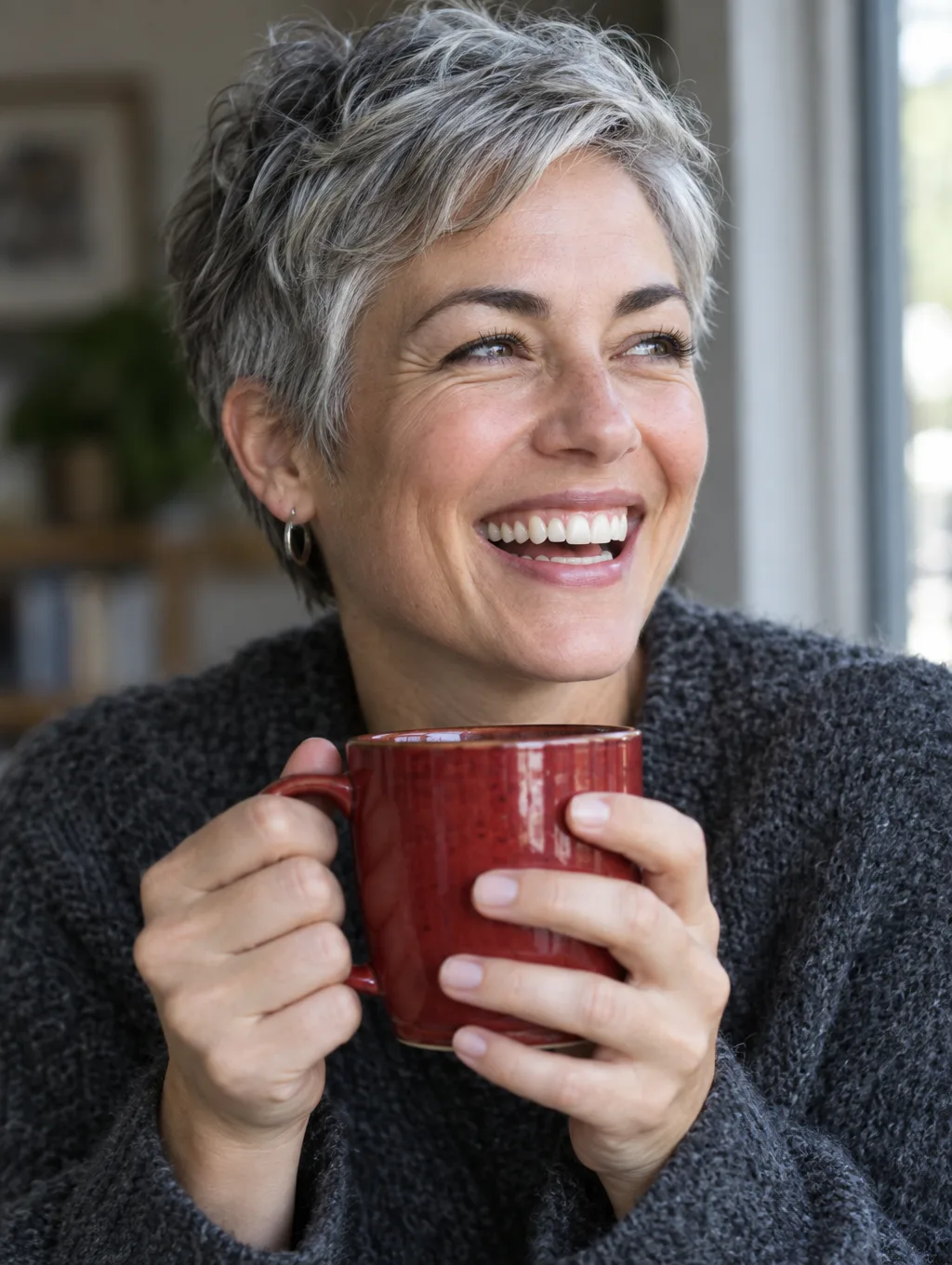
A natural face, correct finger count and hands holding an object.
›What we asked for
Close-up portrait of a woman in her 40s with short grey hair, laughing, holding a red ceramic mug with both hands, natural window light, 85mm lens, shallow depth of field.
openai/gpt-image-2.5/flare/text-to-image
image_size: {"width":1024,"height":1360}, quality: high, output_format: png, num_images: 1
returned 1024 by 1360 pixels

A flat single-colour mark with a legible wordmark and no gradients or photo texture.
›What we asked for
A flat vector logo mark for a bicycle repair shop called 'Spoke & Chain': a single-colour icon combining a chain link and a wheel spoke, with the wordmark below in a geometric sans-serif, black on white.
openai/gpt-image-2.5/flare/text-to-image
image_size: {"width":1024,"height":1024}, quality: high, output_format: png, num_images: 1
returned 1024 by 1024 pixels
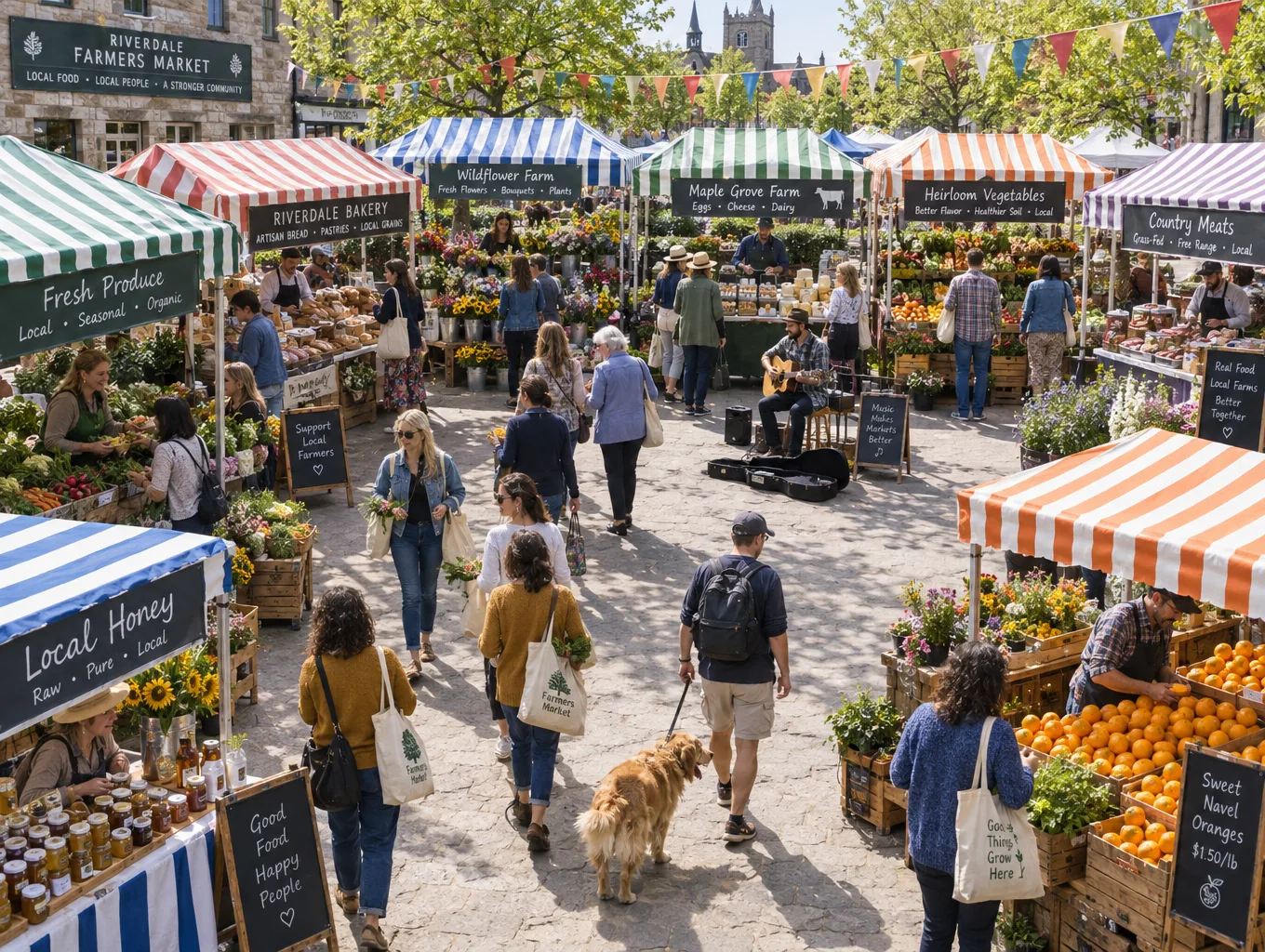
Many distinct objects and people in one frame without merging or duplicating them.
›What we asked for
A crowded Saturday farmers market seen from slightly above: at least twelve stalls with striped awnings, shoppers carrying tote bags, a dog on a leash, crates of oranges, a musician with a guitar, bunting overhead, late morning light.
openai/gpt-image-2.5/flare/text-to-image
image_size: {"width":1360,"height":1024}, quality: high, output_format: png, num_images: 1
returned 1360 by 1024 pixels
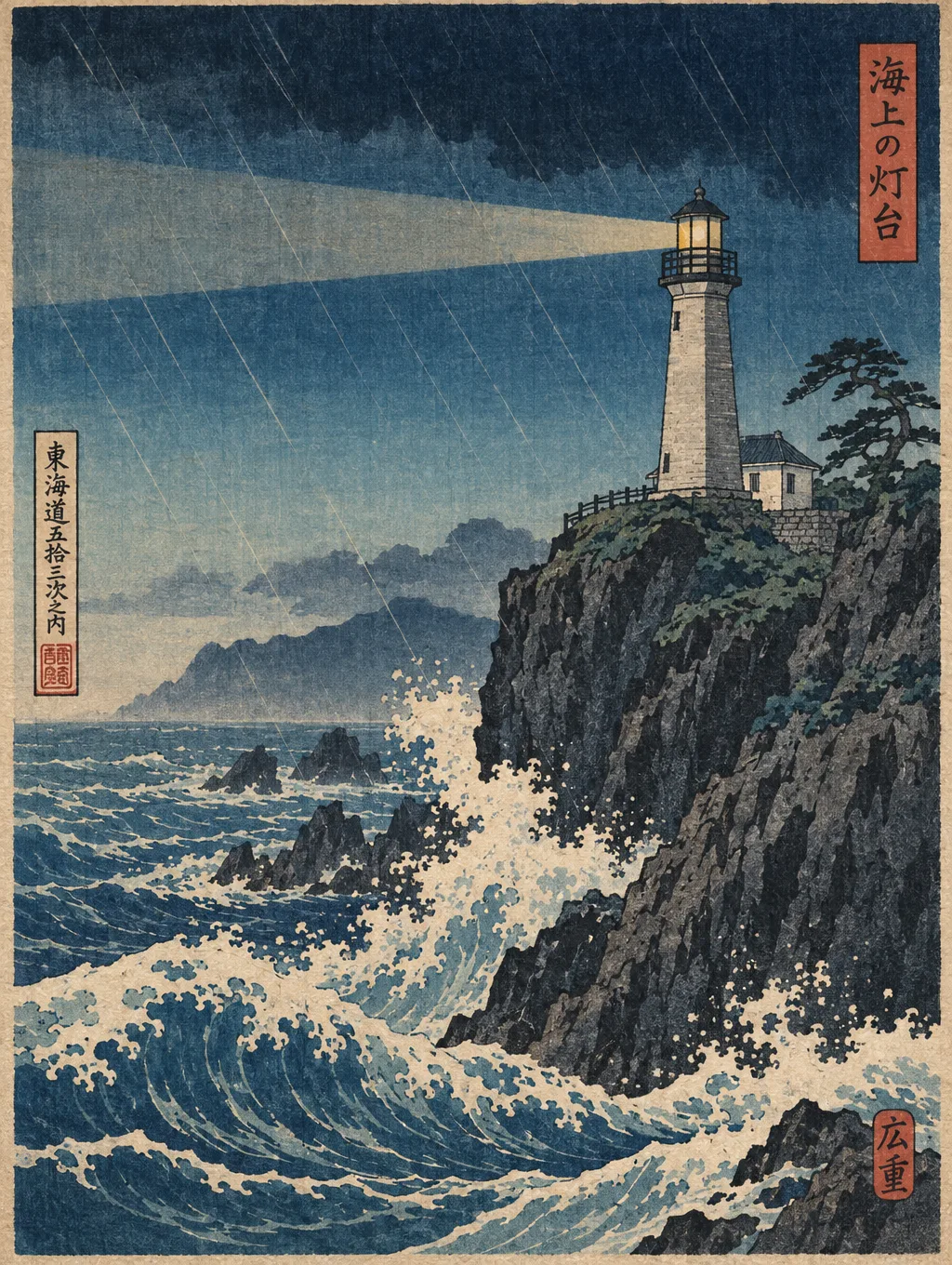
A named historical style applied faithfully rather than a generic painterly look.
›What we asked for
A lighthouse on a rocky cliff during a storm, in the style of a Japanese ukiyo-e woodblock print, with visible wood grain texture, flat colour areas and a bokashi gradient sky.
openai/gpt-image-2.5/flare/text-to-image
image_size: {"width":1024,"height":1360}, quality: high, output_format: png, num_images: 1
returned 1024 by 1360 pixels
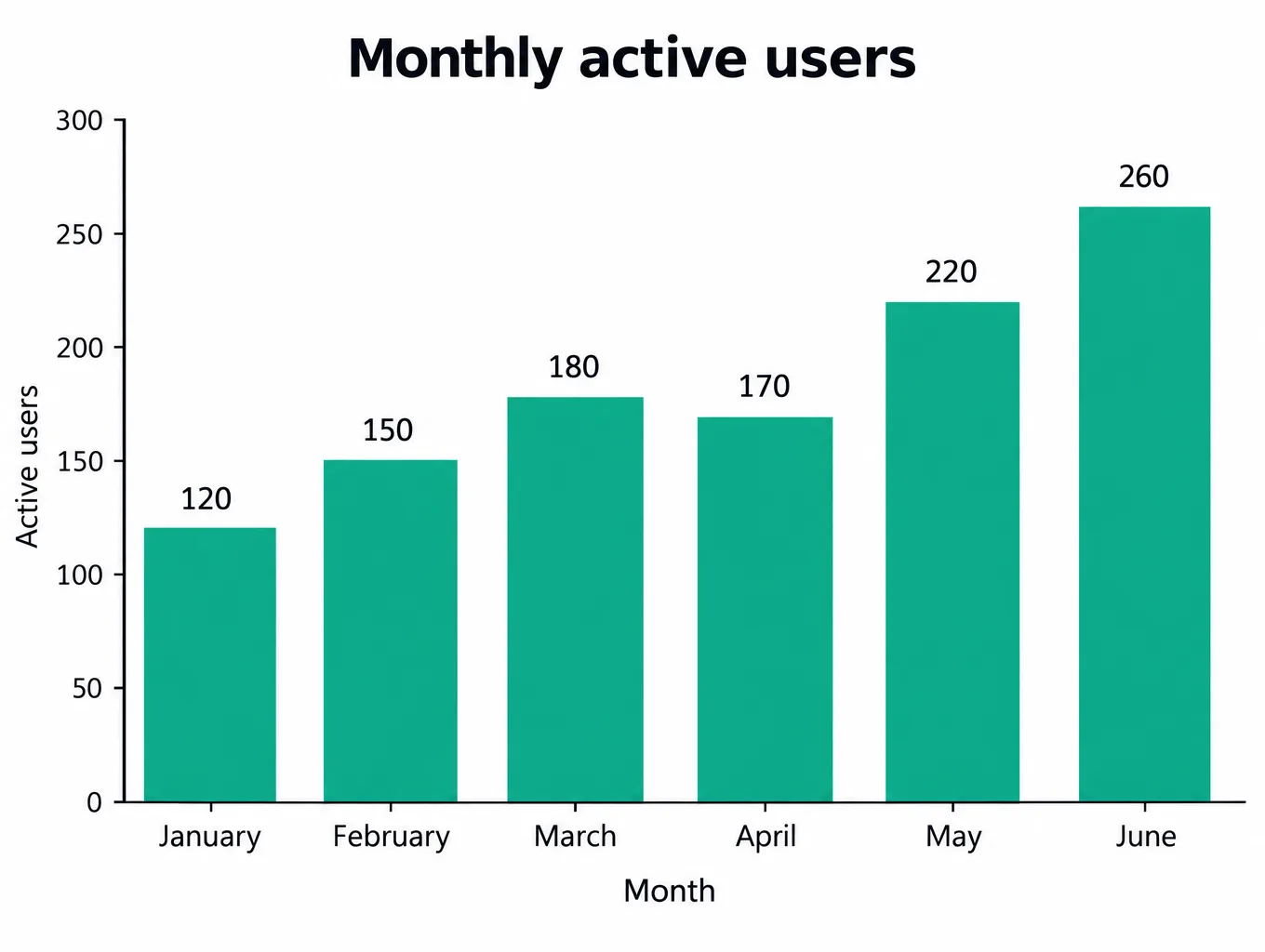
Six labelled bars at the stated heights, in order, with readable axes.
›What we asked for
A clean bar chart titled 'Monthly active users' showing six months, January through June, with the values 120, 150, 180, 170, 220 and 260, labelled axes, white background, one accent colour, no 3D effects.
openai/gpt-image-2.5/flare/text-to-image
image_size: {"width":1360,"height":1024}, quality: high, output_format: png, num_images: 1
returned 1360 by 1024 pixels
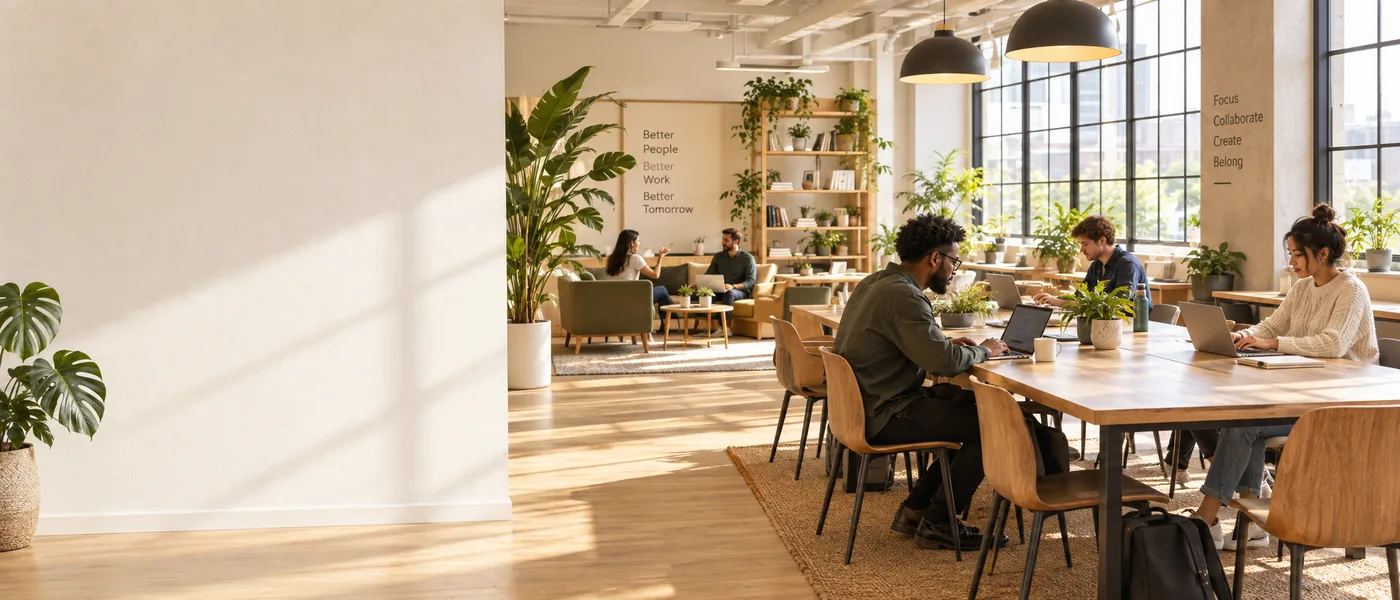
A 21:9 composition that leaves the left third clear for headline text.
›What we asked for
Website hero banner: a wide panorama of a sunlit modern co-working space with plants, the left third of the frame kept as clear wall space for text, warm neutral palette.
openai/gpt-image-2.5/flare/text-to-image
image_size: {"width":2016,"height":864}, quality: high, output_format: png, num_images: 1
returned 2016 by 864 pixels
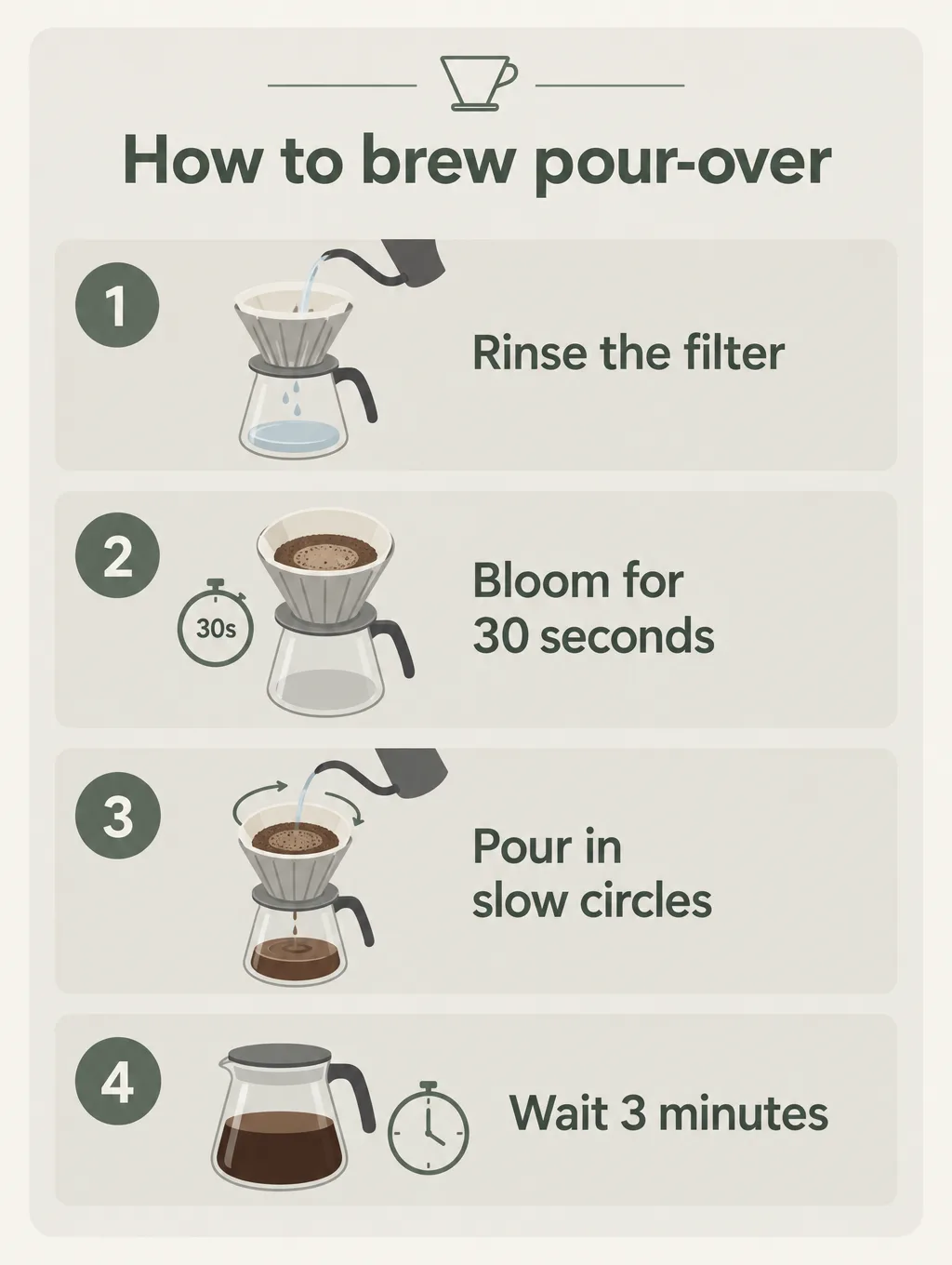
Four numbered steps in the given order with their exact wording, plus an icon each.
›What we asked for
An infographic card titled 'How to brew pour-over' with four numbered steps in this order: 1. Rinse the filter, 2. Bloom for 30 seconds, 3. Pour in slow circles, 4. Wait 3 minutes. A simple icon beside each step, muted palette, clean sans-serif type.
openai/gpt-image-2.5/flare/text-to-image
image_size: {"width":1024,"height":1360}, quality: high, output_format: png, num_images: 1
returned 1024 by 1360 pixels
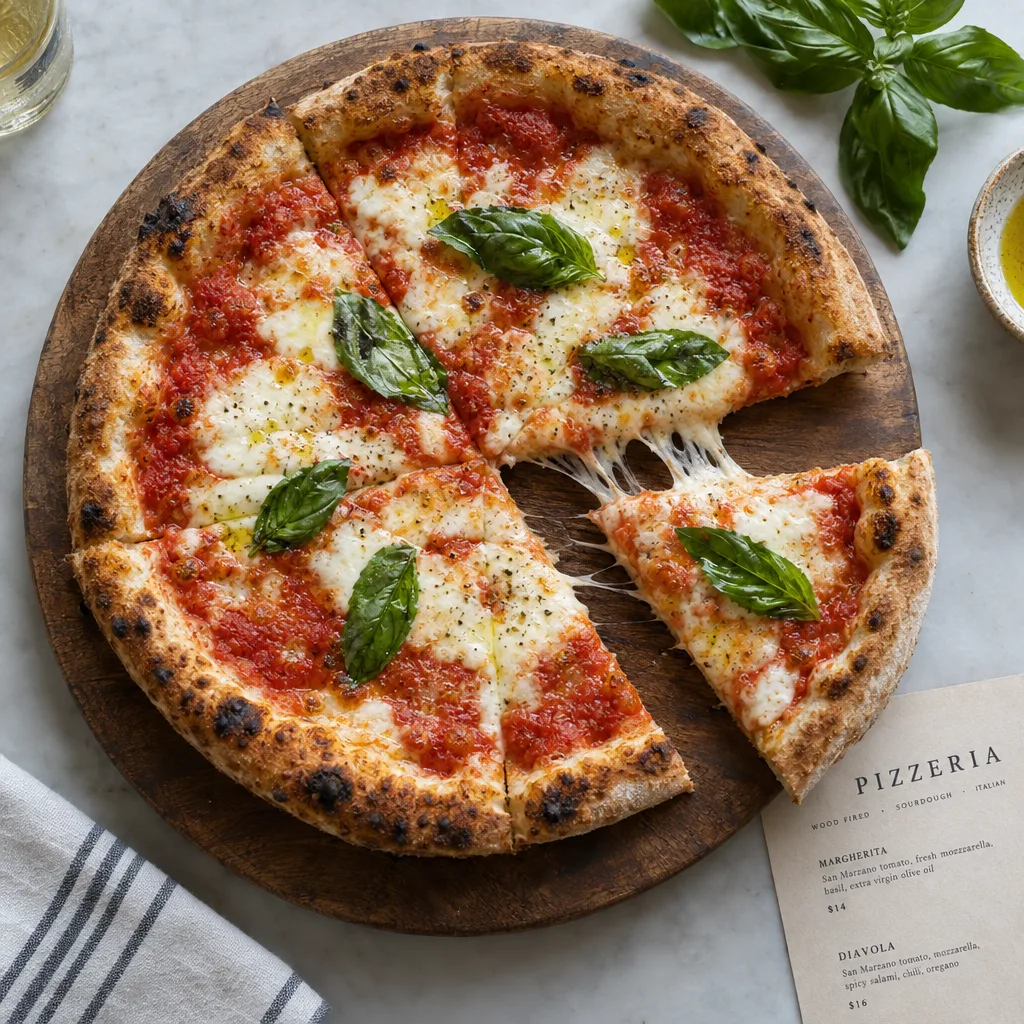
Appetising, menu-grade food with correct textures and no melted anatomy.
›What we asked for
Overhead photograph of a margherita pizza on a wooden board, fresh basil leaves, one slice pulled out with the cheese stretching, restaurant menu photography, natural light.
openai/gpt-image-2.5/flare/text-to-image
image_size: {"width":1024,"height":1024}, quality: high, output_format: png, num_images: 1
returned 1024 by 1024 pixels
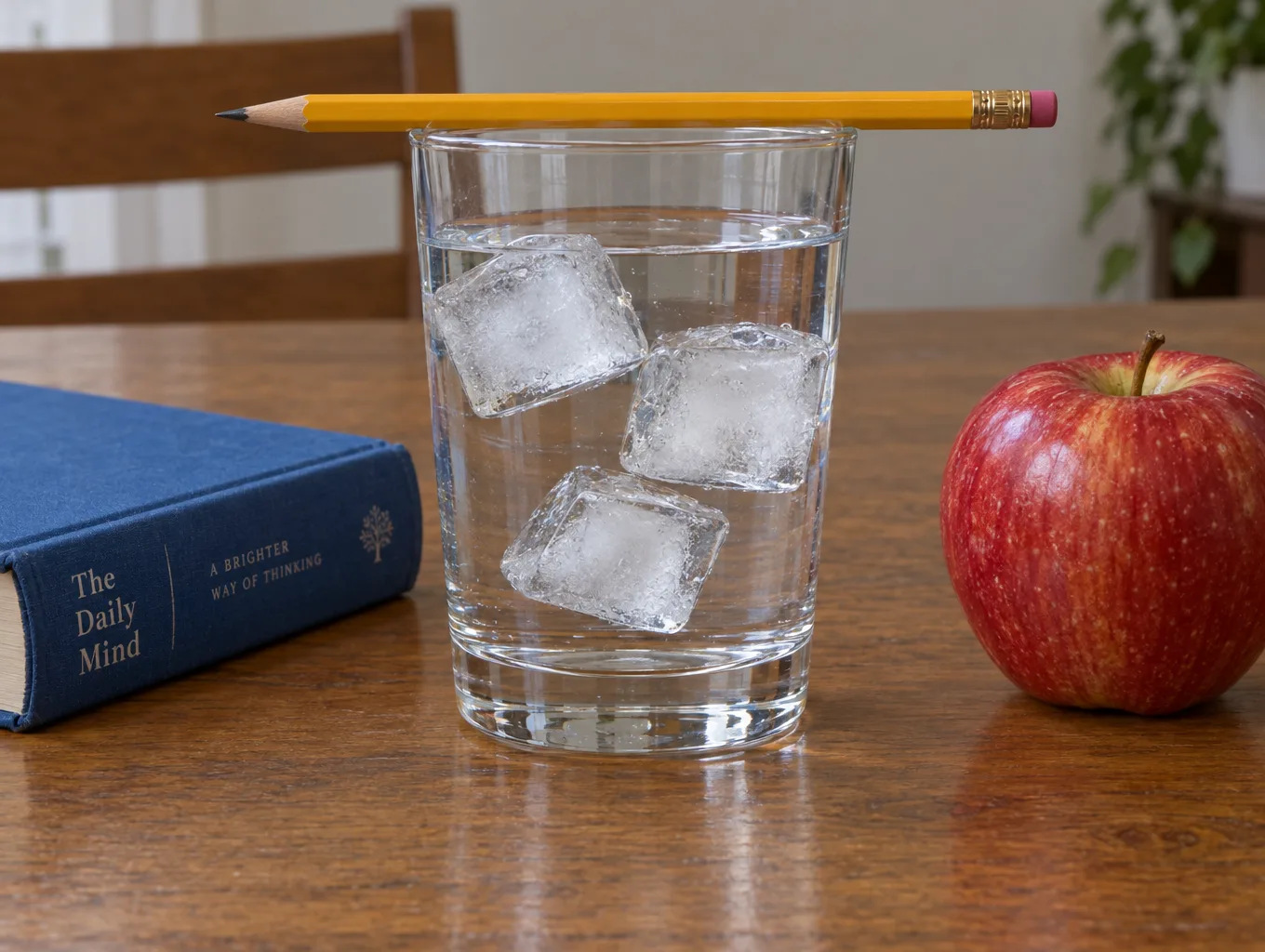
Exact counts and left-right placement of five named objects.
›What we asked for
A glass of water on a wooden table with exactly three ice cubes in it, a yellow pencil resting across the rim of the glass, a blue book to the left of the glass and a red apple to the right, photographed from table height.
openai/gpt-image-2.5/flare/text-to-image
image_size: {"width":1360,"height":1024}, quality: high, output_format: png, num_images: 1
returned 1360 by 1024 pixels
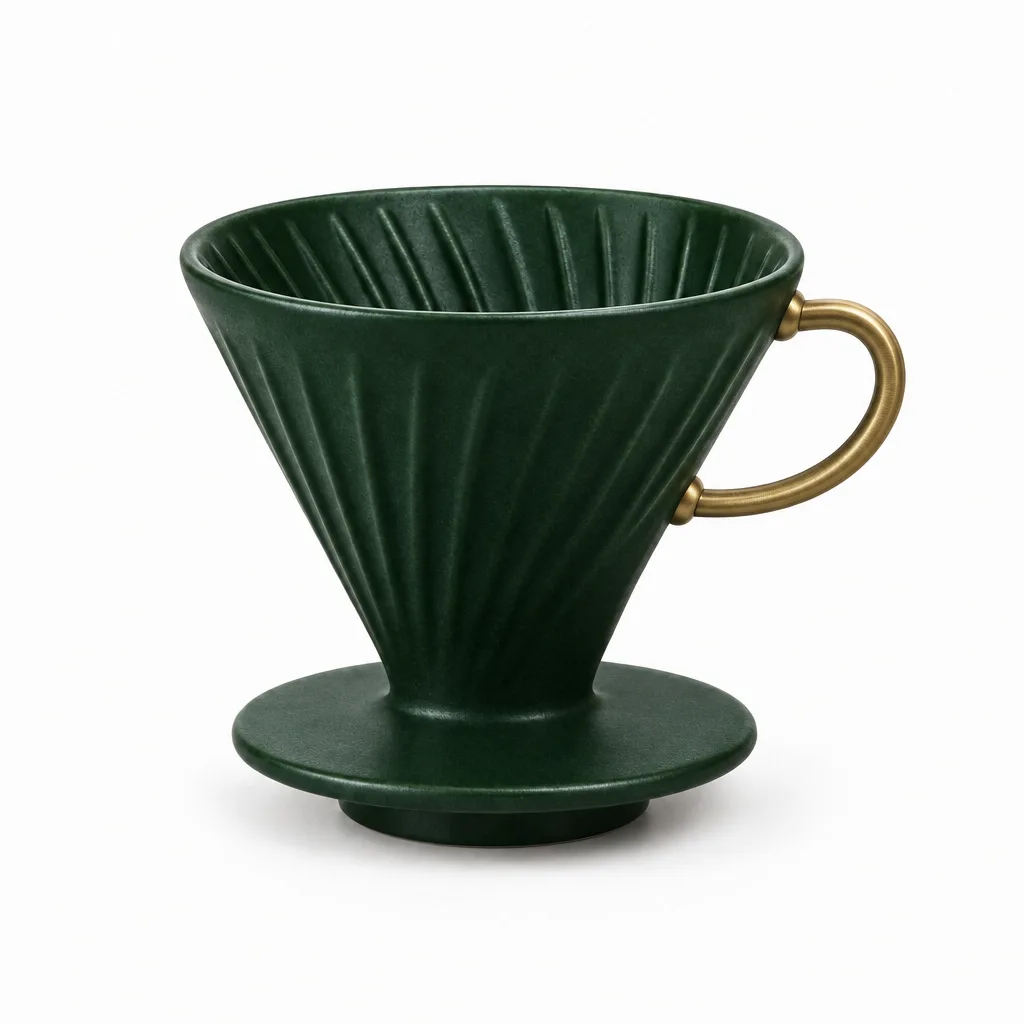
Change one object's colour and add a part while leaving background, light and framing untouched.
›What we asked for
Change the coffee dripper to a deep forest green and add a small brass handle on its right side. Keep the background, lighting and composition exactly as they are. (applied to the product on white result above)
openai/gpt-image-2.5/flare/edit
image_size: {"width":1024,"height":1024}, quality: high, output_format: png, num_images: 1
returned 1024 by 1024 pixels
How the cost under each picture was worked out: fal's published per-image figure for this endpoint at high quality, nearest listed size 1024x1024; fal bills it by tokens and does not return the charge.
GPT Image 2.5 Flare settings that matter
Quality
Every one of the five posters spelled all three lines correctly, and the five pizzas are hard to tell apart at web size. What changes is time and money: low came back in 11 to 17 seconds for under a cent, max in about 50 seconds for 35 times the price. Medium is the default we would use; pay for xhigh or max only when fine grain and texture are the point and the image is going to print.
Text in an image
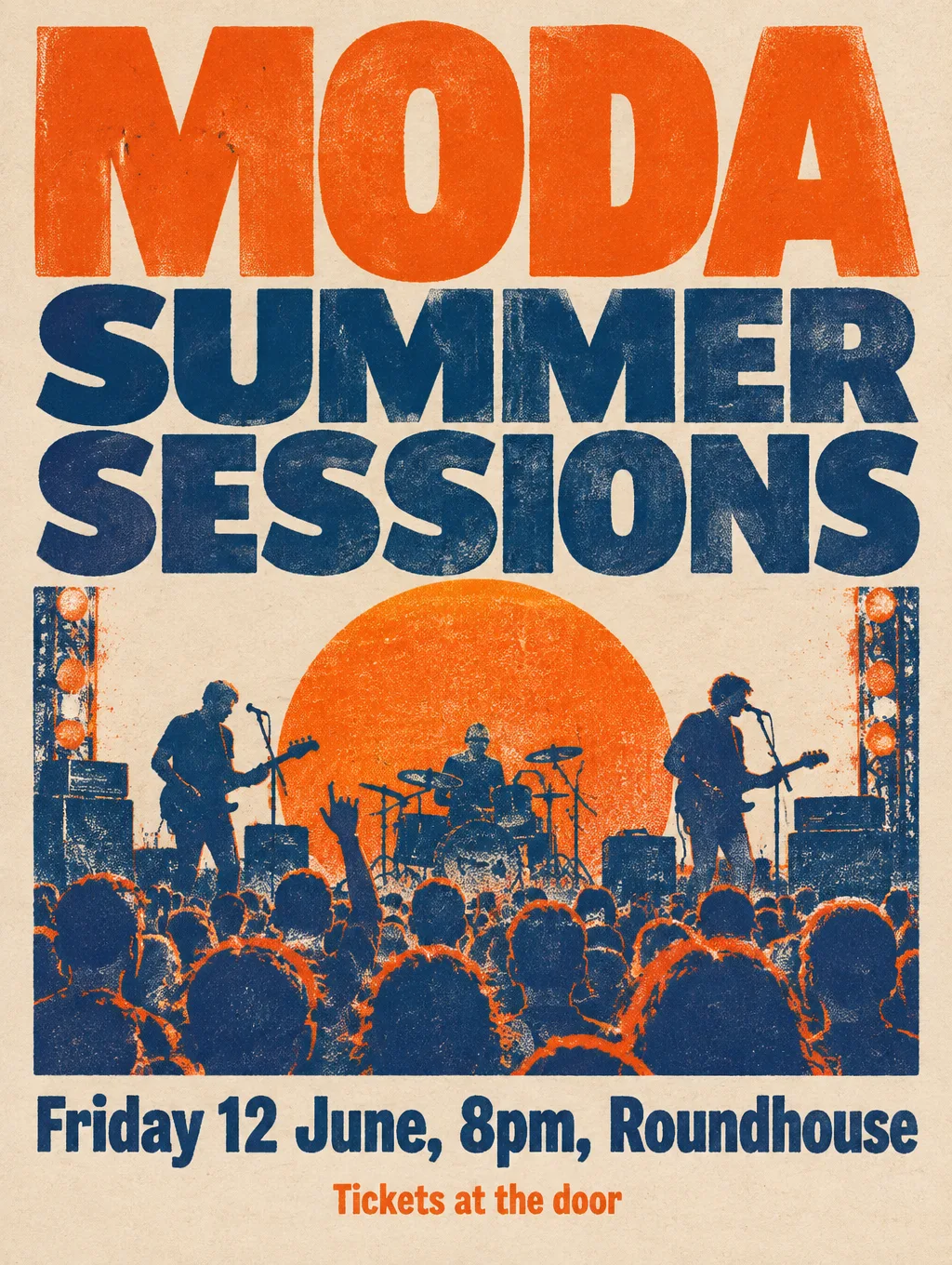
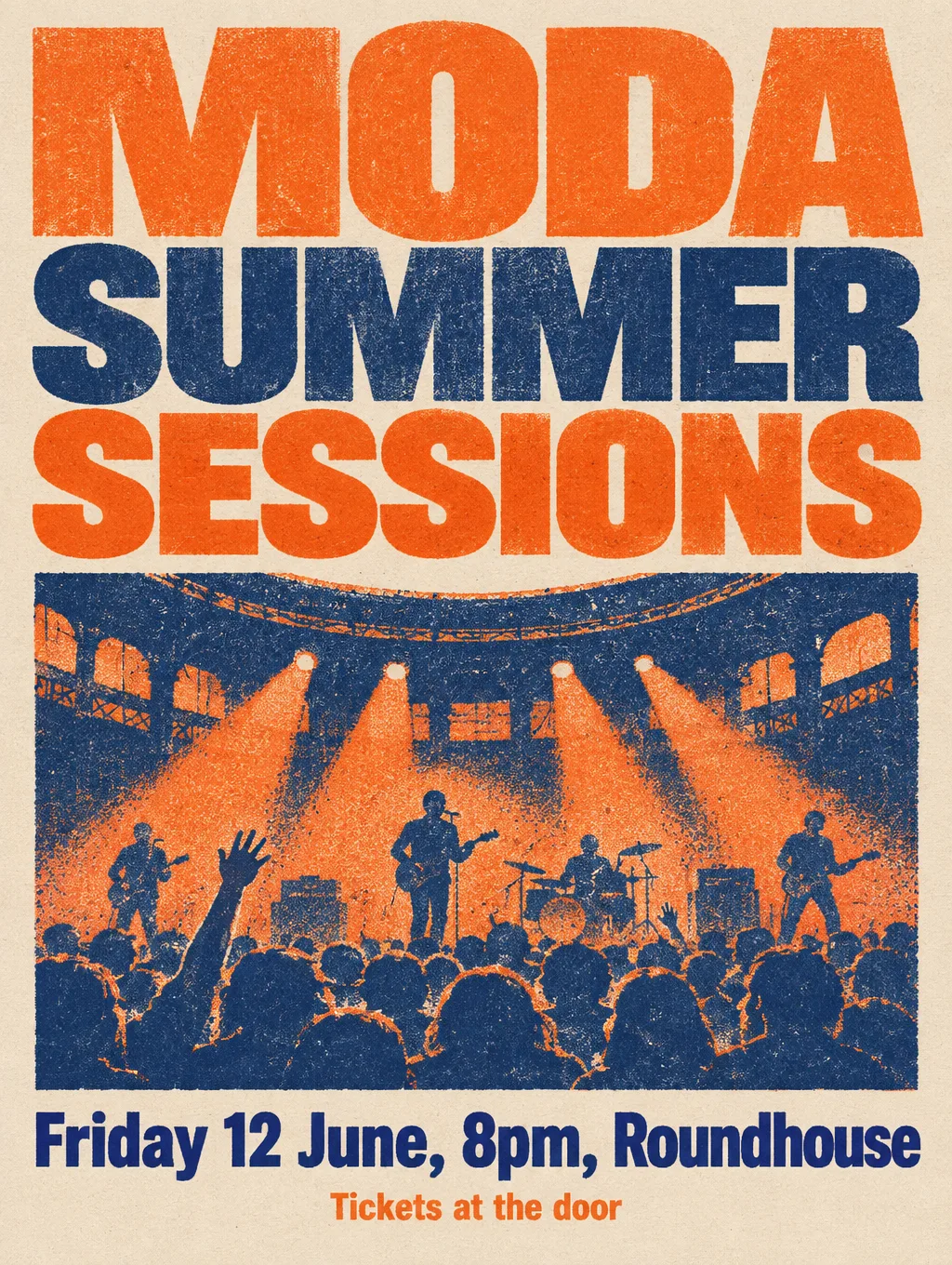
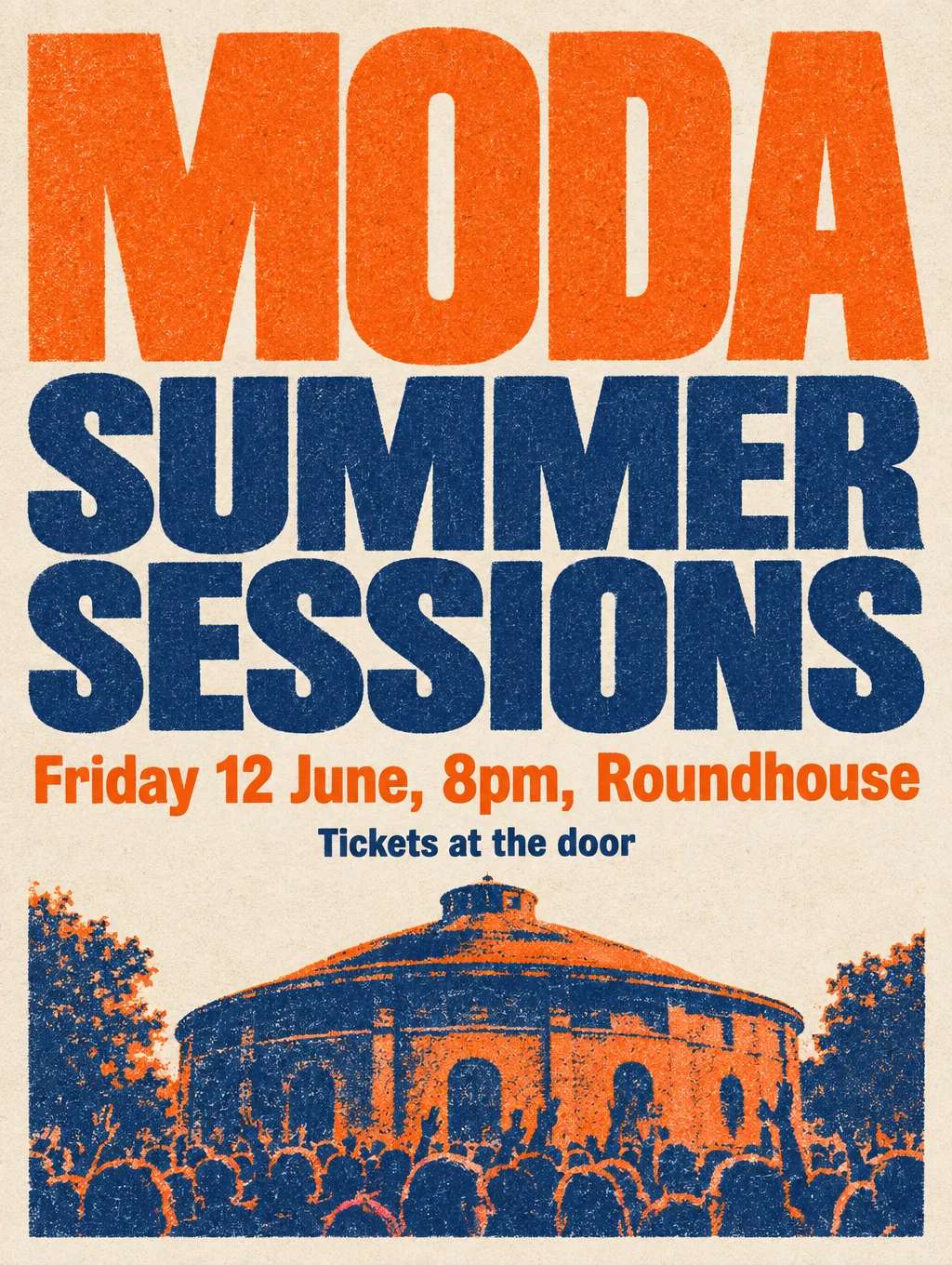
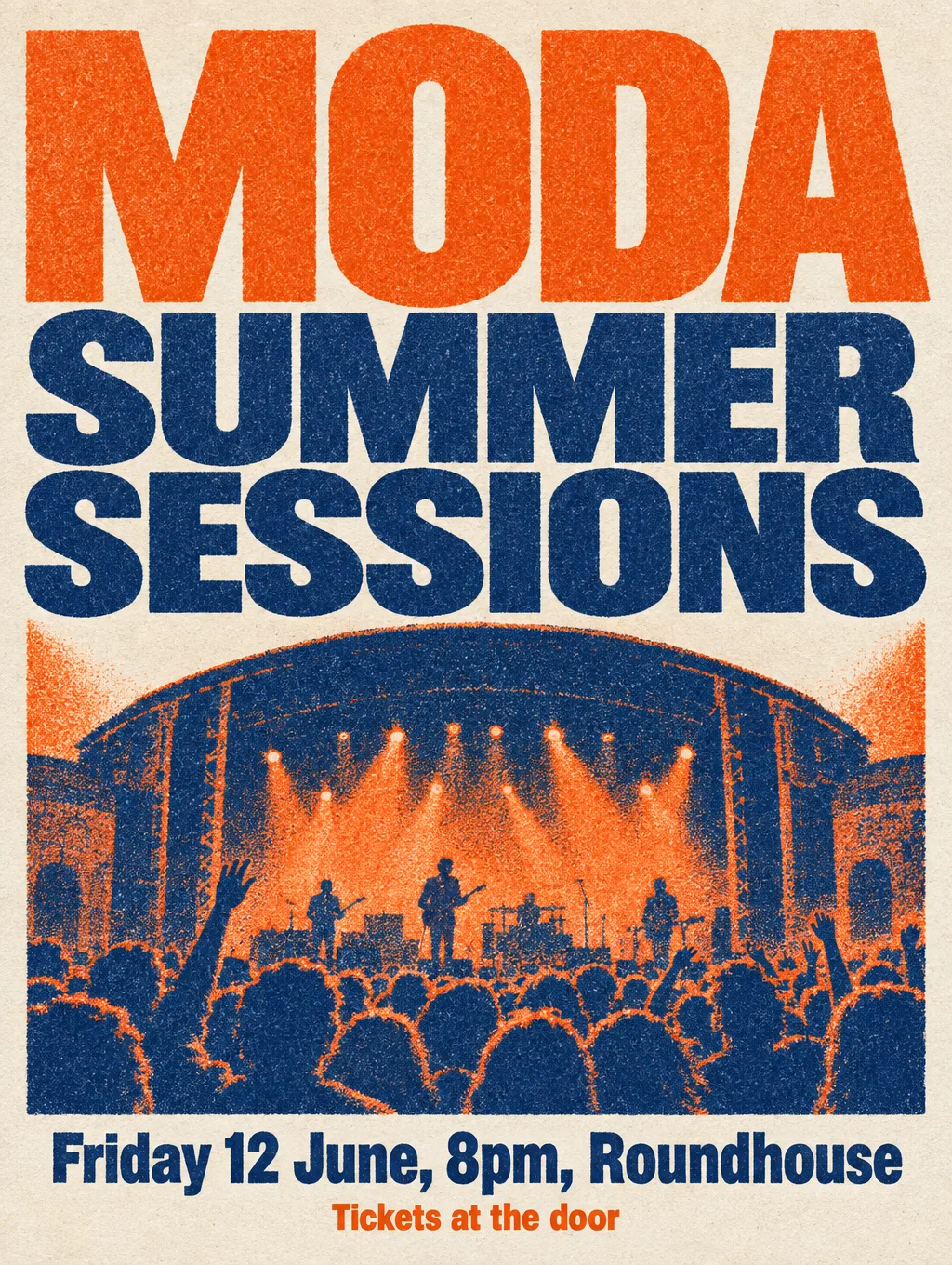
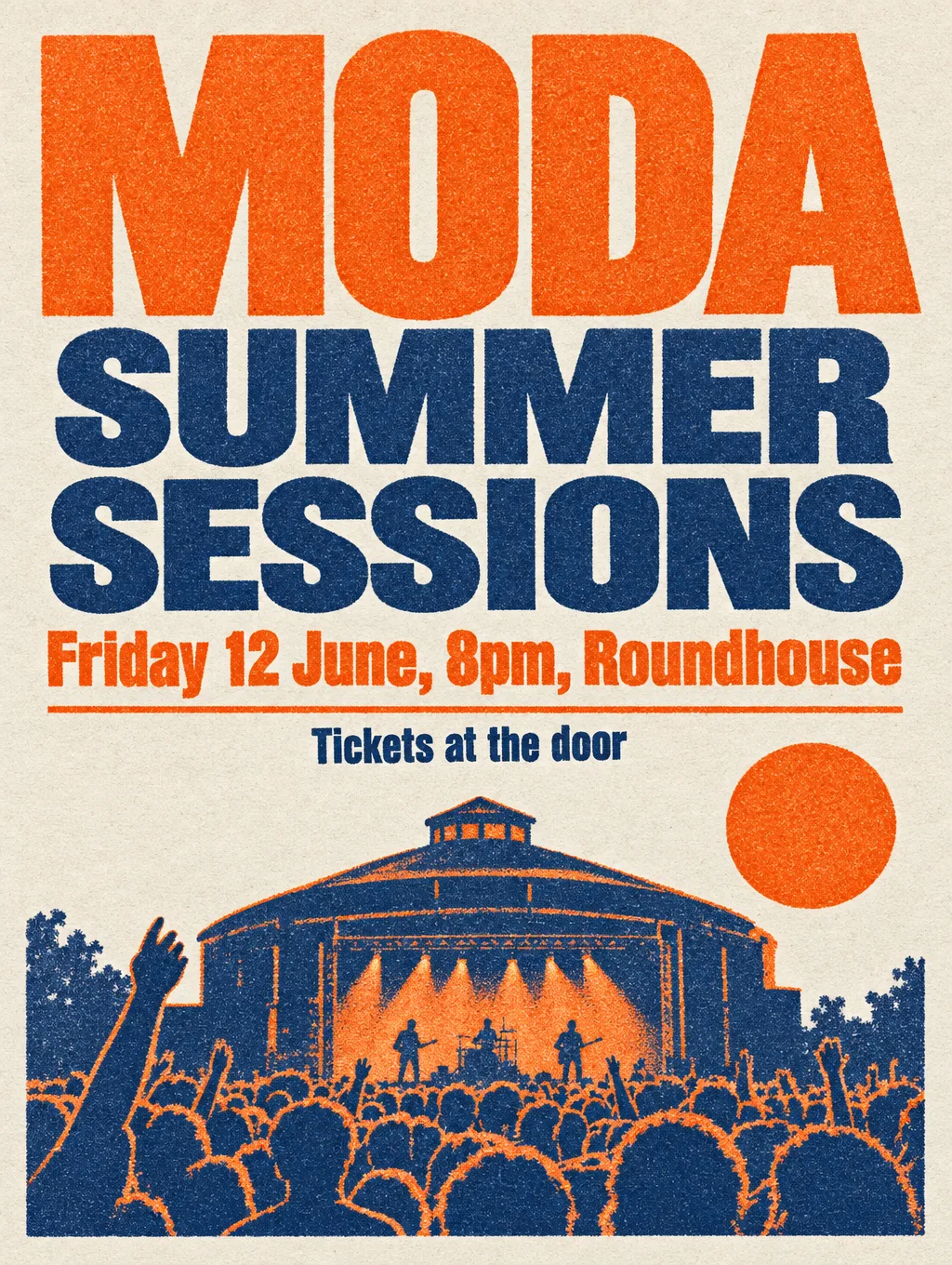
›What we asked for
A concert poster that reads 'MODA SUMMER SESSIONS' in large bold type, with the subtitle 'Friday 12 June, 8pm, Roundhouse' and a smaller line 'Tickets at the door'. Risograph style, two colours, tangerine and navy, grainy ink texture.
openai/gpt-image-2.5/flare/text-to-image
image_size: {"width":1024,"height":1360}, quality: low, output_format: png, num_images: 1
returned 1024 by 1360 pixels
Food photography
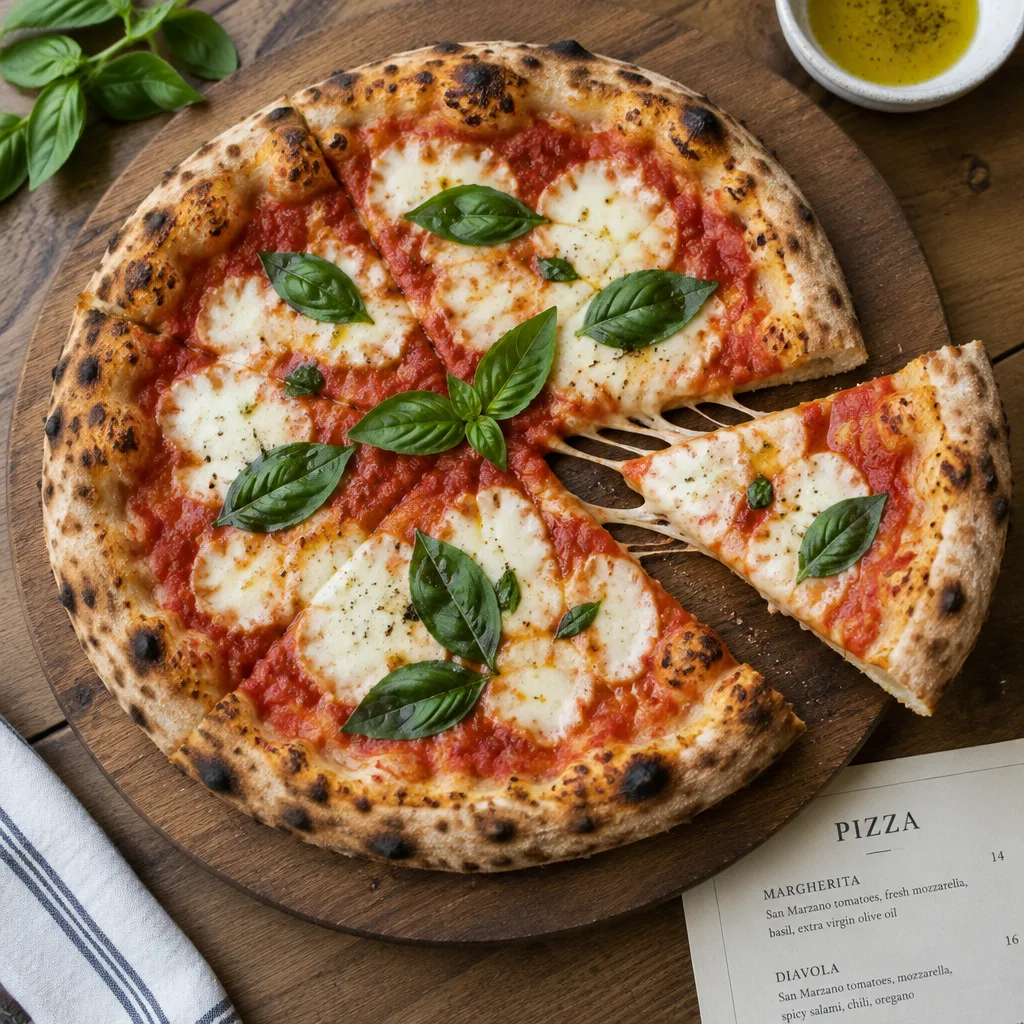
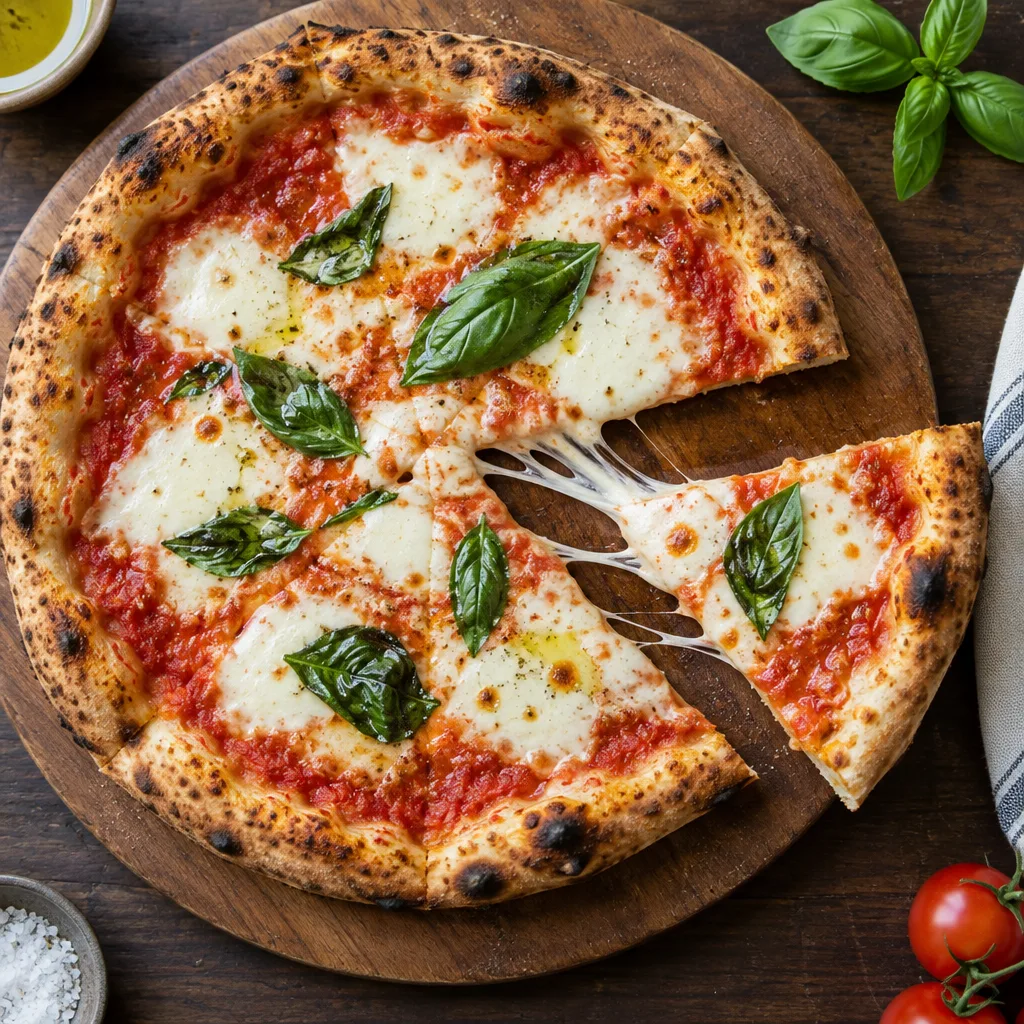
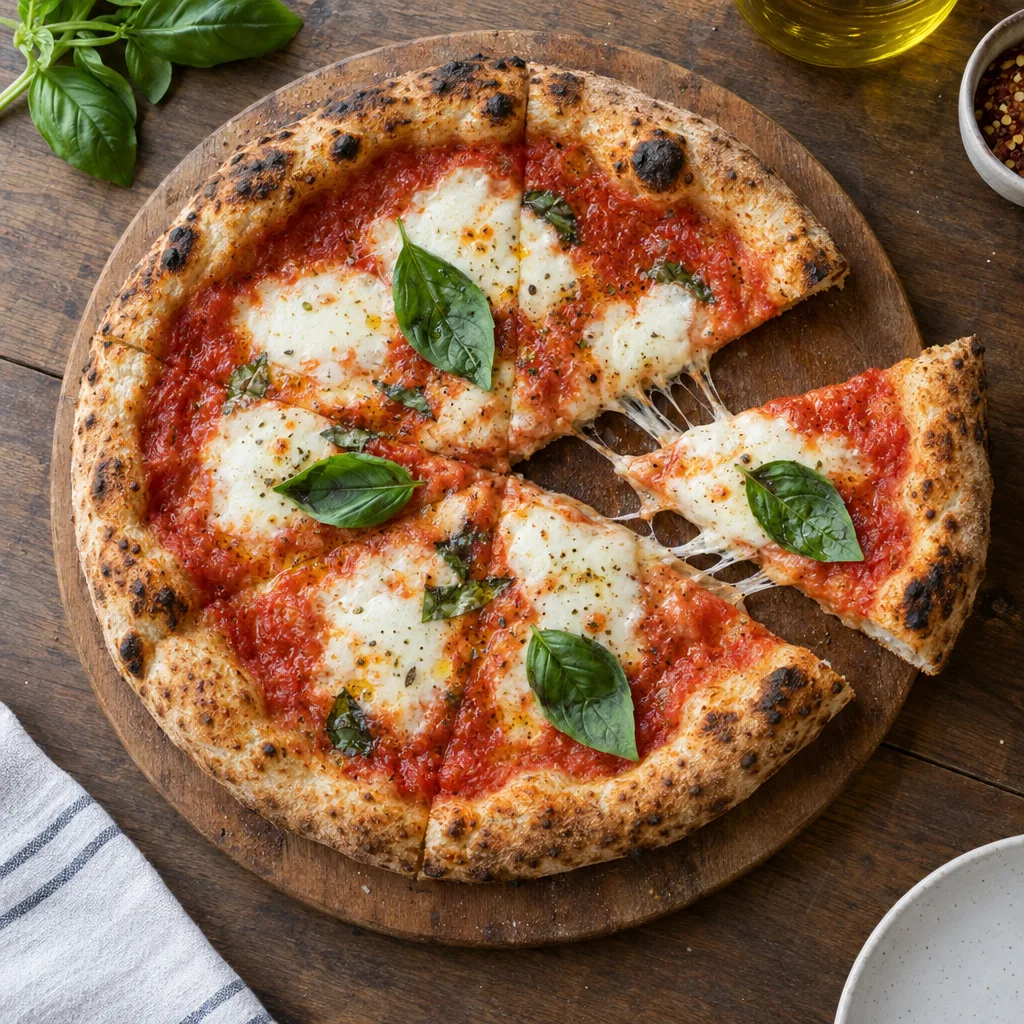
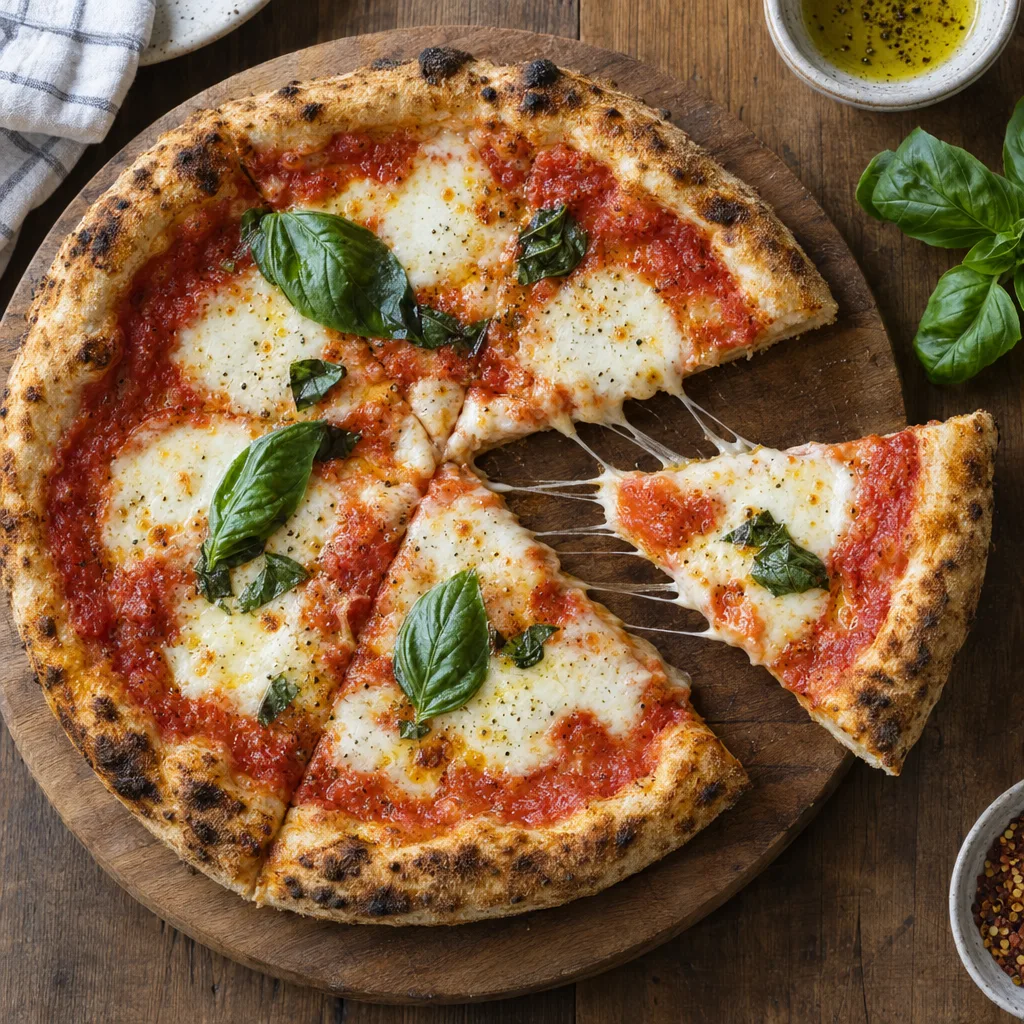
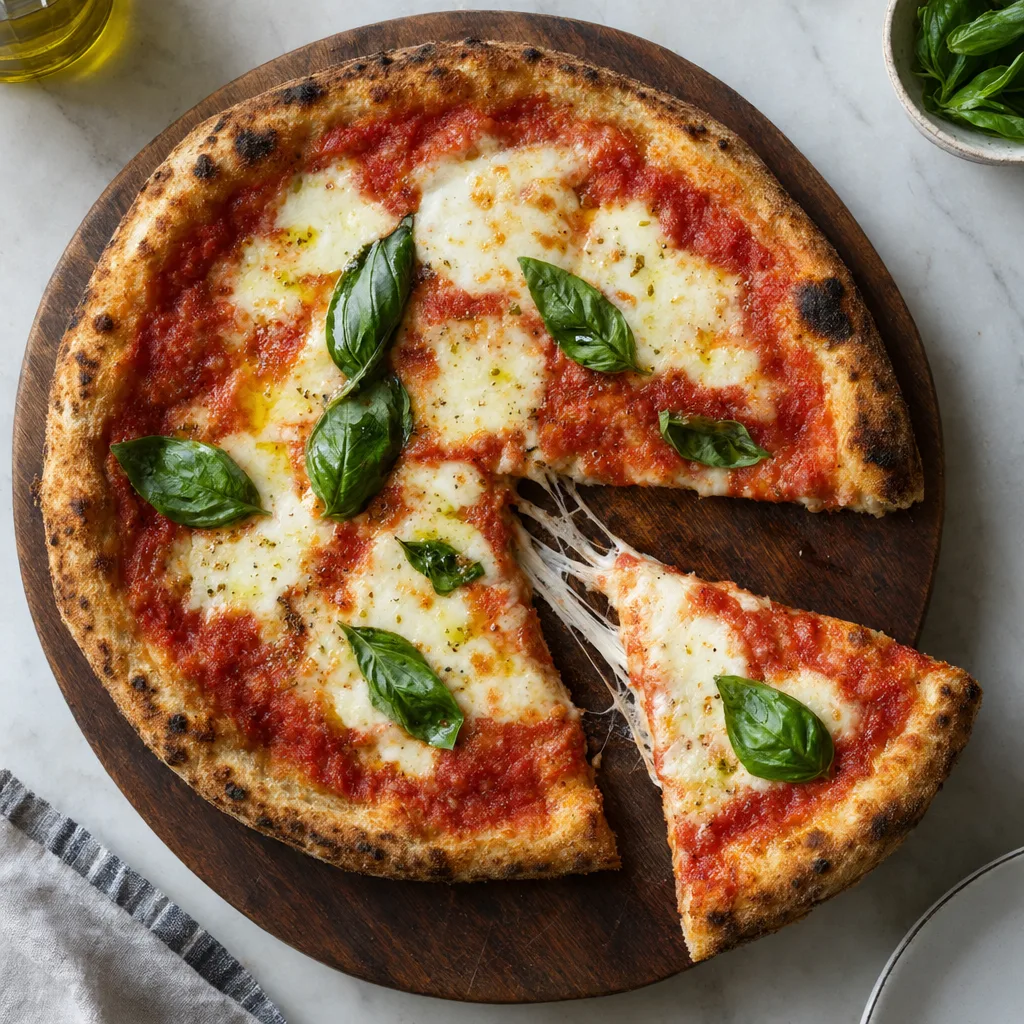
›What we asked for
Overhead photograph of a margherita pizza on a wooden board, fresh basil leaves, one slice pulled out with the cheese stretching, restaurant menu photography, natural light.
openai/gpt-image-2.5/flare/text-to-image
image_size: {"width":1024,"height":1024}, quality: low, output_format: png, num_images: 1
returned 1024 by 1024 pixels
GPT Image 2.5 Flare pricing
| Where | Unit | Price | Source |
|---|---|---|---|
| OpenAI API | Per million image output tokens Text input $5, image input $8 per million, cached input $1.25 and $2. Same token prices as gpt-image-2 and as the other 2.5 model. | $30.00 | OpenAI API pricing, read |
| fal | 1024 by 1024, high quality fal's published typical figures: low $0.006, medium $0.013, high $0.053, xhigh $0.094, max $0.211 at this size. fal bills by tokens. | $0.053 | fal model page, read |
| fal | 3840 by 2160, max quality The largest listed size at the top tier. Low is $0.011 at 4K. | $0.40 | fal model page, read |
Is GPT Image 2.5 Flare free?
ChatGPT's free plan includes image generation, and OpenAI says ChatGPT Images 2.5 is rolling out to every ChatGPT tier including free. The API has no free tier. OpenAI publishes no fixed daily number for free accounts; the cap moves with demand and the banner inside ChatGPT is the only authoritative figure.
- •ChatGPT Free: image generation is included. OpenAI says Images 2.5 is rolling out to ChatGPT, ChatGPT Work and Codex users across all tiers. Limits are dynamic and unpublished.
- •ChatGPT Plus and Pro: higher limits, again unpublished as a fixed number.
- •OpenAI API: no free tier. Every image is billed per token.
- •fal, Replicate and other hosts: pay per image, no free allowance beyond any sign-up credit.
Where to use GPT Image 2.5 Flare
- ChatGPT · ChatGPT Images 2.5 is the consumer name; it is available on every plan including free.
- OpenAI API · Model id gpt-image-2.5-flare, snapshot dated 8 September 2026.
- fal · openai/gpt-image-2.5/flare/text-to-image and its edit endpoint.
- Adobe Firefly · Adobe says the GPT Image 2.5 models are available inside Firefly.
What we noticed running GPT Image 2.5 Flare
- •Counts and placement were exact: three ice cubes, pencil across the rim, blue book left, red apple right. It also invented a plausible title for the book, as its siblings do. See the hard composition picture.
- •The cleanest infographic of any model here. Four headings, exact wording, an icon each, and not a word of invented copy. See the infographic with steps picture.
- •Edits are true overlays. The recolour and brass handle changed and the silhouette, fluting, shadow and framing did not. See the edit an existing image picture.
- •Style prompts arrive signed. The ukiyo-e print carries a fabricated title cartouche, a seal and a signature reading 広重, Hiroshige. Remove them before commercial use. See the specific art style picture.
- •It respects the empty third and then fills the rest with words. The left of the banner is clear wall as asked; the right has motivational slogans painted on the office walls. Say 'no text anywhere' if that is what you mean. See the wide aspect ratio picture.
- •Small text is largely right. A dozen stall signs and tote bags in the market are legible and correctly spelled, which is rare in a scene this busy. See the busy scene picture.
- •It is fast. The twelve fixed prompts came back in 16 to 66 seconds, median 22, against 72 to 163 for GPT Image 2. OpenAI's 'up to 50 percent' figure undersells it on our run.
- •Custom sizes are honoured to the pixel: 1024 by 1360, 1360 by 1024 and 2016 by 864 came back exactly as requested.
GPT Image 2.5 Flare limits and API parameters
| Limit | Value |
|---|---|
| Output size | Any width and height in multiples of 16, longest edge 3840 pixels, 655,360 to 8,294,400 pixels in total, aspect between 1:3 and 3:1. |
| Input images for edits | Up to 16 per request. fal edit API reference, read |
| Rate limits | OpenAI API tier 1: 100,000 tokens and 5 images per minute, rising to 8 million tokens and 250 images per minute at tier 5. OpenAI model page, read |
›Every setting, for developers
OpenAI API
OpenAI image generation guide, read
| Parameter | Type | Values | Default |
|---|---|---|---|
| prompt | string | Any text Required. | |
| size | string | 1024x1024, 1536x1024, 1024x1536, or any WIDTHxHEIGHT in multiples of 16 Aspect between 1:3 and 3:1, longest edge 3840, total pixels 655,360 to 8,294,400. Above 2560x1440 is marked experimental. | auto |
| quality | enum | low, medium, high, xhigh, max, auto xhigh and max are new in 2.5. | auto |
| background | enum | transparent, opaque, auto Transparent needs png or webp output. | auto |
| output_format | enum | png, jpeg, webp | png |
| output_compression | integer | 0 to 100 jpeg and webp only. | |
| moderation | enum | auto, low | auto |
| n | integer | Number of images per request | 1 |
| partial_images | integer | 0 to 3 Streaming previews. | |
| image and mask | files | Up to 16 input images, optional mask Edits endpoint. |
fal (openai/gpt-image-2.5/flare/text-to-image)
fal API reference, read
| Parameter | Type | Values | Default |
|---|---|---|---|
| prompt | string | Any text Required. | |
| image_size | enum or object | square_hd, square, portrait_4_3, portrait_16_9, landscape_4_3, landscape_16_9, auto, or {width, height} | landscape_4_3 |
| quality | enum | auto, low, medium, high, xhigh, max | high |
| background | enum | auto, transparent, opaque | auto |
| output_format | enum | jpeg, png, webp | png |
| num_images | integer | 1 or more | 1 |
| image_urls | list of URLs | Up to 16 Edit endpoint only, where it is required. | |
| mask_url | URL | A mask image Edit endpoint. |
What GPT Image 2.5 Flare will not draw
OpenAI's usage policies apply and every prompt and output passes a moderation stage. The API's moderation setting has two levels, auto and low, and a blocked request says whether the prompt or the picture tripped it and which category: harassment, self-harm, sexual content or violence. In ChatGPT there is no override. Real people, minors in unsafe contexts and violent or sexual content are the practical boundaries for design work. Every image carries C2PA metadata and an invisible watermark.
Alternatives to GPT Image 2.5 Flare
Frequently asked questions
What is GPT Image 2.5 Flare?
GPT Image 2.5 Flare is the fast default of the two GPT Image 2.5 models OpenAI released on 8 September 2026. It powers ChatGPT Images 2.5 for everyday generation and is available on the API as gpt-image-2.5-flare.
Flare or Sunburst?
Flare for almost everything: it is faster and OpenAI positions it as the default. Sunburst when editing precision matters most, for example retouching a product photo where nothing else may move. They cost the same per token.
How much does GPT Image 2.5 Flare cost?
On the OpenAI API it is $30 per million image output tokens, the same as GPT Image 2, read on 9 September 2026. fal's typical per-image figures at 1024 by 1024 are $0.006 low, $0.013 medium, $0.053 high, $0.094 xhigh and $0.211 max, so high quality lists at a quarter of GPT Image 2's.
Which quality setting should I use?
Look at the ladder above. Medium is the sweet spot for drafts and social work, high for anything that ships, and xhigh or max only when fine texture or small type is the point of the image.
How this page is made
Prices, limits and settings are read from the linked vendor and host pages on the dates shown. Every picture was generated by us through fal with the request shown under it, and the original files are kept unedited. A generation that failed is shown as a failure. Model and vendor names are used to identify the products; no vendor imagery appears on this page.