13 Best After Effects Alternatives in 2026, by Workflow
Compare 13 After Effects alternatives for motion graphics, VFX, product animation, and campaign work. Choose the right workflow and handoff.
 Anvisha Pai, Co-founder & CEO, Moda
The best After Effects alternative depends on what you need to hand off. Choose DaVinci Resolve with Fusion for editing plus node-based VFX, Maxon Autograph for a newly free layer-based motion and compositing app, Cavalry for procedural 2D graphics, and Rive for interactive animation that ships inside a product.
That is the short answer because After Effects is several tools hiding in one application. It can animate type, composite live-action footage, track a screen replacement, build reusable templates, and prepare lightweight animation for another system. No single alternative replaces all of those jobs equally well.
This guide separates compositing, motion systems, product animation, and campaign production so you can compare the right products.
After Effects alternatives at a glance
| Tool | Workflow model | Best for | What you hand off | Check before switching |
|---|---|---|---|---|
| DaVinci Resolve with Fusion | Node-based VFX inside an NLE | Editing, tracking, keying, compositing, finishing | Resolve project, rendered video, Fusion template | Whether your team is comfortable moving from layers to nodes |
| Maxon Autograph | Layer-based 2D/3D motion and VFX | General motion design and compositing without Adobe | Rendered video or multi-format composition | Plugin and project compatibility with your existing pipeline |
| Cavalry | Procedural 2D animation | Data-driven graphics, type systems, repeated variations | Video, image sequence, SVG, or Lottie | Whether you need live-action VFX as well as motion design |
| Apple Motion | Layer-based motion tied to Final Cut Pro | Titles, effects, transitions, editor templates | Final Cut template or rendered graphic | Mac-only workflow and Final Cut dependence |
| Blender | 3D scene, animation, and nodes | 3D motion, simulation, tracking, compositing | Rendered sequence, scene, or video | Time needed to learn a 3D-first application |
| Nuke | Node-based studio compositing | High-end shot work and VFX pipelines | Nuke script, shot render, pipeline assets | Cost, specialist skills, and studio requirements |
| Natron | Open-source 2D node compositor | Keying, roto, tracking, and image compositing | Compositing project or rendered shot | No native 3D workspace and a smaller ecosystem |
| Figma Motion | Timeline inside Figma Design | Product motion, design systems, and developer handoff | Video, animated SVG, CSS, JSON, or React guidance | Open-beta limits and current export requirements |
| Rive | Vector editor plus state-machine runtime | Interactive UI, apps, games, and responsive graphics | `.riv` runtime asset or rendered media | Runtime support, state logic, and engineering handoff |
| LottieFiles | Lottie creation, validation, and libraries | Lightweight app and web animation | Lottie or dotLottie asset | Target-player support for the effects you use |
| Jitter | Browser timeline with Figma import | Fast product demos, launch graphics, and social motion | Video, GIF, transparent media, or Lottie | Plan-specific export and transparency needs |
| Linearity Move | Vector-first timeline | Illustrations, icons, social motion, and Figma designs | Video, GIF, or Lottie | Lottie export is still early access |
| Moda | AI-first design canvas with layer motion | Branded campaign visuals and companion static assets | Video, GIF, images, slides, or PDF | It is not a tracked VFX or interactive-runtime replacement |
Choose the replacement by the final artifact
The fastest way to waste a week is to compare every product against the entire After Effects feature list. Start with the object another person expects to receive.
- A composited shot: prioritize keying, roto, tracking, color management, image sequences, and the project format. Start with Fusion, Nuke, Autograph, Blender, or Natron.
- A reusable motion system: prioritize procedural relationships, data input, editable timing, and scalable variation. Start with Cavalry or Autograph.
- An editor template: prioritize what can be changed inside the NLE after handoff. Apple Motion is the natural comparison for a Final Cut team; Fusion templates belong in a Resolve workflow.
- Interactive product motion: prioritize state, responsiveness, runtime size, and developer control. Start with Rive, Figma Motion, or the Lottie ecosystem.
- A campaign asset family: prioritize generation, editable design, brand consistency, aspect ratios, and static companion pieces. Moda fits this branch, not high-end VFX shot work.
This framework also explains why an ordinary video editor or AI video generator is not automatically an After Effects replacement. Cutting existing clips is an editing job. Generating a new shot creates source material. Neither proves that you can deterministically track a graphic into footage, build an interactive component, or hand an editable motion system to another team.
Compositing and VFX alternatives
1. DaVinci Resolve with Fusion: best free route to editing and VFX
Fusion is the strongest starting point when After Effects sits between your edit and your final shot. It is built into DaVinci Resolve and uses a node graph for compositing, tracking, keying, particles, titles, and 2D or 3D work.
The advantage is the wider finishing environment. An editor can move between the timeline, Fusion, color, and Fairlight audio without treating every effects shot as a separate application. Fusion can also turn node groups into templates with selected controls exposed back to the Edit and Cut pages.
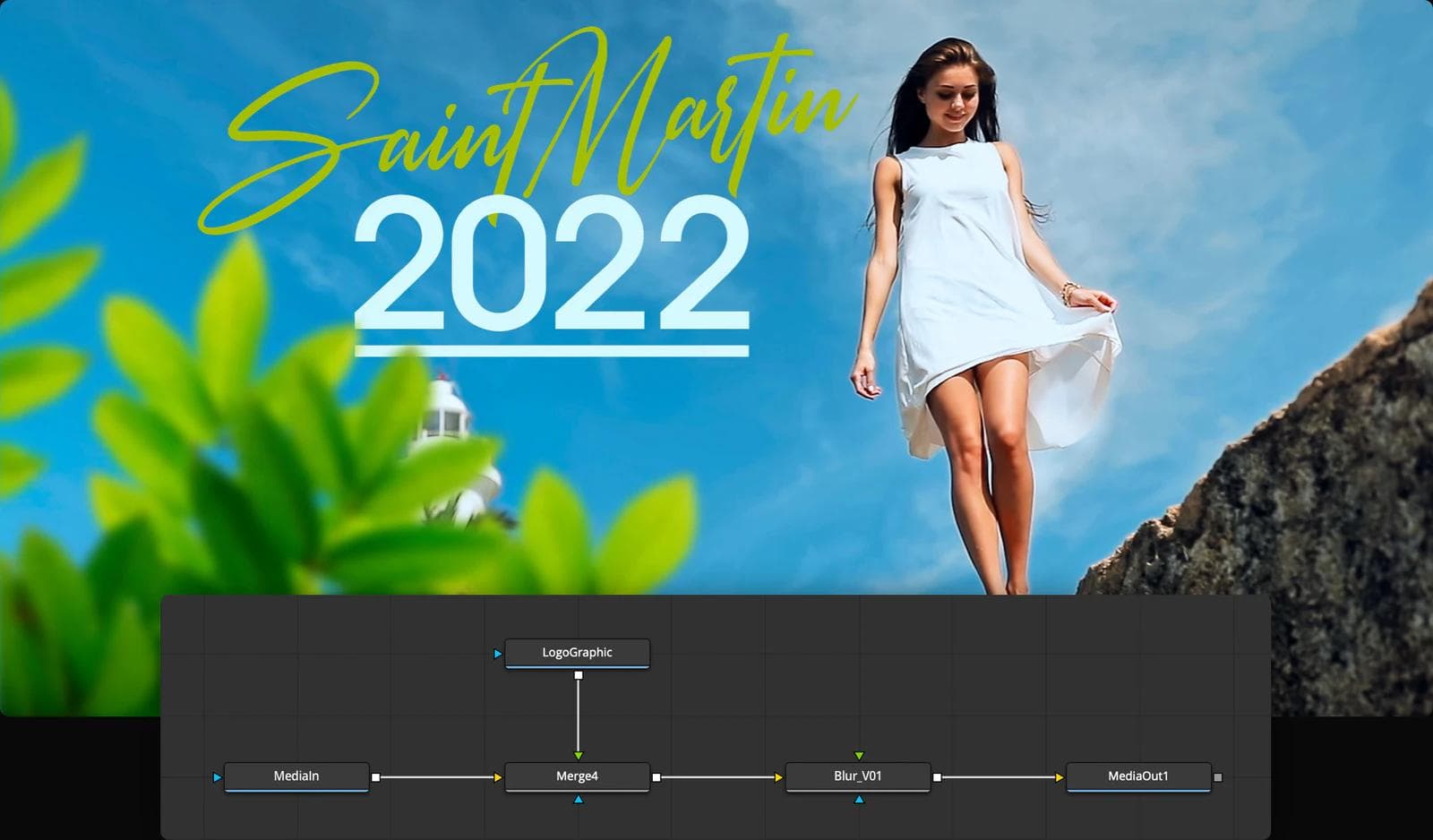
The tradeoff is not missing seriousness. It is a different mental model. A node tree makes image-processing relationships explicit, while After Effects users often think in stacked layers and precomps. Rebuild one representative shot before migrating. Include a track, a key, text, masks, and the final edit handoff.
Choose Fusion if the deliverable is a finished video or composited shot and you want a capable free starting point. Our CapCut alternatives guide compares Resolve with simpler editors when cutting footage, rather than VFX, is the main job.
2. Maxon Autograph: best new layer-based generalist
Maxon Autograph deserves an early trial because it covers more of After Effects' combined brief than most specialists. Maxon describes it as a free application for motion graphics, VFX/compositing, and 2D or 3D projects. Its current feature set includes animated text and vectors, rotoscoping, 2D and planar tracking, OpenFX support, OCIO and ACES workflows, and a full 3D environment.
Autograph's responsive composition system is particularly useful for campaign and broadcast work. A composition can use relative definitions so that the same design renders into multiple formats without rebuilding every size from scratch.
It is still a new migration decision for many established teams. A broad feature list does not make an After Effects project, expression, template, or plugin portable. Import your actual source assets and verify the effect stack, color path, codecs, and revision handoff you depend on.
Choose Autograph when you want a layer-based motion and compositing generalist without the Adobe subscription. Choose Fusion or Nuke first if your organization already thinks in nodes and shot pipelines.
3. Blender: best for 3D motion, simulation, and compositing together
Blender is a free, open-source 3D suite that spans modeling, rigging, animation, simulation, rendering, compositing, motion tracking, and video editing. Its VFX toolset includes camera and object tracking, masking, camera reconstruction, and a built-in node compositor.
That makes Blender compelling when the motion is inseparable from the 3D scene. A product visualization, spatial title sequence, particle simulation, or camera-matched CG insert can stay in one project from geometry through render and composite.
For ordinary 2D type and shape animation, Blender asks you to work within a much larger system. The power is real, but so is the learning investment. Do not choose it merely because it is free. Choose it because 3D, simulation, scripting, or open-source ownership changes the work you can accept.
4. Nuke: best for high-end shot compositing
Nuke is not a cheaper, friendlier substitute for After Effects. It is the specialist choice when compositing depth and pipeline scale matter more than general design convenience. Foundry's node-based toolset covers deep compositing, multi-channel EXR work, roto, keying, tracking, color management, 3D projection, and studio pipeline integration.
That difference matters on a VFX shot built from many passes, mattes, cameras, and revisions. The project is an image-processing graph that can fit a broader production pipeline, not a social animation assembled from a few layers.
Choose Nuke if you are moving toward dedicated compositing work or joining a pipeline that requires it. It is usually an overinvestment for marketing type animation, app motion, or a creator who mainly wants a subscription-free title tool.
5. Natron: best open-source 2D compositor
Natron is a free, open-source node compositor for 2D VFX work. Its documented toolset includes OpenFX plugins, tracking, roto, keying, curve and dope-sheet editors, color management, and headless rendering.
The boundary is important: Natron's own project description says it does not have a 3D workspace. That makes it a credible option for 2D image pipelines and a poor choice if your After Effects work depends heavily on 3D layers, cameras, or an integrated motion-design ecosystem.
Choose Natron when open-source ownership, cross-platform availability, and focused 2D compositing matter. Evaluate current plugin support and community resources around the exact effects you need before moving a production deadline.
Dedicated 2D motion graphics alternatives
6. Cavalry: best for procedural and data-driven motion
Cavalry approaches motion as a system. You can connect properties, build procedural rigs, duplicate and vary graphics, import data, and animate a family of outputs without manually keyframing every object. Its current product is free for individuals on macOS and Windows.
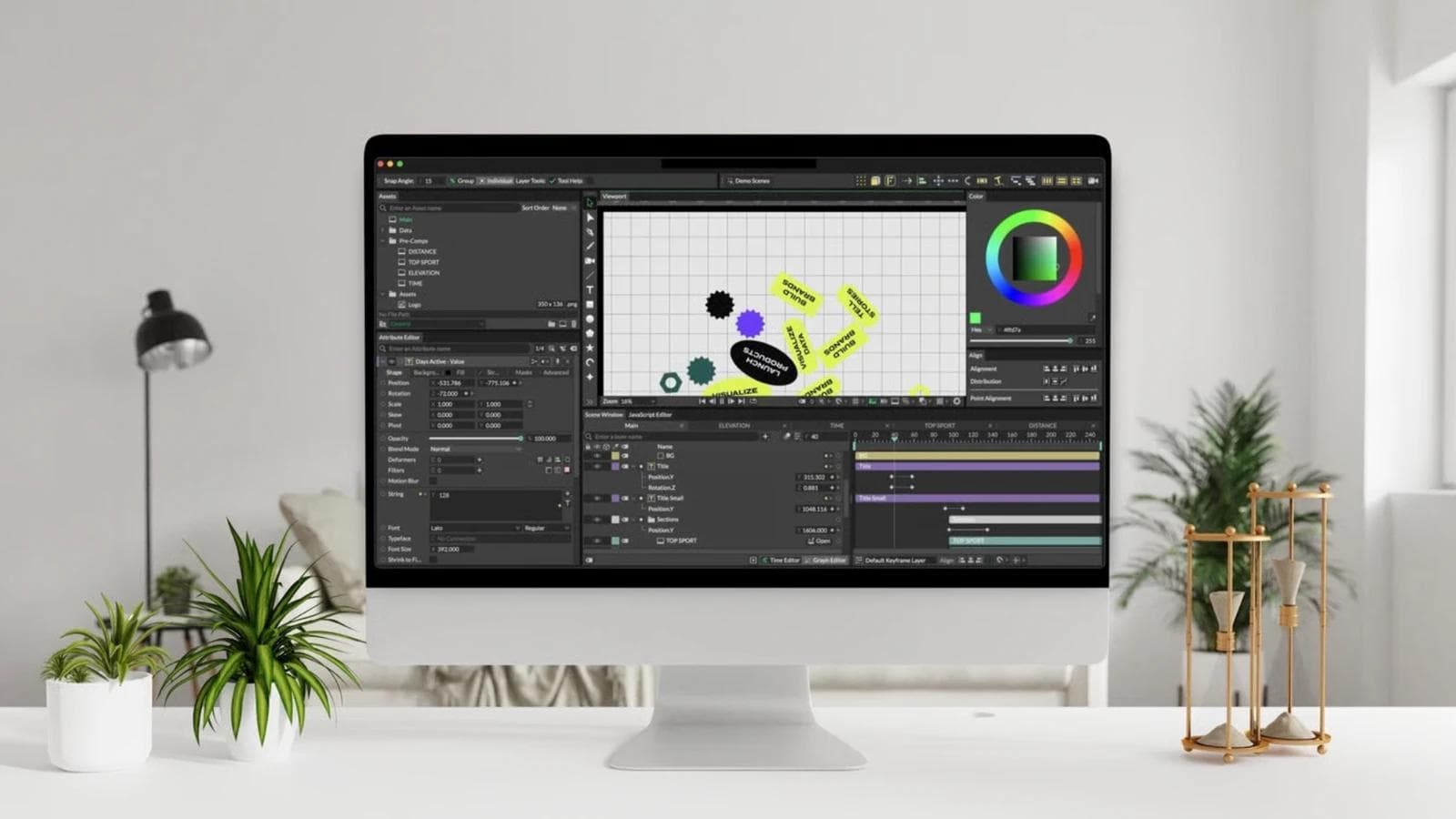
This is a meaningful alternative for animated charts, scoreboards, typography systems, repeated social variations, and graphics fed by spreadsheets. Change one value and connected elements can respond. That is different from duplicating an After Effects composition and hunting through several precomps for each revision.
Cavalry is not the first choice for tracked live-action composites. Choose it when the hard part is generating and revising a motion system, not removing a rig, matching a camera, or combining dozens of image passes.
7. Apple Motion: best for Final Cut titles and effects
Apple Motion is designed around creating motion graphics, titles, transitions, generators, and effects that work with Final Cut Pro. It offers a layer timeline, keyframe editing, behaviors, particles, tracking, keying, and 2D, 3D, and 360-degree compositions.
Its most useful distinction is the handoff. A motion designer can publish selected controls so an editor changes text, colors, or other parameters inside Final Cut without reopening the source project. If your entire post-production workflow is already on Mac and Final Cut, that can be more valuable than matching every After Effects control.
Choose Motion for editor-facing templates and fast motion work in Apple's ecosystem. It is not a cross-platform choice, and a studio built around Adobe plugins or complex VFX shots should test those gaps directly.
Product, UI, and Lottie animation alternatives
8. Figma Motion: best for motion that belongs to the design system
Figma Motion is the exact name of Figma's new animation surface. As of August 2026, it is in open beta. Designers can add keyframes, easing curves, spring animation, motion variables, animated components, and time-based comments inside a Figma design file. Figma's agent can also create a first keyframed pass for manual refinement.
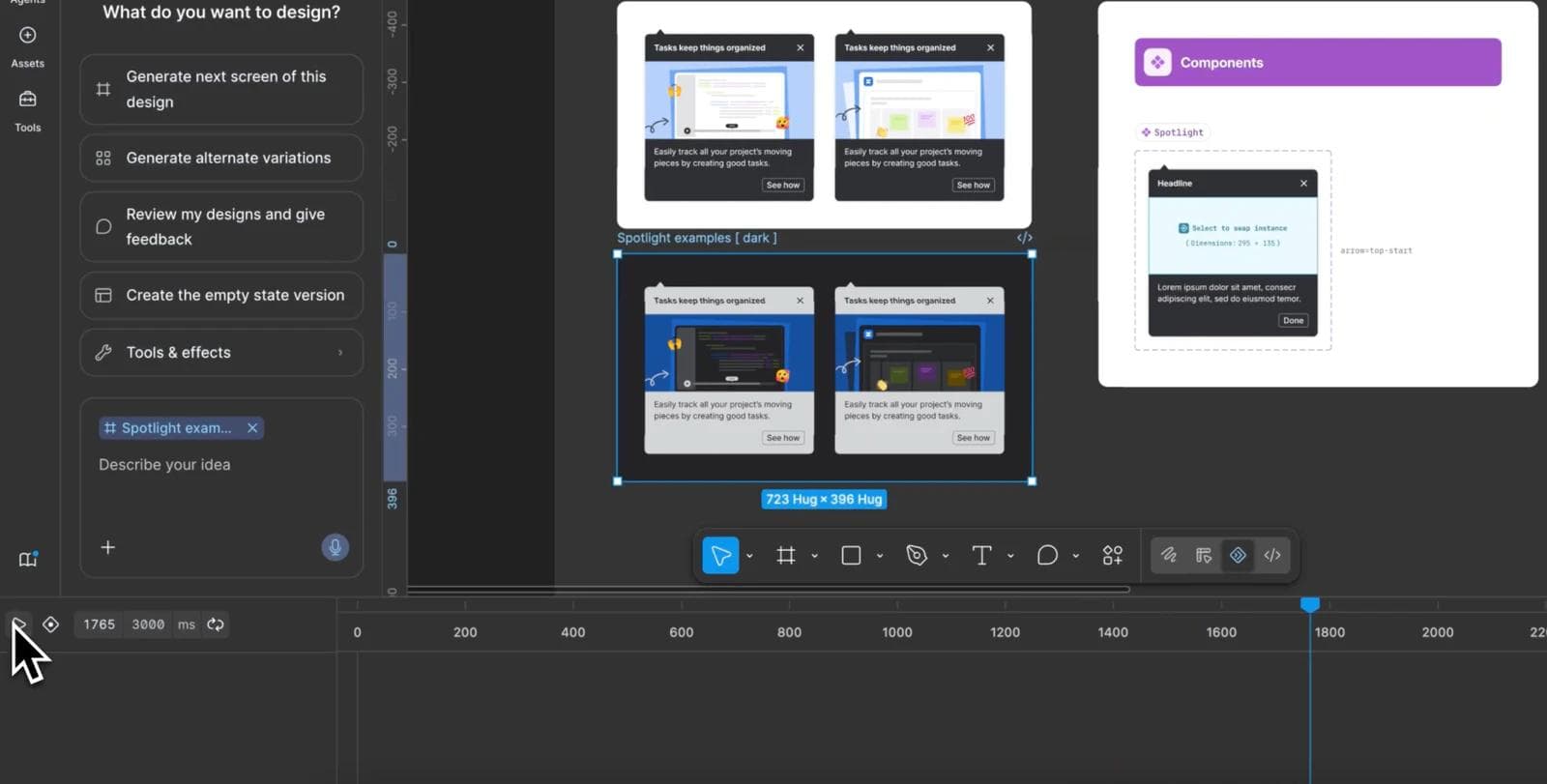
The differentiator is context. A button, illustration, or transition can stay with the component and tokens that define the product instead of becoming an isolated After Effects file. Dev Mode exposes a read-only timeline and supports handoff through CSS, JSON, React guidance, or MCP context.
Current export details matter. Figma documents MP4, WebM, GIF, and animated SVG output. It says Lottie support is coming, so do not buy it today on the assumption that native Lottie export has already shipped.
Choose Figma Motion for product and UI motion that benefits from design-system context and collaborative review. After Effects, Autograph, Fusion, or Blender remain better fits for live-action compositing, deep effects, or substantial 3D scenes.
9. Rive: best for interactive animation that ships in a product
Rive combines a vector animation editor with state machines, data binding, and open-source runtimes. A graphic can react to hover, clicks, application data, and state transitions after it has shipped. The exported `.riv` file contains artboards, animations, and state machines for playback in web, mobile, game, and native runtimes.
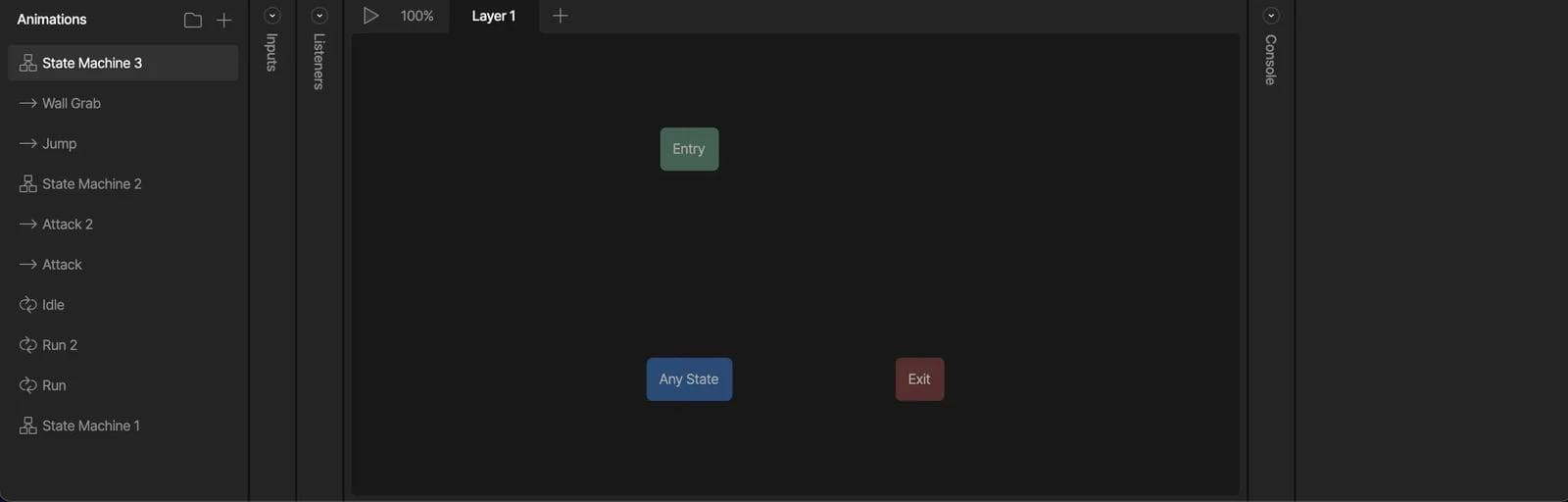
That is not simply a smaller After Effects render. It changes the contract between designer and developer. The delivered asset keeps behavior that the application can control instead of flattening every outcome into a video.
Rive can also render formats such as MP4, WebM, GIF, PNG, and SVG through its cloud renderer, with plan conditions. Choose Rive when runtime interaction is the requirement. If the final asset is a broadcast title, tracked shot, or conventional video, a rendered-motion or compositing tool may be simpler.
10. LottieFiles and Lottie Creator: best for a Lottie production workflow
LottieFiles for Figma connects Figma designs, prototype interactions, animation creation, team libraries, and developer handoff around Lottie and dotLottie. The same file can move into Lottie Creator for more detailed browser editing.
The ecosystem matters as much as the editor. A team needs to preview, validate, organize, version, and implement lightweight animations across target players. Motion Tokens and dotLottie state machines can also preserve configurable or interactive behavior that a conventional video export cannot.
Lottie has a bounded feature vocabulary. A complex After Effects effect does not become a reliable runtime asset merely because an exporter produces JSON. Test the exact animation in the actual web, iOS, Android, or other player you will ship.
Choose LottieFiles when Lottie is the required delivery format and the team needs a connected creation and handoff workflow. Choose Rive when richer stateful runtime behavior is central, and keep After Effects or another compositor for effects outside the format's practical scope.
11. Jitter: best for quick Figma-to-motion work in a browser
Jitter lets designers start from a blank canvas, a template, or imported Figma layers. Its browser editor is approachable for product announcements, launch graphics, animated interfaces, and social video where presets and direct timeline adjustment matter more than a deep VFX toolset.
Its export workflow spans video, GIF, Lottie, and plan-dependent transparent or high-resolution formats. The updated Lottie exporter supports text and mask-animation handling, but Jitter also warns that some properties have no direct Lottie equivalent and player behavior can differ.
Choose Jitter when the source design already lives in Figma and the output is a concise animation or video asset. Test Lottie in the target player early, especially if the design uses shaders, blend modes, or other effects that may not map cleanly.
12. Linearity Move: best for vector-first motion on Mac and iPad
Linearity Move focuses on animating vector artwork with tools such as masking, pinning, morphing, auto-animate, and Figma import. It is a practical option when the source material is illustration, icons, or a designed social composition rather than live-action VFX footage.
Linearity now supports Lottie export, but labels it early access. That makes target-player testing part of the workflow, not an optional final check.
Choose Move if you want vector creation and animation close together on Apple devices. Compare Jitter for browser collaboration, Figma Motion for design-system continuity, and Rive for deeper runtime interaction.
AI-first campaign motion
13. Moda: best for branded campaign assets built from a brief
Moda fits when the job begins before a motion designer receives finished artwork. A marketing team can describe a campaign, generate or edit image, video, and audio ingredients, develop layouts on an editable canvas, and add layer-based motion. The same workspace can produce companion slides, ads, social posts, and documents.
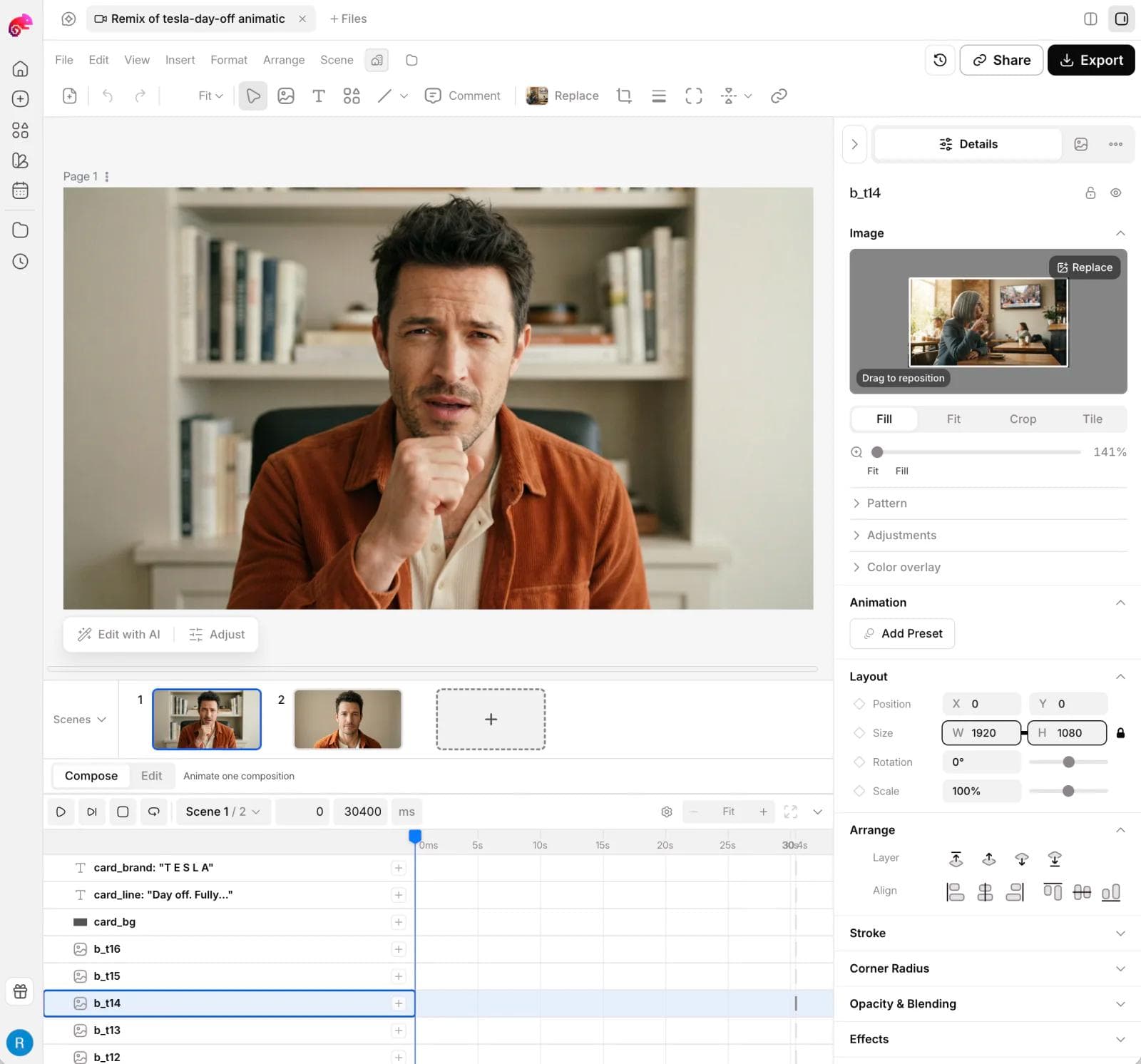
The useful distinction is not “AI versus no AI.” Figma, Adobe, and newer motion tools also include agents or automation. Moda's fit is the connected campaign brief: a generated scene, animated benefit labels, a designed end card, portrait and square variations, and matching static assets that still have editable text, shapes, images, and layout.
That does not make Moda the best After Effects replacement for every reader. Use Fusion, Nuke, Autograph, Blender, or After Effects itself for tracked live-action composites, rotoscoping, deep VFX, extensive plugin dependencies, and specialist color pipelines. Use Rive or Lottie tooling when the final animation must react to product state at runtime. Moda is strongest when campaign creation and revision are the bottleneck.
For the separate question of where to create video source material, see our Higgsfield alternatives guide. Generating a clip and finishing a deterministic composite remain different jobs.
Which After Effects alternative should you choose?
Use a real handoff test instead of a generic demo. Pick one recent project and rebuild the part that caused the most friction.
- Choose Fusion for a free node-based route from editing through VFX and finishing.
- Choose Autograph for a broad, newly free layer-based motion and compositing workspace.
- Choose Cavalry for procedural 2D systems and data-driven variations.
- Choose Apple Motion when Final Cut templates are the deliverable.
- Choose Blender when 3D, simulation, and compositing belong together.
- Choose Nuke for dedicated high-end shot compositing and pipeline work.
- Choose Natron for focused open-source 2D compositing.
- Choose Figma Motion when animation should stay attached to product components and tokens.
- Choose Rive for interactive runtime graphics.
- Choose LottieFiles, Jitter, or Linearity Move for lightweight vector animation, depending on your source design and handoff needs.
- Choose Moda for AI-first branded campaign creation with editable motion and companion assets.
Then inspect the awkward parts: project interchange, fonts, plugins, alpha, color, aspect-ratio changes, runtime compatibility, and what a teammate can still edit after handoff. If a tool solves the finished demo but breaks the next revision, it has not replaced the workflow.
Frequently asked questions
What is the closest free alternative to After Effects?
DaVinci Resolve with Fusion is the strongest free starting point for editing, motion graphics, tracking, keying, and node-based compositing. Maxon Autograph is a closer layer-based comparison for general motion and VFX, while Cavalry is stronger for procedural 2D animation. The closest option depends on which half of After Effects you use.
Is Figma Motion an After Effects replacement?
Figma Motion can replace part of an After Effects workflow for product animation, UI transitions, animated components, and design-system handoff. It is currently in open beta and does not replace deep live-action compositing, rotoscoping, camera tracking, or a mature VFX plugin pipeline.
Is Lottie an alternative to After Effects?
Lottie is a delivery format and runtime ecosystem, not a full compositing application. LottieFiles, Jitter, Linearity Move, and other editors can create Lottie assets without After Effects for many UI and web animations. Complex effects still need format testing or a rendered-video workflow.
Can Blender replace After Effects?
Blender can replace After Effects for many 3D motion, tracking, simulation, and compositing jobs. It is less direct for everyday 2D typography and layer-based motion because its workflow is built around a wider 3D production system.
Should I keep After Effects?
Keep After Effects when clients require its project format, your work depends on its plugin and template ecosystem, or one application still handles your mix of layer animation and compositing more efficiently than a split toolchain. Switching is valuable only when the new workflow improves the work you repeatedly deliver.

Real editable visuals. Real canvas. Full control.
Fly through design work