10 Best HyperFrames Alternatives in 2026, by Workflow
Compare 10 HyperFrames alternatives for React video, technical explainers, visual motion, managed rendering, interactive animation, and marketing workflows.
 Anvisha Pai, Co-founder & CEO, Moda
Many people use HyperFrames for one reason that ordinary motion-design comparisons miss: they can describe a video to a coding agent, let the agent build the composition, inspect the result, and ask for revisions in natural language. The best alternative therefore depends first on how well an agent can author and revise the durable source, not simply whether the product can animate text.
Remotion, Diffusion Studio, Creatomate, Shotstack, and Moda offer relatively direct agent workflows. Motion Canvas and Theatre.js give agents legible code but less productized guidance. Figma Motion, Cavalry, and After Effects are useful for different reasons, but they are primarily visual tools. An agent can assist or script around them without getting the same clean prompt-to-edit loop.
The best HyperFrames alternatives at a glance
| Alternative | Best for | Agent fit | Durable source | Main tradeoff |
|---|---|---|---|---|
| Remotion | React products and mature video infrastructure | Strong: official agent workflows and skills | React and TypeScript | Different license and frame-driven animation model |
| Motion Canvas | Technical explainers and voiceover-led animation | Good: agents can write its TypeScript scene grammar | Generator-based TypeScript | No official prompt-to-production layer or managed render API |
| Diffusion Studio | Prompted motion with visual human handoff | Strong: official skill, CLI, JSX, and agent-driven editor | Editable TSX composition and timeline | Very new ecosystem and agent workflow currently centered on macOS |
| Creatomate | Visual templates with managed rendering | Strong: hosted MCP can create and revise templates | Hosted templates or RenderScript | Less freedom than arbitrary browser code |
| Shotstack | High-volume media assembly through an API | Strong: official MCP, CLI, skill, and machine-readable schema | JSON timeline schema | Custom animation must fit its schema |
| Theatre.js | Visually directing web animation | Moderate: code is legible, but capture remains custom | Web code plus Theatre project state | You still need a video capture pipeline |
| Figma Motion | Motion that stays with design systems and product components | Limited for end-to-end prompting: primarily a visual editor | Figma canvas, components, and variables | Not a render infrastructure layer |
| Cavalry | Procedural 2D motion and data-driven graphics | Limited: visual authoring is the center of the workflow | Visual scene and animation graph | Not an application rendering framework |
| After Effects | Detailed compositing and professional finishing | Moderate but tedious: scripts can drive only part of the workflow | After Effects project | Desktop state and specialist review remain central |
| Moda | Agent-built marketing motion with visual revision | Strong: prompting and direct canvas editing share one workflow | Editable canvas, scenes, and timeline | Not a code framework or multi-tenant render API |
First decide how the agent should work
HyperFrames turns HTML, CSS, media, and seekable browser animation into deterministic video. Its agent, Studio, CLI, SDK, and Player work on the same project files. Current documentation also covers managed cloud rendering, AWS Lambda, Google Cloud Run, and hosted examples for Vercel, Cloudflare, and Modal. It is no longer accurate to describe the product as a local CLI with no visual surface.
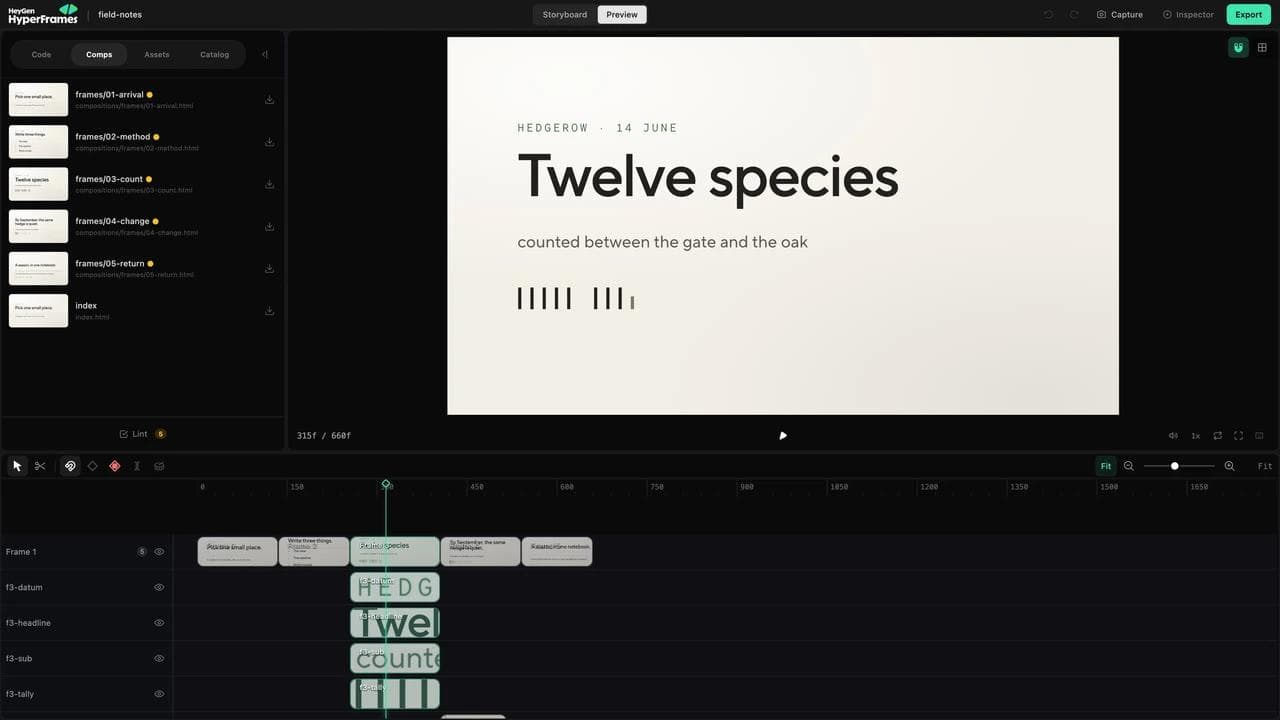
Use this agent-readiness ladder before comparing feature lists:
- Prompt-native: The product ships an agent, MCP server, CLI skill, or explicit agent workflow that can create, inspect, revise, and render the composition.
- Agent-legible: The source is TypeScript, Python, HTML, or validated JSON. A capable coding agent can work with it, but your team supplies the instructions, preview loop, and guardrails.
- Scriptable desktop: An agent can generate Python, Lua, or JavaScript automation, but the host application must be running and important changes may still require UI inspection.
- Visual-first: The tool may have AI assistance or accept agent-driven browser control, but its durable source and routine workflow are designed for a human operator.
This changes the shortlist. A product can be an excellent motion-design tool and still be a poor HyperFrames replacement for someone whose main workflow is “prompt, preview, revise.” Conversely, a structured API can be highly agent-compatible even if it does not contain a conversational interface itself.
When staying with HyperFrames is the better choice
HyperFrames has advantages that several alternatives remove. Its project model keeps HTML, scene timing, media, variables, and nested compositions in a normal folder. Browser animation systems such as GSAP, Lottie, Three.js, Anime.js, CSS, and WAAPI can participate through seekable adapters. Its repository is Apache 2.0 licensed, with no commercial-use threshold in that license.
Stay when these conditions are true:
- Your brand and product material already exist as web assets or ordinary HTML.
- Coding agents are expected to create and revise the source.
- Git-readable project files matter more than a proprietary visual project.
- You want to host the renderer yourself or choose among several documented deployment paths.
- The team is prepared to direct pacing, hierarchy, and product accuracy instead of expecting the framework to supply taste.
That last point is easy to miss. A first-week practitioner review found that agents could over-engineer scenes with Three.js or Lottie until reusable catalog blocks imposed useful constraints. In another public project retrospective, swapping a Remotion-based renderer for HyperFrames did not fix generic pacing and art direction. The lesson is not that either framework is poor. It is that rendering architecture and creative direction are separate decisions.
1. Remotion: best for React-owned video systems
Remotion is the most direct HyperFrames alternative when video belongs inside a React product. Compositions are React components, values can be parameterized with typed props, Remotion Player can embed them in an application, and official rendering paths include server-side rendering and Lambda. Its documented Cloud Run package is experimental, in alpha, and not actively developed, so new GCP deployments should evaluate the normal server-side path instead.
Choose Remotion when the existing source of truth is already a component library, product data model, or React application. A customer recap, personalized onboarding video, or product feature can reuse the same types and rendering logic as the rest of the application instead of translating it into standalone HTML compositions.
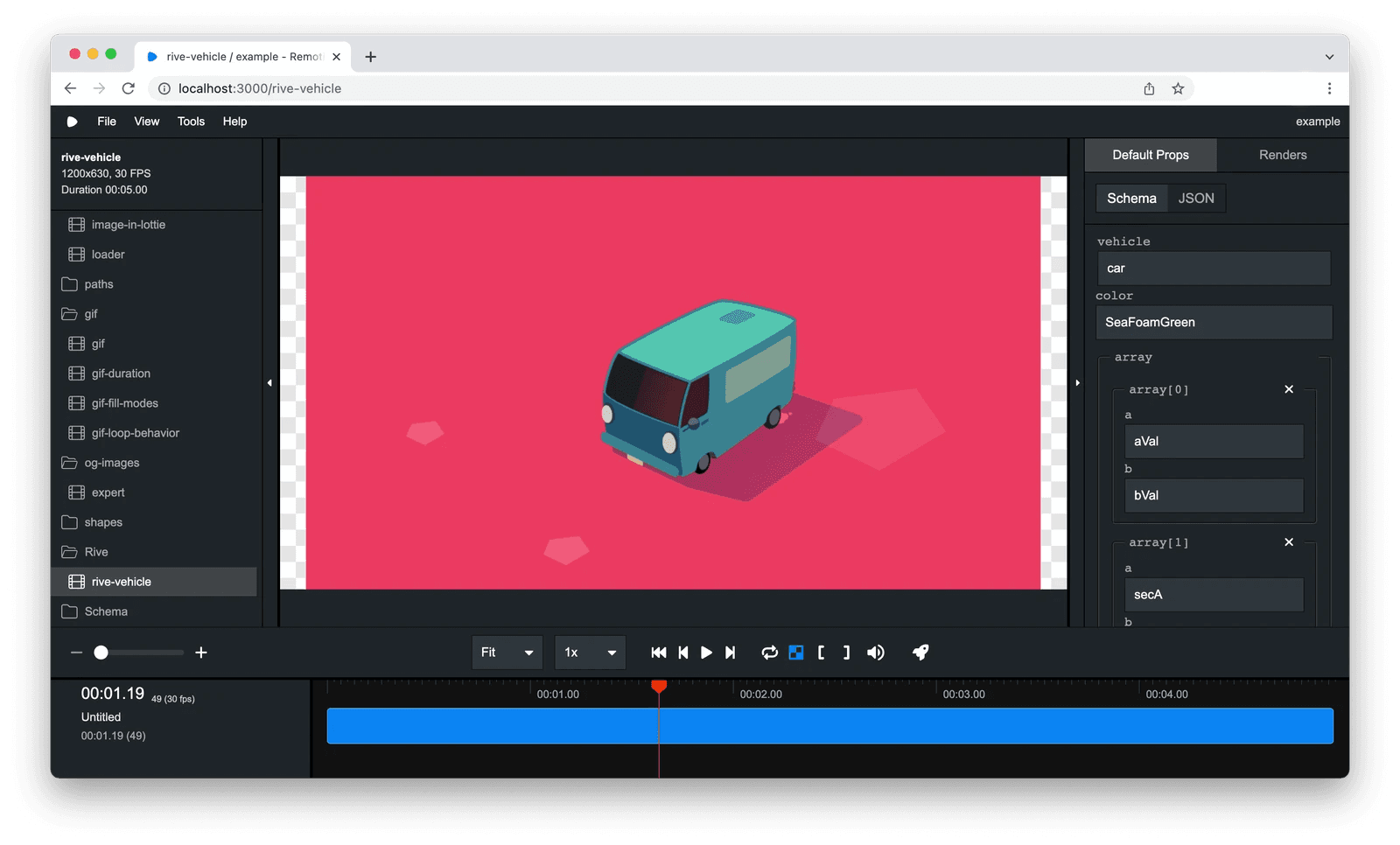
The tradeoff is not that Remotion lacks agents or a Studio. It documents both AI-assisted workflows and a local Studio. The real differences are React ownership, a frame-derived animation model, a more established rendering ecosystem, and the Remotion License, which is source-available rather than Apache 2.0. Check the current terms for your organization and rendering model.
Our detailed HyperFrames versus Remotion comparison covers source fidelity, revisions, rendering, and licensing more deeply. If a React migration is the main question, start there rather than treating Remotion as just another list entry.
2. Motion Canvas: best for technical explainers
Motion Canvas combines a TypeScript library with a real-time editor. Animations are programmed through generator functions, and the project explicitly describes itself as a tool for informative vector animation and voiceover synchronization rather than a replacement for traditional video editing.
That makes it a strong choice for mathematical diagrams, code concepts, technical presentations, and narrated visual explanations. Its imperative sequence reads naturally when the author thinks in steps such as “draw this axis, reveal this label, then move the camera.” The MIT license also gives teams a permissive open-source base.
The purchase check is the output pipeline. Motion Canvas can render frame sequences for conversion with FFmpeg or use project tooling around that process, but it does not present itself as a managed personalization API. Choose it for authored explainers, not because you want someone else to operate a multi-tenant render service.
An agent can still be effective here because generator-based TypeScript is explicit and inspectable. The missing layer is productized agent guidance: you need to give the agent Motion Canvas conventions, examples, asset rules, and a render-validation loop yourself.
3. Diffusion Studio: best open-source agent and editor handoff
Diffusion Studio is the most important agent-first alternative missing from many roundups. Its open-source editor, CLI, JSX composition format, and official coding-agent skill are designed around a direct prompt-to-motion workflow. An agent can build or edit a composition, while the resulting nodes remain editable in the visual canvas and timeline.
That makes it unusually close to the actual reason many people choose HyperFrames. The choice is not HTML versus another manual editor. It is HTML project files versus a TSX-based editing system where the agent and human operate on the same composition. The current agent workflow is centered on the macOS app, so platform requirements matter.
The maturity caveat is substantial. This is a much newer project than Remotion, After Effects, or the managed APIs below. Test one real video, including asset loading, fonts, render output, revision handoff, and recovery after a broken agent edit, before making it infrastructure.
4. Creatomate: best for templates that non-engineers revise
Creatomate combines an online editor, reusable templates, a JSON-based RenderScript format, and a hosted rendering API. Designers can define which properties are dynamic, then an API call, spreadsheet, Zapier flow, or Make scenario supplies new text, images, footage, colors, and other values.
This is the strongest alternative when HyperFrames' code ownership is the problem. A designer can own composition and timing visually while an operations team generates campaign, listing, or social variants from approved inputs. Creatomate also documents a hosted MCP connection, so moving away from an open project folder does not mean giving up agent access.
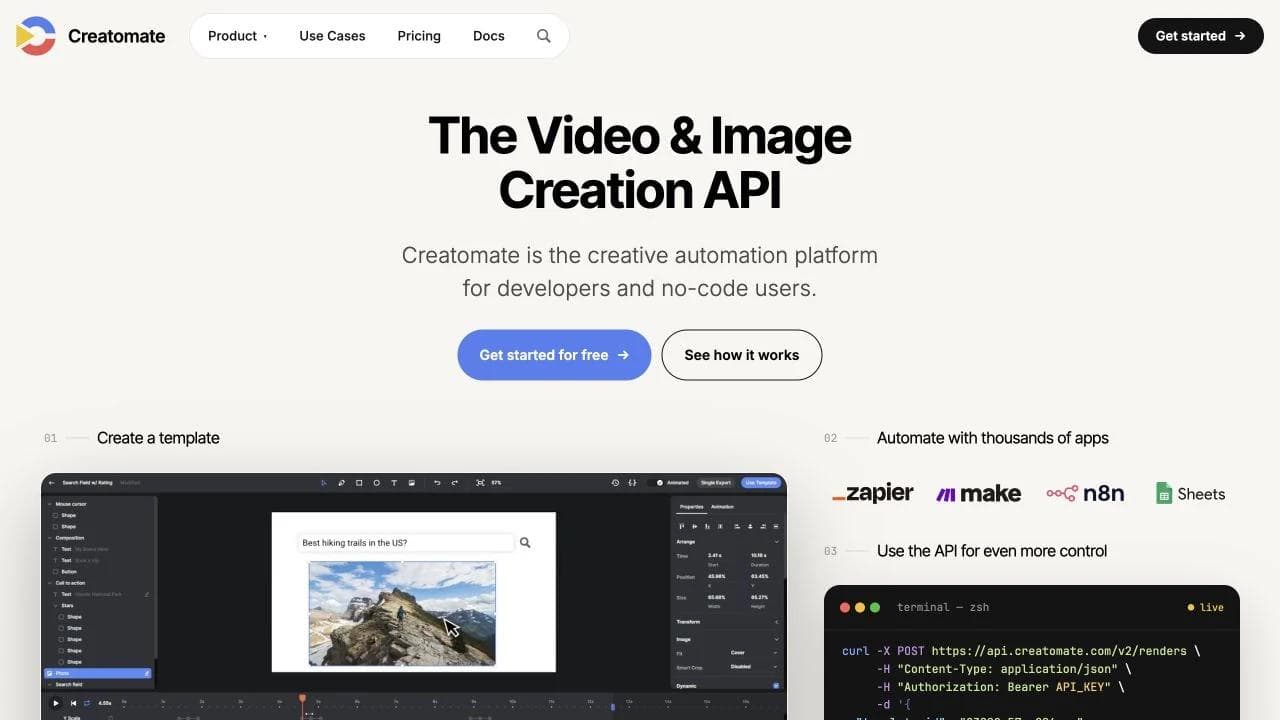
The constraint is the template contract. RenderScript can describe complete videos and the API can override many properties, but the system is intentionally more bounded than arbitrary HTML plus any browser library. That constraint is helpful for predictable variants and less attractive for bespoke web animation.
Creatomate now has an official hosted MCP server that can browse, create, and update templates, perform free dry runs, start renders, and inspect failures. That makes it a genuine prompt-driven option, not merely a conventional template editor with an API.
5. Shotstack: best for managed video assembly at volume
Shotstack is a cloud video-editing API. A JSON edit describes a timeline of tracks and clips, along with text, transitions, filters, overlays, audio, and output settings. The service queues the render and returns the resulting media location.
Choose it when the input assets and edit plan are already known. Examples include product feeds, real-estate listings, sports recaps, localized promotions, and clip assembly driven by a database. Its separation between Edit, Serve, and Ingest APIs also gives engineering teams a clearer managed-media contract than running a general browser composition themselves.
Shotstack is not the closest creative substitute for HyperFrames. Its JSON schema is the point. It makes common editing operations easy to validate and automate, but custom browser animation must be translated into the service's primitives or rendered elsewhere. Its official agent workflow includes an MCP server, CLI, coding-agent skill, validation, and Studio preview, so it is one of the strongest alternatives when “prompt an agent” matters more than arbitrary HTML behavior.
6. Theatre.js: best for visually directing browser animation
Theatre.js is a visual and programmatic animation layer for HTML, SVG, Three.js, React, and other JavaScript values. It gives creative developers a sequence editor and graph controls while keeping animation connected to a web project.
This is a useful partial alternative when HyperFrames' HTML compatibility is attractive but agent-authored timing is not. A creative developer can direct curves and sequences visually, then keep the result in the browser environment. Theatre.js core uses Apache 2.0, while its Studio package uses AGPL 3.0 during design and development, as described in the project repository.
The important limitation is scope: Theatre.js is not a complete video rendering service. You still need a deterministic capture and encoding path, which could be custom infrastructure or another framework. It replaces animation authoring, not every part of HyperFrames.
7. Figma Motion: best when motion should stay with the design system
Figma Motion puts a timeline on the same canvas as a team's components, variables, layouts, and comments. That makes it a useful HyperFrames alternative when the real problem is handoff: product and brand designers can animate approved design-system material without translating it into a separate HTML video project first.
Choose it for interface motion, animated illustrations, product storytelling, and brand assets that should remain connected to the Figma source. Figma describes Motion as a way to turn animation from a specialist handoff into a shared system capability, including timeline comments and collaboration through the existing design workflow.
The category boundary matters. Figma Motion is an authoring environment, not a self-hosted browser renderer or a multi-tenant personalization API. Figma's agent can help inside the broader design workflow, but this is not yet the same explicit prompt-to-render contract offered by HyperFrames, Remotion, Diffusion Studio, Creatomate, or Shotstack. Verify the automation surface and production handoff before replacing a working code-render pipeline.
8. Cavalry: best for procedural 2D motion
Cavalry is a visual 2D animation application built around procedural rigs, duplicators, data-driven sequences, real-time playback, and a graph editor. A motion designer can adjust keyframes and curves directly while procedural relationships propagate changes through a scene.
Choose Cavalry for animated typography, brand systems, broadcast-style packages, charts, and repeated visual structures where a designer wants both direct manipulation and procedural control. It can be faster to art-direct a system visually than to describe every correction to an agent, especially when the correction is about easing, spacing, or rhythm.
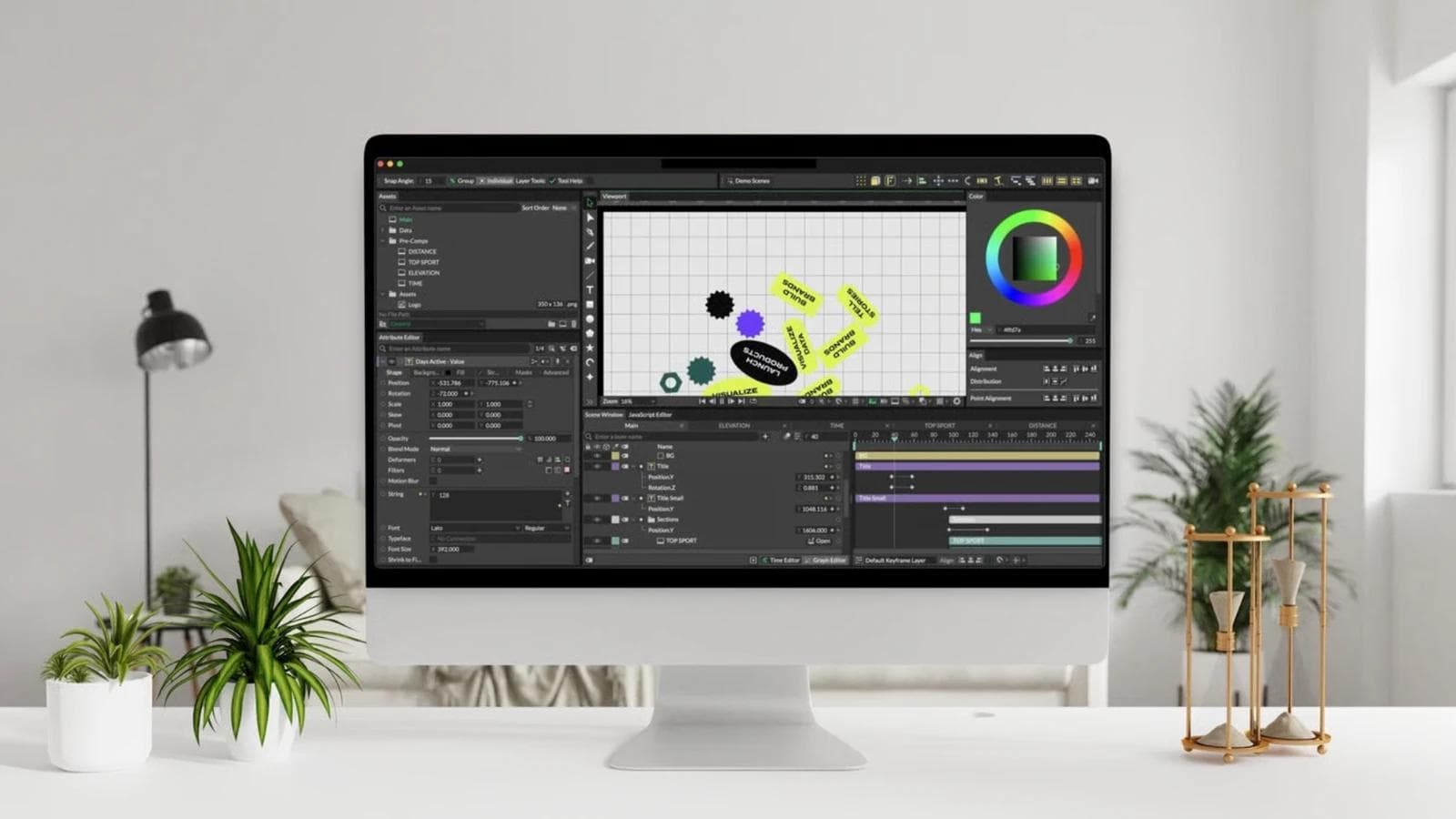
It is not a web component framework or a general hosted render API. Treat the project file and desktop application as the center of production. If server-side personalization is a requirement, verify the current enterprise automation and headless-render options instead of assuming the free desktop workflow covers them.
9. Adobe After Effects: best for compositing and finishing
Adobe After Effects remains the broadest alternative here for detailed motion design, compositing, effects, color-managed interchange, and post-production handoff. Its Render Queue can batch compositions and outputs, while expressions can automate properties and connect parts of a scene using a JavaScript-based language.
Choose After Effects when the final ten percent includes masks, tracking, complex compositing, plugin-specific effects, or delivery into an established Premiere and post-production workflow. Those are not marginal features for a motion team. They can be the actual job.
An agent can generate expressions and ExtendScript automation, so After Effects is not completely closed to prompted work. The loop is still cumbersome: the desktop application and project state must be available, many aesthetic corrections require visual inspection, and scripting does not turn the full interface into a clean declarative contract. Our guide to After Effects alternatives by workflow goes deeper on visual motion, compositing, Lottie, and procedural tools.
10. Moda: best for visually owned marketing motion
Moda fits when a go-to-market team wants an agent to create motion and a human to keep editing it on a real canvas. Scenes, layers, timing, and visual properties remain directly editable, and the same workspace can support adjacent campaign work such as slide decks, social graphics, ads, images, and other designed assets.
That makes Moda a practical alternative for launch clips, motion graphics, social ads, and campaign packages where revisions come from marketers or designers. The value is not that Moda mimics an HTML repository. It is that code does not have to remain the durable artifact after generation.
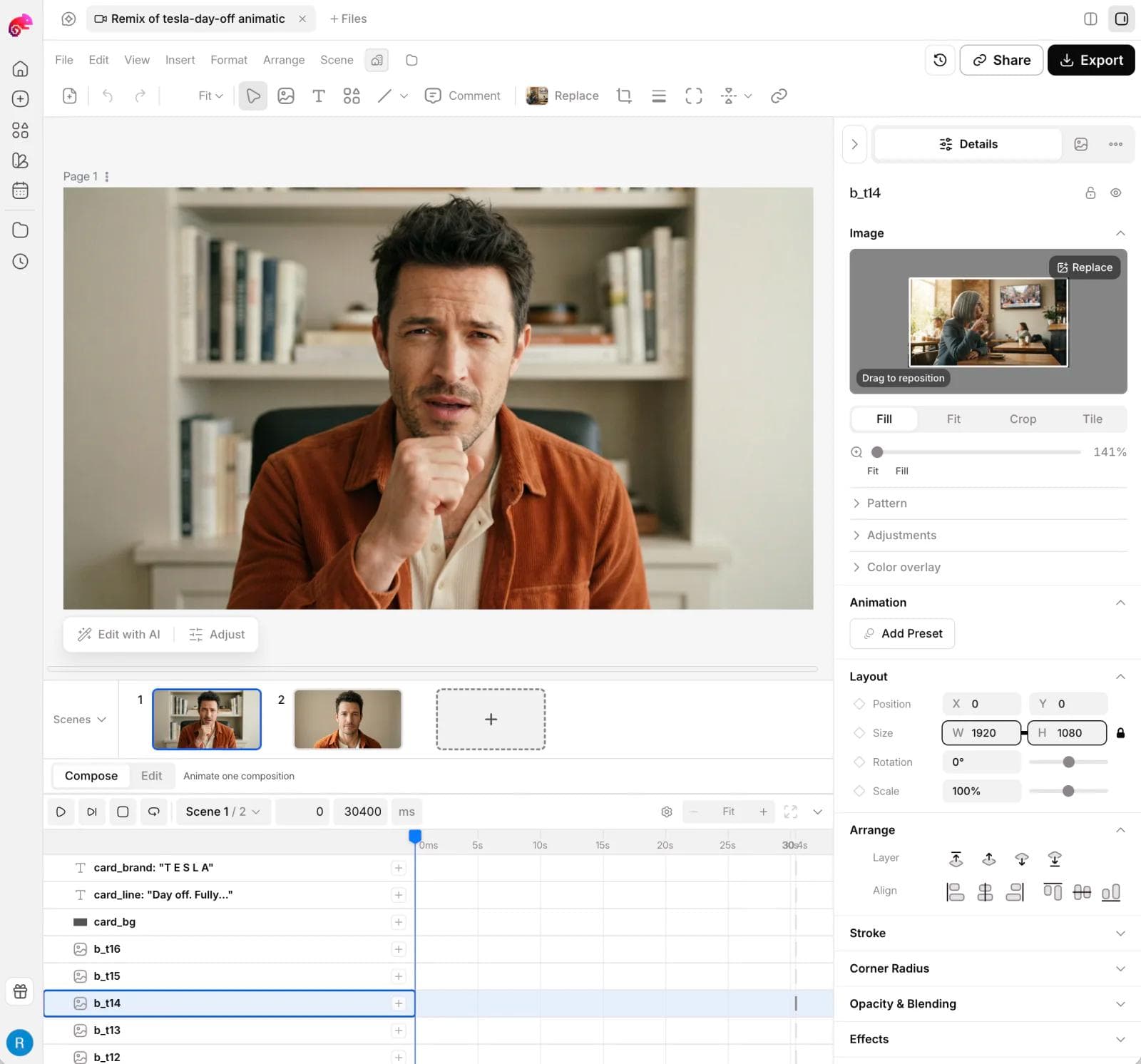
The boundary is important. Moda is not a React rendering library, a deterministic CI test surface, an interactive runtime like Rive, or infrastructure for a multi-tenant personalized-video product. Choose HyperFrames, Remotion, or a managed API when those are the actual requirements.
Other agent-friendly open projects worth watching
The open-source field is moving quickly, but several projects are not yet direct, mature HyperFrames replacements.
- Open Animate packages an Apache 2.0 motion toolkit, asset-generation tools, and an agent skill around React components rendered through Remotion. It may improve prompt-to-video authoring, but it does not replace the underlying Remotion architecture.
- OpenMontage is an open agentic production system covering research, scripting, asset generation, narration, editing, and composition. Its final motion-composition layer also uses Remotion, so evaluate it as a workflow stack rather than a new renderer.
- Editly is an MIT-licensed declarative Node and FFmpeg tool that accepts JSON5 or JavaScript. Agents can produce its compact edit specifications easily, but it is narrower than a browser motion framework and maintained by one person.
- Etro is a GPL 3.0 TypeScript library for browser-side layer compositing, effects, keyframes, and JSON serialization. It is useful when building an editor, but it does not ship the agent guidance or production pipeline of the stronger options above.
These projects reinforce the main distinction: code that an agent can write is not automatically an agent product. The best systems also give the agent current schemas, reusable building blocks, preview tools, validation, and a safe revision loop.
A five-question replacement test
Before migrating, apply the same realistic change request to your shortlist:
- Who changes the headline tomorrow? If the answer is a marketer, inspect the actual visual editing path rather than the initial generation demo.
- What is the source of truth? Decide whether it should be HTML, React, TypeScript scenes, JSON, a hosted template, or a visual project.
- What happens at 1,000 renders? Account for queues, retries, fonts, asset storage, concurrency, observability, and failed-job recovery.
- What must stay editable? A template variable is not the same as changing scene structure, animation curves, or compositing.
- Is MP4 really the deliverable? Interactive product motion, a reusable template, and a finished marketing video require different systems.
A public Remotion practitioner discussion captures a related operational truth: reusable code makes variants fast, but product UI can drift and real frames still need checking. Whichever tool you choose, include source-accuracy review and a second-round revision in the evaluation. The first attractive render is not enough evidence.
Which HyperFrames alternative should you choose?
Choose Remotion if React already owns the product and video infrastructure. Choose Motion Canvas for authored technical explainers. Choose Creatomate for visually governed templates and Shotstack for managed JSON assembly.
Choose Diffusion Studio when you want an open agent-and-editor workflow. Choose Theatre.js when browser animation needs visual direction but you can supply the render pipeline. Choose Figma Motion when product or brand animation should stay with the design system. Choose Cavalry or After Effects when motion designers need procedural control, compositing, and finishing. Choose Moda when a marketing team wants agent-assisted creation followed by direct visual editing across a campaign.
And keep HyperFrames when HTML, agent-readable source, browser animation compatibility, and Apache licensing are already solving the hard part. A good alternatives decision can end with no migration at all.
Frequently asked questions
What is the closest alternative to HyperFrames?
Remotion is the closest broadly established alternative for programmatic video, but it uses React components and a frame-driven authoring model. Theatre.js is closer to ordinary browser animation but does not include the full rendering service. The closest choice depends on whether source compatibility or end-to-end production matters more.
Is HyperFrames open source?
Yes. The HyperFrames repository uses the Apache 2.0 license. That differs from Remotion's source-available license and from hosted services whose implementation is not part of the product contract.
What is the best open-source HyperFrames alternative?
Diffusion Studio is the closest open-source option here to an agent-plus-visual-editor workflow. Motion Canvas is a strong MIT-licensed choice for technical explainers and procedural vector animation. Editly and Etro cover narrower declarative editing and browser-compositing jobs. No option is a universal replacement for HyperFrames' HTML and browser-animation model.
Can I replace HyperFrames with a no-code tool?
Yes, if visual ownership matters more than code-level freedom. Creatomate supports visually authored dynamic templates and managed rendering. Cavalry, After Effects, and Moda support different kinds of visually owned motion work. They are not drop-in replacements for an HTML render framework.
Do I need to leave HyperFrames to get cloud rendering?
No. Current HyperFrames documentation includes managed cloud rendering, AWS Lambda, Google Cloud Run, and hosted templates for Vercel, Cloudflare, and Modal. Consider another service when its operating model or template contract fits better, not because HyperFrames is limited to local rendering.

Real editable visuals. Real canvas. Full control.
Fly through design work