HyperFrames vs Remotion: Which Should You Use in 2026?
HyperFrames vs Remotion compared for agents, React, HTML, rendering, licensing, visual editing, source fidelity, and production scale.
 Anvisha Pai, Co-founder & CEO, Moda
HyperFrames and Remotion both turn web technology into deterministic video, but they optimize for different source material. Choose Remotion when video belongs inside a React system with typed components, application data, and established rendering infrastructure. Choose HyperFrames when the source is ordinary HTML, CSS, GSAP, Lottie, or a website that an agent should animate without translating it into React.
That is the short answer. The more important question is what your team will maintain after the first impressive render. A framework can make frames reproducible. It cannot choose the story, protect product accuracy, or decide whether the next revision belongs to a developer, designer, or marketer.
HyperFrames vs Remotion at a glance
| Decision | HyperFrames | Remotion |
|---|---|---|
| Authoring model | HTML, CSS, and JavaScript | React and TypeScript |
| Timing model | Seeks supported browser-animation timelines to an exact moment | Components derive output from the current frame |
| Best starting material | Existing HTML, CSS, GSAP, Lottie, and browser experiences | React components, typed props, design systems, and application data |
| Agent workflow | Dedicated skills route agents through project planning, validation, and rendering | Skills, plugins, AI-ready documentation, WebMCP, and coding-agent workflows |
| Human revision surface | Studio edits supported visible properties and timing back into the HTML project | Studio previews and can expose composition controls, while structural work remains React code |
| Rendering | Local CLI, Node pipeline, managed cloud, AWS Lambda, and Google Cloud Run | Local and server rendering, mature AWS Lambda workflow, Vercel, client rendering, and an unmaintained Cloud Run integration |
| Application embedding | Player and SDK for HyperFrames compositions | React Player with runtime parameters and an established app-building ecosystem |
| License | Apache 2.0 | Remotion License, with free eligibility and paid company use outside it |
| Safest default | Agent-authored browser animation or reusable HTML video projects | React-owned video products and production pipelines |
The real decision is not HTML versus React
The official HyperFrames comparison gives a clear technical distinction: HyperFrames asks for an HTML project and seeks registered browser animations; Remotion asks for React components whose output is determined by the current frame.
That difference matters, but it does not settle the purchase or architecture decision. Three other questions usually decide it:
- What source material must enter the video without losing fidelity?
- Who owns revisions after the agent leaves?
- Is this a video project, a reusable template system, or a video product embedded in software?
Those questions explain why independent opinions conflict. In one community comparison thread, users described HyperFrames as easier to start, smoother, token hungry, slower, and less successful at design than Remotion. These are anecdotes from different prompts, assets, models, and projects, not a controlled benchmark. The disagreement is the signal: framework choice alone does not determine visual quality.
Choose by the material you already trust
Start with the assets whose accuracy you cannot afford to lose.
Remotion fits a React-owned product
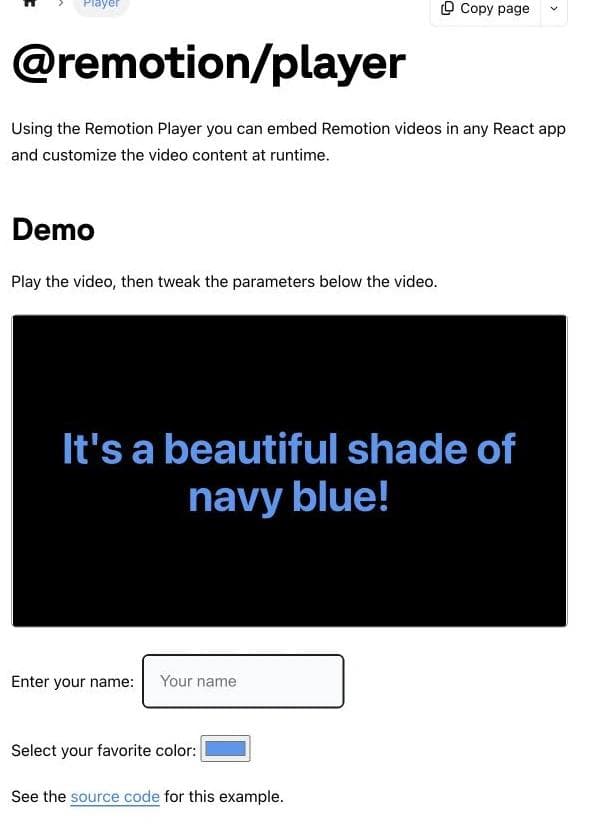
Remotion is the natural choice when your interface, charts, design tokens, and data types already live in React. The agent can work with the same components the product uses instead of recreating a dashboard from screenshots. Its Player can embed a parameterized composition inside a React application, and its broader documentation covers reusable components, typed inputs, media, captions, rendering, and application development.
A recent launch-video discussion illustrates the practical advantage. The creator attributed a visually accurate Remotion result to giving the agent the actual frontend codebase and a reference video, rather than asking it to infer the product from a loose prompt. Another commenter identified UI drift as the part that still needed human checking. That is a useful production lesson, not proof that Remotion always looks better.
Choose Remotion when the React implementation is already an approved source of truth. The video can reuse the visual language instead of approximating it.
HyperFrames fits browser-native material
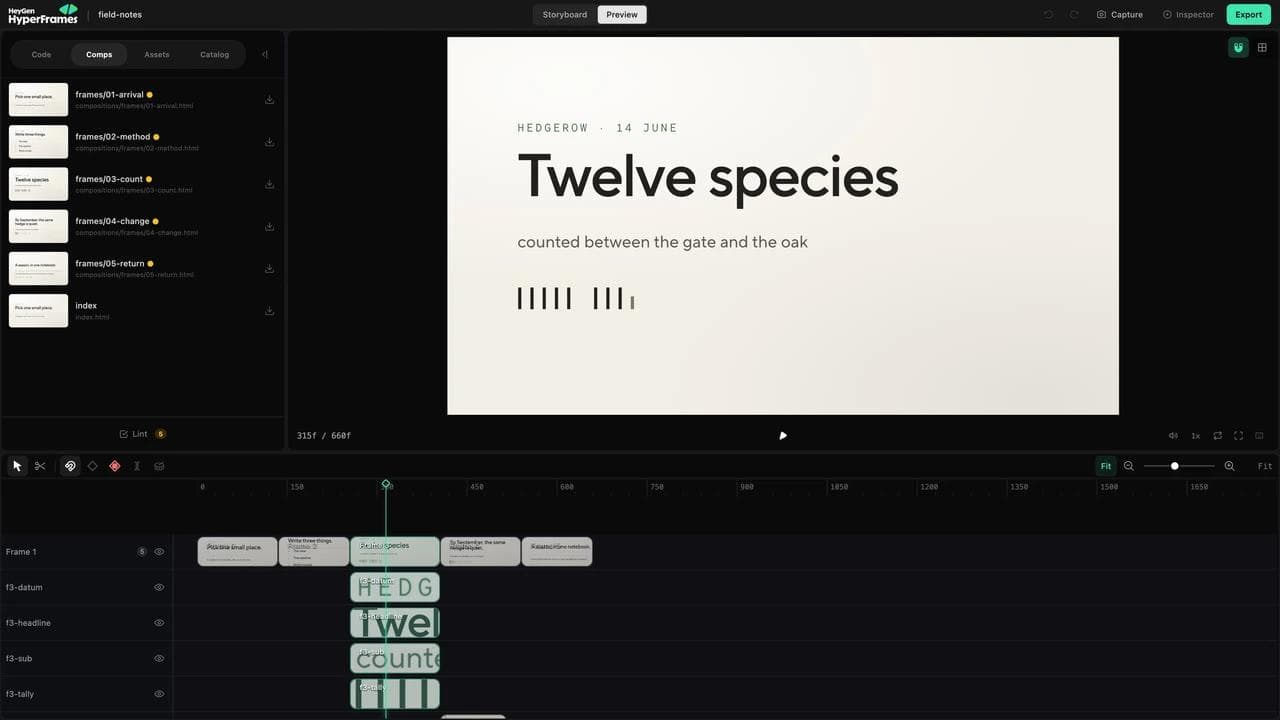
HyperFrames is compelling when the trusted source is a website, an HTML prototype, a GSAP timeline, a Lottie animation, or another browser-native experience. Its project is a folder whose HTML describes scenes, timing, media, and reusable parts. The agent, Studio, CLI, SDK, Player, and renderer work on those same files, according to the HyperFrames project model.
That removes a translation step. Existing CSS does not need to become JSX, and a seekable animation can stay in the library that already expresses it well. HyperFrames also publishes frame adapters and rules for deterministic rendering, so a supported animation runtime can be advanced to an exact moment rather than captured from live playback.
The tradeoff is a different contract. Timelines must be registered correctly, wall-clock behavior and unseeded randomness need attention, and ordinary browser code is not automatically valid video code. HyperFrames ships linting, checks, project conventions, and agent skills because those rules still need to be learned.
What the GSAP comparison actually proves
In an April comparison published by HyperFrames creator Bin Liu, HeyGen gave both tools the same four-second GSAP timeline. In the reported HyperFrames render, the engine paused and sought the timeline to `frame / fps` before capturing each frame. In Remotion, the unchanged GSAP timeline continued on its wall clock and finished early, leaving later captured frames empty.
That is a meaningful interoperability difference when the trusted source is an existing GSAP, Anime.js, Motion One, or Lottie animation. It is not a controlled visual-quality benchmark, and it does not prove that React animation is inherently weaker. A native Remotion implementation would normally derive the motion from `useCurrentFrame`, `interpolate`, or another frame-aware primitive instead of dropping the same wall-clock GSAP code into a composition unchanged.
Both are agent-ready, but agents need direction
“HyperFrames is for agents and Remotion is for humans” is already stale. HyperFrames was explicitly designed around agent-authored HTML, but Remotion now documents coding-agent prompts, skills, plugins, WebMCP, AI-ready Markdown documentation, and prompt-to-video templates in its AI workflow guide.
The more useful distinction is what the agent already knows and what context you can provide.
An agent has broad training exposure to HTML, CSS, JavaScript, and React. It still needs framework-specific rules for either product. HyperFrames skills teach its project format, animation adapters, validation loop, and workflows. Remotion skills teach composition structure, frame-driven timing, rendering, media handling, and current APIs.
HeyGen says its internal evaluations found that agents produced more varied visuals in HTML and GSAP with fewer framework guardrails than in Remotion. That is useful evidence from a team that ran both systems in production, but the prompts, models, scoring rubric, and complete outputs have not been published as an independent controlled benchmark. Treat the claim as a product-maker hypothesis that fits the architecture, not a universal quality result.
Independent experience suggests that more freedom does not always mean better output. A developer who used HyperFrames for a week reported that agents sometimes over-engineered simple motion with Three.js or Lottie, and that directing them toward curated catalog blocks improved results. Another user preferred Remotion after trying both, despite finding HyperFrames animation smoother. Neither report establishes a winner. Together they suggest a better practice:
- Give the agent approved assets and an explicit visual reference.
- Define pacing, scene purpose, and what must remain exact.
- Prefer a small set of reusable motion patterns over unlimited invention.
- Review real product UI frame by frame.
- Judge the second revision, not only the first render.
The framework does not supply art direction
This is the biggest omission in most HyperFrames versus Remotion comparisons.
One developer documented spending 14 days on a URL-to-video pipeline. The crawler extracted screenshots, colors, fonts, imagery, and layout. The author tried Remotion, then HyperFrames, then curated components, but still found the result generic. Their conclusion was that switching the renderer had not solved motion direction and pacing.
A non-developer review from Masset reached a more positive conclusion after using HyperFrames for a training-video workflow. Even that account described upfront work to establish the voice and brand treatment, and identified accurate product screenshots as the stubborn bottleneck. The two experiences are not contradictory: a reusable production system can become efficient after someone supplies the creative direction and trustworthy source material.
Both accounts are anecdotal, but the shared production lesson is credible. Both frameworks can deterministically render a weak composition. Neither automatically knows which benefit deserves a scene, when to hold a product detail, how much text a viewer can read, or which visual reference matches the brand.
Treat the framework as the production language, not the creative director. If a project matters, preserve a brief, storyboard, script, references, approved components, and review criteria alongside the code. HyperFrames formalizes several of those files in its recommended project structure. A Remotion repository can do the same even though the convention is not required by React.
Compare the revision workflow, not the demo
Both products have a surface called Studio, but they do not turn code-to-video into a conventional NLE.
HyperFrames Studio works on the same HTML project as the agent and renderer. It exposes the current frame, timeline, layers, design controls, variables, assets, source, and catalog. Supported visual and timing changes write back to the project. Broader story or structural edits are handed back to the agent.
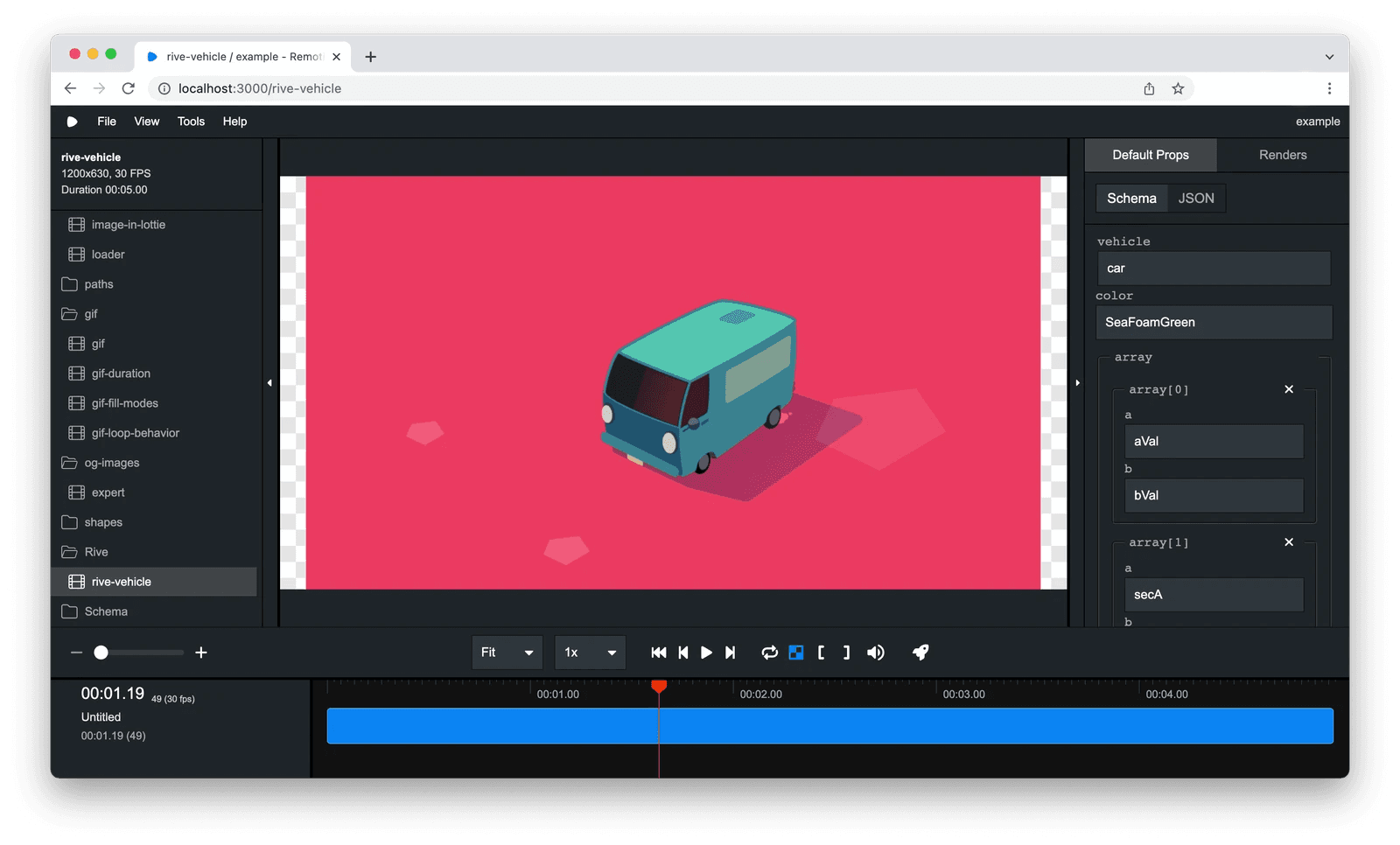
Remotion Studio previews compositions and can render when connected to a server. Remotion also supports interactive composition controls and tooling for building custom video applications. The durable structure remains React code, which is an advantage when developers own revisions and a limitation when non-developers expect a general-purpose timeline editor.
Before choosing, run a two-change test on the same representative project:
- Change the brand, copy, and aspect ratio without damaging the motion.
- Add a data-driven scene and expose the variables another person will change next month.
Record who makes each change, which files they touch, what the preview catches, and what can silently break. The better framework is the one whose next revision remains understandable to the actual owner.
Rendering and production maturity
Old comparisons that describe HyperFrames as local-only are no longer accurate. Its current deployment documentation lists hosted templates and routes to local, managed-cloud, AWS Lambda, Google Cloud Run, and programmable rendering options.
Remotion remains the more established production choice. HyperFrames itself credits Remotion with pioneering several headless-Chrome rendering patterns and describes Remotion Lambda as more mature. The Remotion Lambda architecture deploys the project to S3, renders chunks across Lambda functions, stitches them, and returns the result to S3. Its documentation covers concurrency, regions, webhooks, cancellation, cost, permissions, security, and production checks.
Choose based on the production horizon:
- For one launch video or a small internal pipeline, local rendering may be sufficient.
- For recurring renders from a backend, compare the programmable APIs and operational ownership.
- For customer-specific video at scale, test concurrency, retries, cancellation, storage, observability, and licensing before committing.
- For an embedded React experience with runtime customization, Remotion Player is a strong reason to stay with Remotion.
Do not infer render speed or reliability from architecture diagrams. Benchmark your own composition, media, codec, resolution, and target infrastructure.
What changed since the launch comparisons
HyperFrames is moving quickly enough that an accurate April article can be misleading by August. Bin Liu's April 20 comparison described the renderer as single-machine, broader visual editing as forthcoming, and HDR as a future path. Those statements captured the product at launch, not its current documented surface.
The current documentation now shows direct visual and timeline editing in HyperFrames Studio, multiple rendering and deployment paths, and an HDR10 pipeline for supported sources and MP4 output. That does not establish parity with Remotion Lambda or erase format and infrastructure limitations. It does mean comparisons should date their evidence and separate shipped capabilities from roadmap claims.
Licensing is a real architectural difference
HyperFrames uses the Apache 2.0 license. Teams can inspect, modify, self-host, and redistribute it within that license's terms.
Remotion makes its source available under the Remotion License. Individuals, nonprofits, evaluation use, and for-profit organizations with up to three employees are eligible for the free license under the current terms. Other organizations need a company license. Remotion's published 5.0 terms add usage-reporting requirements for some automated rendering paths, so teams should check the current license for the version and use case they plan to deploy.
This is not evidence that HyperFrames is technically better or that Remotion is unreasonably priced. It changes procurement, redistribution, telemetry, and long-term control. Review the actual licenses instead of relying on “open source” as a loose marketing category.
When using both is more sensible than migrating
The choice does not have to be permanent or exclusive. Treat it as a portfolio decision: keep proven templates and infrastructure where they work, then test the newer authoring model on projects whose source material actually benefits from it.
That can work when:
- Existing React-owned templates remain in Remotion.
- New agent-authored website animations start in HyperFrames.
- A team tests HyperFrames on projects dominated by HTML, GSAP, or Lottie.
- Production Remotion infrastructure stays in place until a new renderer proves the required reliability.
Migration has cost even when a tool offers an automated path. HyperFrames documents a Remotion migration skill, but also identifies React state, asynchronous metadata, and third-party React libraries as cases that may not translate cleanly. Move because the future source material and ownership model fit better, not because a newer framework generated launch attention.
Where Moda fits, and where it does not
Moda is a different choice. It is not a code-to-video framework, an HTML renderer, or a React video SDK. It fits when a marketing or design team wants an agent to create branded video on an editable visual canvas, then revise text, imagery, layout, timing, and related campaign assets without maintaining a repository.
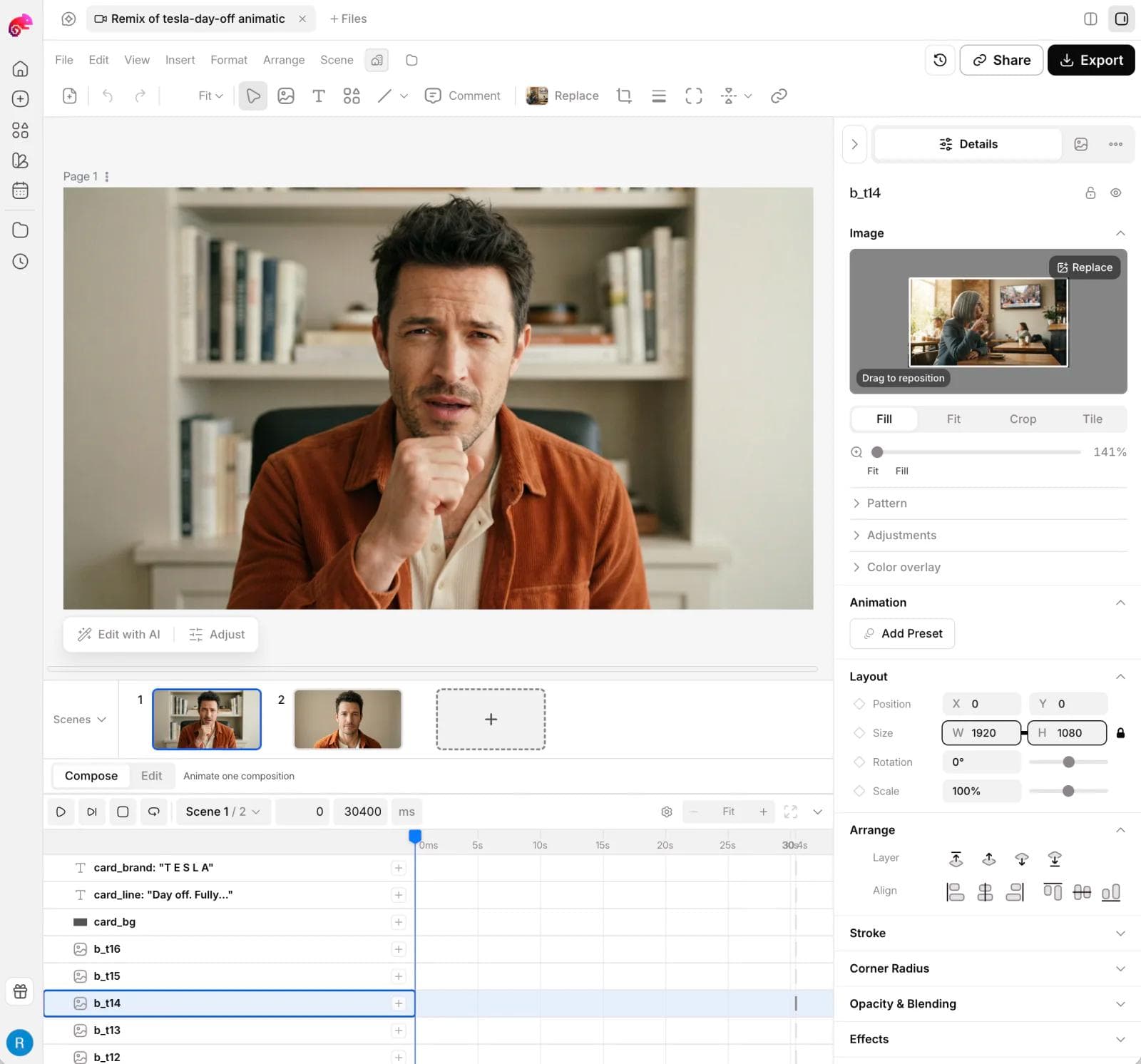
That can be useful for a product announcement that also needs static ads, social graphics, slides, and multiple designed formats. Our After Effects alternatives guide compares that campaign-production workflow with professional compositing and motion tools.
Choose HyperFrames or Remotion when code must remain the durable artifact, the video is parameterized at scale, or rendering is part of a software product. Choose a conventional editor when cutting recorded footage is the central job; our CapCut alternatives guide covers that category. If the project begins with generating source footage, see the Higgsfield alternatives guide instead. Generating a shot, editing footage, and rendering deterministic motion are separate decisions.
Which should you choose?
Choose Remotion if your team already owns a React application, wants to reuse typed components and data, needs the mature Lambda ecosystem, or is building a parameterized video product.
Choose HyperFrames if an agent should animate existing HTML, CSS, GSAP, Lottie, or website material; Apache licensing matters; or the same browser-native files should move between agent, Studio, Git, and renderer.
Use both if Remotion already runs reliably in production and HyperFrames offers a better source format for a new class of agent-authored work.
Choose neither if the actual bottleneck is editing recorded dialogue, high-end compositing, or giving non-developers a visual production workspace. A framework switch cannot solve a category mismatch.
Whichever path you test, bring the same approved assets, reference, storyboard, and two revision requests. The first render shows what the agent can invent. The next revision shows whether the system belongs in your workflow.
Frequently asked questions
Is HyperFrames better than Remotion for AI agents?
Not universally. HyperFrames was designed around agent-authored HTML and provides dedicated workflow skills. Remotion also offers agent skills, plugins, AI-ready documentation, WebMCP, and prompt-to-video tooling. The better choice depends on whether the agent should work from browser-native HTML and animation or from React components and application data.
Is HyperFrames open source?
Yes. The HyperFrames repository uses the Apache 2.0 license. Check the repository and license before redistributing a modified version, but it does not use Remotion's company-size licensing threshold.
Is Remotion open source?
Remotion is source-available under the Remotion License, not a standard permissive open-source license such as Apache 2.0 or MIT. Its current free eligibility includes individuals, nonprofits, evaluation, and for-profit organizations with up to three employees. Other organizations need a company license.
Can HyperFrames replace Remotion Lambda?
HyperFrames now documents AWS Lambda, Google Cloud Run, managed cloud, local, and Node rendering paths. That makes it a credible infrastructure candidate, but it does not establish feature or reliability parity with Remotion Lambda. Rebuild one production composition and test concurrency, retries, cancellation, storage, observability, and cost before migrating.
Which is easier for non-developers?
HyperFrames may be easier to start through an agent because the underlying project is HTML and its Studio exposes visible edits and timing. Remotion can also be prompted through coding agents and provides a Studio. Neither is a conventional consumer video editor, and structural changes can still require understanding the source or handing the work back to an agent.

Real editable visuals. Real canvas. Full control.
Fly through design work