7 Best Miro Alternatives in 2026, by Workflow
Compare seven Miro alternatives for workshops, Figma teams, diagrams, self-hosting, project execution, and visual content, with practical migration checks.
 Anvisha Pai, Co-founder & CEO, Moda
The best Miro alternative is not necessarily another all-purpose whiteboard. Choose Mural when a facilitator needs tight control of a live workshop, FigJam when the board sits beside Figma design work, Lucidspark when ideas must become formal diagrams, and Excalidraw when a fast open sketch canvas matters more than enterprise workflow depth.
For narrower workflows, Whimsical is excellent for tidy diagrams and wireframes, ClickUp Whiteboards keeps planning close to tasks, and Canva Whiteboards connects brainstorming to visual content. Moda fits after the decision, when notes need to become a polished diagram, deck, or one-pager. It is not a replacement for a room full of people adding stickies and voting together.
We did not run a controlled hands-on test of every product in this guide. Recommendations are based on current product documentation, independent reviews, and carefully labeled practitioner reports. Treat plan limits, guest access, and migration behavior as items to verify in your own workspace before buying.
Miro alternatives at a glance
| Alternative | Best for | What it replaces well | What to test first |
|---|---|---|---|
| Mural | Facilitated workshops | Timers, private input, voting, attention control, reusable workshop methods | Guest access, integrations, and total facilitator-seat cost |
| FigJam | Figma-centered product teams | Brainstorms, critiques, user flows, and meetings near design files | Open-session limits, external collaborators, and non-design use |
| Lucidspark | Ideas that become formal diagrams | Whiteboarding connected to process, architecture, and system diagrams | Whether your plan includes the Lucidchart workflow you need |
| Excalidraw | Lightweight or self-managed sketching | Quick diagrams, architecture conversations, and portable open files | Shared storage, identity, access control, and self-hosted collaboration |
| Whimsical | Tidy flowcharts and wireframes | Focused visual documents with less canvas sprawl | Large workshops, advanced facilitation, and complex boards |
| ClickUp Whiteboards | Planning that becomes tracked work | Brainstorms that need to turn into tasks and Docs | Exports, bulk conversion, and participant experience |
| Canva Whiteboards | Marketing, education, and visual-content teams | Brainstorms that continue into presentations and other designs | Complex workshop controls and technical diagram requirements |
What are you actually replacing in Miro?

Miro has expanded far beyond digital sticky notes. Its AI Workflows documentation describes Sidekicks and visual Flows that use board context to generate documents, diagrams, and prototypes. The platform also combines workshops, diagrams, roadmaps, embedded media, integrations, and long-lived team spaces. That breadth is why replacing a feature checklist rarely produces a successful migration.
Start by naming the primary job your boards perform:
- A facilitator runs live design sprints, retrospectives, training, or client workshops.
- A product team brainstorms beside interface designs and prototypes.
- Loose thinking must become a governed process map, architecture diagram, or system model.
- Engineers need a fast sketch surface or a canvas they can host and extend.
- Planning must become assigned work in a project-management system.
- The real output is a polished presentation, report, campaign asset, or diagram.
A team that uses Miro for all six jobs may be better off keeping it. A team that uses only one can often choose a more focused product and reduce the effort required to prepare, govern, and revisit boards.
1. Mural: best for professionally facilitated workshops
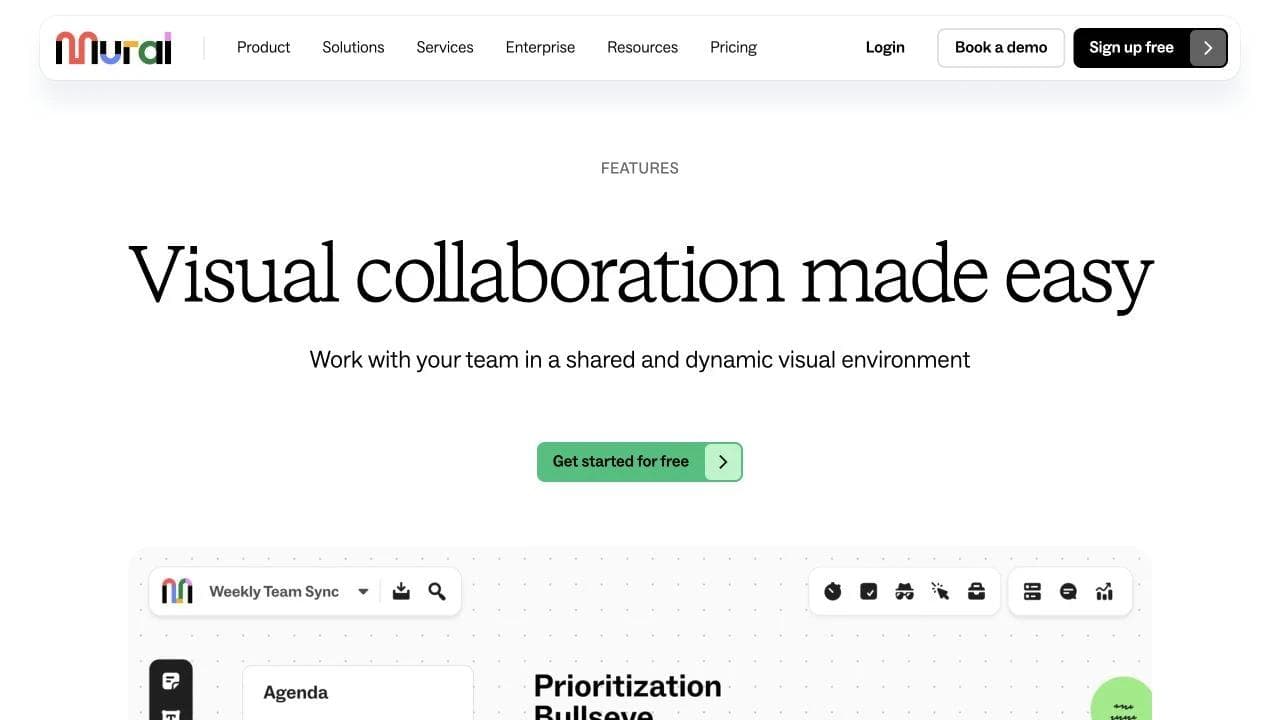
Mural is the closest direct alternative when the meeting itself is the product. Its Facilitation Superpowers include private mode, anonymous voting, timers, summon, take control, locking, outlines, and hide-and-reveal steps. Those are not decorative extras. They let a facilitator prevent anchoring, reveal an activity in stages, recover attention, and protect prepared material from accidental edits.
Choose Mural for consulting workshops, design sprints, strategy offsites, training, and repeatable team rituals. Its custom toolbars and publishable templates are particularly useful when a facilitation team wants participants to see only the controls required for the activity.
Independent comparisons generally reach the same boundary. A 2026 hands-on Miro alternatives review rated Mural highly for structured facilitation while still giving Miro the advantage in general canvas breadth and integrations. That is a useful tradeoff, not a universal ranking.
Before switching, run an actual client or cross-functional session. Test visitor entry, private contributions, voting, breakout behavior, facilitator permissions, and the handoff into Jira or Azure DevOps if that is part of your process. Mural can replace a workshop practice more convincingly than it replaces Miro as a broad company workspace.
2. FigJam: best for product teams already working in Figma
FigJam is the natural choice when whiteboarding starts from product screens. Teams can place design context, brainstorm, map flows, critique work, and keep the conversation close to Figma Design. FigJam AI can generate meeting boards and diagrams, sort stickies, and summarize groups of notes.
Its guest story is more capable than a simple “Figma account required” claim suggests. On supported paid plans, open sessions allow visitors without accounts to edit a FigJam file for a 24-hour period. However, visitors cannot use every feature, and FigJam AI is unavailable during an open session. Those conditions matter for recurring client workshops.
A product manager summarized the practical dividing line well in a recent practitioner discussion: “FigJam when work starts from screens, Miro when it starts from research + non-technical stakeholders.” That is one person’s experience, not benchmark data, but it captures the workflow distinction better than a long feature matrix.
Choose FigJam when most editors already work in Figma and boards support design reviews, user flows, sprint planning, or lightweight team meetings. Keep Miro or consider Mural when research repositories, broad cross-functional participation, recurring external workshops, and company-wide integrations matter more than proximity to interface design.
3. Lucidspark: best when brainstorming must become a formal diagram
Lucidspark is strongest as the exploratory half of the Lucid suite. Teams can brainstorm on an infinite canvas, then move toward structured process, architecture, org, and system diagrams in Lucidchart. Its documented facilitation toolkit includes facilitator controls, breakout boards, frames and paths, broadcast, voting, private mode, timers, and “take the lead” attention control.
That makes Lucidspark more than a diagram-only option. It can run workshops, but its clearest reason to switch is what happens after ideation. Lucid Cards can connect visual work to systems such as Jira and Azure DevOps, while Lucidchart provides the more formal modeling surface.
Choose it when a loose discovery board routinely becomes a process map, cloud architecture diagram, service blueprint, or system model that others must maintain. If the team never uses Lucidchart or structured diagramming, the suite advantage weakens and a simpler canvas may be easier to justify.
Test the complete transition rather than the whiteboard alone. Rebuild a workshop, turn the result into the formal diagram your team actually publishes, and confirm that your chosen plan includes the relevant Lucidspark, Lucidchart, integration, and guest-access capabilities.
4. Excalidraw: best for fast, open sketches
Excalidraw strips whiteboarding back to a hand-drawn infinite canvas. The open-source project supports shapes, arrows, free drawing, images, reusable libraries, and export to PNG, SVG, and an open .excalidraw JSON format. The hosted app adds real-time collaboration, end-to-end encryption, offline support, and shareable links.
Choose it for architecture conversations, quick explainer diagrams, informal wireframes, and teams that prefer a visual style which clearly signals “working sketch.” The open file format is also attractive when portable source files matter more than a proprietary team workspace.
Self-hosting needs careful qualification. Hosting the canvas is straightforward, but a production team environment also needs persistence, identity, permissions, shared board discovery, and collaboration infrastructure. The project’s own collaboration discussion explains that the npm package does not simply include the hosted collaboration experience. A self-hosted practitioner thread likewise warned that Excalidraw is “very simple compared to Miro” when a company depends on Miro’s richer workflows.
Excalidraw is a responsible recommendation when simplicity is the goal. It is a poor migration choice if users expect workshop governance, a managed library of boards, advanced templates, structured project objects, or enterprise administration to appear automatically.
5. Whimsical: best for tidy flowcharts and low-fidelity wireframes
Whimsical narrows the work around boards for flowcharts, mind maps, wireframes, and whiteboarding, plus Docs for written context. Its own product definition positions it between heavyweight prototyping and formal diagramming tools. That focused scope can be an advantage when the desired output is a clean visual document rather than an energetic workshop wall.
Choose Whimsical for product flows, content structures, lightweight wireframes, decision trees, and diagrams that should look organized without extensive styling. A 2026 G2 reviewer praised how you can “open it and start making a flowchart or wireframe in seconds,” while also saying larger planning and brainstorming work could feel restrictive. That is an individual review, but the tradeoff matches the product’s deliberately focused design.
Do not choose it simply because Miro feels visually busy. First check the largest board you maintain, the number and type of collaborators, the facilitation mechanics used in meetings, and whether wireframes need to progress into a high-fidelity product-design system. Whimsical is often a sharper diagram tool, not a broad organizational canvas.
6. ClickUp Whiteboards: best when ideas must become assigned work
ClickUp Whiteboards address a familiar failure mode: the workshop ends, but the stickies never become owned work. According to ClickUp’s current documentation, users can add and edit tasks and Docs on a board, or convert a shape, sticky note, or text box into a task.
Choose ClickUp when the team already manages projects there and the whiteboard mostly supports planning, backlog shaping, roadmaps, or retrospectives. The advantage is not that its canvas necessarily exceeds Miro. It is that ownership, status, due dates, and project context can live in the same operating system as the brainstorm.
The details reveal important limits. ClickUp notes that tasks and Docs are excluded from a Whiteboard export, and current conversion is oriented around individual objects. A public feature request for converting multiple objects into tasks was still under discussion in 2026. If your workshops produce dozens of action items, test the bulk follow-through path before assuming the board removes administrative work.
Choose Mural or Miro instead when facilitation quality is central and the project system is secondary. Choose ClickUp when a modest whiteboard that reliably feeds execution is more valuable than the deepest standalone workshop canvas.
7. Canva Whiteboards: best when brainstorming feeds visual content
Canva Whiteboards combine an infinite canvas with stickies, reactions, timers, drawing, connectors, templates, and real-time collaboration. The key difference is what surrounds the board. Canva can convert a Whiteboard into a Presentation or Doc, and a presentation page can expand into a Whiteboard inside the wider Visual Suite.
Choose Canva when marketing, education, community, or communications teams brainstorm ideas that later become presentations, social posts, campaign graphics, or teaching material. Its media and template ecosystem may matter more than specialist diagram notation or advanced facilitation controls.
Canva’s page documents account-free real-time participation, timers, reactions, automated connectors, and free Whiteboards. Still, test complex sessions rather than inferring parity from those features. Private ideation, staged reveals, voting governance, attention control, technical diagrams, and large persistent research boards can separate a specialist workspace from a broad content suite.
If Canva is already on your shortlist, our guide to Canva alternatives compares the wider visual-production category, while our Figma vs Canva comparison explains the product-design versus content-production boundary.
Why tldraw is not a turnkey Miro alternative
tldraw appears in many Miro lists, but it solves a different decision. It is primarily an SDK for building infinite-canvas applications. Its collaboration documentation describes production self-hosting, sync, persistence, presence, and optional comments as implementation concerns. The SDK’s current license also requires a license key for production use.
Recommend tldraw when a product team wants to embed or invent a specialized canvas and is prepared to build the application around it. Do not recommend it as if an operations team can sign up, import a Miro workspace, and immediately recover identity, spaces, templates, permissions, integrations, and facilitation. A capable rendering surface is not the same product as a managed collaboration workspace.
Where Moda fits, and where it does not
Moda is useful when the whiteboard was only a rough input. Its AI design agent can turn a prompt, notes, or a settled structure into an editable diagram, presentation, PDF, one-pager, or campaign visual on a real canvas. That is closer to delegated visual production than live group ideation.
Use Moda after a strategy session to create the executive summary, process diagram, launch deck, or stakeholder document. You can also skip the whiteboard when one person already understands the message and needs a polished first draft rather than a collaborative thinking space.
Moda is not the right replacement for dozens of simultaneous participants, private sticky-note exercises, timed voting, facilitator controls, a persistent research repository, or a self-hosted multiplayer canvas. In those cases, choose a whiteboard specialist and use Moda only for the deliverable that follows.
Run this migration test before canceling Miro
Do not compare empty canvases. Recreate one board that represents the hardest recurring workflow, then include the people who normally struggle with guest links or unfamiliar tools.
- Inventory active boards, owners, guest collaborators, integrations, templates, and regulated content.
- Back up critical boards. Miro’s backup documentation says .rtb backups are available only to certain owners and admins on eligible plans, and bulk backup is not generally available.
- Rebuild a real session with the same number of participants, external guests, facilitator roles, private input, voting, timer, and presentation flow.
- Move the result into its next system. Create the diagram, design file, task set, deck, or report the board normally produces.
- Export an archive and inspect what survives. Miro can export image, PDF, SVG, and CSV formats, but its export documentation notes that CSV does not retain general board structure and relationships, comments are not included, and export options vary by plan and permission.
- Measure preparation time, participant confusion, follow-up work, and administrator effort. A lower license price can be a bad trade if facilitators rebuild methods or operations teams maintain missing infrastructure.
Migration is not only a file-transfer problem. It changes links in old documents, guest access, ownership, history, integrations, templates, and the social habit of where people return to find shared context. Keep an archive window and migrate active workflows before historical boards.
Which Miro alternative should you choose?
Choose Mural if a trained facilitator runs consequential workshops. Choose FigJam if the whiteboard begins and ends near Figma product work. Choose Lucidspark when ideation must become a maintained formal diagram. Choose Excalidraw when a lightweight, portable sketch canvas is the point. Choose Whimsical for clean flows and wireframes, ClickUp when ideas must become tasks, and Canva when brainstorming belongs inside a broader visual-content workflow.
Keep Miro when its breadth is the value: mixed teams use the same long-lived workspace for workshops, diagrams, research, roadmaps, integrations, and AI-assisted workflows. Choose Moda when collaboration has already produced the answer and the remaining job is to turn it into a polished, editable communication asset.
Frequently asked questions
What is the closest alternative to Miro?
Mural is the closest alternative for facilitated workshops. FigJam is the closest fit for Figma-centered product teams, while Lucidspark is the better candidate when whiteboarding leads into formal diagrams.
What is a free open-source Miro alternative?
Excalidraw is a free open-source sketch canvas with a portable file format and a hosted collaborative app. Self-hosting the canvas does not automatically provide a managed team workspace, shared storage, identity, permissions, and the full hosted collaboration experience.
Can I migrate Miro boards directly to another whiteboard?
Migration support varies by destination. Miro can export PDFs, images, SVG, CSV, and eligible .rtb backups, but these formats do not guarantee editable reconstruction in another product. Test a representative board and preserve an archive before moving the full workspace.
Can Moda replace Miro?
Moda can replace the step where one person turns rough notes into a polished editable diagram, deck, PDF, or one-pager. It does not replace live workshop facilitation, private ideation, voting, sticky-note clustering, or a persistent multiplayer whiteboard.

Real editable visuals. Real canvas. Full control.
Fly through design work