10 Best Squarespace Alternatives in 2026, by Site Type
Compare 10 Squarespace alternatives for portfolios, blogs, stores, service businesses, and static sites, with migration tradeoffs for each.
 Anvisha Pai, Co-founder & CEO, Moda
The best Squarespace alternatives depend on what is inside your site. Framer suits a modern marketing or portfolio site, Pixpa is purpose-built for photographers, Ghost is stronger for newsletters, Shopify is built around commerce, and Moda fits highly branded static sites.
That distinction matters because Squarespace bundles several jobs into one product. It can be a visual editor, portfolio, blog, store, membership platform, and service-business suite. Replacing it successfully means preserving your content and operating workflow, not merely finding a cheaper page builder.
The best Squarespace alternatives at a glance
| Alternative | Best for | What it preserves | Main migration concern |
|---|---|---|---|
| Framer | Design-led marketing sites and portfolios | Visual control, CMS, localization | Rebuild structured content and confirm CMS requirements |
| Pixpa | Photographers and visual creatives | Portfolios, client galleries, image sales | General business features are narrower |
| Ghost | Publications and newsletters | Posts, members, paid subscriptions, email | Less suited to arbitrary visual page building |
| Shopify | Product businesses | Catalog, checkout, inventory, orders | Portfolio and editorial design are secondary to commerce |
| Webflow | CMS-driven marketing sites | Responsive design systems, structured content | Higher implementation and handoff complexity |
| Wix | Broad small-business operations | Site, store, bookings, events, memberships | More design choices and a broader product surface |
| WordPress | Extensible publishing | Posts, plugins, themes, hosting choice | Maintenance and plugin governance |
| Hostinger Website Builder | Lower-cost managed sites | Hosting, basic commerce, appointments | Promotional and renewal pricing can differ |
| Carrd | One-page presence | Simple responsive page and forms | Not appropriate for a large multi-page site |
| Moda | Brand-first static websites | Static pages, visual quality, brand fidelity | Not viable for apps, stores, memberships, or complex backends |
First, classify your Squarespace site
Squarespace is often described as a website builder, but that label hides the migration problem. A photographer's portfolio, a paid newsletter, a restaurant site, and a product store may all use Squarespace while depending on completely different parts of it.
Put your site in one primary category:
- Portfolio: The images, galleries, typography, and contact path are the product.
- Publication: Posts, categories, authors, newsletters, memberships, and archives matter most.
- Store: Products, checkout, orders, inventory, taxes, and shipping drive the decision.
- Service business: Scheduling, intake, invoicing, payments, and customer management are operational requirements.
- Static marketing site: The site communicates a brand and collects leads but has little dynamic functionality.
Squarespace's own product currently spans portfolios, blogs, stores, services, invoicing, scheduling, donations, memberships, and events (Squarespace website builder, Squarespace services). A cheaper platform that omits the feature your business actually uses is not cheaper after migration.
Most people leave Squarespace for one of four reasons: they need more visual control, a deeper specialist workflow such as commerce or publishing, a lower total operating cost, or a more portable content and hosting setup. Identify the real constraint first. Moving for price alone can backfire if scheduling, email, memberships, or commerce must then be repurchased separately.
The migration ledger most comparisons skip
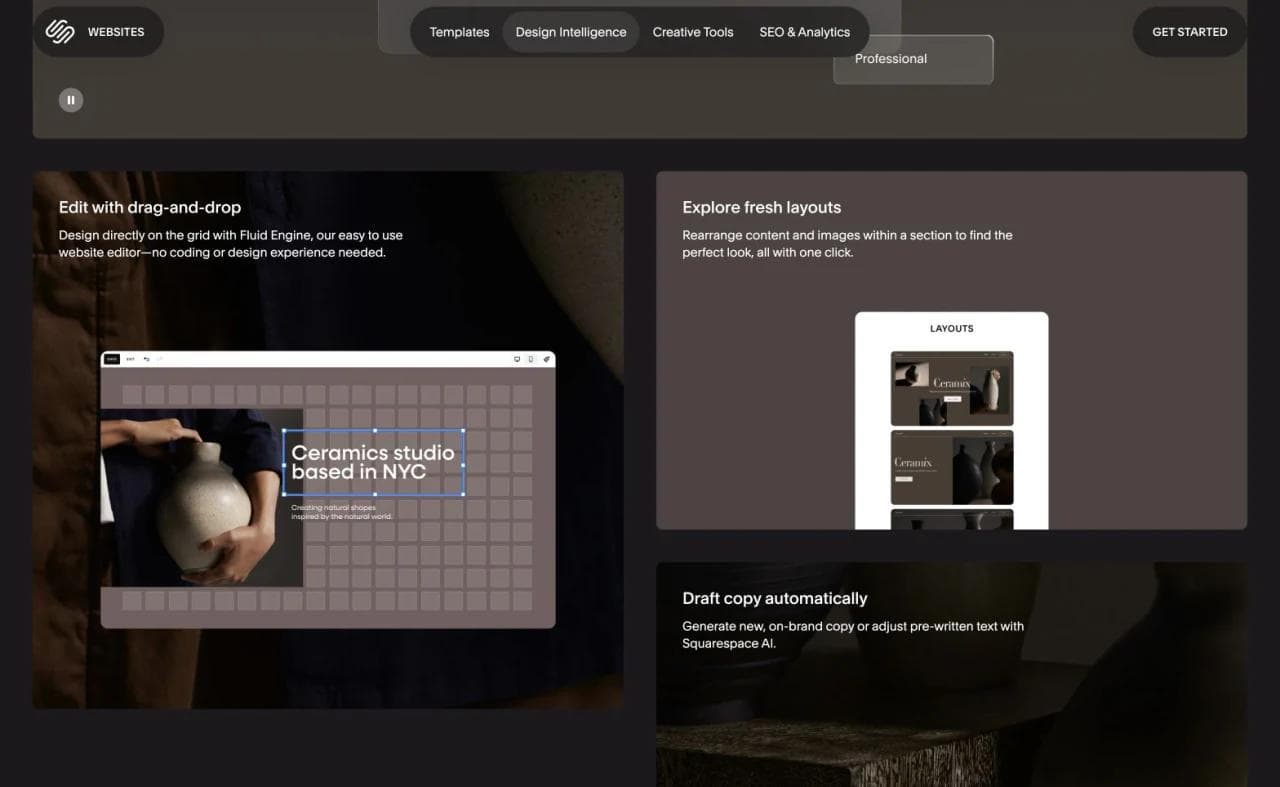
Before looking at alternatives, create four lists:
- Content: pages, posts, images, products, member records, and downloads
- Design: fonts, spacing, templates, custom CSS, galleries, and mobile behavior
- Operations: forms, scheduling, payments, email, analytics, and automations
- URLs: domains, routes, metadata, redirects, and inbound links
Squarespace can export certain content in a WordPress-format XML file, including layout pages, one blog page, text blocks, and image blocks. Its documentation says portfolio pages, store pages, style settings, custom CSS, and several other content types do not export (Squarespace export documentation).
Squarespace Commerce products have a separate CSV export, but the file does not include featured images, variant images, image alt text, customer reviews, or additional product information. Treat page content and product data as separate migration tracks, and inventory the omitted media before moving a store.
That does not make migration impossible. It means you should select the destination based on what must be rebuilt and validate the move before canceling the original site.
1. Framer: best for a modern design-led site

Framer is a strong Squarespace alternative for startup marketing sites, portfolios, campaign pages, and design-conscious publications. It combines a visual canvas with responsive design, CMS collections, localization, SEO controls, analytics, collaboration, and AI-assisted editing (Framer platform, Framer CMS).
Choose Framer if:
- The visual experience is the main reason the site exists.
- You want more composition and interaction control than a structured template system provides.
- Your CMS needs are real but remain within a marketing-site scope.
The migration check is content structure. A Squarespace portfolio or blog archive does not become a Framer collection automatically merely because both products have a CMS. Map fields, routes, metadata, and images before rebuilding the templates. Also test whether the person maintaining the site is comfortable with Framer's design-oriented model.
2. Pixpa: best for photographers and visual creatives
Pixpa is more specialized than Squarespace. It combines portfolio pages, client galleries, proofing and delivery, a store, and a blog for photographers, artists, and designers (Pixpa portfolio builder).
Choose Pixpa if:
- Client galleries and image delivery are part of your business.
- You sell prints or downloads alongside a portfolio.
- You want portfolio-specific workflows without assembling plugins.
This specialization is the reason to choose it and the reason not to. A consultant, restaurant, newsletter publisher, or company marketing team may find more relevant business tools elsewhere. Photographers should test image ingestion, gallery permissions, proofing, download delivery, watermarking, and mobile performance using a real client gallery rather than only reviewing templates.
3. Ghost: best for publications, newsletters, and memberships
Ghost is a publishing system rather than a general-purpose visual site builder. Its core workflow connects web publishing, member signups, email newsletters, segmentation, and paid subscriptions (Ghost manual).
Choose Ghost if:
- The publication and email list are the product.
- You want posts, memberships, and newsletters in one system.
- Editorial workflow matters more than arbitrary page composition.
Ghost is not the automatic answer for a visual portfolio or a service-business website. You can customize themes and build supporting pages, but the center of gravity remains publishing. Before migrating, verify post formatting, authors, tags, canonical URLs, email delivery, member data, payment setup, and any paywalled content.
4. Shopify: best for a serious online store
Shopify is the clearest alternative when commerce has outgrown its role as one feature inside a broader site. Its website builder is organized around themes, product presentation, checkout, inventory, orders, merchandising, and sales channels (Shopify website builder).
Choose Shopify if:
- Products and transactions drive most site decisions.
- You need a commerce ecosystem rather than a portfolio with a small shop attached.
- Store operations need to scale independently of the marketing pages.
The tradeoff is focus. Shopify can publish pages and editorial content, but its deepest workflows are commercial. A visual artist who sells three prints per year may prefer a portfolio-first tool such as Pixpa. A retailer with hundreds of products should not choose a general website builder solely because its homepage templates look better.
5. Webflow: best for a professional marketing CMS
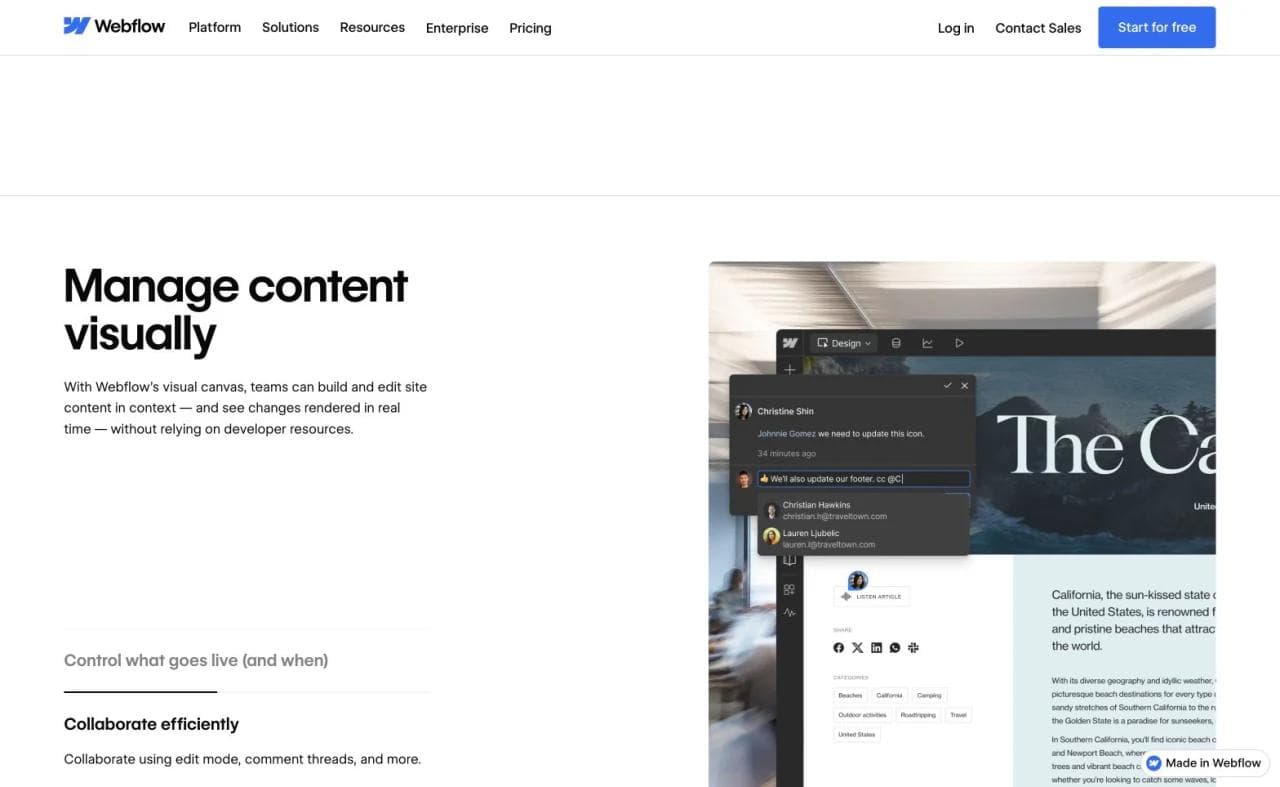
Webflow fits teams that want to translate a responsive design system into a managed website without treating every page as a template swap. Its CMS supports structured collections and visually designed templates, while Localization can adapt static and CMS content across regions (Webflow CMS, Webflow Localization).
Choose Webflow if:
- A design or web team owns the site.
- You need reusable components and structured marketing content.
- Responsive behavior, localization, and design-system governance matter.
Webflow generally asks more of the builder than Squarespace. The essential test is handoff: can the content team publish, update, and recover the site without the original designer? Define what editors may change, map Squarespace content into collections, and identify custom interactions before estimating the migration.
6. Wix: best for broad small-business functionality
Wix is a useful alternative when you are not trying to simplify the business system. It combines flexible site editing with stores, bookings, events, blogs, memberships, restaurants, hospitality tools, contacts, and marketing features (Wix business website features).
Choose Wix if:
- You want a broad managed suite with many small-business functions.
- Greater page-level layout freedom is valuable.
- You prefer adding capabilities within one vendor's ecosystem.
The tradeoff is breadth. More freedom and more apps create more decisions, and a simple portfolio owner may replace one oversized bundle with another. Wix becomes more compelling as the number of operational features grows.
For a direct decision between the two incumbents, see the Wix vs Squarespace comparison rather than treating either as universally better.
7. WordPress: best for extensibility and publishing control
WordPress provides the broadest path when plugins, custom themes, publishing, or hosting choice matter. Self-hosted WordPress gives the owner infrastructure responsibility, while WordPress.com packages hosting and support with the ability to install plugins and themes on paid plans (WordPress.com plan features).
Choose WordPress if:
- Your site is content-heavy or expected to evolve in unpredictable ways.
- You need third-party plugins or custom development.
- Infrastructure and content portability matter more than having one tightly integrated editor.
The key cost is maintenance. A low hosting bill does not include the time required to choose plugins, handle updates, secure the site, resolve conflicts, and monitor performance. A managed host or retained developer can reduce that burden, but it should appear in the comparison.
8. Hostinger Website Builder: best for a budget-sensitive managed site
Hostinger combines website generation, drag-and-drop editing, hosting, domains, ecommerce, SEO tools, and appointment scheduling on applicable plans (Hostinger booking website builder, Hostinger ecommerce).
Choose Hostinger if:
- You want a conventional small-business site with managed hosting.
- Cost is a stronger priority than deep design-system control.
- Basic ecommerce or appointments cover the operational need.
Read the term details carefully. Promotional price, renewal price, billing length, included mailboxes, domains, AI usage, appointment features, and ecommerce limits may differ. Test a real update workflow and the mobile result before assuming that a lower bill produces a lower operating burden.
9. Carrd: best for a minimal one-page presence
Carrd is a focused builder for simple, responsive one-page sites such as profiles, signup pages, and landing pages (Carrd's product description). It is a rational alternative for someone who uses Squarespace to host an about page, a few links, and a contact form.
Choose Carrd if:
- Your content fits on one page.
- You need a simple profile, event page, waitlist, or campaign landing page.
- A narrow editor is more valuable than a broad suite.
Do not force a portfolio archive, publication, store, or service operation into a one-page tool to save money. Simplicity works when it matches the information architecture.
10. Moda: best for a brand-first static website
Moda is a design-first option for static HTML sites such as campaign pages, portfolios, product launches, event sites, and company marketing pages. Its AI agent can build a multi-page site around a brand kit, and the result remains visually editable. The same brand system can inform the deck, social graphics, ads, and other assets supporting the launch.
Moda fits when:
- The site is primarily a polished expression of the brand.
- Content changes are occasional rather than a high-volume publishing operation.
- The conversion path is a link, email, or simple lead form.
- The team needs the website and surrounding campaign creative to feel related.
Moda is not a replacement for Squarespace Commerce, scheduling, customer accounts, memberships, a large editorial CMS, or application logic. It is a static website builder, not a vibe-coding platform or software-development environment. If visitors need authenticated dashboards, complex databases, or app-like workflows, Moda is not viable.
If brand consistency is the core problem, see Moda's brand identity guide and the guide to building a brand kit from a website.
How to evaluate a Squarespace alternative
Rebuild one representative page first
Do not start with the homepage if it is unusually simple. Choose the page that contains the hardest combination of gallery behavior, forms, products, responsive layout, custom styles, or structured content. Rebuilding that page reveals whether the destination actually fits.
Test image handling with original files
Portfolio owners should upload real full-resolution work and examine responsive derivatives, cropping, captions, ordering, loading behavior, alt text, galleries, and downloads. A product's sample portfolio cannot answer how it will handle your archive.
Price the workflow you use
Compare the website plan plus scheduling, email, commerce, memberships, collaborators, domains, and transaction fees. A platform can be less expensive for a static portfolio and more expensive for a service business once the operational pieces are restored.
Preserve URLs and metadata
Export what Squarespace supports, then create an explicit route map. Record titles, descriptions, canonical URLs, image alt text, redirects, and analytics. Keep the old site available until the new pages, forms, payments, and redirects have been verified.
Decide who will maintain the destination
The best builder for the person designing the migration may not be the best builder for the owner updating it six months later. Ask the long-term operator to replace an image, publish an entry, change navigation, and fix a mobile issue before committing.
Which Squarespace alternative should you choose?
For a modern marketing site or portfolio, start with Framer. Photographers who need client proofing and delivery should consider Pixpa. Ghost is the strongest fit when posts, email, and memberships are the product, while Shopify is the natural choice for a serious store.
Webflow fits professionally managed, CMS-driven marketing sites. Wix preserves the all-in-one small-business approach with more breadth. WordPress provides extensibility and hosting choice, Hostinger emphasizes a managed budget option, and Carrd is ideal when the entire site should remain one page.
Moda belongs in a narrower but useful lane: visually strong static websites and simple lead-generation sites that must match the rest of a brand campaign. It should not be selected for an app, store operation, membership program, or complex backend.
The deciding question is not “Which builder has the most features?” It is “Which system matches the type of site I actually own, and how much of that site can I move safely?”
Frequently asked questions
What is the best overall alternative to Squarespace?
It depends on site type. Framer is a strong choice for design-led marketing sites, Wix for broad small-business functionality, Shopify for stores, WordPress for extensibility, Pixpa for photographer portfolios, and Ghost for publications and newsletters.
What is the best Squarespace alternative for photographers?
Pixpa is designed around portfolios, client galleries, proofing, delivery, and image sales. Framer offers more freedom for a custom visual portfolio. Test both with your real image archive and client workflow.
What is the best Squarespace alternative for blogging?
Ghost is especially strong when blogging connects to newsletters and memberships. WordPress is better when you want a large plugin ecosystem and broader publishing flexibility. Webflow and Framer can also support CMS-based blogs within marketing sites.
Can I export my entire Squarespace website?
No. Squarespace provides a WordPress-format export for certain content, but its documentation excludes portfolio pages, store pages, style settings, custom CSS, and several other content types. Commerce products use a separate CSV export with important omissions, including product imagery and reviews. Plan for some manual rebuilding.
Is Moda a Squarespace alternative?
Moda is an alternative for static marketing sites, portfolios, campaign pages, and simple lead forms where brand fidelity matters. It is not an alternative for ecommerce operations, scheduling, memberships, visitor accounts, CMS-heavy publishing, backend applications, or codebase development.

Real editable visuals. Real canvas. Full control.
Fly through design work