9 Best Wix Alternatives in 2026, by Business Need
Compare nine Wix alternatives for stores, bookings, blogs, portfolios, agencies, and static sites, with migration, ownership, renewal-cost, and maintenance checks.
 Anvisha Pai, Co-founder & CEO, Moda
Wix alternatives are not interchangeable because Wix is more than a page editor. A Wix site may also run a store, bookings, events, memberships, a blog, customer contacts, and payments. The right replacement depends on which of those systems you need to preserve.
Our short answer: choose Squarespace for a more structured all-in-one site, Shopify for a store, WordPress for extensibility, Webflow for a sophisticated marketing CMS, Framer for a design-led launch site, or Moda for a highly branded static site. If Wix currently runs bookings or other business operations, moving to a simpler builder can create more work rather than less.
One important 2026 wrinkle is Wix Harmony, Wix's new flagship editor. Harmony combines what Wix calls vibe coding with manual drag-and-drop control through its Aria agent. That makes Wix more competitive with newer AI-first builders than older comparisons suggest. However, Wix says certain apps and features are not yet available in Harmony, and existing Wix Editor sites are unaffected by its launch. Before migrating, confirm which Wix editor your site uses and whether your critical business features are supported there.
This update is based on current product documentation, independent hands-on website-builder reviews, and documented migration behavior. We did not rebuild the same site in all nine products, so the recommendations avoid unsupported speed, reliability, or SEO rankings.
Independent testing supports the workflow split rather than a universal winner. Creative Bloq’s 2026 Wix-alternatives review favors Squarespace when Wix’s layout freedom becomes distracting and Shopify when commerce has outgrown a general builder. That is evidence for matching the platform to the job, not proof that either is better for every business.
The best Wix alternatives at a glance
| Alternative | Best for | What it replaces well | Main purchase check |
|---|---|---|---|
| Squarespace | Small businesses wanting a polished, structured site | Website, blog, basic commerce, services | Confirm that its editing model and add-on costs fit your workflow |
| Shopify | Businesses where online selling is the main job | Storefront, checkout, inventory, orders | It can be excessive for a mostly informational site |
| WordPress | Publishers and teams needing maximum extensibility | CMS, blog, custom functionality | Decide who owns hosting, updates, security, and plugins |
| Webflow | Professional marketing sites with structured content | Visual development, CMS, localization | Expect a steeper learning and governance burden than Wix |
| Hostinger Website Builder | Budget-sensitive small-business sites | Managed hosting, AI-assisted setup, bookings, ecommerce | Compare promotional pricing with renewal pricing |
| Framer | Startups and design-led marketing sites | Landing pages, portfolios, CMS, localization | Check CMS scale and operational features before migrating |
| Duda | Agencies managing many client sites | Client onboarding, permissions, comments, white labeling | Less compelling for one owner managing one simple site |
| Carrd | One-page sites and simple landing pages | Responsive page, custom domain, forms | It is deliberately narrower than Wix |
| Moda | Brand-first static marketing sites | Static pages, portfolios, campaign sites, lead forms | Not suitable for stores, apps, auth, or complex backend workflows |
Start with a Wix dependency audit
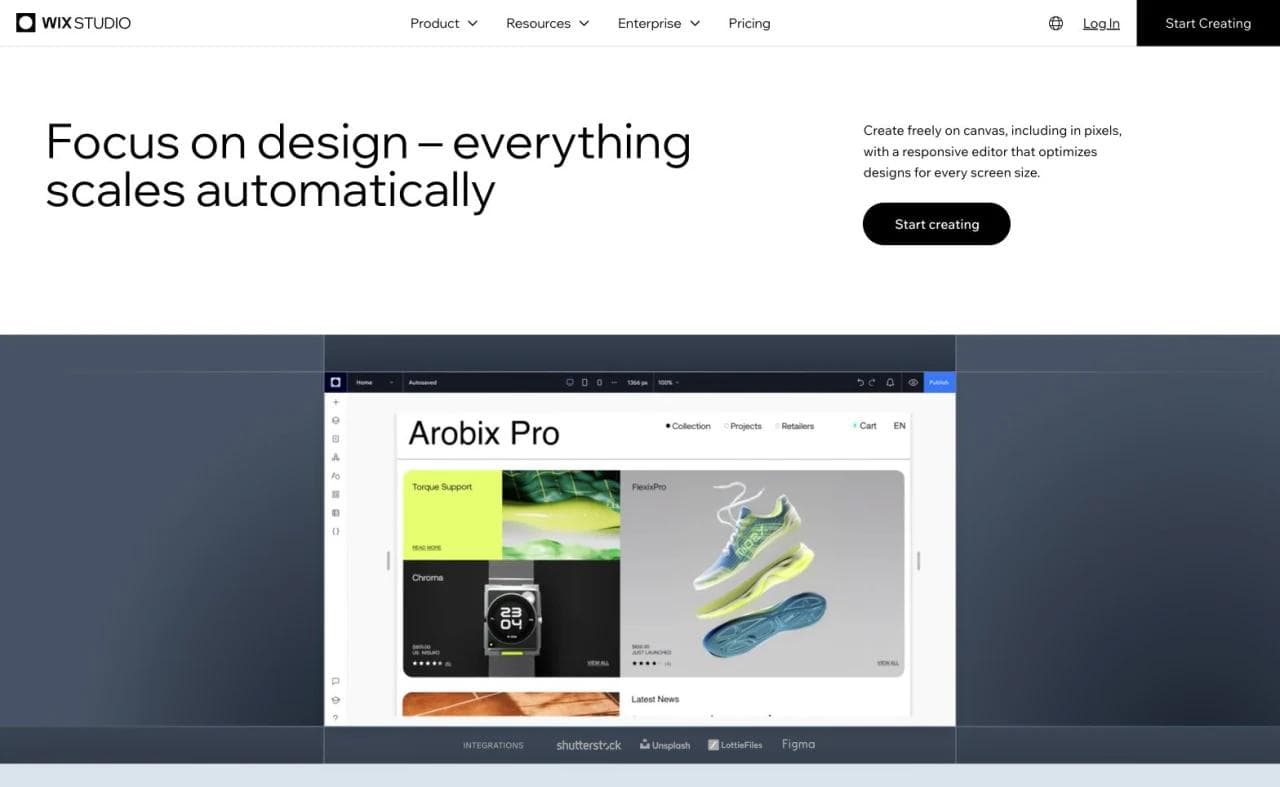
The most important Wix feature may not appear on the homepage. It may be the booking calendar your staff checks every morning, the product catalog connected to payments, or the blog archive that brings in search traffic.
Before choosing a replacement, list what Wix currently operates:
- Pages, navigation, forms, and redirects
- Blog posts, categories, authors, and media
- Products, inventory, checkout, taxes, and shipping
- Appointments, staff calendars, reminders, and payments
- Events, memberships, gated pages, and customer accounts
- Contacts, email campaigns, analytics, and automations
- Domains, DNS records, mailboxes, and third-party apps
- Wix editor version: Harmony, Wix Editor, or Wix Studio
Wix explicitly positions its business platform around stores, bookings, events, membership areas, restaurants, hotels, and related operations (Wix business website features). A replacement that makes prettier pages but drops the system collecting revenue is not a successful migration.
This leads to a practical rule: choose the operating system first, then compare editors.
1. Squarespace: best for a more structured all-in-one website
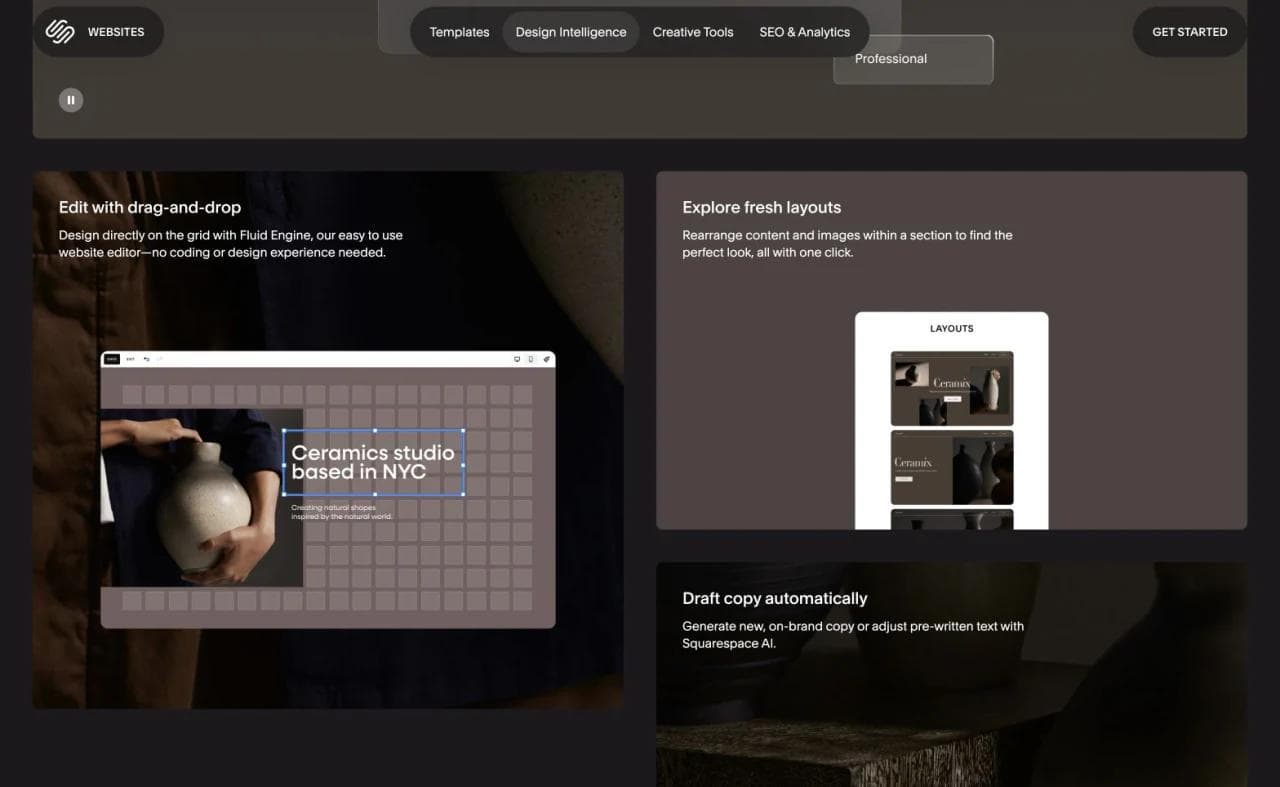
Squarespace is the closest broad alternative for a small business that wants hosting, design, content, and commercial tools in one managed product. It supports portfolios, blogs, products, services, invoicing, memberships, and scheduling through its wider product suite (Squarespace website builder).
The difference is less about whether both products can publish a website and more about how they constrain the design process. Wix offers broad placement freedom and a large surface of business features. Squarespace gives the owner a more structured editing system and a recognizably polished starting point.
Choose Squarespace if:
- You want a polished portfolio, service-business site, or small store.
- Wix's editing freedom produces too many small layout decisions.
- You prefer a coordinated suite over assembling plugins.
Look elsewhere if you need Wix-specific apps, highly customized operational workflows, or easy portability between platforms. Inventory the cost of scheduling, email, memberships, and commerce rather than comparing only the base website plan.
For a direct comparison of their editing and operating models, see Wix vs Squarespace.
2. Shopify: best when the website is primarily a store
If most visitors arrive to browse or buy products, Shopify is usually a more relevant comparison than another general-purpose website builder. Its editor, theme system, checkout, inventory, orders, and merchandising tools are organized around commerce. Shopify also offers AI-assisted storefront generation and a no-code theme editor (Shopify website builder).
That focus is the advantage. Wix can add a store to a broader business site, while Shopify treats the store as the core system and the content pages as supporting material.
Choose Shopify if:
- Product catalog, checkout, inventory, and fulfillment are central.
- You expect to add commerce apps or sell through several channels.
- Store operations matter more than unrestricted page design.
Do not choose Shopify merely because your site has one payment link or a small merchandise shelf. For a consultant, portfolio owner, or local service business, a commerce-first backend can be more system than you need.
3. WordPress: best for extensibility and infrastructure choice
WordPress is the strongest option when you want a large publishing ecosystem, third-party plugins, custom themes, and a choice of hosting. It is important to distinguish self-hosted WordPress from WordPress.com, which packages hosting and support around the same underlying publishing system.
WordPress.com now permits plugins and uploaded themes on paid plans, while higher tiers add custom code, staging, database access, backups, and commerce tools (WordPress.com plan features). Its AI builder can create service sites, blogs, and portfolios, although ecommerce must be added separately afterward (WordPress AI website builder).
Choose WordPress if:
- Publishing and structured content are core to the site.
- You need a plugin ecosystem or developer access.
- You want more choice over hosting and implementation.
The tradeoff is ownership in both senses. You gain more control, but someone must manage updates, plugin compatibility, security, performance, and backups unless a managed host takes on that responsibility.
Treat WordPress.com and self-hosted WordPress as two operating models, not interchangeable prices. WordPress.com’s current comparison says WordPress.com includes managed hosting, security, backups, and support, while self-hosted WordPress requires a separate host and more technical responsibility. Plugins are now available on paid WordPress.com plans, but hosting control, server access, support, and maintenance still differ.
4. Webflow: best for professional marketing sites and CMS control
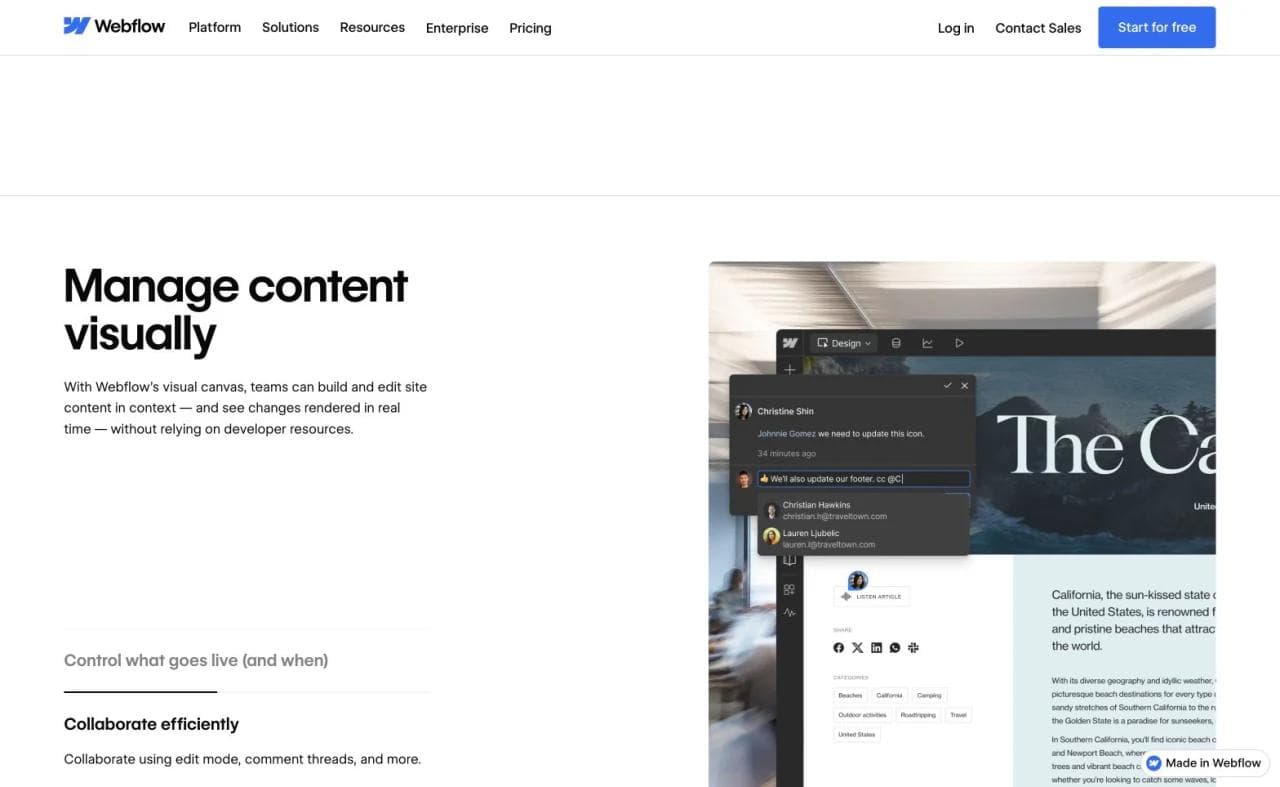
Webflow is a better fit than Wix when a designer or web team wants granular control over responsive layout, reusable components, structured content, and the visual implementation of a design system. Its CMS supports visually designed collection pages, and its localization product can adapt both static and CMS content across locales (Webflow CMS, Webflow Localization).
Choose Webflow if:
- A professional team owns the marketing site.
- You need reusable CMS structures and precise responsive design.
- Localization, design systems, and formal review matter.
Webflow is not automatically easier than Wix. Its power introduces more concepts, and a small-business owner may need an agency or trained teammate for substantial changes. Evaluate the handoff process, not just what the original designer can build.
5. Hostinger Website Builder: best for a lower-cost managed setup
Hostinger targets owners who want AI-assisted setup, templates, hosting, domains, and small-business features in a managed package. Its current website builder includes appointment scheduling, Google Calendar connection, ecommerce, and built-in SEO tools on applicable plans (Hostinger booking website builder, Hostinger ecommerce).
Choose Hostinger if:
- Your site is straightforward and cost is a primary constraint.
- You want hosting and editing in the same account.
- You need a basic store or appointment flow without Wix's breadth.
Compare the full term, not the promotional headline. Introductory offers, renewal prices, plan length, email, domains, AI credits, product limits, and appointment features can sit on different schedules or tiers. The low first-year price is useful only if the renewal model still makes sense.
6. Framer: best for design-led startup and marketing sites
Framer is strongest when the website is itself a designed marketing artifact. It combines a canvas-oriented workflow with responsive layout, a CMS, SEO controls, localization, analytics, collaboration, and increasingly capable AI agents (Framer platform).
Choose Framer if:
- You are building a startup homepage, launch site, campaign, or portfolio.
- A designer wants direct control over composition and interactions.
- You need more structured content than a one-page builder but not a broad small-business suite.
Framer is not a direct replacement for every Wix installation. Before moving a store, booking business, membership program, or large content operation, check which capabilities are native, which require integrations, and how non-designers will maintain the result.
7. Duda: best for agencies managing client websites
Duda solves a problem that individual site-builder comparisons often overlook: producing, reviewing, handing off, and maintaining many client sites. It provides client content collection, inline comments, previews, granular permissions, white labeling, and multi-site management (Duda client management).
Choose Duda if:
- Your agency manages a portfolio of client websites.
- Clients need restricted editing rather than full access.
- Reusable sections, centralized site information, and white labeling matter.
Its advantage is operational scale, not simply a nicer editor. A freelancer with one personal site or a founder shipping one landing page may pay for workflow that never becomes useful. For an agency replacing Wix Studio across many accounts, those same controls can be the deciding factor.
8. Carrd: best for one-page sites
Carrd is the counterargument to replacing Wix with another large suite. It is designed for simple, responsive one-page sites, including profiles, landing pages, and pages with signup forms (Carrd's product description).
Choose Carrd if:
- The whole site can reasonably live on one page.
- You need a lightweight personal page, waitlist, event page, or product landing page.
- You value a narrow tool that is easy to revisit months later.
Do not expect it to absorb Wix's CMS, store, booking system, or multi-page information architecture. Carrd is compelling precisely because it does not attempt to become a full Wix replacement.
9. Moda: best for a branded static site and its campaign assets
Moda is a design-first alternative for static HTML websites where visual quality and brand fidelity matter. An AI agent can create a multi-page marketing site, apply a brand kit, and keep the result visually editable. The same workspace can also produce the launch deck, social posts, ads, and other campaign assets around the site.
Moda fits:
- Product and campaign landing pages
- Portfolios and brochure sites
- Event and launch microsites
- Static company websites
- Simple lead-capture forms
Moda does not replace Wix Stores, Bookings, memberships, visitor accounts, complex databases, or custom backend logic. It is also not a vibe-coding environment for developing and maintaining a software application. If the project is an app, choose an app-building or development platform instead.
The relevant distinction is scope. If you are paying for Wix to host five branded pages and a contact form, Moda can be a strong fit. If Wix runs daily business operations, Moda is not a viable wholesale replacement.
For more on the brand layer, see how AI design tools build a brand kit from a website and Moda's brand identity guide.
Export is not the same as migration
No option here imports a complete Wix site with its layouts, applications, customer accounts, booking rules, automations, and design intact. Export support is usually data-specific: contacts, products, orders, CMS collections, or blog content may follow different paths, while page layouts and app behavior must be rebuilt.
Before selecting a platform, create an export inventory. Record each content type, its current export format, the replacement’s import format, and what cannot travel. Download original media rather than relying on page screenshots. Preserve invoices, customer consent records, form submissions, tax data, and order history according to the business’s retention obligations.
A platform can claim data portability while leaving the expensive part behind. The real migration cost includes rebuilding templates, URLs, structured data, forms, emails, automations, integrations, permissions, and staff procedures. Ask the candidate vendor to demonstrate the hardest import before signing an annual contract.
How to choose a Wix alternative
Choose based on the hardest feature to migrate
The homepage is usually easy to rebuild. Historical posts, product data, booking rules, member accounts, redirects, and operational integrations are harder. Rank candidates against the hardest dependency, not the prettiest demo.
Separate introductory price from ongoing cost
Compare renewal price, billing term, domain renewal, email, commerce fees, apps, collaborators, localization, and storage. Wix itself notes that promotional discounts generally apply only to the initial term and renewals return to the regular plan price (Wix promotion and renewal policy). Apply the same scrutiny to every alternative.
For stores and service businesses, include payment processing, platform transaction fees, point-of-sale needs, premium apps, scheduling, email, additional staff, and currency or localization requirements. Do not add every advertised feature to the comparison. Price the configuration that reproduces the current operation.
Test the maintenance workflow
Ask the person who will update the site to perform three real tasks:
- Change a service and its price.
- Add a page while preserving the site design.
- Fix the mobile layout without breaking desktop.
A platform that produces a better first draft but requires an expert for every later change can be the more expensive choice.
Plan migration before canceling Wix
Keep the existing site live while you rebuild and validate the replacement. Record current URLs, metadata, redirects, forms, analytics, and DNS. Test submissions and payments. Only switch the domain after the new site passes those checks.
Which Wix alternative should you choose?
Choose Squarespace for a polished, managed small-business site with a more structured editor. Choose Shopify when selling products is the site's primary job. Choose WordPress for publishing and extensibility, Webflow for professional CMS-driven marketing sites, and Framer for modern design-led launches.
Hostinger is worth considering for a budget-sensitive managed setup. Duda stands out for agencies, while Carrd is the most disciplined choice for a one-page presence. Moda is a strong option for a branded static site and the campaign assets around it, but not for applications or operational business systems.
The best Wix alternative is therefore not the product with the longest feature list. It is the smallest platform that preserves the parts of Wix your business actually depends on.
A one-week migration rehearsal
- Export one real content collection, product catalog, contact segment, or blog archive from Wix and import it into the candidate.
- Rebuild the homepage, one ordinary content page, and the hardest operational page without copying only the visual appearance.
- Submit every form, complete a test purchase or booking, trigger confirmations, and inspect the customer record.
- Map the ten most important URLs and verify redirects, metadata, canonical tags, analytics, and structured content.
- Have the future site owner publish an update and repair a mobile layout without the original builder.
- Prepare DNS rollback instructions and keep Wix active until the new site has completed real transactions or submissions.
Frequently asked questions
What is the best overall alternative to Wix?
There is no universal replacement. Squarespace is the closest managed alternative for many small-business and portfolio sites. Shopify is better when commerce is central, WordPress offers more extensibility, and Webflow is stronger for professionally managed marketing sites.
What is the best free Wix alternative?
Several builders let you design or publish on a free subdomain, but custom domains, removing platform branding, forms, CMS capacity, and commercial features commonly require a paid plan. Compare the plan you would actually publish with rather than the free editor.
What is the easiest Wix alternative for a simple website?
Carrd is particularly simple for a one-page site. Squarespace and Hostinger are broader managed options. Moda can be a strong fit when the site is static and brand fidelity matters.
Is Wix or WordPress better?
Wix is generally easier when you want hosting, editing, and business features managed together. WordPress is better when you need a large plugin ecosystem, deeper publishing flexibility, or more control over hosting and code. That control also creates more maintenance responsibility.
Can Moda replace Wix?
Moda can replace Wix for static marketing sites, portfolios, campaign pages, and simple lead forms. It cannot replace Wix when the site depends on ecommerce operations, bookings, memberships, visitor authentication, complex backend logic, or application development.

Real editable visuals. Real canvas. Full control.
Fly through design work