After Effects vs Premiere Pro: Which Should You Use?
Compare After Effects vs Premiere Pro for editing, motion graphics, VFX, audio, AI tools, project structure, handoff, and beginner workflows.
 Anvisha Pai, Co-founder & CEO, Moda
Use Premiere Pro to cut, organize, mix, caption, and deliver a sequence of shots. Use After Effects to animate graphics, composite layers, track elements, create visual effects, and build individual shots. Most professional workflows do not choose one as a universal winner. They use Premiere for the edit and After Effects for the shots that need deeper motion or compositing.
The choice becomes confusing because both applications now include masks, text, keyframes, effects, AI assistance, and video generation. The durable difference is still project structure: Premiere is sequence-first, while After Effects is composition-first.
After Effects vs Premiere Pro at a glance
| Question | Premiere Pro | After Effects |
|---|---|---|
| Primary job | Edit and finish sequences | Design, animate, and composite shots |
| Timeline model | Tracks containing many clips over a long program | Layers inside compositions, often one shot or graphic at a time |
| Media organization | Bins, sequences, proxies, transcripts, productions | Compositions, layers, precomps, footage, and project assets |
| Audio | Dialogue, music, mixing, captions, and sequence timing | Reference audio and animation timing, not full audio post |
| Motion graphics | Titles, templates, transitions, and lighter animation | Detailed keyframes, expressions, typography, shape layers, and 3D |
| Visual effects | Masks, effects, tracking, and finishing adjustments | Compositing, roto, tracking, mattes, particles, and shot construction |
| AI in 2026 | Media intelligence, text editing, masks, captions, generative media and extend | Object Matte plus an AI Assistant in beta for project actions and expressions |
| Best handoff | Edited sequence and final masters | Rendered shot, composition, or Motion Graphics template |
The simple answer: sequence versus composition
Adobe’s own comparison describes Premiere as the place for cutting and arranging footage and After Effects as the place for motion graphics and visual effects. That is not just positioning. Each application’s timeline is optimized around a different unit of work.
A Premiere timeline can hold hundreds of shots, dialogue tracks, music, captions, and multiple deliverables. An After Effects composition can hold many layers, masks, effects, cameras, lights, expressions, and precomps that construct one sophisticated visual result. Forcing a long documentary into After Effects or a complex character rig into Premiere fights the application’s architecture.
When Premiere Pro is the right choice
- You are selecting and arranging many recorded clips.
- Dialogue, music, captions, multicamera sync, and pacing drive the project.
- You need proxies, media search, sequence versions, or long-form organization.
- The deliverable is a finished program in several aspect ratios or formats.
- Other editors, colorists, sound teams, or reviewers need a standard post-production handoff.
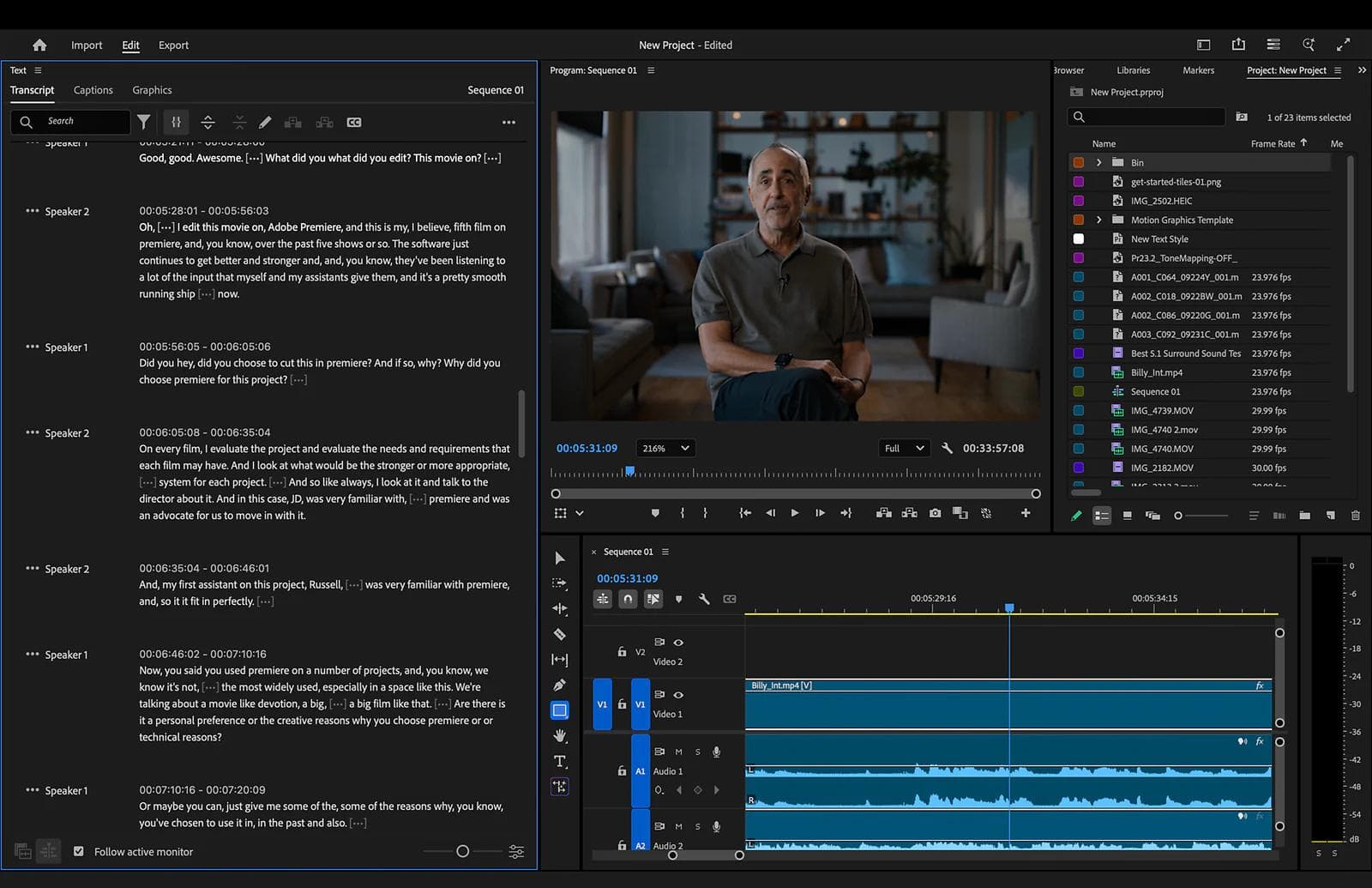
Premiere’s Text-Based Editing can build and revise a rough cut through its transcript while keeping the timeline available for precise edits. Its current AI features also include visual media search, caption translation, Object Mask, and Generative Extend.
When After Effects is the right choice
- You are animating a logo, title system, diagram, character, or interface.
- A shot needs keying, roto, tracking, cleanup, screen replacement, or layered compositing.
- Precise easing, expressions, procedural relationships, or reusable motion systems matter.
- You need to combine 2D, 3D, typography, effects, masks, and cameras in one composition.
- The handoff is a rendered shot or an editable Motion Graphics template for an editor.
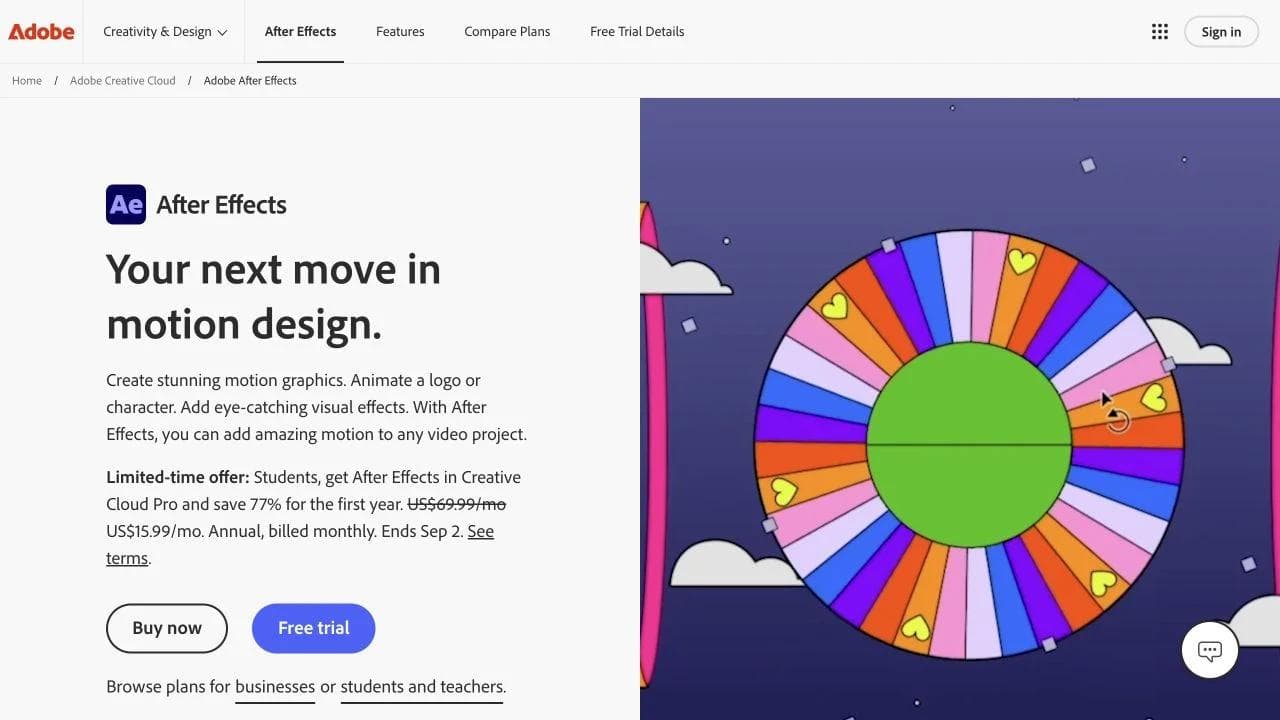
After Effects 26.3 includes editable SVG pasting, improved mask tracking, Advanced 3D depth of field, and other motion-design improvements. Its AI Assistant is a separate beta feature that can organize projects, write or debug expressions, and perform actions through natural language.
What both applications can do, and why that does not make them interchangeable
Masks and tracking
Premiere can isolate and track objects for editorial effects, color adjustments, and fast finishing. After Effects provides the deeper environment when the mask participates in a complex composite, drives several effects, needs extensive refinement, or becomes part of a reusable shot setup.
Text and graphics
Premiere can create polished titles and apply Motion Graphics templates. After Effects is the better authoring environment when the typography itself is the design problem, with detailed animation, relationships, expressions, 3D, and reusable controls.
Generative AI
Premiere’s Generative Media Tool creates video and sound effects inside the timeline and returns editable clips. Generative Extend fills a narrow timing gap at the edge of footage. After Effects’ beta assistant works at the composition and project-operation layer. These features reduce individual steps, but they do not erase the difference between sequence editing and composition design.
Color and audio
After Effects can color-correct layers and time animation to audio. Premiere is still the sensible home for balancing a whole sequence, managing dialogue and music, generating captions, and delivering program audio. For demanding finishing, teams may still move to dedicated color and audio systems.
How Premiere and After Effects work together
A common workflow starts with a rough or locked edit in Premiere. Shots that need advanced treatment move to After Effects, where the artist composites or animates them. The result returns as a rendered shot, a linked composition, or a Motion Graphics template with selected controls exposed to the editor.
Dynamic Link can reduce intermediate renders, but it also couples project state, software versions, plugins, and machine performance. A rendered mezzanine file is less flexible but often more predictable for handoff and archive. Choose the boundary deliberately.
Three practical examples
A 20-minute interview with an animated opener
Edit the interview, audio, captions, and B-roll in Premiere. Build the opener and any sophisticated lower-third system in After Effects. Do not move the entire interview into After Effects because ten seconds need motion design.
A product launch animation with no recorded footage
Build the animation in After Effects when precise choreography, compositing, or 3D is central. Use Premiere only if you need to assemble several finished segments, mix a longer soundtrack, add captions, or create final delivery versions.
A batch of AI-generated social ads
A non-specialist may not need either Adobe application. An AI-first visual workspace can generate clips, combine them with text and brand assets, and create related still designs. Premiere becomes valuable when footage editing, captions, audio, and delivery deepen. After Effects becomes valuable when individual shots need advanced motion or compositing.
What if both feel too professional?
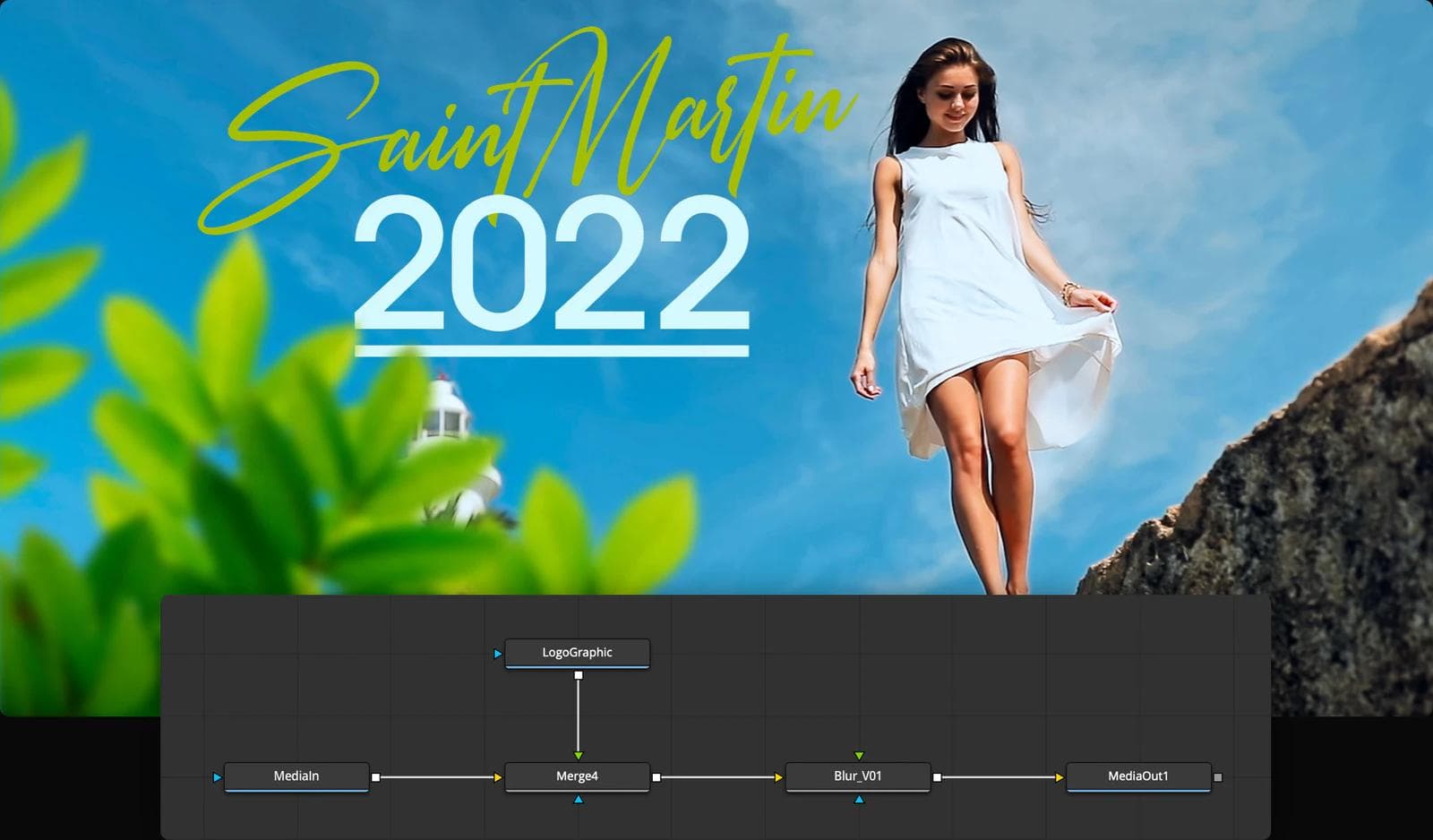
The right simpler tool depends on the missing job. CapCut or Filmora fits approachable timeline editing. Descript fits dialogue-led video. DaVinci Resolve is not simpler overall, but combines editing, color, audio, and node-based Fusion compositing in one application.
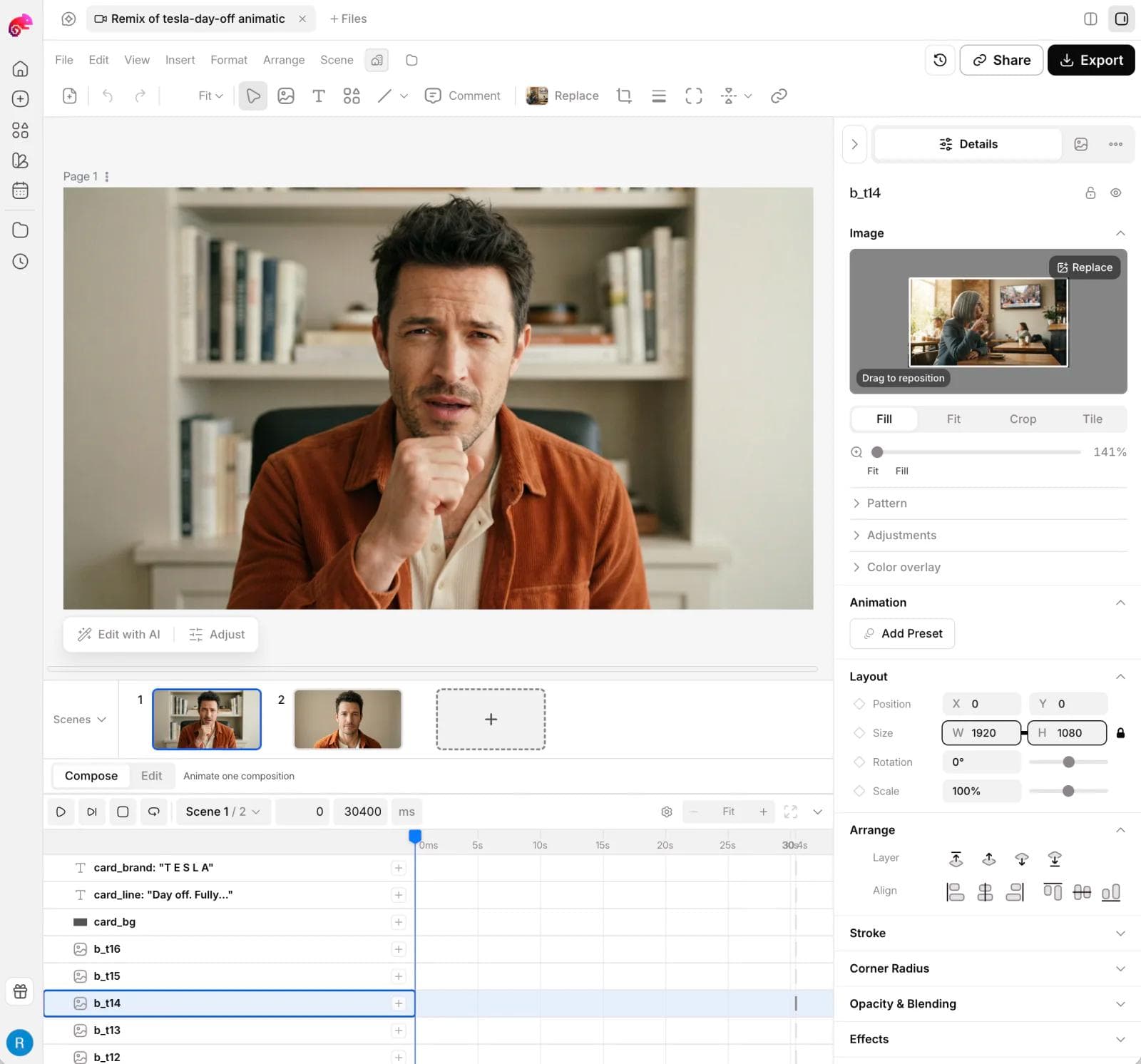
Moda fits marketers and non-designers creating branded campaigns with generated video, editable scenes, motion graphics, images, ads, and slides. It includes a visual canvas and compositor-style timeline, but it does not replace Premiere for footage-heavy editing or After Effects for advanced VFX.
After Effects or Premiere Pro: which should you learn first?
Learn Premiere first if your goal is YouTube, interviews, documentaries, courses, podcasts, event video, or client editing. You will reach a complete deliverable sooner because the core job is selecting and arranging footage.
Learn After Effects first if your goal is logo animation, title design, explainer motion, visual effects, compositing, or animated product visuals. You may still need an editor later, but composition is the skill at the center of the work.
If you are a marketer producing short branded assets rather than training as an editor or motion designer, start with a simpler AI-first tool and move to Adobe when the project exposes a real need for professional depth.
The verdict
Premiere Pro wins for sequences. After Effects wins for compositions. Use Premiere to decide which shots play, for how long, with which dialogue, music, captions, and delivery settings. Use After Effects to decide what happens inside a shot or motion graphic at the layer, effect, keyframe, and compositing level.
Use both when the project genuinely contains both jobs. Use a simpler editor or AI-first visual workspace when the professional depth would slow down a straightforward campaign. The wrong choice is not buying the less powerful application. It is forcing the entire production into the tool designed for the other unit of work.
Common questions about After Effects vs Premiere Pro
Can Premiere Pro replace After Effects?
Premiere can handle titles, templates, masks, tracking, effects, and lighter animation inside an edit. It does not replace After Effects when the shot requires deep layer relationships, expressions, extensive keyframing, roto, compositing, particles, or a reusable motion system. Use the simplest tool that can make the shot without making future revision fragile.
Should you edit an entire video in After Effects?
Usually not. After Effects can technically arrange footage, but its composition and layer model becomes cumbersome for long-form editorial work, dialogue, captions, multicamera media, and many sequence revisions. Cut the program in Premiere or another NLE, then send only the shots and graphics that need After Effects.
What are the best alternatives if you want neither Adobe application?
DaVinci Resolve combines an NLE with Fusion compositing. Cavalry and Rive specialize in different motion-design outputs. CapCut and Filmora simplify editing. Moda simplifies AI-first branded campaign motion. See our After Effects alternatives guide, CapCut alternatives guide, and Remotion alternatives guide for those distinct replacement decisions.
Do beginners need to learn both?
No. Learn the application that matches the first complete deliverable you want to make. Editors should start with a sequence tool. Motion designers should start with a composition tool. Add the second application when a real project creates the boundary, which makes the workflow easier to understand than learning both interfaces in the abstract.

Real editable visuals. Real canvas. Full control.
Fly through design work