6 AI Pitch Deck Generators Compared in 2026
Compare six AI pitch deck generators by workflow, brand control, editing, and export. See where Gamma, Alai, Dokie, Slidesgo, SlidesGPT, and Moda fit.
 Anvisha Pai, Co-founder & CEO, Moda
The best AI pitch deck generator depends on what happens after the first draft. Gamma is strong for fast, web-based presentations. Alai is a serious choice for brand systems and presentation workflows. Slidesgo offers a large template library. Dokie and SlidesGPT focus on familiar PowerPoint-style output. Moda is most useful when you want an agent to design on an editable canvas and keep working with it.
There is no single winner for every founder or team. This guide compares six tools by the work they make easier, what stays editable, how they handle brand constraints, and what you should check before committing to a workflow.
The short answer
- Choose Gamma for a fast web-native deck that people will read or present from a link.
- Choose Alai when reusable design systems and presentation-specific refinement matter most.
- Choose Dokie for business-oriented slide creation, file conversion, and editable PowerPoint output.
- Choose Slidesgo when you would rather begin with a broad template library, especially for education or general presentations.
- Choose SlidesGPT for a simple prompt-to-deck workflow with paid PowerPoint and Google Slides export.
- Choose Moda when you want an AI agent working directly with an editable design canvas, brand context, and assets beyond the pitch deck.
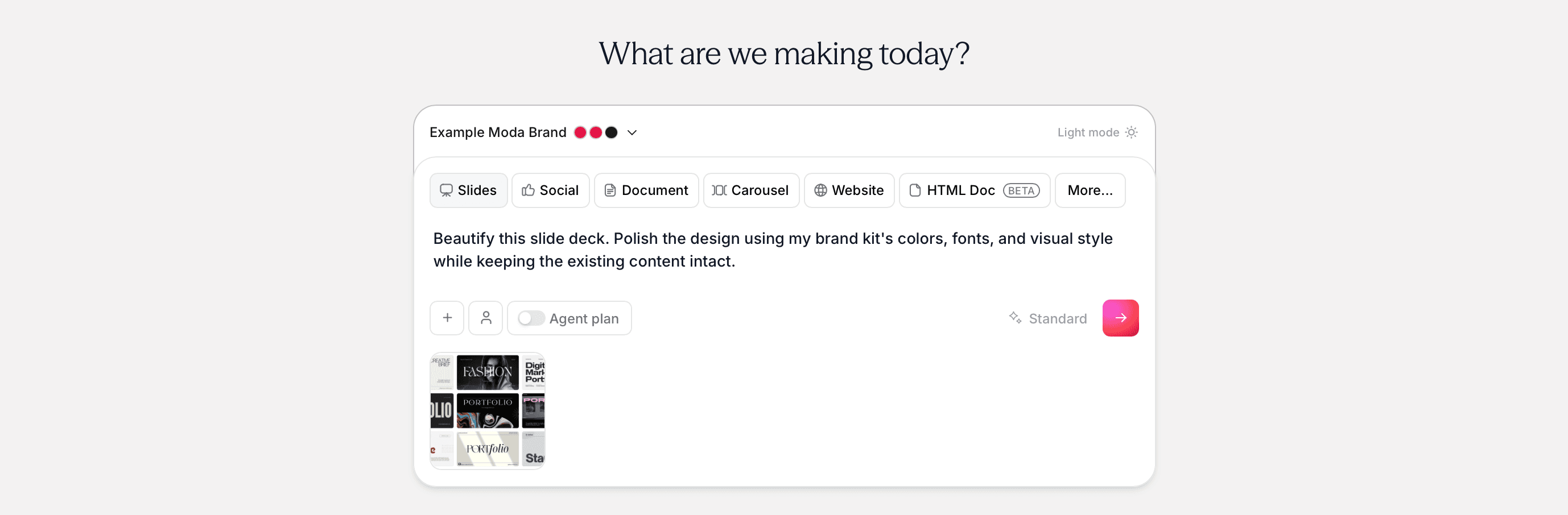
How we compared these AI pitch deck generators
This is a documentation-based comparison, not a claim that we ran the same paid generation through every product. We reviewed current vendor documentation and product pages, then focused on five questions that affect a real pitch-deck workflow:
- Can the tool turn an outline, document, or existing deck into a useful first draft?
- Can you correct individual slides without rebuilding the entire presentation?
- How does it apply fonts, colors, logos, templates, or a broader design system?
- Can the result move into PowerPoint or Google Slides, and what may change during export?
- Is the product best for a linked web presentation, a traditional slide file, or a broader design workflow?
We did not score visual quality or export fidelity without a controlled hands-on test. Those results depend on the brief, source material, chosen theme, fonts, and the complexity of the slides.
AI pitch deck generators at a glance
| Tool | Best fit | Brand approach | Editing and handoff |
| Moda | Agent-led design and broader campaign assets | Brand kits and reusable brand context | Editable canvas; PowerPoint, Google Slides, PDF, and image export |
| Gamma | Fast web-based presentations and documents | Themes and custom fonts | Block and AI editing; PPTX, PDF, PNG, and PPTX-to-Google-Slides workflow |
| Alai | Presentation-specific brand systems and refinement | Reusable design systems built from brand assets | Manual and AI editing; PowerPoint, PDF, and share links |
| Dokie | Business slides and source-file conversion | Custom templates and themes on paid plans | Slide editing and PowerPoint export |
| Slidesgo | Template-led presentations, especially education | Choose and customize themes | Online editing; PDF and image export, with PPTX available on eligible plans |
| SlidesGPT | Straightforward prompt-to-deck creation | Basic product for individuals; custom branded setup for teams | Browser preview; paid PowerPoint, PDF, and Google Slides export |
Moda: best for agent-led design on an editable canvas
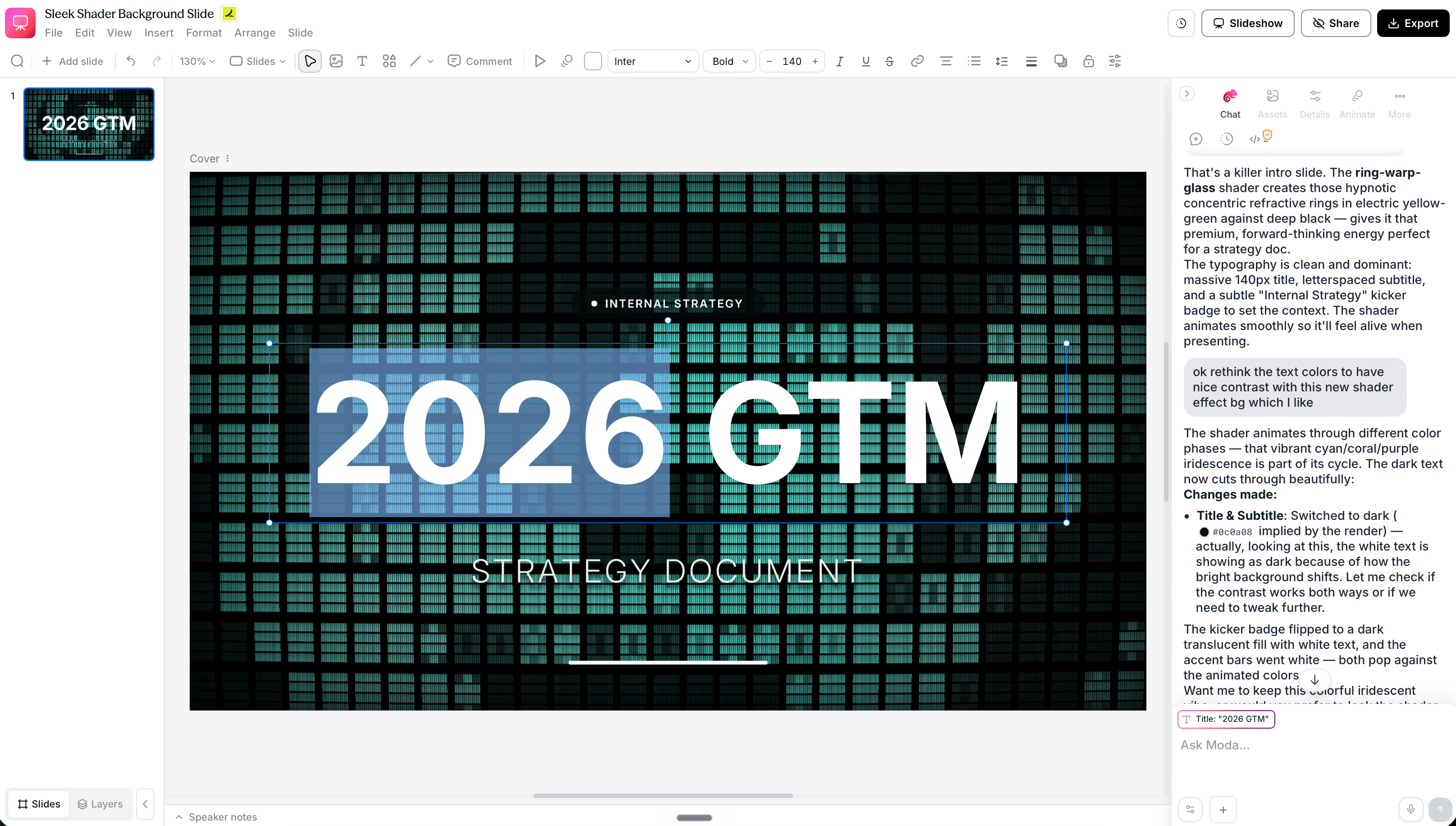
Moda is a good fit when the pitch deck is one part of a larger design job. You can give the agent a brief, source files, and a brand kit, then continue revising the resulting slides on a canvas. Text, shapes, images, and other elements remain available for direct editing.
That combination is useful when the same launch or fundraising story also needs a one-pager, social graphics, a diagram, or a website. It also helps when feedback is specific, such as changing the hierarchy on one slide or replacing a visual without asking for a completely new deck.
Moda is not automatically the right choice for every presentation. Slidesgo has a much larger template ecosystem. Gamma is more established for link-based, scrolling presentations. A team that lives entirely in PowerPoint may prefer a tool built directly around that environment. Moda is a newer product, so test the import and export path with one representative deck before moving an important workflow.
Gamma: best for fast, web-native presentations
Gamma is strongest when the presentation will be consumed in the browser. Its cards can combine text, media, embeds, and interactive elements, and its AI tools can generate or revise individual sections. Teams can share work, comment, and collaborate without passing files around.
Gamma also supports PowerPoint export, including editable tables. Google Slides requires exporting a PPTX and uploading it. Gamma documents several edge cases, including substituted visual effects and Google Slides ignoring fonts embedded in a PowerPoint file. That is more nuanced than saying Gamma exports are simply "broken."
Choose Gamma when speed, web sharing, and a readable narrative matter more than pixel-level control over a conventional slide file. If the final deliverable must survive a strict corporate PowerPoint template, test that handoff early.
Alai: best for reusable presentation design systems
Alai is built around presentation creation and reusable design systems. Its current product page says teams can create a design system from templates, presentations, websites, posters, and other brand assets, then refine the output manually or through AI.
Alai supports PowerPoint and PDF export, along with share links and an API for recurring generation. It also extends beyond decks to infographics, carousels, posters, and social posts.
Choose Alai when your main problem is generating and refining repeated presentation work within a controlled visual system. Compare its editor, design-system setup, and PowerPoint output against your own branded master before deciding between it and a broader canvas tool.
Dokie: best for business slides and file conversion
Dokie focuses on editable business presentations and converting existing material into slides. Its tools cover PDF, Word, text, Excel, and image-to-slide workflows, which can be useful when the deck starts with a report or an existing artifact instead of a blank prompt.
Dokie offers custom templates and themes on paid plans. It also supports slide-level AI revisions and editable PowerPoint export.
Choose Dokie when your work needs to end in a conventional editable slide file and source-file conversion is important. Its credit system and some export or branding features vary by plan, so calculate the cost using your expected number of decks and revisions.
Slidesgo: best for starting from a large template library
Slidesgo is the most template-oriented option here. It is especially useful for teachers, students, and anyone who would rather choose a visual direction than describe one from scratch. Its AI presentation maker can generate from a topic or turn uploaded DOCX, PDF, and TXT material into slides.
The online editor lets users change text, colors, images, icons, and arrangement. PPTX export is tied to eligible paid access, while PDF and image exports may be available more broadly. The exact plan and editor behavior should be checked at purchase time.
Choose Slidesgo when the template library is the main attraction. For an investor deck with a distinctive brand and unusual data slides, check whether the chosen theme can accommodate your story without forcing every slide into a familiar template pattern.
SlidesGPT: best for a straightforward prompt-to-deck workflow
SlidesGPT turns a prompt, brief, or uploaded PDF into a complete presentation that can be previewed in the browser. The individual product emphasizes a simple path from initial story to downloadable deck rather than a large visual editing environment.
Current pricing lists PowerPoint, PDF, and Google Slides export on paid plans. SlidesGPT also sells a separate custom ChatGPT setup for teams that need corporate templates, fonts, colors, and logos. That means "no brand support" is too broad, but the branded workflow is not the same product or price as the basic individual plan.
Choose SlidesGPT when you want a low-friction first draft and a familiar export path. Choose a more visual editor or a custom team setup if your deck depends on nonstandard layouts, a strict master template, or repeated brand controls.
How to choose the right tool for your pitch deck
Start with the final destination
If investors will receive a link, Gamma is a natural option. If the deck must be handed to a board member, banker, or agency as a PowerPoint file, prioritize tools whose exported file you can inspect early. If the pitch deck is part of a broader campaign, Moda or Alai may reduce the work of recreating the same visual system elsewhere.
Test the hardest three slides
Do not judge a product by its title slide. Use a dense market slide, a chart or financial slide, and a slide with an unusual visual hierarchy. Our guide to making an AI pitch deck match your brand explains how to build a small representative test before committing the whole deck.
Inspect the exported file, not just the preview
Open the file in the application your team actually uses. Check fonts, line breaks, charts, image crops, speaker notes, and whether key elements remain editable. If Google Slides is the destination, follow the actual PowerPoint-to-Google-Slides conversion workflow instead of assuming a PPTX will look identical after upload.
Treat generated content as a draft
No presentation generator knows whether your market size, customer quote, financial projection, or competitor claim is true. Verify every number and source. The best-looking pitch deck can still damage credibility if the argument is unsupported.
Final recommendation
For a fast presentation that lives on the web, start with Gamma. For a presentation-centered design system, evaluate Alai. For business slides assembled from existing files, look at Dokie. For a template-first workflow, try Slidesgo. For a simple prompt-to-export path, consider SlidesGPT. For an agent-led workflow on an editable canvas that can extend into other design assets, try Moda.
Whichever tool you choose, run one representative section through the complete workflow before paying for a long subscription or rebuilding the entire deck. For a broader comparison beyond investor decks, see our guide to AI presentation makers.

Real editable visuals. Real canvas. Full control.
Fly through design work