10 Best AI Website Builders in 2026, by Site Type
Compare 10 AI website builders, including Lovable and Replit, for business sites, marketing CMSs, stores, custom code, and brand-first landing pages.
 Anvisha Pai, Co-founder & CEO, Moda
The best AI website builder depends less on the first page it generates and more on the website you need to operate afterward. Wix is the strongest general-purpose choice for many small businesses. Framer and Webflow fit design-led marketing teams. Lovable and Replit fit websites that need custom code or may grow into applications. Shopify is the serious commerce choice. Moda fits brand-first public sites that do not need an application backend.
That distinction matters because “AI website builder” now describes overlapping rather than disjoint categories. Squarespace is clearly a website platform. Cursor is clearly a coding environment. Lovable and Replit sit between them: people use both to generate websites, even though they can also create applications. They may all produce a convincing homepage, but they leave you with very different editing, hosting, and maintenance jobs.
This guide compares ten credible options by the kind of site they are designed to become, not by who makes the most dramatic one-prompt demo.
The best AI website builders at a glance
| Tool | Best for | What you maintain after generation | Important purchase check |
|---|---|---|---|
| Wix | Most small businesses | Site, content, and business tools in one platform | Confirm that Wix has the specific operational features you need |
| Framer | Design-led startup and marketing sites | A responsive visual project with CMS and hosting | Framer does not provide standalone HTML export |
| Webflow | Structured marketing sites and CMS programs | Design system, collections, components, and publishing workflow | Its depth introduces more structure and learning |
| Squarespace | Portfolios and service businesses wanting guidance | A cohesive hosted site with content and commerce features | The guided system allows less unrestricted control |
| Lovable | Custom websites that may grow into web applications | Generated code, managed services, and a GitHub path | Application flexibility brings more technical responsibility |
| Replit | Custom-coded websites and unusual interactive projects | Repository, runtime, deployment, and optional managed services | Someone must own the resulting software environment |
| Moda | Brand-first public sites and campaign landing pages | Editable HTML, visual brand assets, and a hosted or exported site | It is not a full-stack app builder |
| Shopify | Stores where commerce is the main job | Catalog, checkout, orders, theme, and apps | Choose it for commerce operations, not merely homepage generation |
| 10Web | WordPress sites and agencies | WordPress, Elementor, plugins, and managed hosting | You still inherit the WordPress operating model |
| Hostinger | Fast, budget-conscious small-business launches | A managed site and bundled hosting stack | Check whether its editor and business features fit future needs |
Choose the system behind the homepage
Most comparisons grade the generated homepage, list AI features, and compare subscription prices. Those inputs underweight the work that begins after launch.
Use four questions to identify the right category first.
1. What is the website’s hardest recurring job?
A brochure site mainly needs design, messaging, forms, and reliable publishing. A content program needs structured collections, reusable templates, redirects, and editorial permissions. A store needs catalog, inventory, checkout, taxes, orders, and returns. Those jobs should determine the platform.
Do not pick a general AI generator and then rebuild mature commerce or publishing infrastructure prompt by prompt.
2. Who will handle routine updates?
Routine updates reveal the real product. A marketer may need to publish a case study without touching layout. A designer may need to adjust a component across every page. A shop operator may need to change inventory without entering the site editor.
Choose the maintenance interface for the person who will actually use it.
3. How much structure should the platform impose?
More freedom is not always better. A freeform canvas helps designers create a distinctive page. A theme or design system keeps a larger site consistent. Structured CMS fields let non-designers update content safely. The right constraint depends on the team.
4. What do you need to own or move?
Ask whether you can export the site, its content, or both. Also ask what stops working outside the host. For example, Webflow can export HTML, CSS, JavaScript, and assets on eligible Workspace plans, but CMS, ecommerce, user accounts, form processing, and several other hosted features are not included in that exported code. Portability is rarely a simple yes-or-no field.
1. Wix: best AI website builder for most small businesses
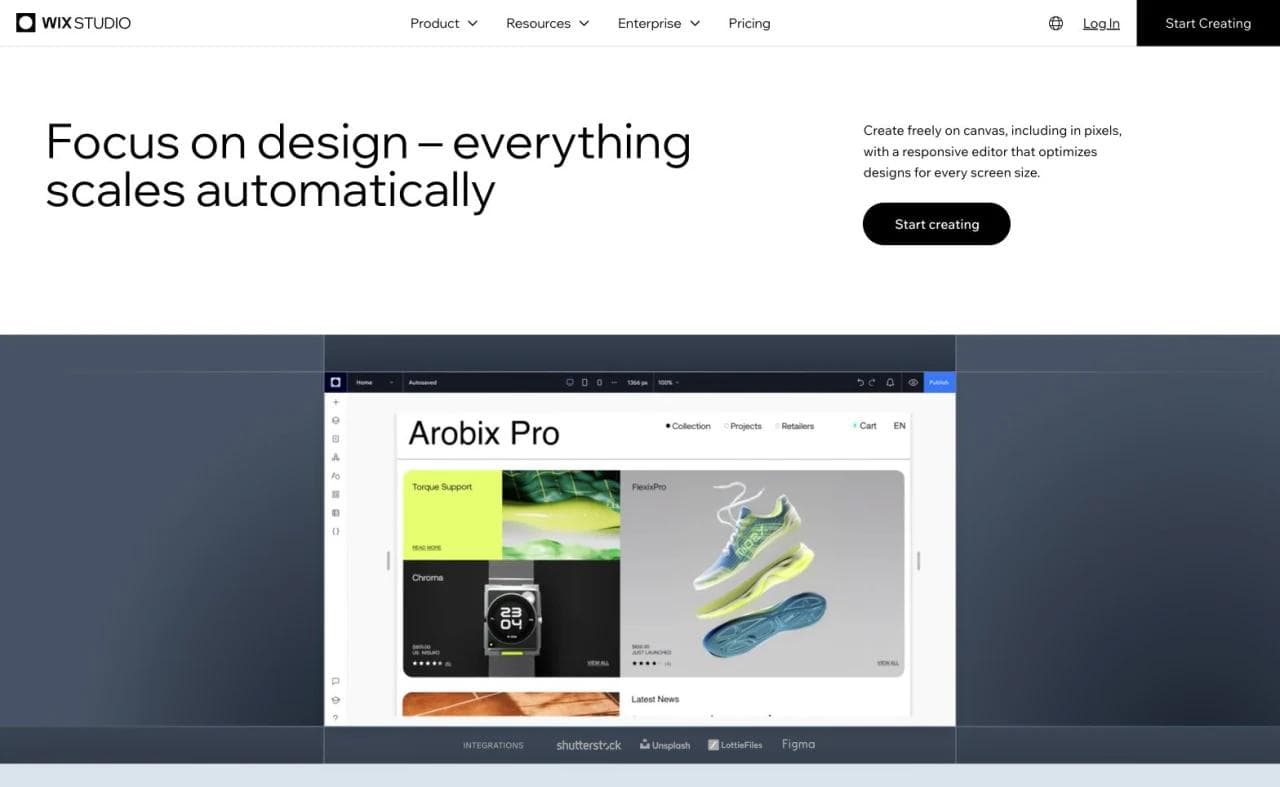
Wix is the strongest default when the website is part of running a business, not just presenting one. Its AI builder generates a site from a conversation, then hands the result to a mature visual editor. Wix also connects the site to built-in functions such as stores, bookings, events, blogs, and lead capture.
That breadth is the advantage. A salon, consultant, fitness studio, or local service company can keep its website and operating tools in the same environment. Wix says its current AI workflow can generate pages, sections, visuals, and custom elements, while the standard editor remains available for manual adjustment. Its AI website builder overview also documents integrated hosting, SEO tools, and business features.
The tradeoff is density. Wix offers many ways to build and manage a site, so teams should confirm which editor and business products they will actually use. If the job is only a tightly art-directed campaign page, a design-first tool may feel more direct. If it is a serious custom application, the all-in-one website-builder model may become a constraint.
Choose Wix if: you need a business website with operational features and want one established platform to manage most of it.
2. Framer: best for design-led startup and marketing sites
Framer is a strong fit for teams that treat their website as a designed product. Its AI builder can create a first direction, but the lasting value is the responsive canvas, components, breakpoints, CMS, hosting, and publishing workflow around that generation. Framer’s official AI website builder page says generated sites remain editable down to layouts, typography, components, CMS fields, and SEO controls.
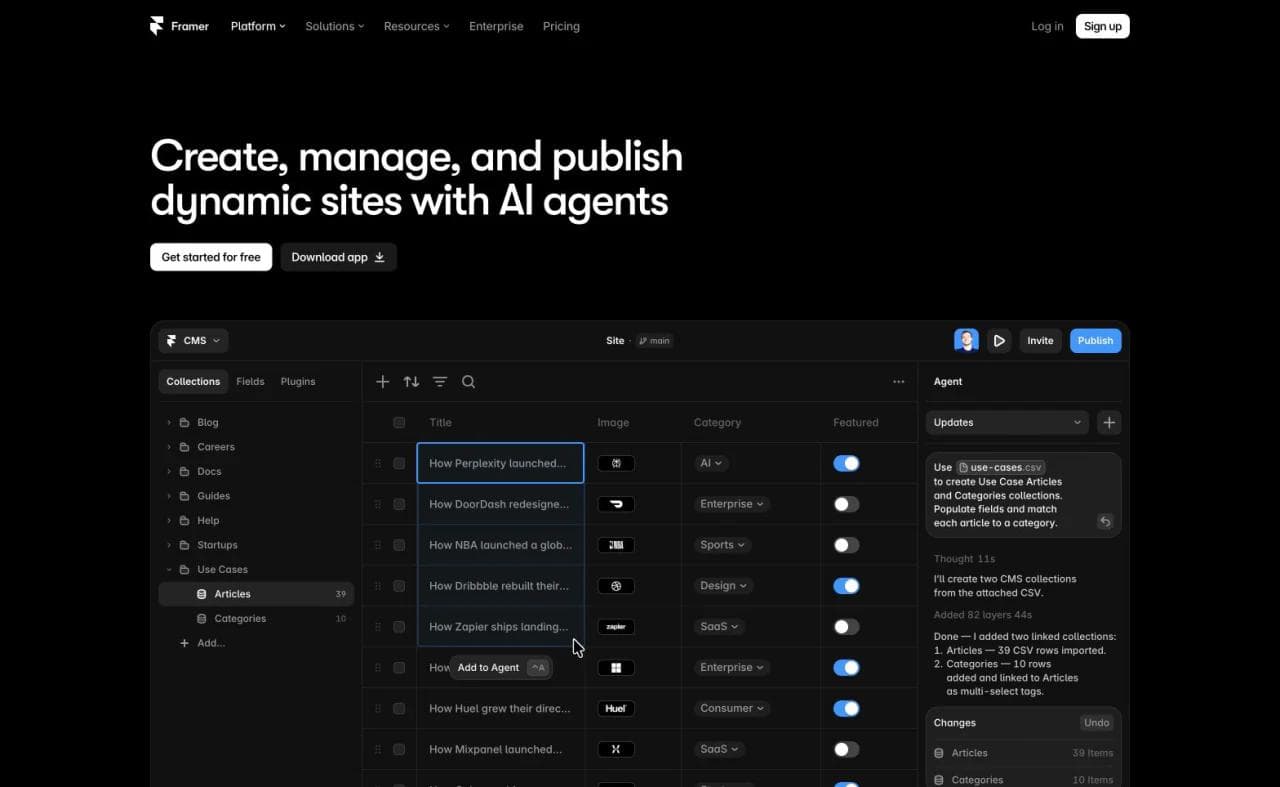
That makes Framer especially credible for startup homepages, portfolios, product launches, and marketing sites where visual iteration continues after launch. Designers can refine responsive behavior instead of repeatedly asking an agent to reinterpret the whole page.
Framer is a hosted system. Its documentation is explicit that it does not support standalone HTML export for self-hosting. That is a reasonable trade for teams that value managed publishing and optimization, but a poor fit when self-hosting or source ownership is mandatory.
Choose Framer if: visual quality, interaction design, and direct canvas control matter more than operating a large business backend.
For the closest design-led matchup, see Framer vs Webflow.
3. Webflow: best for a structured marketing site and CMS
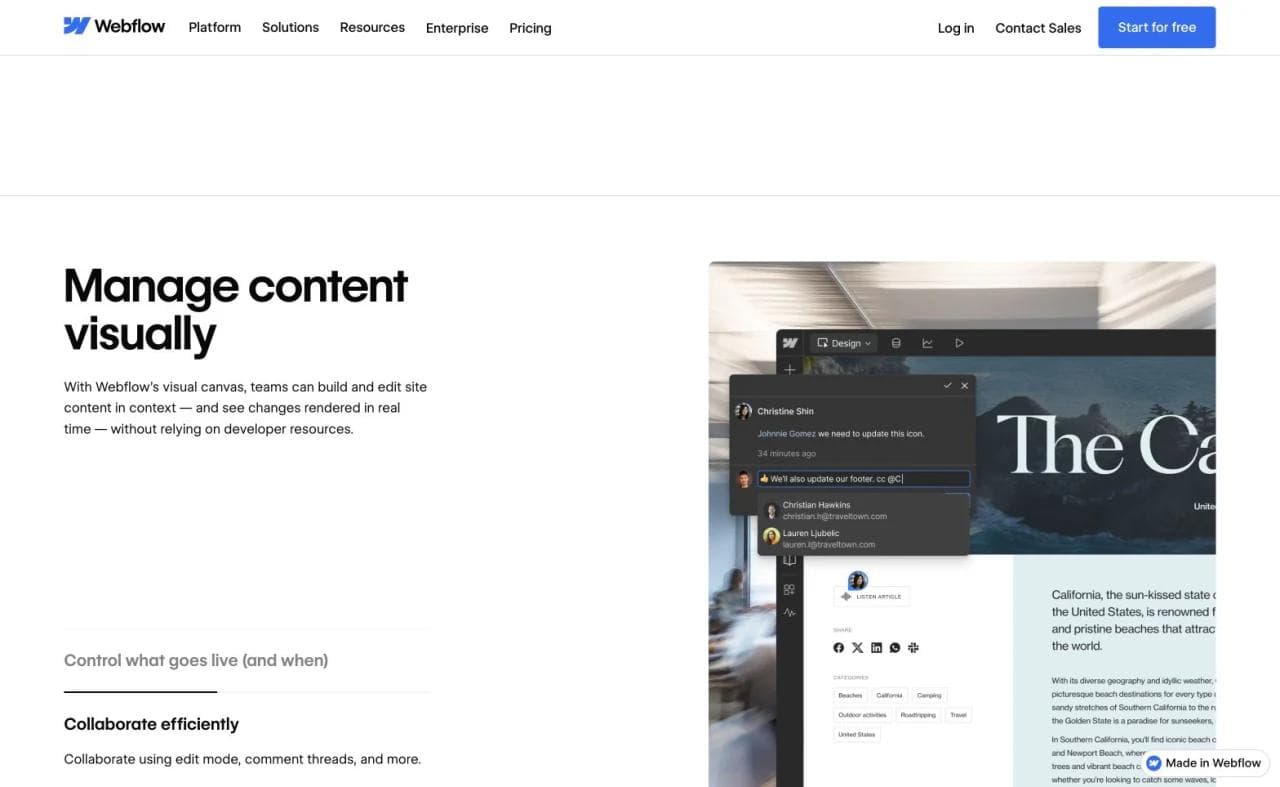
Webflow belongs on the shortlist when a website must combine visual control with a durable content and design system. Its AI site builder can generate a multi-page site, theme, copy, and style guide. The generated project then opens in Webflow, where teams can work with components, classes, CMS collections, roles, localization, and publishing tools.
The key difference is structure. Webflow’s current AI site builder documentation describes a generated style-guide page and a utility-based framework, not merely a set of unrelated pages. That foundation is valuable when a marketing site will accumulate landing pages, resources, team members, and campaigns.
The same depth can be unnecessary for a simple site. People who only need a portfolio or five-page business presence may not benefit from learning Webflow’s class and CMS model. Code export also has meaningful boundaries, particularly once the site depends on Webflow-hosted CMS or ecommerce functionality.
Choose Webflow if: a marketing or web team needs structured design control, reusable systems, and a serious CMS workflow.
If you already use it and are reconsidering the operating model, compare the best Webflow alternatives.
4. Squarespace: best for a guided portfolio or service website
Squarespace fits people who want a polished site without designing a system from scratch. Blueprint AI uses business and brand inputs to assemble a starting point, while Squarespace’s established templates and editing model keep the result visually coherent. Its website design overview positions Blueprint AI alongside templates, commerce, SEO, and analytics.
This is a good trade for photographers, consultants, restaurants, and other service businesses that value a guided path. The platform reduces the number of design decisions while keeping common site and business features nearby.
That guidance is also the limitation. Teams seeking unusual responsive behavior, granular design systems, or source-level control may prefer Framer, Webflow, or an owned codebase. Squarespace provides a partial WordPress-format content export, but many page types, style settings, store pages, and other platform features do not export.
Choose Squarespace if: you want a cohesive portfolio or small-business site and would rather work within strong defaults than construct every detail.
Our Wix vs Squarespace comparison covers the choice between broader business operations and a more guided site system.
5. Lovable: best for a website that may become a web app
Lovable belongs in the website-builder conversation because many people use it to create landing pages, startup sites, directories, and other public web experiences. Its prompt-first workflow can generate the frontend, connect managed data and authentication, provide visual editing, and synchronize the code with GitHub. Lovable’s getting-started documentation describes a workflow that begins with conversation and continues through preview, refinement, and publication.
The advantage is continuity between website and application. A simple launch site can later gain accounts, stored data, or product workflows without moving immediately to another category of tool. That is useful when application behavior is a real roadmap requirement.
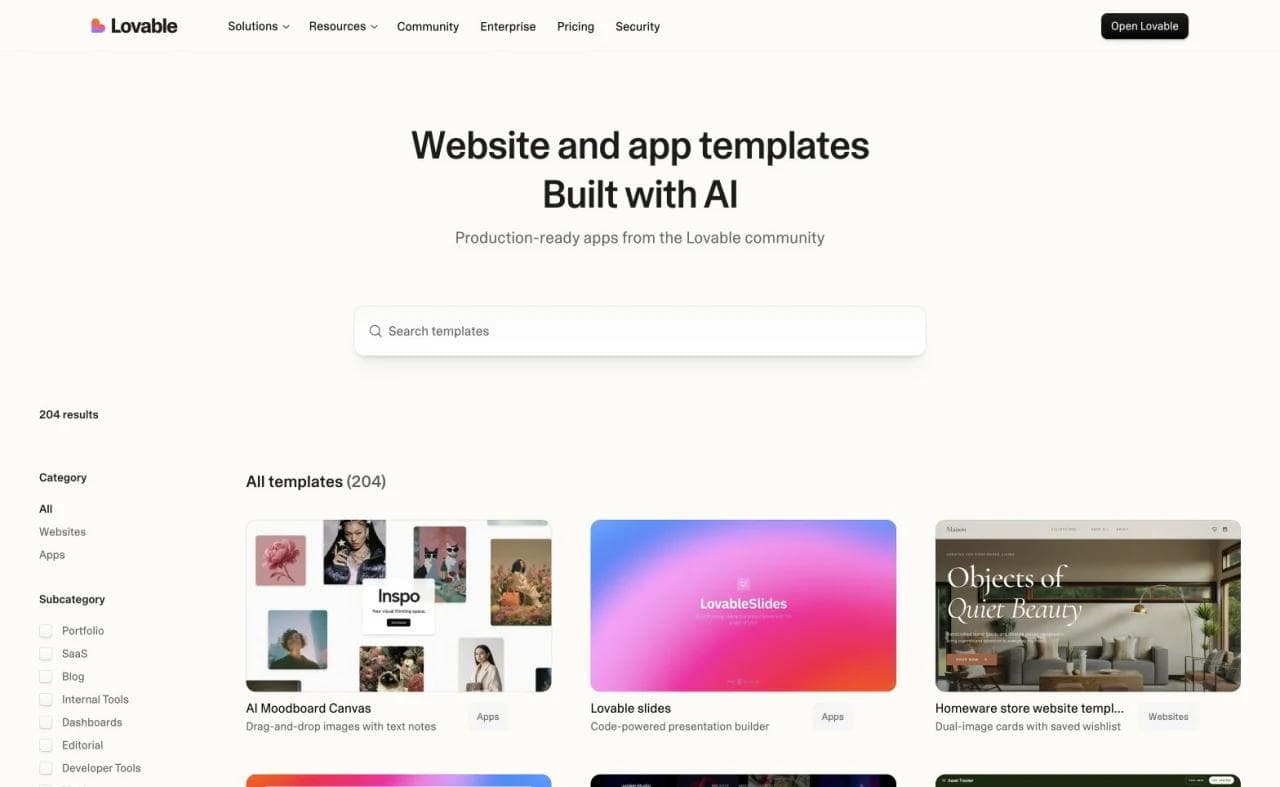
The tradeoff is that a code-generating application platform creates more to understand than a conventional hosted website editor. Even when the initial output is only a marketing site, a team should know where the code lives, which managed services it uses, how changes are tested, and who will investigate regressions.
Choose Lovable if: you want to prompt a custom website today and have a credible path toward a React-based web application tomorrow.
6. Replit: best for a custom-coded website in a broad development environment
Replit is also a legitimate AI website builder, but it approaches the job from the software side. Agent can start from a prompt, plan the project, write the implementation, preview it, and publish it. The surrounding Project Editor exposes files, Git, logs, secrets, databases, and deployment controls.
That breadth is valuable for an unusual interactive site, a marketing tool, a calculator, a directory with custom behavior, or a site that must use a specific framework or service. Replit is less opinionated about what the project should become than a conventional website builder.
The tradeoff is ownership. A marketer who wants to change copy through a visual CMS may find Replit unnecessarily technical. A developer who wants the site to be a normal software project may see the repository and runtime access as the main reason to choose it.
Choose Replit if: the website needs custom code or runtime flexibility, and someone on the team is prepared to own it as software.
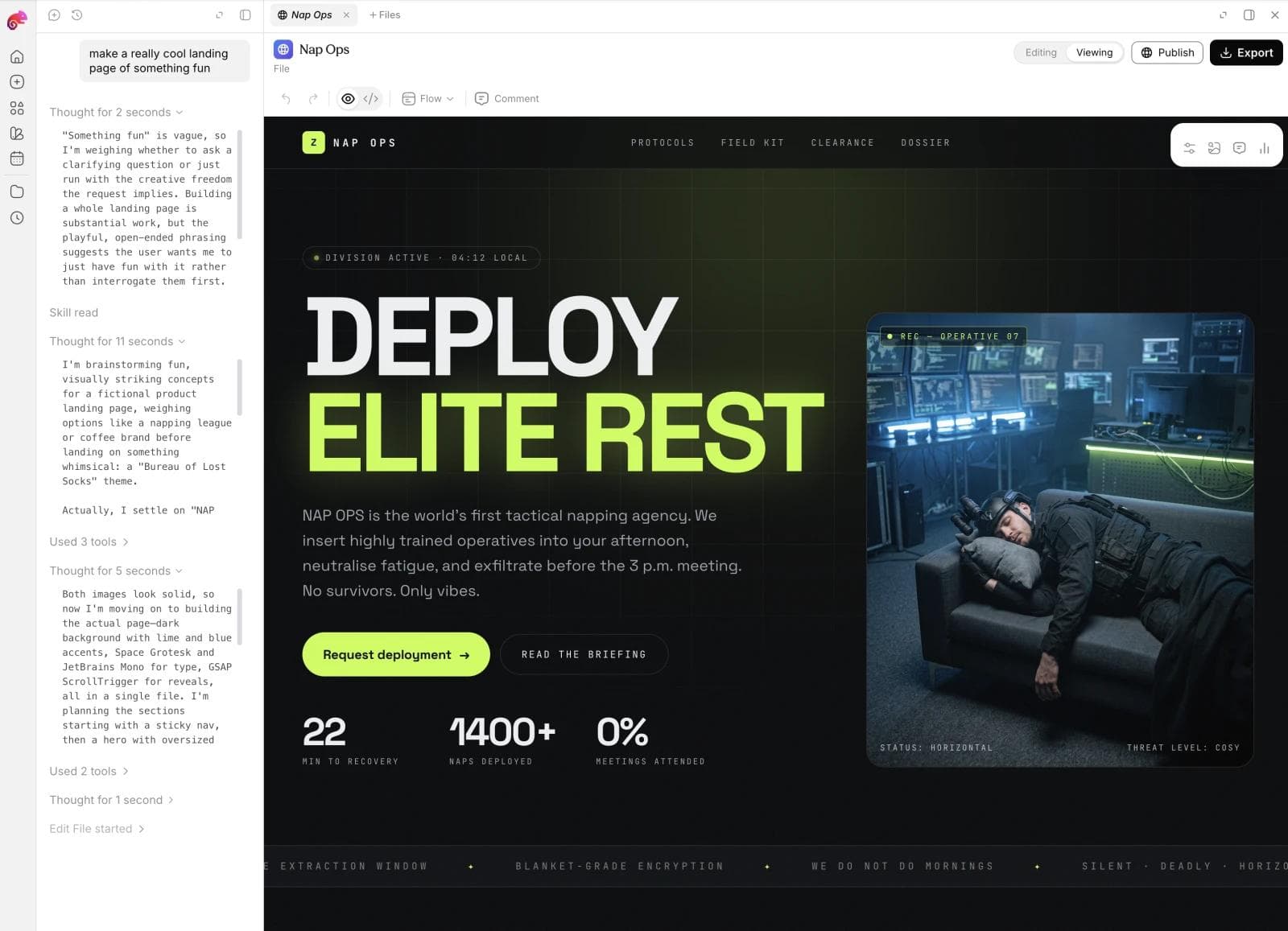
7. Moda: best for a brand-first static website and campaign system
Moda is the most relevant option when the deliverable is a public, design-led website and the same team also creates slides, social posts, ads, and other campaign assets. Its agent can generate responsive, multi-page HTML from a prompt, while the editor supports follow-up chat, direct text edits, visual styling, and page management. Sites can publish to a Moda subdomain or custom domain, and the HTML project can be exported for self-hosting.
The differentiator is not that Moda replaces every website platform. It is that the website can share a brand system and creative workflow with the surrounding campaign. A launch team can keep the landing page, sales deck, announcement graphics, and social assets visually aligned instead of recreating the brand in separate tools. Moda’s current pricing page lists hosted website publishing, custom domains on paid plans, and brand kits.
Moda is a credible fit for landing pages, portfolios, event sites, public company sites, and simple lead forms. It is not the right choice for a product that depends on sophisticated user accounts, custom application logic, complex transactional workflows, or a mature commerce backend. Use an app builder or dedicated commerce platform for those jobs.
Choose Moda if: brand fidelity and cross-format campaign production matter, and the site is fundamentally a designed public experience rather than a full-stack application.
8. Shopify: best when the website is an online store
Shopify is the correct category when the primary job is selling products. Its AI tools can generate store designs, content, media, and custom theme blocks, but the compelling reason to choose Shopify remains the commerce system behind the storefront.
Shopify Magic now integrates across store building and operations. Shopify’s documentation says merchants can generate personalized themes and use prompts to generate editable Liquid theme blocks. The surrounding platform handles catalog, checkout, orders, customer records, and an extensive app ecosystem.
This makes Shopify excessive for a brochure site and appropriate for a store with operational consequences. Theme files can be downloaded, but the theme is not the whole business. Shopify notes that a theme download excludes products, collections, pages, posts, images, and other store content.
Choose Shopify if: the website’s hardest recurring jobs are merchandising, checkout, inventory, and order operations.
9. 10Web: best AI website builder for WordPress
10Web is a practical bridge for teams that want AI-assisted generation without leaving the WordPress ecosystem. It generates a WordPress site, provides an Elementor-based editor, and packages managed hosting and site administration around it. Its official WordPress builder overview also documents WooCommerce support and agency management features.
The advantage is the destination. You end up operating WordPress, with its plugin and publishing ecosystem, rather than a proprietary one-off generator.
The tradeoff is exactly the same: you are operating WordPress. Plugins, themes, updates, compatibility, and governance remain part of the system even when hosting is managed. A team seeking the smallest possible maintenance surface may prefer a more contained hosted builder.
Choose 10Web if: WordPress is a requirement or strategic preference, and you want AI to accelerate setup and editing.
10. Hostinger: best for a fast, budget-conscious launch
Hostinger combines prompt-based site creation with hosting, domains, templates, basic content editing, ecommerce, and other small-business tools. Its AI Builder page describes both conversational editing and direct text and image editing after generation.
The bundle is the appeal. Someone launching a first portfolio, local-business site, or straightforward online presence can avoid assembling a separate builder and hosting stack. Hostinger is also expanding toward app-like functionality, so buyers should pay attention to which product mode and limits apply to their project.
The purchase check is future editing depth. Test one realistic update before committing: create another page, adjust mobile layout, change the navigation, and hand the project to its eventual maintainer.
Choose Hostinger if: you want a bundled path from prompt to hosted small-business site and have relatively straightforward design and content needs.
Where AI website builders and vibe coding overlap
Lovable, Base44, Replit, and similar products are website builders when the requested output is a website. They are also app builders when the project needs authentication, databases, personalized dashboards, or custom backend logic. The category depends partly on the artifact, not only on the vendor.
The meaningful distinction is what happens after generation. A vibe-coding platform usually leaves a software project, managed application, or repository behind. A visual website platform usually leaves a site model that marketers and designers can maintain through pages, components, themes, or CMS fields. Some products increasingly support both.
Do not exclude Lovable or Replit merely because they can build more than websites. Also do not choose an application stack automatically for a five-page marketing site. Match the maintenance model to the people and behavior the site actually needs.
Which AI website builder should you choose?
Start with the hardest requirement, then choose the simplest system that handles it without custom reconstruction.
- Typical small-business website with bookings, content, or other business tools: Wix
- Design-led startup homepage, portfolio, or campaign site: Framer
- Marketing site with a structured CMS and growing design system: Webflow
- Guided portfolio or service-business presence: Squarespace
- Custom website likely to grow into a managed web application: Lovable
- Custom-coded website with an engineering owner: Replit
- Brand-first static site connected to slides, ads, and social creative: Moda
- Online store with real commerce operations: Shopify
- WordPress as the required destination: 10Web
- Straightforward site with bundled hosting and a fast launch: Hostinger
Before choosing, build one representative page and make one representative update. Include the mobile version, a form or transaction if relevant, an SEO edit, and the handoff to the person who will maintain it. The best builder makes those ordinary changes predictable after the novelty of generation wears off.
Frequently asked questions
What is the best AI website builder overall?
Wix is the strongest general-purpose choice for many small businesses because it combines AI generation, manual editing, hosting, and broad business functionality. There is no universal winner, however. Framer is stronger for design-led marketing sites, Webflow for structured CMS programs, Lovable for sites that may become managed web apps, Replit for custom-coded sites, Shopify for stores, and Moda for brand-first static campaign sites.
Can AI build a complete website?
Yes. Current builders can generate a multi-page structure, layout, initial copy, images, and responsive styles. A generated site still needs human review for messaging, factual accuracy, accessibility, mobile behavior, forms, metadata, and brand details. Generation is a starting point, not proof that the site is ready to operate.
What is the best AI website builder for SEO?
Choose based on the SEO work you need to maintain. Webflow is well suited to structured marketing sites that need detailed CMS and page controls. Wix and Squarespace package SEO tools for small businesses. Framer provides metadata and publishing controls for design-led sites. No builder can replace search strategy, useful content, internal linking, and technical review.
Should I use an AI website builder or a vibe-coding tool?
The categories overlap. Lovable and Replit are both vibe-coding tools and AI website builders. Choose a visual website platform when recurring work centers on design, content, forms, publishing, or commerce through established features. Choose a software-oriented builder when custom behavior matters enough to justify owning generated code and application services.
Can I move an AI-generated website to another host?
It depends on the builder and on what the site uses. Moda supports HTML project export. Webflow can export static site code on eligible plans, but hosted CMS, ecommerce, form processing, and other features do not travel with that bundle. Framer does not offer standalone HTML export. Always distinguish exporting page files from migrating content, databases, transactions, and business operations.

Real editable visuals. Real canvas. Full control.
Fly through design work