Content Audit: How to Audit Every Asset, Not Just Web Pages
A content audit for everything your team has made. The web half belongs to Semrush and Screaming Frog. This is a rubric for the decks, PDFs and one-pagers nobody inventories.
 Anvisha Pai, Co-founder & CEO, Moda
A content audit is an inventory of what you have published, plus a judgment on each item: keep it, update it, or get rid of it. Almost every guide that ranks for this term audits one kind of content, web pages, because that is the kind a crawler can see. This article covers that half briefly and honestly, points you at the tools that do it properly, and then spends the rest of its length on the half nobody audits: the decks, one-pagers, sales sheets, PDFs, case studies and templates a marketing team accumulates and never inventories.
That second pile is where the expensive errors live. A price that changed a year ago is still sitting in a deck someone emailed a prospect this morning. Three versions of the same one-pager are in circulation and two of them are wrong. The old logo is on a PDF that a partner still hosts. None of this shows up in a crawl, because none of it has a URL you own.
The two halves of a content audit
Split the work before you start. The halves need different tools, different people, and different amounts of time.
| Dimension | Web content | Everything else |
|---|---|---|
| What it is | Pages, posts, landing pages, docs on your domain | Decks, one-pagers, PDFs, sales sheets, case studies, templates, print, event material |
| Can a tool find it? | Yes, a crawler enumerates it completely | No, there is no index of it anywhere |
| Is there performance data? | Yes, sessions, impressions, rankings, conversions | Usually none |
| What goes wrong | Thin pages, cannibalization, decay, broken links | Stale facts, old branding, no owner, no editable source |
| Who owns the fix | SEO or content | Marketing ops, whoever made it, often nobody |
| Right tools | Screaming Frog, Semrush, Ahrefs, Search Console, GA4 | A spreadsheet |
The web half, briefly, and who does it better
If your goal is search performance, use the tools built for it. This is not a section where a design company has anything to add.
The standard sequence is: crawl the site to get a complete page inventory, join that list to Search Console and GA4 so every URL carries impressions, clicks, sessions and conversions, then judge each page and assign it an action. Semrush's guide is a good version of this and extends the scope to earned and shared media. The Nielsen Norman Group article is the better read if your question is a UX one rather than a ranking one, and it draws the distinction most people get wrong: the inventory is the list of what exists, the audit is the judgment applied to that list. Yale's guide is a clean institutional version with a downloadable spreadsheet.
For the crawl itself:
- Screaming Frog SEO Spider crawls 500 URLs free, and a licence is £199 per year to remove the limit, per its product page. It runs on your own machine and is the fastest way to get a complete list of URLs, titles, headings and status codes.
- Semrush Site Audit runs over 140 technical checks and crawls up to 100 pages without an SEO Toolkit subscription, 20,000 pages on Pro and Guru, and 100,000 on Business, according to Semrush's own documentation.
- Google Search Console and GA4 are free and are the only sources for your real impression, click and session data. No third-party tool substitutes for them.
One thing worth knowing before you go shopping: Semrush retired its dedicated Content Audit product. The tool page now returns a notice saying it is no longer available and redirecting people to the On Page SEO Checker.
That is not a criticism of Semrush, whose Site Audit and Position Tracking tools do the job. It is a useful signal about the category. The part of a content audit that vendors automate well is the crawl and the metrics join. The judgment part stayed manual, and the off-web part was never in scope for any of them.
For social accounts, which are a third case again, we ran a separate exercise: auditing three live brand accounts from public data covers what you can assess on YouTube, Threads and Pinterest without account access.
Why the rest of your content never gets audited
Three reasons, and they are all structural.
There is no index. A crawler starts at a homepage and follows links. Your sales deck was never linked from anywhere. It exists as an attachment in a hundred sent-mail folders and one file in a shared drive whose name ends in _v4_FINAL.
There is no metric. Every web-page audit method sorts by traffic and cuts the bottom. You cannot sort a pile of PDFs by anything. You have no idea how many times the case study was sent, or by whom, or whether the recipient opened it. Sales enablement platforms track this for teams that use them, but most small teams do not, and buying one to run an audit is the wrong order of operations.
There is no owner. A web page has a CMS record with an author field. A one-pager has a person who made it eighteen months ago, who may have left, using a file that may be on a laptop that has been wiped.
So the pile grows and nothing ever leaves it. The audit below is designed for exactly that situation: no index, no metrics, no owner.
Build the inventory: where to look
You are looking for anything a person outside the company could plausibly receive from you. Cap the scope up front or you will never finish. A good cap: anything sent, linked, handed out or published in the last twelve months. Archives are a separate project and mostly not urgent.
Places to look, in the order that finds the most per minute:
- What sales actually sends. Ask the two or three people who talk to customers most to forward you the last ten things they attached to an email. This is the single highest-yield step and it takes them five minutes each. What they send is rarely what marketing thinks they send.
- The email signature and the proposal template. Both usually contain a link to a PDF or a deck that nobody has looked at in a year.
- Non-HTML files linked from your own site. A crawler is genuinely useful here. Screaming Frog reports the non-HTML files it finds while crawling, so a crawl of your own domain surfaces every PDF you are still linking to. Teams routinely find one they assumed had been taken down years ago.
- The shared drive, top two levels only, sorted by last modified. Do not go deeper on the first pass. Search the whole drive for
deck,one-pager,overview,final, and last year's number. - Anywhere a third party hosts your material. Partner pages, event and conference sites, app store or marketplace listings, review-site profiles, directory entries, industry association pages. These are the ones that carry an old logo for years because nobody remembers they exist.
- Anything printed. Trade-show banners, leave-behinds, business cards, packaging inserts. Physical assets have the longest half-life and the slowest correction loop.
Put every item in one spreadsheet, one row per asset. Columns: asset name, format, where the exported file is, where the editable source file is, where it gets used, who made it, when it was last touched, then the six checks below, then a verdict and a due date. Two of those columns will be blank for most rows on the first pass. That blankness is itself a finding.
The rubric: six checks per asset
Run these in order. They are deliberately binary, because a five-point quality score invites argument and never produces a decision. Each one is a yes or a no.
| # | Check | It fails when | Why it matters |
|---|---|---|---|
| 1 | Accurate | Any fact in it is no longer true: pricing, headcount, customer logos, product names, claims, dates, named staff, legal or compliance lines | This is the one that costs you a deal or a correction email |
| 2 | Current branding | Old logo, superseded colors, a typeface you no longer license, a tagline you retired | Cheap to spot, embarrassing in front of a customer |
| 3 | Owned | No named person is responsible for it today. "Whoever made it" is a fail | Without this, nothing on this list gets fixed |
| 4 | Editable | Nobody on the team can change it this week without the original author, an app nobody has, or a licence that lapsed | Decides whether the fix is cheap or expensive |
| 5 | Findable | The editable source file is not in a place a colleague could find unaided. In a mail thread or someone's downloads folder is a fail | The most common silent failure, and the reason duplicates get created |
| 6 | In circulation | Nobody has sent, linked or handed it out in the last twelve months | An asset out of circulation needs archiving, not fixing |
Two notes on running this well.
Check 1 is the only one that requires actually reading the asset, so do it last within each row, and only for assets that pass check 6. There is no point fact-checking something nobody sends.
Check 5 is where the "three versions of the same one-pager" problem gets diagnosed. When you find duplicates, do not record them as three rows. Record one row for the asset and note that three variants are in circulation. The verdict then applies to the asset, and retiring the extra two is part of the work.
Turning checks into a verdict
Five verdicts, and a rule that assigns them mechanically. Read the table top to bottom and stop at the first row that matches. Do not deliberate.
| Condition, in this order | Verdict | What it costs |
|---|---|---|
| Check 6 fails | Retire | Minutes. Move it out of the shared folder, keep one archive copy, remove the link |
| Check 1 or 2 fails, and checks 4 and 5 both pass | Update | Under an hour. Open the source, fix the fact, re-export, replace |
| Check 1 or 2 fails, and check 4 or 5 fails | Rebuild | Half a day or more. This is the expensive pile |
| Everything above passes but check 3 fails | Assign | One decision. No production work needed |
| Everything passes | Keep | Nothing now. Set a retirement date |
Check 3 is orthogonal to the rest. An asset in the update or rebuild pile with no owner needs an owner assigned as well, or the verdict will still be sitting in the spreadsheet next quarter.
The rebuild pile is the point of the whole exercise. An asset that is wrong, in circulation, and unfixable because nobody can open the source is the specific failure mode that costs real money. You will not know which assets these are until you run the list, which is the whole reason for running it.
Before you fix anything, sort the rebuild pile by how often the asset is sent, and do the top three. The rest can wait for the next quarter. An audit that produces a fifty-item backlog produces nothing.
What an afternoon buys you, and what needs a project
Be honest with yourself about which one you are doing, because the afternoon version is genuinely worth doing and the project version needs a budget and someone who can say no.
The afternoon, roughly three hours, one person. Ask sales for their last ten attachments. Crawl your own domain for linked PDFs. Skim the top two levels of the shared drive. You will end up with 30 to 60 rows. Run checks 6, 1 and 2 only, and only on the fifteen assets that are actually in circulation. Output: a short list of things to stop sending today, and the two or three facts that need correcting everywhere. This is the highest-value three hours in the whole method, and you can do it without asking anyone's permission.
The project, two to six weeks, needs a decision-maker. Everything above, plus the full inventory including archives and third-party hosted material, checks 3 through 5 on every row, an owner assigned to each asset, the rebuild pile actually rebuilt, a single agreed home for source files, duplicates retired, and a recurring review scheduled. The hard part is not the work. It is that retiring an asset means telling someone their thing is being deleted, and consolidating three variants means one team loses their version. That needs authority, not diligence.
Do not attempt in an afternoon: the web-page audit (the crawl and analytics join alone is a day), rebuilding your template set, moving to a digital asset manager, or imposing a naming convention across a drive with ten thousand files. Those are separate projects with separate justifications.
Fixing what the audit found
Retire is a folder operation. Assign is a conversation. Update is done in whatever tool made the file, and if the source opens and the fix is a number, use that tool, because it is the cheapest path by a wide margin.
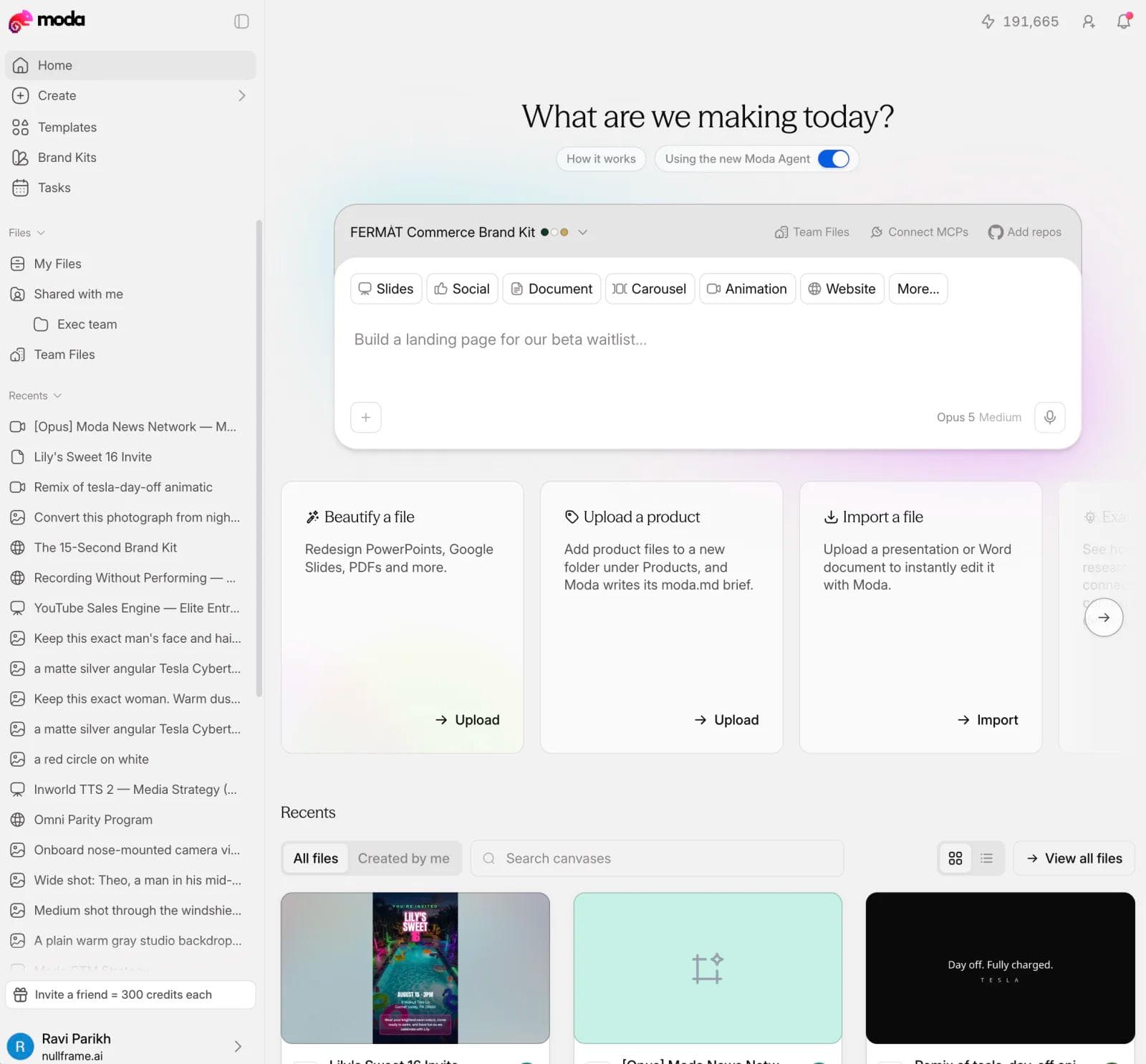
Rebuild is the only pile that needs a real decision, and it is where Moda is relevant. You can hand it an existing PowerPoint or PDF and get an editable version back on a canvas with your brand kit applied, then export to PPTX or PDF, which addresses the two failures that put an asset in the rebuild pile in the first place: nobody could open the source, and it was off-brand.
Where something else fits, plainly:
- If the source file opens and only a fact is wrong, open the source. Do not rebuild.
- If your real problem is that nobody can find anything, that is storage and asset management, not design. Moda has no digital asset manager, no analytics and no reporting, so it will not tell you which assets are being used or where they live.
- If the asset is a web page, none of this applies. Go back to the crawler.
- If you need a large library of ready-made layouts rather than a rebuild of specific assets, a template-first tool like Canva is a better fit. We compared the options for keeping a set of assets visually consistent in AI design tools for brand consistency.
Once assets are rebuilt, one source can usually feed several formats. That is a separate workflow, and we wrote it up in how to repurpose content with AI.
Stopping the same drift from recurring
An audit you run once is a cleanup. What makes it worth repeating is the artifact you build on the way out.
Build a change list. This is the single most useful output of the whole exercise and almost nobody produces it. For each fact that appears in more than one asset (your price, your headcount, your customer logos, your positioning line, your logo), write down every asset that contains it. Now, when the price changes, you do not rediscover the affected material a year later in a prospect's inbox. You open a list of seven items.
Give every asset one home and one owner. Not a good home. One home. The failure that produces _v4_FINAL is people fetching from wherever they last saw the file rather than from a canonical place.
Set retirement dates, not review dates. A review date gets skipped. A retirement date forces a decision, and the decision is usually five seconds long.
Re-run the afternoon version quarterly, not the project version. Ask sales for their last ten attachments again. That question alone catches most new drift, and it takes an hour.
Frequently asked questions
What is the difference between a content audit and a content inventory?
The inventory is the list of what you have. The audit is the judgment you apply to that list. The Nielsen Norman Group draws this distinction clearly, and it matters because most teams stop at the inventory, feel productive, and never assign a single verdict. A spreadsheet with no verdict column is an inventory.
How often should you run a content audit?
The full version once a year, or whenever something changes that invalidates material across the board: a price change, a rebrand, a repositioning, an acquisition. The three-hour version quarterly. The trigger matters more than the calendar. If your pricing changed last month and you have not checked your decks, you are already overdue.
How long does a content audit take?
The off-web version takes about three hours for a useful first pass covering 30 to 60 assets, and two to six weeks for the complete project including rebuilds. A web-page audit is a separate estimate driven by site size: the crawl is quick, joining it to analytics and judging each page is not.
Do I need a content audit tool?
For web pages, yes, use a crawler. For everything else, not at first. Semrush retired its dedicated Content Audit product, and a crawler cannot see material that was never linked. A digital asset manager will index files you deliberately put into it, which is a useful thing to buy after an audit and a poor thing to buy instead of one. A spreadsheet with the six checks in this article is the right starting tool.
Should social media be part of a content audit?
It is a third category with its own method, because the material is public and platform data is partly visible without account access. Treat it separately rather than adding rows for individual posts to this spreadsheet.
The bottom line
Run the web-page audit with the tools built for it, and do not let anyone sell you a design product as a substitute for a crawler. Then do the part those tools cannot reach: list what your team actually sends, run six binary checks on it, and act on the small number of assets that are wrong, in circulation, and unfixable. That list is short, you can build it in an afternoon, and nobody at your company has looked at it.

Real editable visuals. Real canvas. Full control.
Fly through design work