Genspark Alternatives: What to Use for Slides, Sheets, and Research
Compare 10 Genspark alternatives for slides, spreadsheets, design, and AI work. Find the right fit for your files, team, and budget.
 Anvisha Pai, Co-founder & CEO, Moda
You may not need a replacement for all of Genspark. If you mainly make presentations, compare Gamma, Moda, and Canva. For spreadsheet work, look at Julius or Microsoft 365 Copilot. Gemini Notebook suits research built around selected sources. Manus, Claude Cowork, ChatGPT Work, and Perplexity Computer are broader alternatives when you want a different agent to carry out whole assignments.
The useful question is not just which AI can produce a deck or analyze a file. Where do you want that work to live after it is created? A presentation shared as a link, a workbook maintained in Excel, and a campaign developed across several visual formats lead to different choices.
Genspark brings those activities into one workspace. This guide separates the reasons to change tools from the reasons to keep using the bundle.
We build Moda. Its place in this comparison is slides, images, and visual design, not replacing every part of Genspark.
Genspark alternatives: choose by the part you use
These recommendations follow the products' documented workflows, checked in August 2026. They are not a head-to-head test of generated output.
| Alternative | Start here for | What you would be changing |
|---|---|---|
| Gamma | Presentations built from an outline or source document | The slide creation and sharing environment |
| Moda | Slides plus branded images and campaign assets | The workspace for ongoing visual design |
| Canva | Visual work maintained by a team using Canva | The shared home for templates, assets, and revisions |
| Julius | Step-by-step, repeatable data analysis | The analysis workflow, not necessarily the office suite |
| Microsoft 365 Copilot | AI assistance in Word, Excel, PowerPoint, and Outlook | The AI layer around an existing Microsoft workspace |
| Gemini Notebook, formerly NotebookLM | Research from a selected source library | How evidence is collected and used |
| Manus | Multi-step investigations and deliverables | The broader agent coordinating the assignment |
| Claude Cowork | Work across authorized folders and business tools | How an agent works with your existing materials |
| ChatGPT Work | Deliverables using existing ChatGPT project context | The agent subscription and project environment |
| Perplexity Computer | Research followed by reports or other execution | The path from investigation to finished work |
What Genspark already gives you
A fair comparison starts with the current product. Genspark Workspace 6.0 combines office and creative tools with an agent, memory, app building, email, and collaboration. You are comparing alternatives to a bundle, not only a search box.
Three details can change a switching decision:
- Slides are directly editable. Genspark's slide editor supports positioning, rotation, grouping, layers, and text formatting. Small manual changes do not consume generation credits.
- Sheets is more than a chart generator. Its spreadsheet documentation describes formulas, manual editing, visible analysis logic, and XLSX import and export.
- Working in Office does not necessarily require leaving Genspark. Its Word, Excel, and PowerPoint add-ins bring AI assistance into those applications.
1. Gamma: when the presentation is the product
Shortlist Gamma when your usual Genspark session begins with an outline or document and ends with a presentation. You are choosing a slide workflow, not shopping for a new agent to manage unrelated projects.
Gamma's presentation tools accept prompts and uploaded content, organize it with layouts and themes, and support manual and AI-assisted editing. Its browser-readable cards can hold a proposal's explanation, images, and embedded material. For Google Slides, its export guide describes downloading a PowerPoint file and uploading it to Slides; that is different from continuing to edit the original Gamma document.
The deciding question is the audience's experience. Will they read the presentation through a shared link, watch you present it, or keep editing the downloaded file? Try the route you actually use rather than judging only the creation screen.
Check your required fonts and brand controls against Gamma’s plans. If you hand over PowerPoint files, make an export early and have the recipient revise it. For a closer look at the card-based workflow, see Beautiful.ai vs Gamma.
2. Moda: when the deck is one part of a visual campaign
A launch deck rarely stays just a deck. A team might also need a product illustration, a one-page sales handout, and several social graphics using the same visual direction.
That is the reason to compare Moda. The agent creates work on an editable canvas, and you can continue refining it through instructions or direct design edits. Brand kits provide reusable colors, fonts, and logos.
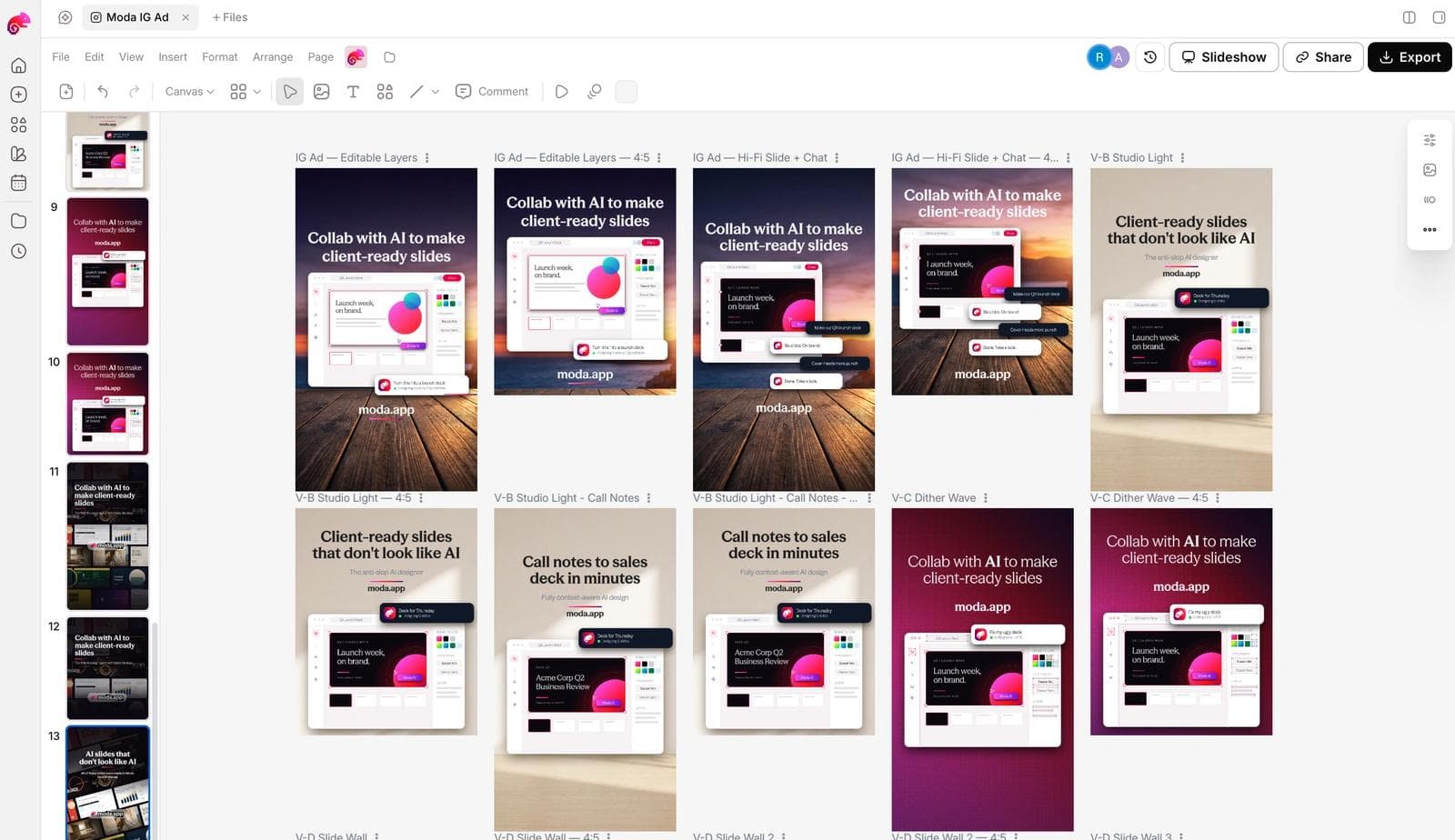
Genspark also has design tools and reusable styles. Compare the workspaces using your actual brand materials: change the headline, replace a product image, and make a second layout. The question is which result you would prefer to keep revising, not which product can make the first draft.
Moda supports PowerPoint and Google Slides export, but some effects or complex artwork become images rather than native editable objects. A design canvas also leaves you with layout decisions to review. If your real need is spreadsheet analysis or a research assistant, do not buy a design tool to solve it.
3. Canva: when colleagues already finish the work there
Canva is a strong candidate when the next person to touch the work is already using it. If the marketing team owns a library of approved campaign assets there, generating elsewhere can create another import-and-rebuild step.
The Canva Visual Suite spans presentations, documents, spreadsheets, images, and video, with AI tools and collaboration. Colleagues can comment and work together within the same design environment. That can make the next campaign revision more important than the initial generation.

Have a colleague make the next campaign variation using your approved assets. If the result stays useful in the existing Canva library, there may be little reason to move that work into another suite. If nobody uses Canva yet, compare the editors directly rather than assuming the template library makes the decision for you.
For a deeper comparison of slide-focused options, see our AI presentation maker guide.
4. Julius: when the analysis should become a reusable notebook
A spreadsheet and an analysis notebook can contain the same numbers but serve different purposes. The spreadsheet is often the working business file. The notebook explains and reruns the process that produced an answer.
Julius Notebooks arrange prompts, code, files, and explanations into steps. You can revise and rerun individual parts, collaborate, and reuse the workflow.
Consider a monthly campaign report: exclude internal traffic, normalize campaign names, calculate acquisition cost, then explain the changes. Julius is worth comparing if you want those decisions laid out as a sequence that another analyst can inspect and repeat.
A notebook is not a drop-in replacement for a maintained Excel workbook. Check the macros, queries, connections, and handoff requirements before moving the analysis. Genspark already exposes analysis logic and formulas; the reason to try Julius is a repeatable notebook workflow, not transparency alone.
5. Microsoft 365 Copilot: when Office is already the working home
If the team ultimately maintains everything in Word, Excel, PowerPoint, and Outlook, compare the AI available inside that environment before adopting another workspace.
Microsoft 365 Copilot provides assistance across Office apps, with organizational context and features depending on licensing and configuration. Compare the help available where colleagues already maintain the files.
There is a concrete spreadsheet reason to investigate this route. Genspark's AI Sheets compatibility notes list limitations including VBA execution, Power Query, Power Pivot, and certain native data connections. If your workbook depends on those, keeping it in the appropriate Excel environment can matter more than which agent writes its summary. This does not mean Copilot automatically understands or repairs every dependency.
Check the license and enabled features, and compare them with Genspark’s Office add-ins. Keeping an Excel workflow intact does not, by itself, require switching AI providers.
6. Gemini Notebook: when you want to choose the evidence set
Google renamed NotebookLM to Gemini Notebook in July 2026. It is relevant when you want to work from a defined library: interview transcripts, product documents, training material, or selected market reports.
Its source workflow lets you add or discover sources and select which ones to use. For this buying decision, the appeal is deliberate evidence selection rather than connecting more of your working life to a general assistant.
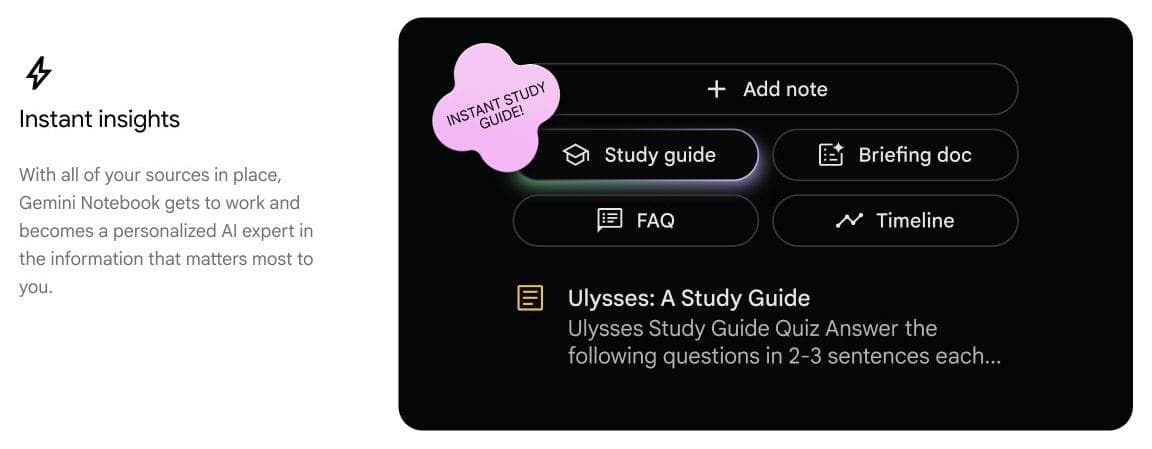
It can also create slide decks from those sources, with PDF and PowerPoint downloads.
Recheck claims after revisions. Google’s slide documentation says sources are not taken into account during slide revisions. Source selection is useful, but it does not remove the need to verify what the finished deck says.
When you want to replace the broader agent
If the problem is how an assignment is researched and carried out, not its final layout, compare these four. Bring the same brief and source files; judge whether you can inspect the work and use the result.
Manus: parallel investigations and deliverables
Manus Wide Research divides suitable investigations into parallel tasks. Its slide workflow also supports PowerPoint templates and exports. A useful trial is a comparison of several suppliers with a source for each finding, followed by the summary deck. Check the underlying findings, not just the polished summary.
Our Manus alternatives guide explores the broader delegation decision, including software and operational workflows.
Claude Cowork: assignments built from files and connected tools
Cowork handles research, analysis, and document work using authorized files and connected tools. For example, give it regional spreadsheet exports and a budget file, then ask for a reconciled summary and a note on what did not match. Check that the necessary sources are available in your session and that its returned files fit the existing process. Anthropic notes that Cowork uses plan limits faster than ordinary chat.
ChatGPT Work: deliverables built from project context
ChatGPT Work can research and create documents, spreadsheets, presentations, and sites. Projects can supply shared files and instructions. That is useful for a recurring deliverable such as a decision memo that must follow the same brief and reference material each month. On the web, upload or connect the sources; local folder access belongs to desktop workflows. Check account availability and task allowances before treating it as a replacement subscription.
Perplexity Computer: research that continues into a finished deliverable
Perplexity Computer can carry research into reports, dashboards, presentations, and other multi-step work using tools and connected sources. It is worth a trial when you need the investigation and the output together, rather than a set of search answers to assemble yourself.
If search answers are enough, you may not need Computer. Perplexity’s credit guide distinguishes Ask searches, which do not consume credits, from Computer tasks, which do. Compare the cost of the kind of assignment you actually run.
Before switching, separate the files from the workspace
A downloaded deck is not the whole setup you have built around it. Genspark's Skills can package reusable instructions, structure, and style. SecondBrain draws on connected sources and past work. Those are separate from the final files.
Before moving, make a short inventory:
- Working files: Keep editable decks, spreadsheets, source data, and images, not only PDFs of the finished outputs.
- Reusable instructions: Preserve the report structure, brand rules, and examples that make a saved Skill useful. Do not assume another tool imports its package or behaves identically.
- Context: Identify which approved facts and source documents the next tool needs. Transferring an exported report is not the same as recreating connected project memory.
- Shared access: Decide where colleagues will find the next version. A new exported copy does not replace links, review history, or a shared workspace automatically.
This is also a practical reason to leave an activity in Genspark. If a weekly report depends on its connected context and saved instructions, moving only the final document could increase the preparation work.
You do not need to migrate everything to compare alternatives. Move one representative deliverable and its inputs first. Choose its future working home before changing the subscription.
If credits are the problem, check what is consuming them
“Genspark costs too much” can describe very different situations: repeated slide generation, longer agent runs, media variants, or a limit on a feature advertised as included. A different subscription is not always the first fix.
Genspark's credit guide identifies model choice, task complexity, output size, and multiple versions as cost drivers. It also distinguishes credit balances from fair-use limits on AI Chat and AI Image. Having credits left does not necessarily remove a usage limit.
Look at your recent usage and identify the activity behind the cost:
- Repeated visual revisions: Determine whether the changes need generation or can be made with the manual editor. Compare another design tool if its overall editing workflow suits you better, not because every Genspark edit is chargeable.
- Long investigations: Compare the agent allowance and actual task scope. Replacing the slide tool will not solve research consumption.
- Media generation: Check the exact model, resolution, duration, and number of outputs. A presentation subscription is not an equivalent replacement for a media allowance.
- Underused breadth: Check whether a tool you already pay for covers the one activity you need. Removing duplication can be more useful than finding a lower sticker price.
Which option should you try first?
Start with one recurring piece of work: its source files, the revisions you normally request, and the format colleagues need. Try the alternative through that whole cycle before moving the rest. Keep Genspark if its saved context and combined tools spare you more work than the alternative removes.

Real editable visuals. Real canvas. Full control.
Fly through design work