11 Best Premiere Pro Alternatives in 2026, by Workflow
Compare 11 Premiere Pro alternatives for professional post, social video, transcript editing, browser workflows, mobile editing, and AI-first motion.
 Anvisha Pai, Co-founder & CEO, Moda
The best Premiere Pro alternative depends on whether you need professional post-production or simply need to finish videos without becoming a professional editor. Choose DaVinci Resolve for the closest cross-platform pro suite, Final Cut Pro for a fast Mac workflow, CapCut for social video, Descript for dialogue-led editing, and Moda for AI-first branded motion and generated campaign assets.
Adobe renamed Premiere Pro to Adobe Premiere in 2026, but many editors still search for “Premiere Pro alternatives.” The product remains a deep footage-first NLE with media management, multicamera editing, color, audio, captions, collaboration, and increasingly capable AI tools. Replacing it means deciding which of those jobs you actually need.
Premiere Pro alternatives at a glance
| Alternative | Best for | Editing model | Main compromise |
|---|---|---|---|
| DaVinci Resolve | Professional editing, color, audio, and VFX | Track-based desktop NLE plus Fusion | Large application and real learning curve |
| Final Cut Pro | Fast professional editing on Mac | Magnetic Timeline | Apple-only workflow |
| CapCut | Short-form social and quick effects | Approachable desktop, web, and mobile editor | Less suited to demanding long-form turnover |
| Filmora | Beginner-friendly desktop editing | Conventional simplified timeline | Less depth for complex professional pipelines |
| Descript | Podcasts, interviews, and talking-head video | Transcript-first editing | Not a full replacement for visual finishing |
| VEED | Browser-based team video | Cloud editor | Browser workflow and export limits need testing |
| Clipchamp | Simple Windows and browser edits | Template-friendly timeline | Limited for advanced grading and post |
| LumaFusion | Serious mobile and tablet editing | Touch-first multitrack timeline | Smaller desktop pipeline ecosystem |
| Kdenlive | Open-source desktop editing | Track-based NLE | Polish and collaboration differ from commercial suites |
| Shotcut | Free, lightweight cross-platform editing | Track-based NLE | Fewer high-end workflow conveniences |
| Moda | AI-first campaign motion and visual assets | Agent, editable canvas, compositor, and timeline | Not footage-heavy professional post-production |
What are you replacing in Premiere?
A creator making three vertical ads and an editor finishing a documentary can both use Premiere, but they should not choose the same alternative. Separate the decision into four levels:
- Cutting and assembly: trim, arrange, retime, and export ordinary clips.
- Dialogue workflow: transcribe, remove words, caption, and repurpose interviews or podcasts.
- Professional post: proxies, multicamera, interchange, color, audio, plugins, and reliable long-form projects.
- Generated campaign production: create shots and motion, combine them with brand assets, then make related social and design deliverables.
Premiere’s current documentation includes media intelligence, text-based editing, caption translation, Generative Extend, and an in-timeline Generative Media Tool in beta. An alternative should be compared with today’s Premiere, not the application from five years ago.
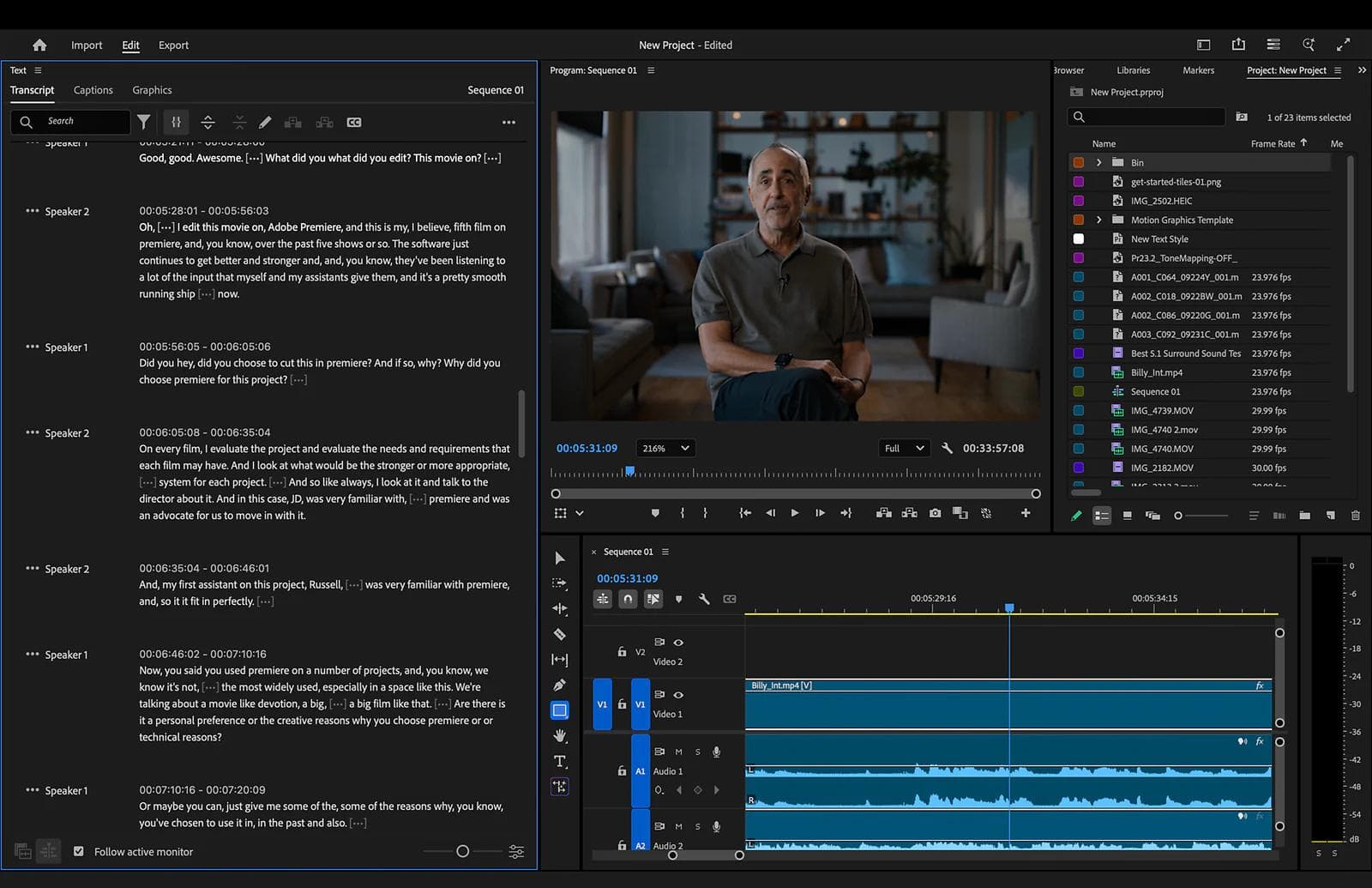
1. DaVinci Resolve: best professional alternative
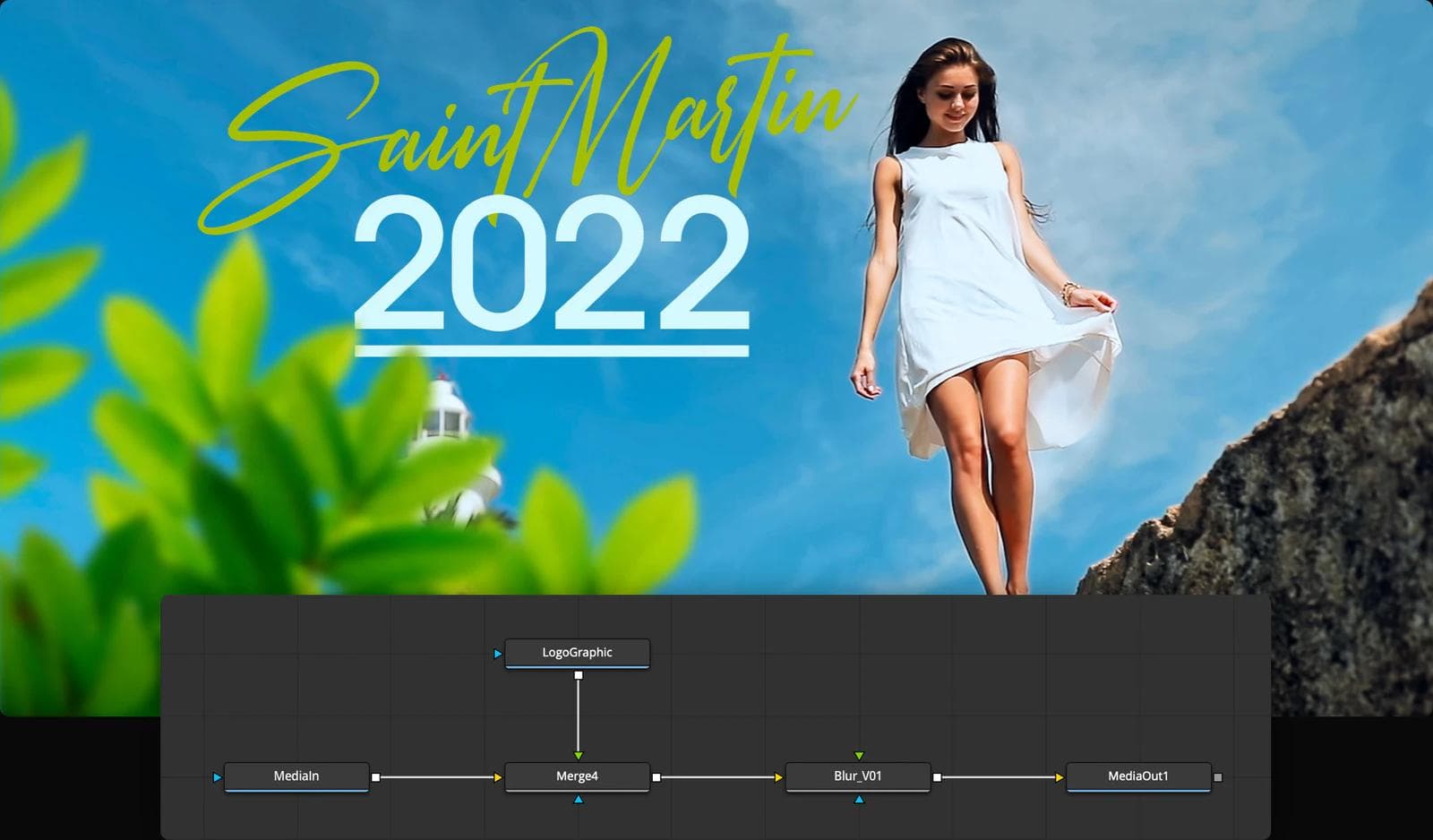
DaVinci Resolve is the closest broad replacement. Its Edit and Cut pages handle assembly, the Color page is a major finishing system, Fairlight covers audio, and Fusion adds node-based compositing inside the same project.
Choose Resolve when you need a serious desktop pipeline and are willing to learn it. Its free edition makes evaluation unusually practical, while Studio adds capabilities that some professional workflows require. Verify codecs, hardware, collaboration, and interchange against your actual cameras and delivery partners.
2. Final Cut Pro: best for Mac editors who value speed
Final Cut Pro replaces Premiere’s conventional tracks with Apple’s Magnetic Timeline. Current versions add transcript and visual search, beat detection, captions, object isolation, and deep performance on Apple silicon.
Choose it for a Mac-only team that values fast organization and timeline manipulation. The main migration question is not feature count. It is whether collaborators, plugins, archives, and external finishing partners can work comfortably with Final Cut libraries and FCPXML.
3. CapCut: best for fast social video
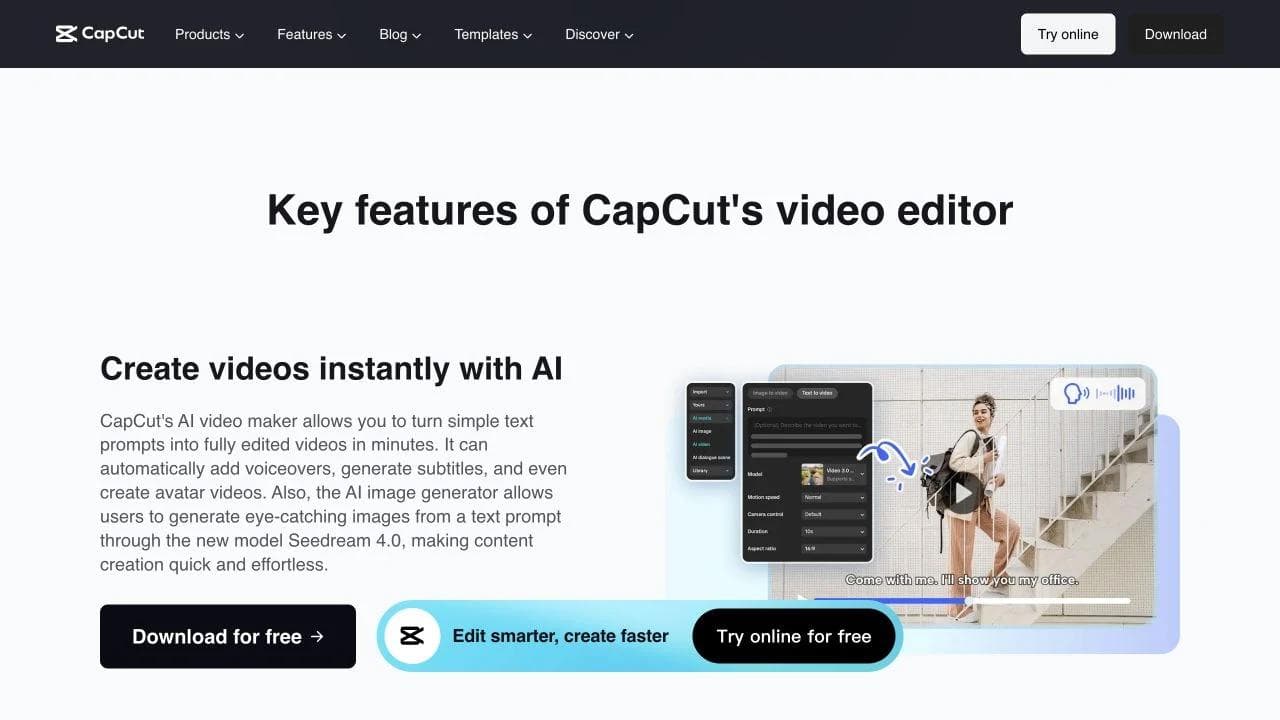
CapCut is the most obvious alternative for short-form creators who use only a fraction of Premiere. It combines a familiar timeline with templates, effects, captions, reframing, and AI creation tools across desktop, web, and mobile.
Choose it when speed to a social deliverable matters more than interchange or a mature post pipeline. Check licensing, team workflow, export settings, project portability, and regional availability before standardizing business production around it.
4. Filmora: best conventional editor for beginners
Filmora keeps the recognizable desktop timeline but reduces the density and setup of a professional NLE. It is a sensible bridge for a user who wants tracks, keyframes, effects, and AI assistance without adopting Resolve or Premiere.
Choose Filmora for individual creators and smaller projects. Check which AI features consume credits, whether the included asset licenses cover your use, and how projects behave when they grow in duration, resolution, or number of tracks.
5. Descript: best for dialogue-led video
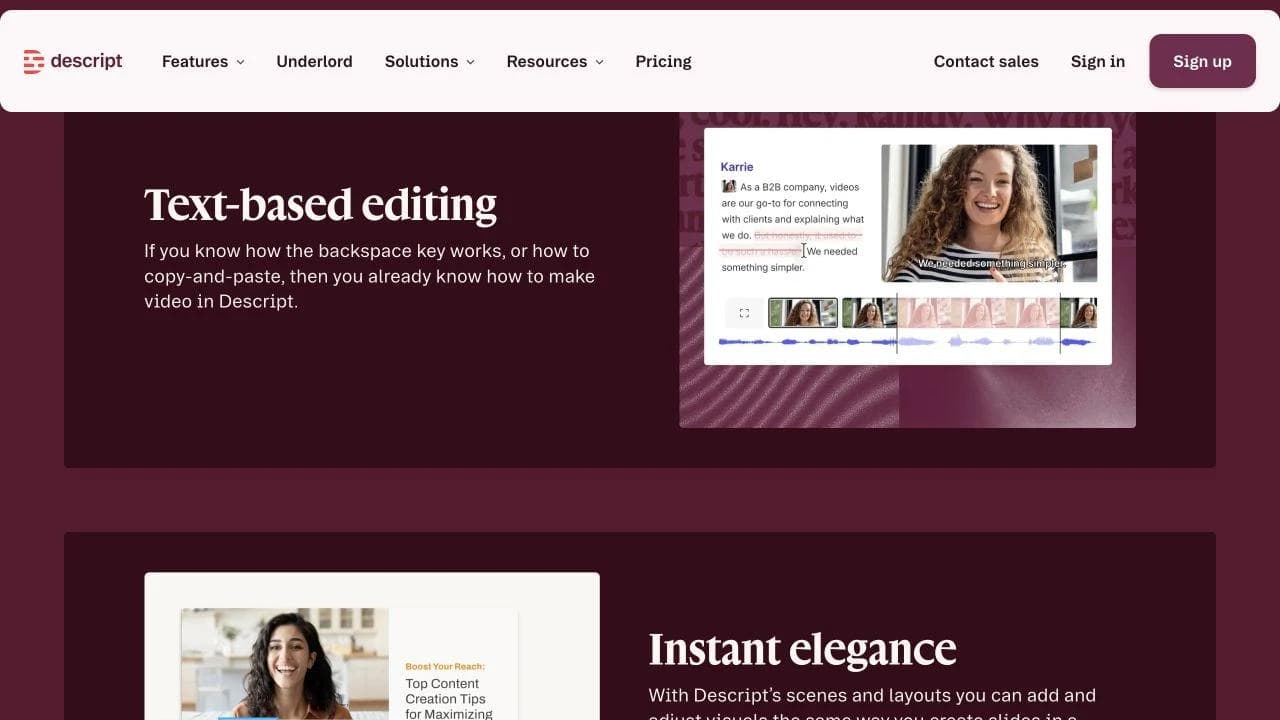
Descript treats the transcript as the primary editing surface. Deleting or rearranging words edits the corresponding media, while the timeline remains available for visual adjustments.
Choose it for podcasts, interviews, webinars, and talking-head content. Keep Premiere or Resolve when shot selection, visual rhythm, multicamera control, color, compositing, and detailed audio finishing dominate the work.
6. VEED: best browser-based general editor
VEED is useful when collaborators need an approachable browser workspace for captions, screen media, brand elements, resizing, and ordinary editing. It removes desktop setup and can simplify reviews for a distributed marketing team.
Test upload and proxy behavior, large-project performance, export controls, brand governance, and how the team retrieves source media. Cloud convenience changes where the project lives, which matters for archives and handoff.
7. Clipchamp: best simple Windows option
Clipchamp is a low-friction choice for straightforward edits, screen recordings, templates, captions, and social exports, especially for teams already standardized on Microsoft accounts.
Choose it when the alternative to Premiere should be much simpler. Do not expect it to inherit Premiere’s advanced color, audio, interchange, and plugin responsibilities.
8. LumaFusion: best serious mobile editor
LumaFusion provides a multitrack touch workflow on tablets and phones. It is relevant for field production, travel, mobile journalism, and creators who want more control than a template app without carrying a laptop.
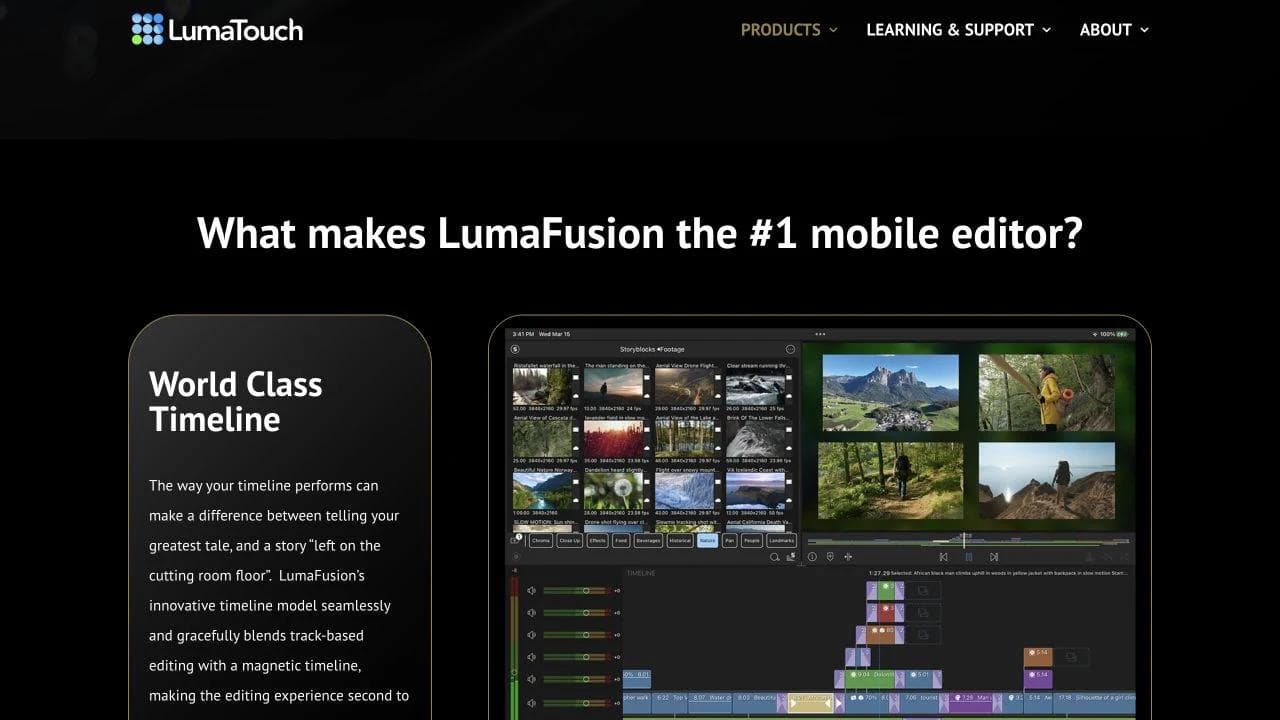
Check storage, external-drive support, codec needs, project exchange, and whether final color or audio will move to a desktop suite.
9. Kdenlive: best open-source general NLE
Kdenlive is a mature open-source editor with multitrack editing, proxy workflows, effects, scopes, and flexible formats. It is a credible choice when open source, local files, and cross-platform access matter.
Evaluate GPU behavior, project compatibility, collaboration expectations, and the specific effects or delivery formats your team needs. Free software still has migration and training costs.
10. Shotcut: best free lightweight editor
Shotcut is another open-source option with broad format support and a conventional timeline. It is best when the requirement is dependable cutting and export without a subscription, not an integrated studio pipeline.
Choose it for focused individual work. Kdenlive or Resolve may be stronger when project organization, effects depth, scopes, or larger productions become central.
11. Moda: best for AI-first branded motion
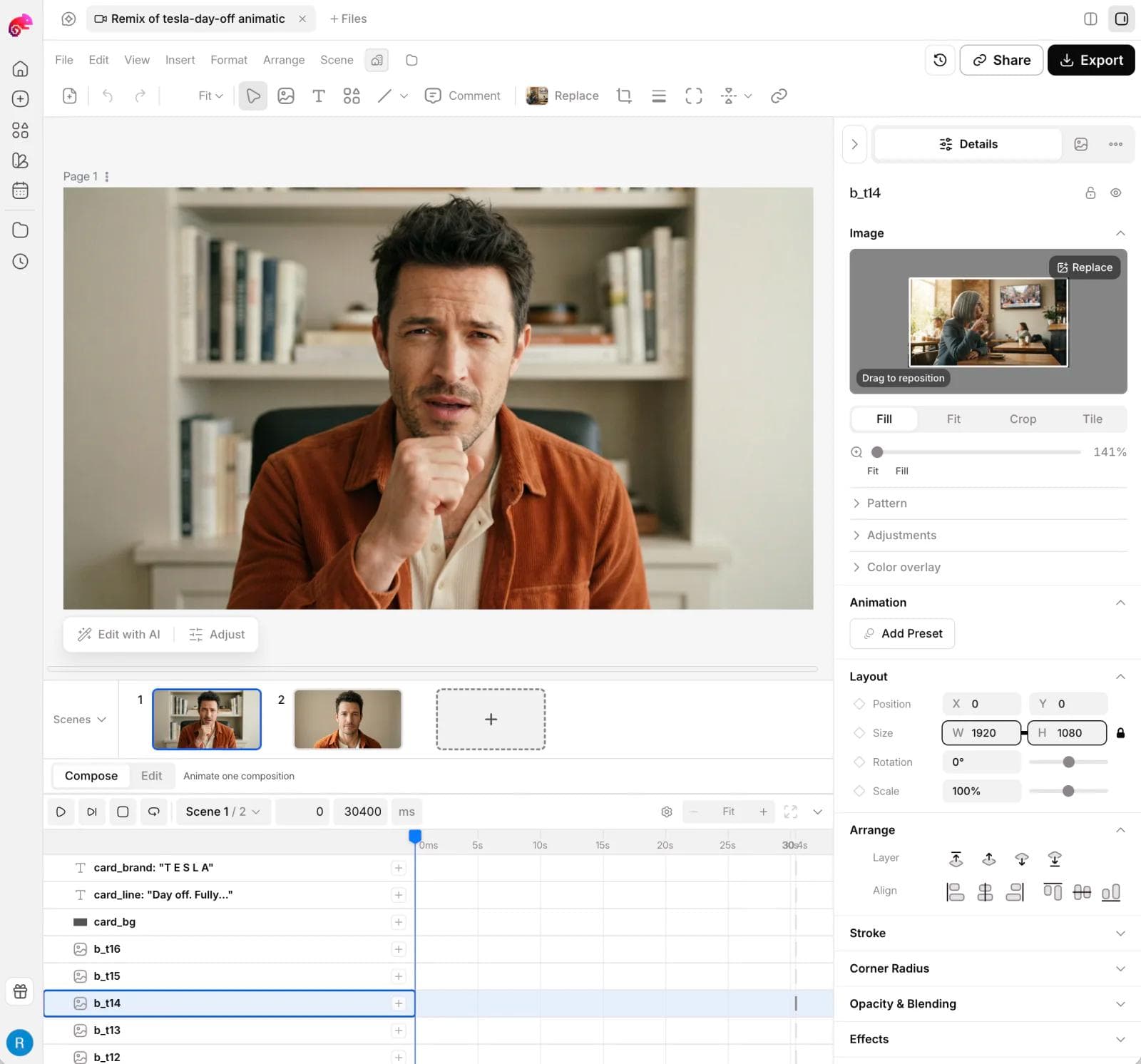
Moda serves a different user. Its agent can help generate video, images, audio, slides, ads, and social assets, then keep campaign scenes editable on a visual canvas and timeline. This can be a better fit for a marketer who needs motion content but does not want to learn a professional NLE.
Moda is not a replacement for multicamera editing, detailed dialogue and caption workflows, advanced color grading, large media libraries, broadcast interchange, or film finishing. Choose it when the hard part is creating and revising branded visual content, not managing hours of recorded footage.
How to test a Premiere Pro alternative
- Import a real project’s camera formats, audio, graphics, fonts, and captions.
- Build a rough cut, then make a late structural revision without breaking synchronization.
- Test color, audio, proxies, speed changes, and the exact export required by your destination.
- Hand the project to the person who handles review or finishing.
- Reopen it after moving or archiving the source media.
Which Premiere Pro alternative should you choose?
Choose Resolve for a professional cross-platform suite, Final Cut Pro for a fast Mac pipeline, CapCut for social video, Filmora for an approachable conventional editor, Descript for dialogue-led work, VEED for browser collaboration, Clipchamp for simple Windows editing, LumaFusion for mobile, and Kdenlive or Shotcut for open-source desktop workflows.
Choose Moda for an AI-first branded campaign workflow with generated media and editable visual scenes. Keep Premiere when its breadth, integrations, existing projects, and collaboration pipeline already earn their complexity. The easiest tool is only an upgrade if it still protects the work you need to hand off.
Related questions about Premiere Pro alternatives
What is the best free alternative to Premiere Pro?
DaVinci Resolve is the strongest free starting point for users who may grow into professional post-production. Kdenlive is the stronger open-source general recommendation when local ownership and cross-platform editing matter. Shotcut is useful for focused, lighter work. Confirm codec, GPU, plugin, collaboration, and export requirements before choosing from price alone.
What is the easiest Premiere Pro alternative for beginners?
CapCut is usually the shortest path to social video, Filmora preserves a conventional desktop timeline with less complexity, Descript is easiest when spoken words drive the edit, and Clipchamp works for straightforward browser or Windows projects. Ease depends on the material. A transcript editor is simple for an interview and awkward for a music montage.
Can an AI-first tool replace a professional editor?
It can replace unnecessary professional complexity for short campaign work, but it does not erase post-production requirements. Moda fits generated clips, brand design, scenes, motion, and related assets. It does not replace the advanced editorial responsibilities covered in our After Effects alternatives guide. For social workflows, compare the CapCut alternatives guide; for transcript-first work, use the Descript alternatives guide.

Real editable visuals. Real canvas. Full control.
Fly through design work