The Agency Web Design Workflow: From Client Brief to Live Website
Use this agency web design workflow to move from client brief to launch with clear owners, approval gates, review links, QA, and handoff.
 Anvisha Pai, Co-founder & CEO, Moda
A web design workflow is the repeatable system an agency uses to turn a client brief into an approved, tested, live website. A useful workflow defines more than a sequence of design tasks. It makes the owner, client decision, deliverable, and exit gate clear at every stage.
The best workflow is not the one with the most steps. It is the one that prevents expensive work from beginning before the right decisions are settled. For a focused campaign page, that can mean moving into a working site quickly. For a large content program or custom product, it can mean slowing down for information architecture, prototypes, and technical planning.
This guide gives agencies one operating model for both cases. It separates the agency production lane from the client decision lane, then shows which stages to compress for smaller projects and which ones should stay explicit.
Agencies do not just sequence creative tasks. They coordinate decisions across the client, strategy, content, design, build, and launch. Joe Robinson, head of design at Zeal, described a workflow as something that:
“covers every step and includes actions and input points from across the business, partner agencies, and suppliers.”
Robinson’s point, shared in Jotform’s web design workflow guide, is why the table below pairs agency output with a separate client decision and exit gate.
The agency web design workflow at a glance
A complete agency web design workflow has eight stages: qualify, scope, collect, structure, direct, build, review, and launch. Each stage ends with an observable decision or deliverable. “We talked about it on a call” is not an exit gate.
| Stage | Agency output | Client decision | Exit gate |
|---|---|---|---|
| 1. Qualify | Fit assessment and project type | Confirm goal, budget range, timing, and decision-maker | The agency knows whether to propose the work |
| 2. Scope | Signed scope, timeline, responsibilities, and change rules | Accept what is included and who supplies what | Commercial terms and responsibilities are recorded |
| 3. Collect | Organized brand assets, content inventory, references, and access | Supply required inputs or approve placeholders | The team can begin without hidden dependencies |
| 4. Structure | Sitemap, page goals, content outline, and primary conversion path | Approve what the site must say and help visitors do | Every page and section has a job |
| 5. Direct | One or more visual directions at the right fidelity | Choose a direction and resolve major taste questions | The team has an approved visual system |
| 6. Build | Responsive working site or implementation-ready design | Review the actual experience at the agreed milestone | The complete scope exists in a reviewable form |
| 7. Review | Consolidated revisions plus technical and content QA | Return one prioritized feedback set and approve launch | No unresolved launch blocker remains |
| 8. Launch | Published site, handoff package, and post-launch check | Accept ownership, access, and maintenance plan | The live site works and the next owner is clear |
A workflow becomes much easier to manage when every milestone names the artifact the client will see. “Design phase” is vague. “Approve the homepage direction and mobile navigation” is actionable.
1. Qualify the project before you design the process
Start by identifying the website’s hardest requirement. A one-page sales site, a five-page service-business website, a large editorial site, an online store, and an authenticated product may all begin with a homepage. They should not inherit the same delivery process or technical platform.
Ask five questions before preparing the proposal:
- What action should a visitor take?
- How many distinct page types or content collections are required?
- Who will update the site after launch, and what will they change?
- Which systems must the site connect to, such as a CRM, booking tool, commerce platform, or application?
- Who has final approval when stakeholders disagree?
These answers determine the workflow. A project with one approver, stable copy, and no backend behavior can move quickly into a working page. A multilingual site with a CMS, several stakeholder groups, and custom integrations needs more planning and more formal handoffs.
2. Turn the proposal into an operating agreement
The scope should describe how the project will run, not just what the agency will deliver. Record the page count or page types, content responsibilities, number of visual directions, review milestones, revision rules, integrations, launch responsibilities, and what happens when inputs arrive late.
Avoid language such as “website design with revisions.” It leaves the most expensive questions unanswered. A stronger scope might define one homepage direction, one consolidated direction review, implementation of six agreed pages, one complete-site revision round, and a final launch QA pass.
The goal is not to make the relationship rigid. It is to keep a small request from silently changing the delivery model. When a new requirement appears, the team can decide whether it fits the current stage, replaces an earlier decision, or requires a scope change.
3. Collect only the inputs needed to start well
Content collection is often treated as a waiting room before design. A better approach separates blocking inputs from inputs that can arrive later.
Radim Hernych, founder of Ybug, is blunt about the recurring failure point:
“Content is almost always the bottleneck.”
His agency and freelancer workflow guide recommends beginning content collection during discovery rather than after design approval. That supports the split below: start with the inputs that block direction, then schedule the rest.
Usually blocking:
- The business offer, primary audience, and desired action
- Approved logo and any non-negotiable brand rules
- Known legal, compliance, or technical constraints
- The person responsible for decisions and consolidated feedback
Often safe to stage or replace later:
- Final team biographies
- Secondary testimonials
- A complete image library
- Long-form copy for lower-priority pages
Make placeholders explicit. If the client has not supplied final case studies, label the review copy as provisional and set a deadline. Do not let temporary material become an invisible approval that surprises everyone during launch week.
4. Design the message architecture before the decoration
Every page needs a job. The homepage may establish the category and route visitors. A service page may connect a specific problem to proof and an inquiry. A case study may reduce perceived risk. The contact page may qualify the lead or make the next step feel simple.
For each page, write down:
- The visitor arriving on that page
- The question or objection the page must resolve
- The evidence available to support the answer
- The primary next action
Then map the sections in the order a visitor needs them. The section-job test is useful here: every material section should clarify the audience or outcome, explain the service or mechanism, prove a claim, remove an objection, or route the visitor to the next action. A section that does none of those is probably decoration.
If you need examples of how complete pages build an argument, the SaaS landing page teardowns show how message, product evidence, proof, and calls to action change as a visitor scrolls.
5. Choose the right fidelity for the visual direction
Not every website needs wireframes, moodboards, a complete Figma file, and a separate prototype. Each artifact should retire a specific risk.
| Artifact | Use it when | Skip or compress it when |
|---|---|---|
| Moodboard or style direction | The brand is incomplete or stakeholders disagree about visual language | The client has a strong brand system and clear references |
| Wireframe | Information architecture or page hierarchy is the main uncertainty | The page follows a proven structure and content is already clear |
| High-fidelity design | Interaction, art direction, or stakeholder approval requires precise visual control | A small static site can be reviewed more accurately as a working responsive page |
| Prototype | A critical journey or interaction must be validated before implementation | The site is primarily informational with simple navigation and forms |
For a small business or campaign site, building the first approved direction as a responsive page can remove a handoff. The client sees real type wrapping, mobile behavior, navigation, and content density. For a complex product or design system, implementation is too expensive to use as the first place major structural questions are answered.
In a practitioner discussion about running a web design agency, one seven-year agency owner summarized the production advantage:
“We always start with a premade base and customize that.”
The workflow the owner described uses reusable designs and a starter kit to reduce repeated work. The point is not to make every client site look the same. Standardize the parts whose novelty does not improve the result, then spend design effort where positioning or the user journey actually differs.
6. Build the first reviewable version around decisions
A review link should answer a defined question. Early in the project, that question might be “Is this the right visual and messaging direction?” Later, it might be “Is every agreed page present and accurate?” Asking clients to “take a look” invites feedback at every level at once.
When sharing a milestone, include four things:
- What is ready for review
- What is intentionally incomplete
- Which decisions the client should make now
- The feedback deadline and expected format
Keep internal critique separate from client review. The agency should resolve obvious design inconsistencies, broken responsive behavior, missing pages, and basic copy errors before asking the client to spend attention on the work.
7. Control feedback without making the client feel controlled
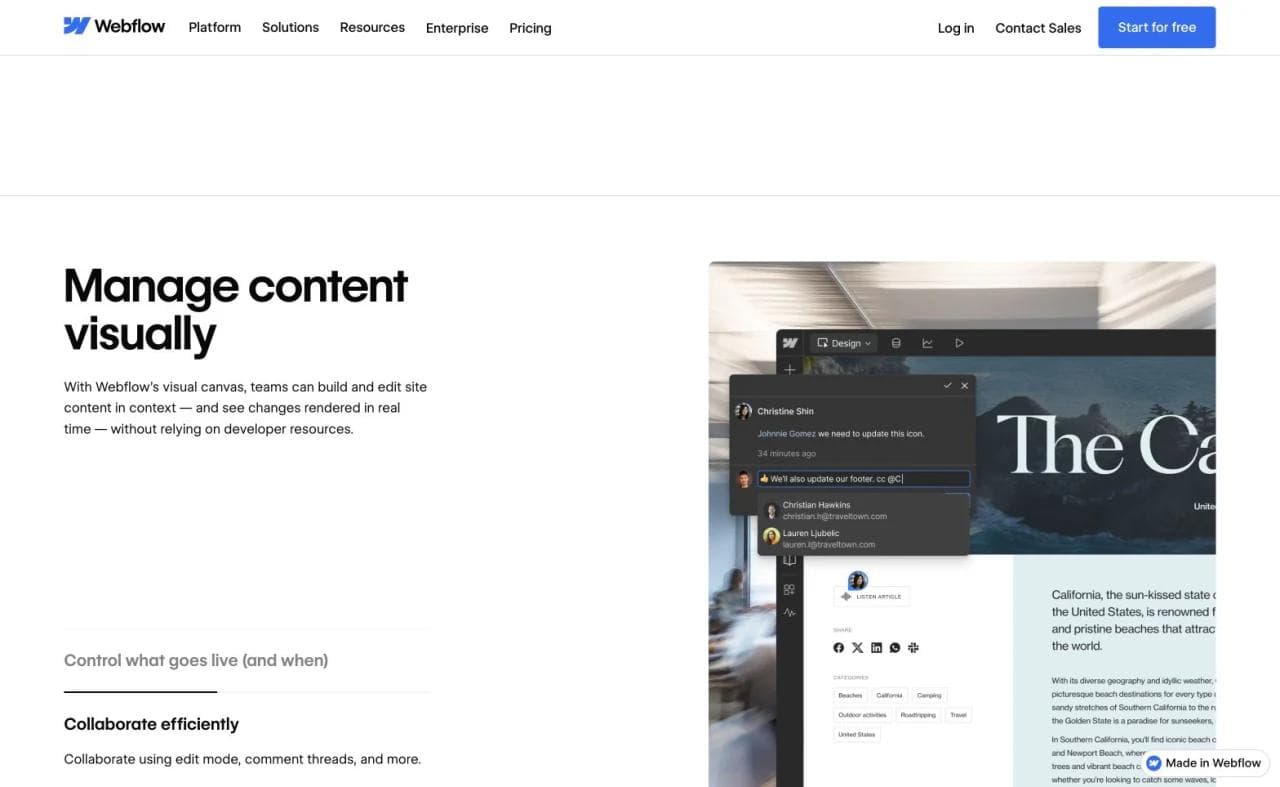
Good feedback governance reduces ambiguity rather than access. Give the client one review location, one accountable decision-maker, and one deadline. Ask stakeholders to consolidate comments before returning them to the agency.
A useful feedback format separates:
- Blockers: inaccurate, unusable, legally risky, or outside the agreed goal
- Improvements: changes that strengthen the approved direction
- New ideas: potentially valuable requests that were not part of the current decision
This prevents a late idea from masquerading as a launch blocker. It also makes disagreements visible. If one stakeholder wants a short homepage and another wants every service explained in full, the agency needs a decision, not two rounds of contradictory design changes.
8. Run QA as five separate checks
“QA the site” is too broad to assign or approve. Divide it into content, responsive behavior, functionality, accessibility, and launch configuration.
Content QA
- Check names, claims, contact details, spelling, links, and calls to action.
- Confirm that provisional copy and imagery have been replaced or deliberately accepted.
Responsive QA
- Review real mobile and desktop widths, not only the design canvas.
- Check navigation, line breaks, image crops, overflow, tap targets, and long content.
Functional QA
- Submit every form and confirm the message reaches the intended destination.
- Test downloads, embedded media, external links, error states, and any connected system.
Accessibility QA
Check keyboard access, focus visibility, form labels, heading order, alternative text, contrast, and motion behavior. The W3C WCAG 2.2 quick reference provides the current success criteria and implementation guidance.
Launch and search QA
Confirm the production domain, HTTPS, redirects, favicon, social preview, page titles, descriptions, canonical URLs where needed, analytics, robots rules, and sitemap behavior. Google’s SEO Starter Guide is a useful baseline for crawlable, understandable pages.
Record who owns each check and who can waive it. A designer can flag a form failure, but the person who owns the CRM or inbox may be the only one who can confirm the lead arrived correctly.
Choose a fast path or full path by project risk
Small sites do not need a careless workflow. They need a compressed workflow. Keep the gates, but combine stages when the same artifact can settle several questions.
| Project type | Recommended path | Keep explicit | Likely platform need |
|---|---|---|---|
| One-page sales or campaign site | Brief, message map, one direction, working page, review, QA, launch | Offer, proof, CTA, mobile review, form test | Static hosting and a simple form may be enough |
| Small business website | Brief, sitemap, homepage direction, page build, complete-site review, QA, launch | Content ownership, service pages, local details, lead routing | Hosted site builder plus any booking or CRM connection |
| Content-led marketing site | Discovery, content model, information architecture, design system, implementation, editorial QA, launch | CMS roles, templates, redirects, search structure, migration | A structured CMS and reusable publishing system |
| Store or authenticated product | Product and technical discovery, flows, system design, implementation, security and operational QA | Transactions, accounts, data, failure states, ownership | Commerce platform, app builder, or development stack |
If you are still choosing the production system, compare AI website builders by the site they leave you operating, not only by the quality of the first generated homepage.
Where agency web design workflows usually break
The process is most vulnerable at the boundaries between stages:
- Starting design before the offer, audience, or primary action is clear
- Waiting for every piece of content instead of identifying the blocking inputs
- Asking for visual feedback before stakeholders agree on the page’s job
- Beginning development from an unapproved direction when implementation is expensive
- Sending an incomplete review link without explaining what is and is not ready
- Collecting comments across email, chat, calls, documents, and annotation tools
- Treating launch as a design approval instead of an operational handoff
A retrospective after each launch is the compounding step. Ask where the project waited, which revision should have been prevented earlier, which asset was requested too late, and which artifact did not help anyone decide. Change the standard workflow only when the lesson is likely to recur.
How Moda fits an agency website workflow
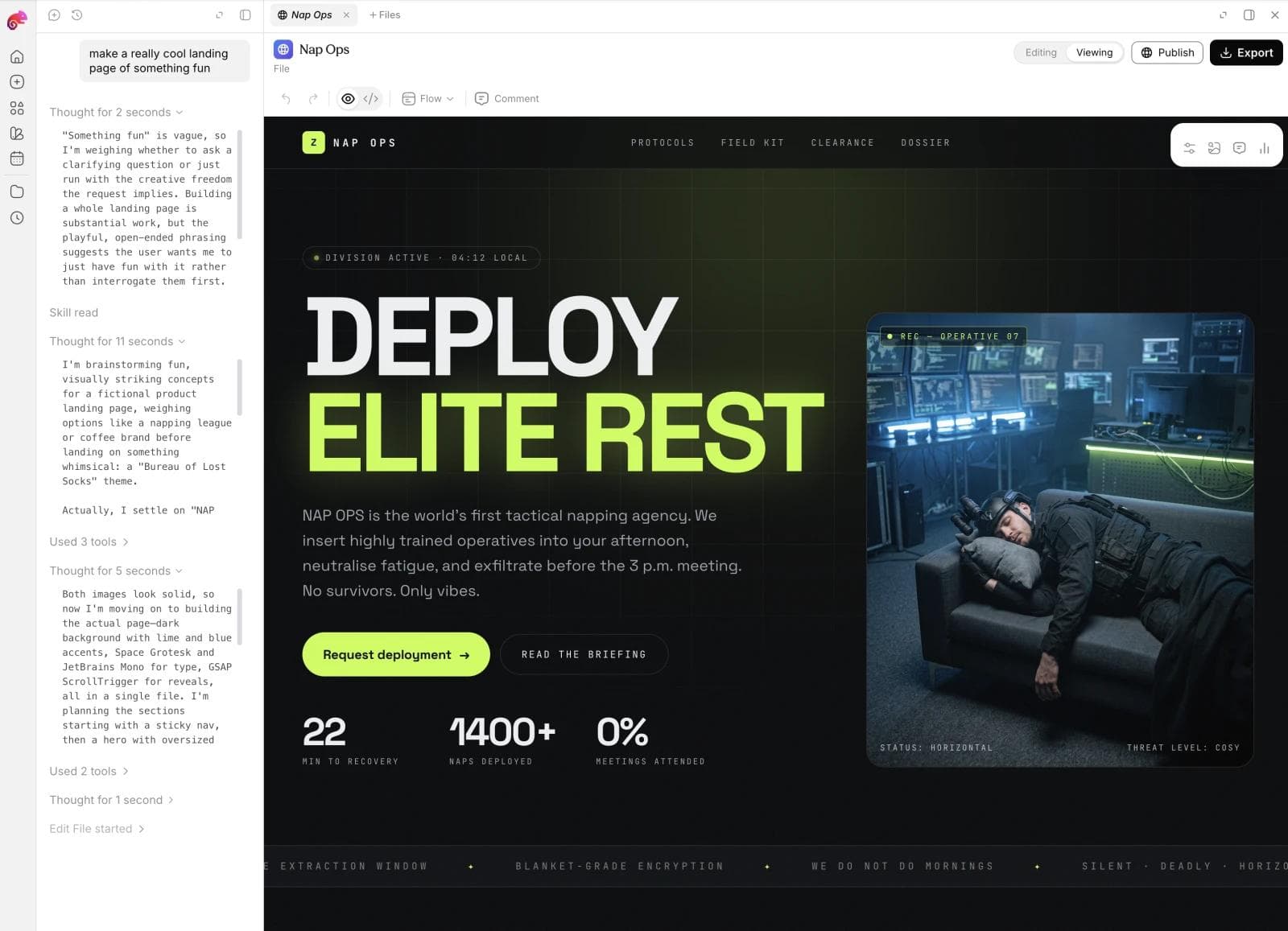
Moda is a good fit when an agency needs to move from a brief to a designed public website without maintaining separate design and implementation artifacts for every small project. Moda can generate responsive, multi-page websites, keep them editable, and publish them to a hosted public URL. That can make the working site itself the review artifact for landing pages, portfolios, event sites, campaign sites, and straightforward business websites.
That shorter production loop does not remove oversight. Itai Sadan, cofounder and CEO of agency website platform Duda, offered a useful mental model for AI-assisted agency work:
“I often compare AI to an exceptionally talented intern.”
In his interview about AI and agency delivery, Sadan’s follow-up is the operational point: give the system a clear objective, the right context, and supporting materials. In this workflow, the brief, exit gates, and human review supply that structure.
The same workspace can also hold the brand kit and produce related campaign assets, such as decks, social graphics, ads, images, and launch materials. The benefit is fewer brand and production handoffs, not the elimination of strategy, client decisions, content review, or QA.
Moda is not the right system for every project. A large editorial program may need a deeper CMS. A store needs commerce operations. An authenticated product with private data and custom backend behavior needs an application platform or development stack. Agencies comparing a focused static site with a larger visual-development system can also review the current Webflow alternatives.
If your next client project is a brand-led public site, you can start the first working direction in Moda and use the gates in this guide to manage the project around it.
Agency web design workflow FAQ
What are the stages of a web design workflow?
A practical web design workflow has eight stages: qualify, scope, collect, structure, establish visual direction, build, review and QA, then launch and hand off. Each stage should define an owner, client decision, visible deliverable, and exit gate.
What is the difference between a web design workflow and a web development workflow?
A web design workflow covers the complete client project, including qualification, scope, content, design, approvals, launch, and handoff. A web development workflow is the technical implementation inside that larger system, including environments, code, testing, deployment, and maintenance.
Does every website project need wireframes and a Figma design?
No. Use each artifact to retire a real risk. Wireframes help when structure is uncertain. High-fidelity design helps when precise art direction or stakeholder approval is required. A straightforward static site can sometimes move from an approved message and visual direction into a working responsive page.
How many rounds of client revisions should an agency include?
There is no universal number. Define the review milestones and revision rules in the scope. A common practical structure is one consolidated direction review followed by one complete-site review, with new requests separated from corrections to the approved scope.
How can an agency make the web design process faster?
Compress stages when one artifact can settle several low-risk questions, but keep explicit approval gates. Start with blocking inputs, appoint one client decision-maker, review a working page when appropriate, consolidate feedback, and reuse proven sections and QA checklists across projects.

Real editable visuals. Real canvas. Full control.
Fly through design work