How to Use Claude to Create a Pitch Deck
A practical guide to using Claude for pitch decks: what to provide, which workflow to choose, what to check, and when another tool fits better.
 Anvisha Pai, Co-founder & CEO, Moda
Yes. Claude can help you create a pitch deck, but there are three different ways to use it. Claude chat can turn source material into a downloadable PowerPoint. Claude for PowerPoint can build or edit slides inside an existing deck. Claude Design gives you a visual canvas for exploring the deck through conversation and direct edits.
The best choice depends less on which product sounds newest and more on what you already have. If you have a company PowerPoint template, work inside PowerPoint. If you have research and notes but no deck, start in Claude chat. If you are still exploring the visual direction, Claude Design is the more natural place to begin.
Whichever route you choose, treat the first deck as a draft. Claude can organize material and produce slides, but you still need to verify every claim, decide what the audience should remember, and check the exported file before sending it.
Choose the right Claude workflow
Claude can now make presentations through three related but distinct workflows. Picking the right one at the start prevents unnecessary conversions later.
1. Claude chat: best when your source material comes first
Claude can create downloadable PowerPoint files from a prompt or from uploaded documents and data. Anthropic says file creation is available across Claude plans, although organization settings can affect access on Team and Enterprise plans.
This route makes sense when the hard part is synthesis. You might have a product brief, customer research, a spreadsheet of traction data, and rough notes from the founders. Claude can help turn those inputs into a narrative and generate a .pptx file.
The tradeoff is that the conversation is separate from the final editing environment. Once you download the deck, expect to review it in PowerPoint or another presentation editor.
2. Claude for PowerPoint: best when the deck already lives in PowerPoint
Claude for PowerPoint is an add-in for Pro, Max, Team, and Enterprise plans. According to Anthropic's current documentation, it can generate a full deck, add slides using an existing template, edit selected slides, restructure a sequence, and create native PowerPoint charts and diagrams.
This is the clearest option for a company with a trusted slide master or a deck that is already halfway done. Apply the template before asking Claude to build. That gives it real layouts, fonts, and colors to work from instead of asking it to invent a brand system from a sentence.
It is also the better Claude workflow for precise revisions. You can ask it to simplify slide 3, combine slides 5 and 6, or turn a table into a chart without regenerating the whole presentation.
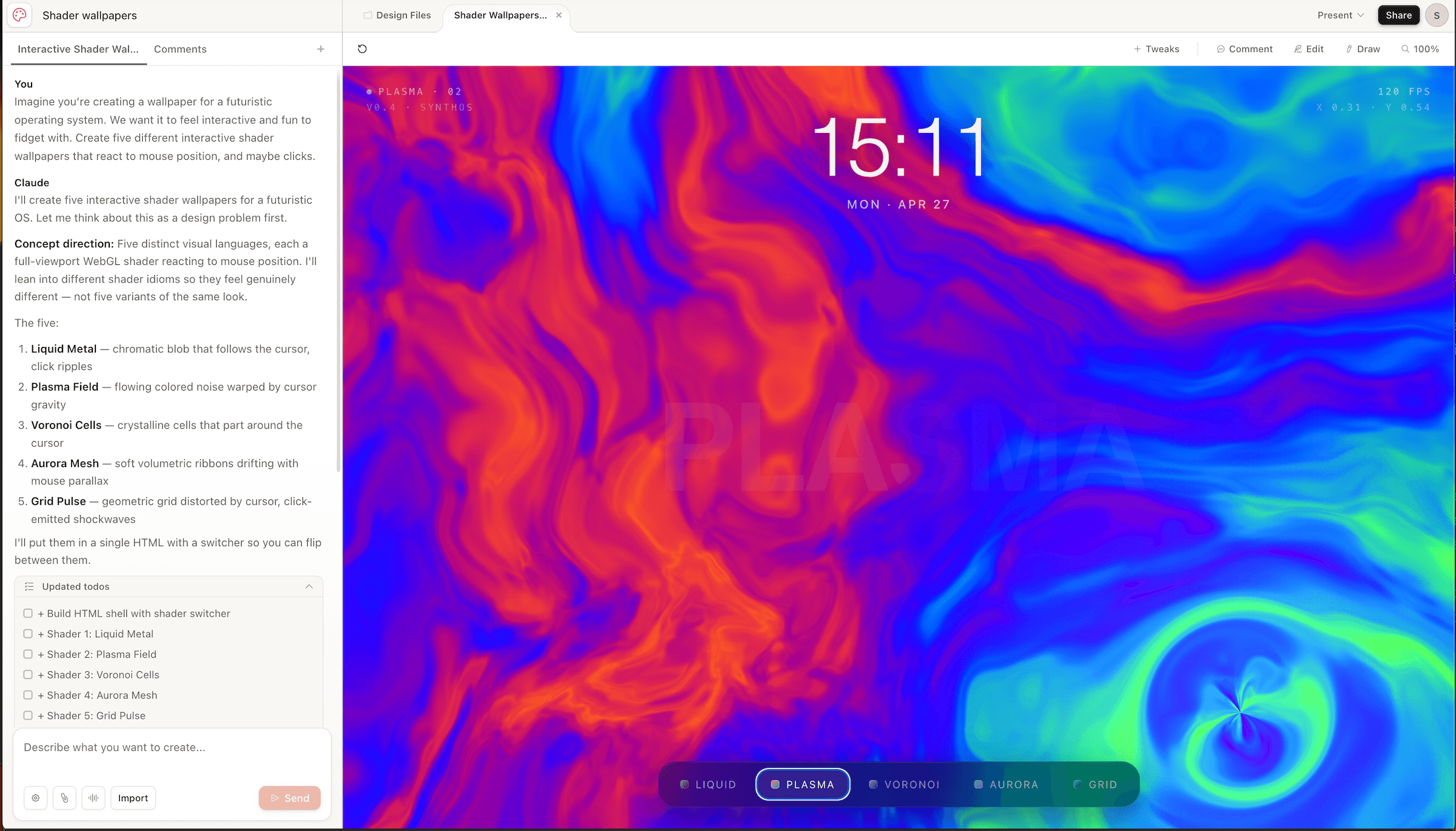
3. Claude Design: best for visual exploration
Claude Design combines a chat interface with a canvas. You can refine the overall direction in chat, leave comments on specific elements, or drag, resize, and align items directly. It can export PPTX and PDF files, share projects for viewing or editing, and use an organization design system built from codebases, slide decks, documents, or brand assets.
Claude Design is currently in beta on Pro, Max, Team, and Enterprise plans. Anthropic notes that simultaneous multi-person editing is still basic, and the quality of an imported design system depends on the source material. See the current Claude Design limitations before standardizing a team workflow around it.
Two conditions are worth knowing before you plan a deck around it. Claude Design no longer has its own weekly allowance: it draws from the same usage pool as chat, Claude Code and Cowork, so a heavy coding week eats into the capacity you have left for slides. And on Enterprise it ships switched off, so if you cannot see it, an administrator has to enable it under Organization settings, Capabilities, in the Anthropic Labs section.
For the full picture of what it does, what it costs and where it stops, see our Claude Design review.
What to give Claude before it starts
A prompt such as “make a ten-slide investor deck” leaves the most important decisions unstated. Give Claude the material and constraints a good human collaborator would need.
- Audience and decision. Name who will see the deck, what they already know, and what you want them to do afterward.
- Source material. Attach the product brief, customer evidence, market research, financial model, team biographies, and any existing deck. Mark draft numbers and unsupported estimates clearly.
- The central argument. State the problem, why it matters now, what your company does differently, and the evidence that supports the claim.
- Required and optional slides. Specify the sections the audience expects, but let Claude challenge the order or recommend removing a slide that adds no value.
- Brand references. Provide the actual PowerPoint template, a strong previous deck, or complete brand assets. A logo and two hex codes are not a design system.
- Output constraints. Say whether the deck must remain editable in PowerPoint, work in Google Slides, be presented as a PDF, or include speaker notes.
A useful starting prompt
“Help me create a pitch deck for seed investors who understand B2B software but not our market. Use the attached product brief, customer interviews, and financial model as the only factual sources. First propose the argument and slide sequence. For each slide, state the claim, evidence, and best visual form. Flag missing evidence instead of filling gaps. After I approve the outline, create the deck using the attached PowerPoint template.”
The important instruction is not the slide count. It is asking Claude to separate claims from evidence and expose gaps before it designs around them.
A practical Claude pitch-deck workflow
- Build the fact base first. Ask Claude to inventory the evidence you supplied. Resolve conflicting numbers and label estimates before they reach a slide.
- Approve the story before the layout. Review a one-line purpose for each slide. A beautiful slide cannot fix a weak sequence.
- Choose the production surface. Use Claude for PowerPoint when a template and native editing matter. Use Claude Design when visual exploration matters. Use file creation in chat for a quick downloadable draft.
- Generate a small section first. Try the opening three slides before committing to the whole deck. This reveals whether Claude understands the audience, level of detail, and visual direction.
- Revise one problem at a time. Requests such as “make it better” are hard to evaluate. Ask for a clearer headline, one stronger proof point, less text, or a chart that answers a specific question.
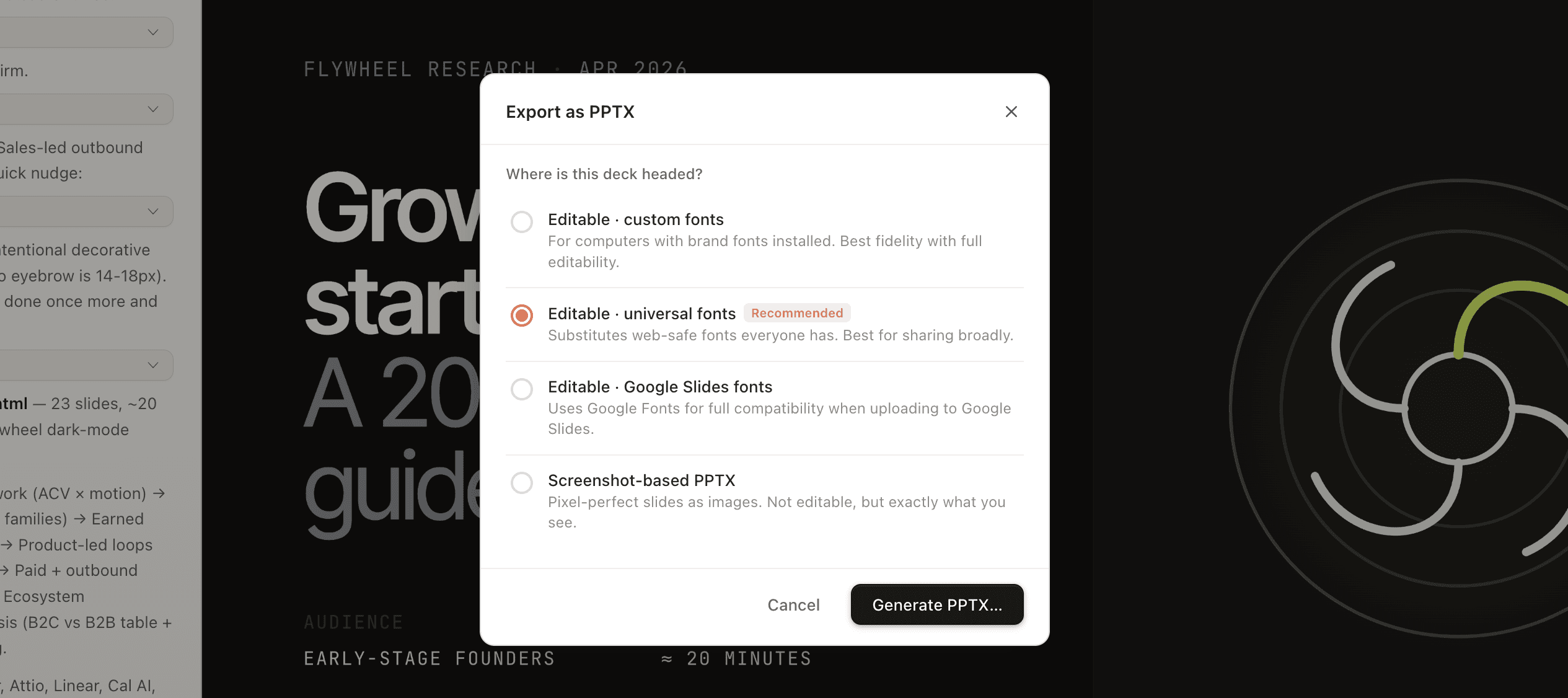
- Export early and inspect the real file. Open the PPTX on the device and application the recipient will use. Check fonts, charts, image crops, alignment, notes, and whether elements that need editing remain editable.
What Claude still needs you to check
Anthropic itself says Claude for PowerPoint should not replace human judgment on design or narrative flow and is not recommended for final client deliverables without human review. The same caution is sensible for any generated pitch deck. Its PowerPoint guidance recommends reviewing changes and verifying brand compliance.
- Numbers and claims. Trace every market figure, customer quote, growth number, and competitor statement to a source.
- The ask. Make sure the amount, use of funds, milestones, and runway assumptions agree with the financial model.
- Narrative continuity. Read only the slide headlines in order. They should form a coherent argument without the body copy.
- Visual honesty. Charts should use the correct units, axes, and time periods. Product imagery should match what the product actually does.
- Editability and handoff. Confirm collaborators can change the content they own and that the deck does not depend on fonts or assets they lack.
- Privacy and permissions. Do not upload confidential board, customer, or financial material until you have checked your account settings and company policy.
When another presentation tool is a better fit
Claude is a strong choice when the work begins with research, documents, or a half-finished PowerPoint. It can help find the story inside a pile of material and, in PowerPoint, make targeted changes without forcing a new workflow.
A conventional PowerPoint or Google Slides workflow may still be best when many people need to make last-mile edits in a familiar tool. A specialist presentation or design tool can be better when the main challenge is visual direction, reusable brand control, or working on an editable canvas rather than synthesizing source documents.
Moda is one option for that second case. It creates decks on an editable design canvas, can apply a saved brand kit, and exports to PPTX and PDF. It is not a substitute for Claude’s broad document analysis, and Claude for PowerPoint is the more direct choice when your team already has a mature PowerPoint template. For a wider view of the category, see our AI presentation maker guide and pitch-deck generator comparison.
The bottom line
Claude can do meaningful pitch-deck work today. It can structure the story, turn source files into a presentation, generate a PowerPoint, edit an existing deck, and explore a visual direction in Claude Design.
The most dependable workflow is to give it real evidence, approve the narrative before generating every slide, work in the format your team will actually edit, and inspect the final file yourself. Use Claude to accelerate judgment, not to avoid it.

Real editable visuals. Real canvas. Full control.
Fly through design work